


 Top Rated Course

We may not have the course you’re looking for. If you enquire or give us a call on +61 272026926 and speak to our training experts, we may still be able to help with your training requirements.
User Stories: Definition, Examples, and Best Practices
Scarlett Adams 15 December 2025User Stories are short, simple descriptions of a feature told from the user's perspective, outlining who they are, what they want, and why they need it. They focus on user goals and outcomes to improve communication, planning, and value delivery while keeping work user-centred and efficient. They help teams build exactly what users want.

Training Outcomes Within Your Budget!
We ensure quality, budget-alignment, and timely delivery by our expert instructors.
Table of Contents

You care about your users, but it is difficult when you don’t know exactly what they need. That’s where User Stories come in! They help you see the product from the user’s perspective. It is simple, clear, and focused on what really matters.
Be free from guesswork and wasted effort and build features that people truly want. User Stories bring clarity, better teamwork, and happier users. Read on this blog to know what they are, how to write them, real examples, and best practices to help your team deliver real value!
Table of Contents
1) What is a User Story?
2) What are User Stories Used For?
3) Key Components of User Stories
4) How to Write an Effective User Story?
5) What are the Benefits of User Stories?
6) What are the Limitations of User Stories?
7) Best Practices of User Story
8) Real-world Examples of User Stories
9) Conclusion
What is a User Story?
A User Story is a short and simple way to describe what a user needs from a product or system. It focuses on the user and what they want to do. User Stories are commonly used in Agile Software Development teams to make sure the work is helpful to people. This helps teams think from the user’s point of view and build useful features. They also promote clearer communication between Developers, Testers, and stakeholders throughout the project.

What are User Stories Used For?
User Stories help teams understand what to build and why. They are especially used to understand the user needs in Agile frameworks like Scrum and eXtreme Programming (XP).
In Scrum, they are written in the product backlog to help teams and Product Owners focus on customer requirements. In XP, User Stories lead product acceptance and are used to create acceptance tests before coding begins. They also support effort estimation and release planning.
Overall, User Stories help teams to:
1) Understand user needs
2) Prioritise tasks
3) Improve planning
4) Align work with customer value
5) Create testable, goal-focused features
Key Components of User Stories
Every good User Story has a few key elements that make it relatable to everyone involved. Here are its four key components:

1) Role
This describes who the user is. It defines the type of person using the feature, like a customer, Admin, Manager, student, or stakeholder. Knowing the user’s role helps you design features for the right audience.
2) Goal
Goal explains what the user wants to do. It shows the user’s main action or needs. By focusing on goals, you can plan features that support real tasks and workflows. Clear goals also help turn work into smaller, manageable tasks that fit within a sprint.
3) Benefit
The benefit part tells us why the user wants that goal. It highlights the result or value they expect. Understanding the benefit connects the feature to the user’s success and helps define testable outcomes.
4) Story Points
After writing the User Story, Agile teams assign story points. These are used to estimate how complex or time-consuming the task is. Smaller, simpler stories get fewer points, while larger or more complex stories get more. They help compare effort between stories.
Explore how to integrate testing into Agile development processes with our Agile Tester Training – Register now!
How to Write an Effective User Story?
Creating a User Story isn’t just about writing a sentence. It is about clearly showing what the user wants, why they want it, and how your team will deliver it. Here’s a simple six-step process to write strong User Stories:
1) Define What “Done” Means for the Story
Before writing the story, be clear about the end result. The team should agree on when a story is considered complete. This is called the “Definition of Done.” It includes development, testing, or documentation.
2) Break Down Tasks and Subtasks Clearly
Though the User Story itself is short, the work behind it can have multiple steps like coding, writing test cases, and reviewing. List out the detailed tasks and subtasks needed to complete the story. This helps your team assign responsibilities and manage work more effectively.
3) Identify and Understand User Personas
Identify for whom the story is. It can be a customer, an Admin, a student, or another type of user. You need to craft user personas based on real users. If the story serves multiple users, you can break it into separate stories for better focus.
4) Structure Stories in Sequential Steps
If the story is part of a larger process, order them correctly with a logical flow. This makes your backlog cleaner and your development smoother. This approach is called User Story Mapping. It helps you see the whole journey through the product.
5) Gather Input and Feedback from Users
User Stories should not be created in isolation. Talk to actual users or Customer Support teams to learn what users really need and expect from you. For that, ask them about their goals, frustrations, and feature requests. These insights shape your User Stories that reflect real needs.
6) Ensure Each Story Fits Within a Single Sprint
A good User Story should be small enough to finish in one sprint. If it is too large, you can break it into smaller stories. This gives the team a sense of progress and allows for faster delivery of working features.
What are the Benefits of User Stories?
Here are the benefits of User Stories:
1) User-centric Thinking: It helps keep the focus on real user needs.
2) Improved Collaboration: Drives to encourage conversations between team members and stakeholders.
3) Better Planning: Helps in creating accurate sprint plans and timelines.
4) Increased Flexibility: It is highly flexible since stories can be reprioritised quickly.
5) Clarity and Simplicity: User Stories are easy to understand, even for non-technical people.
6) Testable Outcomes: Each story comes with clear acceptance criteria.
Moreover, User Stories help development teams build the right thing which is in demand instead of just building things right.
What are the Limitations of User Stories?
While User Stories are helpful, they have some limitations too. Let's check what they are:
1) Lack of Detail: Stories can sometimes be too vague or oversimplified.
2) Dependence on Conversations: If communication is poor, there are chances for the story to be misunderstood.
3) Hard to Scale: Managing too many small stories in large projects can be challenging.
4) Ignore Technical Needs: Focus on users may lead to ignoring technical tasks, like fixing bugs or upgrading systems.
5) Overuse of Generalisation: Not all user types or edge cases are covered.
Discover the Agile analysis techniques that drive smarter decisions with our Agile Business Analysis in a Scrum Environment Training – Join soon!
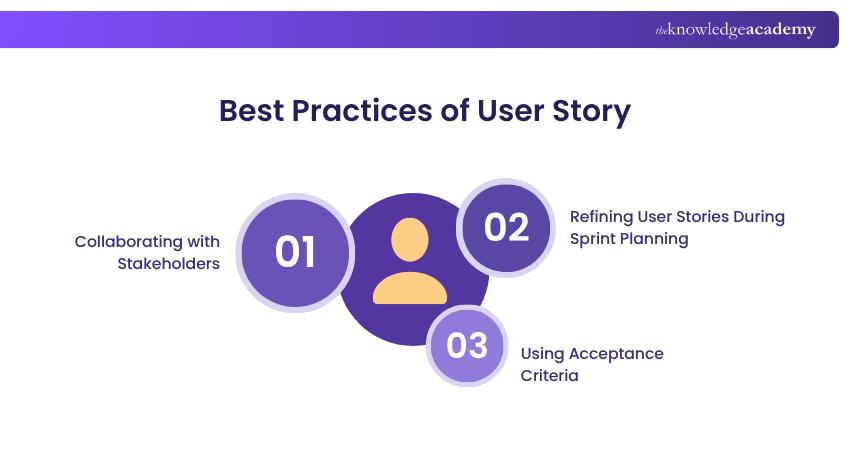
Best Practices of User Story
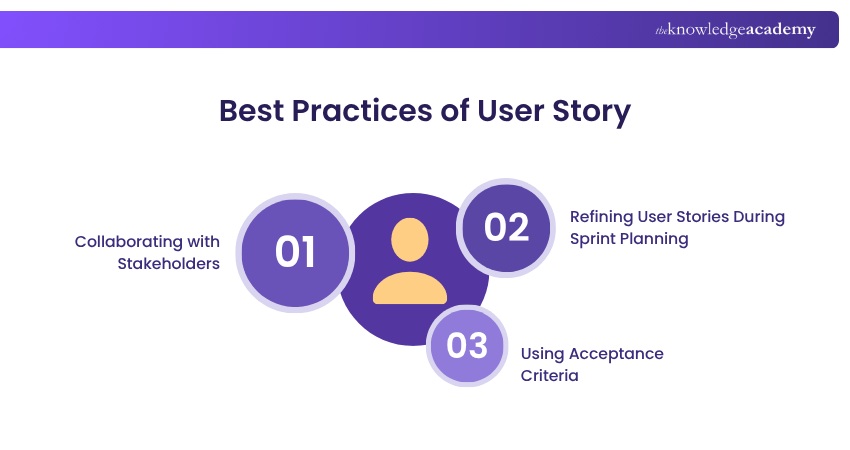
Writing clear and useful User Stories is an important part of Agile success. So, here are the best practices for you:
1) Collaborating with Stakeholders
Work closely with Product Owners, Managers, and key stakeholders when writing User Stories. You can also talk to users or customer-facing teams to understand real needs and problems. Open communication ensures that stories stay user-focused and reflect real usage rather than assumptions.
Key Tips
1) Include stakeholders to avoid last-minute changes
2) Provide workshops or story-mapping sessions to align on priorities
3) Record discussions or feedback to revisit during development
2) Refining User Stories During Sprint Planning
You can use sprint planning or backlog refinement sessions to review and improve stories. Break down large stories into smaller ones that fit into a sprint. You need to add or adjust story points to match the team’s capacity. Refining stories keeps teams flexible and focused on delivering what matters most.
Key Tips
1) Limit sprint scope by selecting only well-defined stories
2) Revisit unclear or outdated stories before assigning effort
3) Use team discussion to agree on complexity and size estimates
3) Using Acceptance Criteria
Every story should include clear acceptance criteria. These are the checks that confirm the story is “done.” They help the team know exactly what is expected and help in development, testing, and review. This reduces misunderstandings and ensures both functional and non-functional requirements are met.
Key Tips
1) Align acceptance criteria with the Definition of Done (DoD)
2) Keep your criteria short, specific, and testable
3) Review those criteria together during planning to confirm understanding
Real-world Examples of User Stories
User Stories are often written using simple templates that describe who the user is, what they want, and why they want it in one sentence. Here are some functionality templates and real examples based on them:
The 5W’s Model Template
Template:
As
Example:
“As a SaaS user, when I log in from a new device, I want to receive a security code because I want to keep my account safe.”
This template includes context of when and where. It is helpful in complex workflows or enterprise systems.
The Chris Matts Template
Template:
In order to
Example:
“In order to avoid flight delays, as a travel agent, I can access live airline schedule updates.”
Starting with the benefit highlights the story's business impact.
Some Real-world Examples
E-commerce
“As a shopper, I want to save items in my cart so I can check out later.”
This User Story focuses on convenience. Many online shoppers like to browse and return later to make purchases. By allowing them to save items in the cart, the platform increases the chance of completed sales and improves the customer experience.
Mobile Banking
“As a user, I want to receive alerts when money is withdrawn from my account so I can monitor transactions.”
Security and awareness are key in banking. Real-time alerts help users track activity, spot unauthorised transactions quickly, and feel more confident about their account safety.
Healthcare App
“As a patient, I want to book appointments online so that I can avoid phone queues.”
Patients often find it frustrating to wait on phone lines. Online appointment booking makes the process faster, saves time, and improves access to healthcare services.
Learning Platform
“As a learner, I want to track my course progress, so I know how much is left.”
This feature helps users stay motivated and organised. Seeing their progress keeps learners engaged and gives them a clear idea of how far they've come and what’s still left to finish.
Conclusion
User Stories are an easy and powerful way to plan work in Agile development teams. They help teams stay focused on what matters most, solving problems for users. By writing clear, structured stories and collaborating regularly, teams can build better products faster. With proper planning and teamwork, the end result is more useful for users.
Upskill your businesses to adapt Agile approaches to development with our Agile Software Testing Training – Sign up immediately!
Frequently Asked Questions
What is the Difference Between Epic and User Story?

An Epic is a large, high-level feature or goal that is too big to complete in one sprint. A User Story is a smaller, actionable task derived from an epic. Stories are detailed, testable, and deliver specific value within a sprint.
Can Scrum Master Write User Stories?
While it is typically the role of a Product Owner, a Scrum Master can write User Stories if needed, especially to support the team. However, they should collaborate with stakeholders and the Product Owner to ensure alignment with product goals and user needs.
What are the Other Resources and Offers Provided by The Knowledge Academy?
The Knowledge Academy takes global learning to new heights, offering over 3,000 online courses across 490+ locations in 190+ countries. This expansive reach ensures accessibility and convenience for learners worldwide.
Alongside our diverse Online Course Catalogue, encompassing 19 major categories, we go the extra mile by providing a plethora of free educational Online Resources like Blogs, eBooks, Interview Questions and Videos. Tailoring learning experiences further, professionals can unlock greater value through a wide range of special discounts, seasonal deals, and Exclusive Offers.
What is The Knowledge Pass, and How Does it Work?
The Knowledge Academy’s Knowledge Pass, a prepaid voucher, adds another layer of flexibility, allowing course bookings over a 12-month period. Join us on a journey where education knows no bounds.
What are the Related Courses and Blogs Provided by The Knowledge Academy?
The Knowledge Academy offers various Agile Software Testing Training, including Agile Software Testing Course and Agile Tester Training. These courses cater to different skill levels, providing comprehensive insights into Critical Success Factors.
Our Business Analysis Blogs cover a range of topics related to User Stories, offering valuable resources, best practices, and industry insights. Whether you are a beginner or looking to advance your User Stories knowledge, The Knowledge Academy's diverse courses and informative blogs have got you covered.
Upcoming Business Analysis Resources Batches & Dates
Date
 Agile Software Testing
Agile Software Testing
Mon 27th Jul 2026
Agile Software Testing
Thu 10th Sep 2026
Agile Software Testing
Mon 19th Oct 2026
Agile Software Testing
Thu 17th Dec 2026

 If you wish to make any changes to your course, please


