


 Top Rated Course

We may not have the course you’re looking for. If you enquire or give us a call on +1 6474932992 and speak to our training experts, we may still be able to help with your training requirements.
Git Life Cycle: All You Need to Know
Richard Harris 07 February 2026Are you curious about the Git Life Cycle? It’s the process that tracks every change in your project, starting from the initial working directory to the final commit in the Git repository. In this blog, we will explore each Git Life Cycle stage, such as the Working Directory and Git Directory, alongside its architecture.

Training Outcomes Within Your Budget!
We ensure quality, budget-alignment, and timely delivery by our expert instructors.
Table of Contents

Imagine you're the author of an evolving masterwork, where every draft, edit, and final version must be precisely tracked and preserved. In the Software Development Methodology field Life Cycle, Git is your trusted librarian, managing the life cycle of your project accurately. From your first rough draft in the working directory to the final polished version in the Git directory, every stage is critical. Are you ready to follow this journey and cultivate Git expertise? Let's begin this trip controlled by versions!
Table of Contents
1) What is Git?
2) Stages in Git Life Cycle
a) Working Directory
b)Staging Area
c) Git Directory
3) Architecture of Git
4) Conclusion
What is Git?
Git is a distributed version control system that developers use to track changes in source code during software development. It allows multiple people to work on the same project simultaneously without altering each other's work.
Git manages project files, tracks the history of all changes, and helps developers collaborate efficiently by merging different code versions. Understanding Git Fetch vs Pull is essential, as it allows developers to decide how they want to update their local repositories. With Git, developers can easily revert to previous versions and ensure the integrity of their projects.

Stages in Git Life Cycle
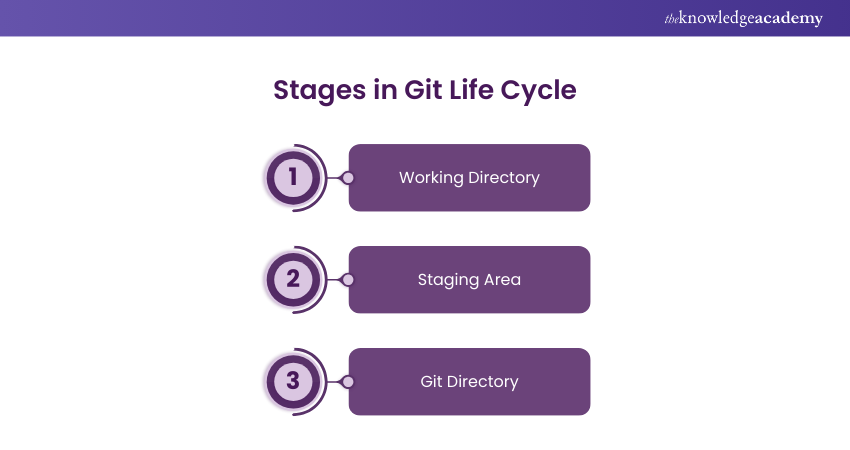
Understanding the stages in the Git life cycle is crucial for managing and tracking changes effectively in your projects. Each stage represents a different state of your files as they move from initial drafts to final versions.
1) Working Directory
The Working Directory is where you make changes to your project files. It indicates the current state of your project on your local machine. Furthermore, these changes are reflected as you add, delete, or modify files in the Working Directory. However, these changes are not yet tracked by Git. The Working Directory is essentially your workspace where all the editing and development occurs before moving to the next stage.
2) Staging Area
The Staging Area, also known as the Index, is where you prepare your changes before committing them. When you use the `git add` command, the changes from the Working Directory are proceeded to the Staging Area. This step allows you to review and organise your changes before they become part of the project’s history. The Staging Area acts as a buffer, letting you control exactly what gets committed to the Git Repository.
Become the professional of futuristic web- join our Front-End Development Course!
3) Git Directory
The Git Directory, also known as the Repository, is where all the committed changes are stored. Once you move changes from the Staging Area using the `git commit` command, they become part of the Git Directory. This directory contains the full history of your project, including all previous versions and commits. It also plays a crucial role in processes like Git Rebase and Merge, ensuring that changes are efficiently integrated. The Git Directory is the core of Git’s version control system, ensuring that all changes are tracked and can be reviewed or merged later.
Javascript And JQuery Training: the ultimate toolkit for developers – sign up today!
Architecture of Git
Git’s architecture is designed to manage and track changes across multiple project versions efficiently. It provides a robust framework for collaborative development, securing consistency and integrity in the codebase.
1) Working Directory: This is where developers work on the project's latest version, making file changes as needed.
2) Staging Area: This area acts as an intermediate space where changes are reviewed and organised before committing. This ensures that only selected modifications are included.
3) Git Directory (Repository): This is the core of Git, where all committed project versions are stored, maintaining a complete history of every change performed.
4) Branches: Git allows for multiple branches, enabling parallel development without affecting the core codebase. You can even rename a branch in Git to better manage different features or versions. Additionally, Git Stash helps developers temporarily store changes, allowing them to switch branches without committing unfinished work.
5) Commits: Each commit in Git is a snapshot of the project at a specific point in time, allowing developers to track progress and regress to previous versions if required.
Transform your ideas into mobile apps with Mobile App Development Course- register today!
Conclusion
In conclusion, mastering the Git Life Cycle is essential for managing your projects with precision and efficiency. Understanding each stage, including how to handle Resolving Git Merge Conflict, will ensure your work is efficiently tracked, organized, and ready for collaboration. By following the correct Git workflow, you can avoid disruptions and ensure smooth development. If you're weighing your options between version control systems, the comparison of Perforce vs Git can also help guide your decision on which system best fits your needs. So, ready to embrace this journey and unlock the full potential of your projects with Git.
Join Web Development Using Python & Web2py Course and unlock next-gen apps!
Frequently Asked Questions
What is the Git Process?

The Git process involves three key steps: modifying files in the Working Directory, making changes in the Staging Area using `git add`, and committing changes to the Git Directory with `git commit.' This process ensures efficient tracking, collaboration, and version control of your project’s lifecycle.
What are the Five Basic Commands With Git?
The five basic Git commands are `git init`, `git add`, `git commit`, `git status`, and `git push.' These commands are paramount to ensure effective version control in Git.
What are the Other Resources and Offers Provided by The Knowledge Academy?
The Knowledge Academy takes global learning to new heights, offering over 3,000+ online courses across 490+ locations in 190+ countries. This expansive reach ensures accessibility and convenience for learners worldwide.
Alongside our diverse Online Course Catalogue, encompassing 19 major categories, we go the extra mile by providing a plethora of free educational Online Resources like Blogs, eBooks, Interview Questions and Videos. Tailoring learning experiences further, professionals can unlock greater value through a wide range of special discounts, seasonal deals, and Exclusive Offers.
What is The Knowledge Pass, and How Does it Work?
The Knowledge Academy’s Knowledge Pass, a prepaid voucher, adds another layer of flexibility, allowing course bookings over a 12-month period. Join us on a journey where education knows no bounds.
What are the Related Courses and Blogs Provided by The Knowledge Academy?
The Knowledge Academy offers various App & Web Development Training, including the Git & GitHub Fundamentals, and the Javascript And JQuery Training. These courses cater to different skill levels, providing comprehensive insights into Git Rebase.
Our Programming & DevOps Blogs cover a range of topics related to Software Development, System Administration, and Automation, offering valuable resources, best practices, and industry insights. Whether you are a beginner or looking to advance your Technical Skills, The Knowledge Academy's diverse courses and informative blogs have got you covered.

Richard Harris


Senior Full Stack Developer and Technology Educator
Richard Harris is a highly experienced full-stack developer with deep expertise in both frontend and backend technologies. Over his 12-year career, he has built scalable web applications for startups, enterprises and government organisations. Richard’s writing combines technical depth with clear explanations, ideal for developers looking to grow in modern frameworks and tools.

Upcoming Programming & DevOps Resources Batches & Dates
Date
 Git & GitHub Fundamentals
Git & GitHub Fundamentals
Fri 17th Jul 2026
Git & GitHub Fundamentals
Fri 13th Nov 2026

 If you wish to make any changes to your course, please


