


 Top Rated Course


We may not have the course you’re looking for. If you enquire or give us a call on +1 7204454674 and speak to our training experts, we may still be able to help with your training requirements.
What is a Website Taxonomy, and How to Implement It?
Richard Harris 22 April 2026A Website Taxonomy is a system used to organise and label content on a website and acts as a roadmap for both users and search engines. It helps group related pages into categories to make it easier for users to navigate and find information. A good one improves user experience, supports SEO, and keeps your website easy to manage.

Training Outcomes Within Your Budget!
We ensure quality, budget-alignment, and timely delivery by our expert instructors.
Table of Contents

Ever spent 30 minutes scrolling Netflix just to rewatch something you’ve already seen? That’s bad content discovery and your website could be doing the same to your users. Who fixes it? A Website Taxonomy, the superhero cape your site didn’t know it needed. It’s the silent strategist that makes everything findable, searchable, and scalable.
In this blog, we're Marie-Kondo-ing your website to flip the script. You’ll learn how to speak your audience’s language, guide them to the good stuff, and create a digital experience so intuitive, they’ll wonder if you read their mind. Spark joy, boost clicks, and build a web space that works.
Table of Contents
1) What is a Website Taxonomy?
2) Why is a Website Taxonomy Important?
3) Types of Website Taxonomy
4) How to implement a Website Taxonomy?
5) Website Taxonomy Best Practices
6) Conclusion
What is a Website Taxonomy?
A Website Taxonomy is a way to organise your website content, so it’s easy to find and understand. It groups similar content into categories, subcategories, and tags, just like a shop has sections for clothes, shoes, and accessories. This structure helps users quickly find what they’re looking for and allows search engines to better understand your site.
Key Takeaways:
1) Makes it easier for users to find information
2) Helps search engines understand your site structure
3) Improves navigation and user experience
4) Keeps your website clean, scalable, and easy to manage

Why is a Website Taxonomy Important?
A well-structured Website Taxonomy is more than just a content organisation tool. It is the backbone of your site's usability, growth, and digital performance. Here are some reasons that justifies the importance of Website Taxonomy:
1) Enhanced User Experience: Visitors can find what they need faster and more intuitively. This reduces bounce rates and increases user satisfaction, turning casual visitors into loyal customers.
2) Improved SEO: Search engines understand the content hierarchy better and help you rank higher. This leads to better rankings in search results, more visibility, and increased organic traffic.
3) Content Discoverability: Related content is easier to surface, increasing time on site. For example, showing “related articles” or grouping similar products can lead users deeper into your content ecosystem.
4) Scalability: As your content grows, taxonomy ensures it doesn’t become a cluttered mess. This is crucial for businesses planning long-term expansion or content marketing strategies.
Build the next big thing with our HTML And CSS Course - Start coding your future today!
Types of Website Taxonomy
Let’s discuss the common taxonomy types and where each fits best.
1) Flat Taxonomy
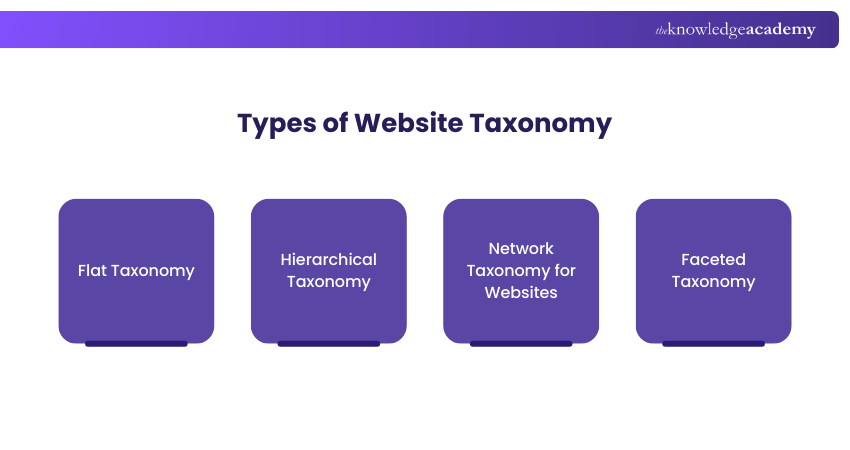
This type is the simplest form, a single level of classification. Think of product categories like “Shoes,” “Shirts,” and “Accessories.” No sub-categories. It’s ideal for small websites with limited content.
2) Hierarchical Taxonomy
It is a structured classification system where content is organised in a tree-like format, moving from broad categories to more specific subcategories. Example: "Clothing > Women > Dresses." It’s perfect for large e-commerce stores or blogs with multiple categories.
3) Network Taxonomy for Websites
Content pieces are interlinked based on relationships, not hierarchy. A blog post may link to a guide, a case study, and a product. It forms a web-like structure. Great for knowledge bases and educational platforms.
4) Faceted Taxonomy
This allows filtering content using multiple attributes. Think of filters like “Color,” “Size,” “Price Range” on shopping sites. It offers flexibility and is perfect for user-personalised content discovery.
How to Implement a Website Taxonomy?
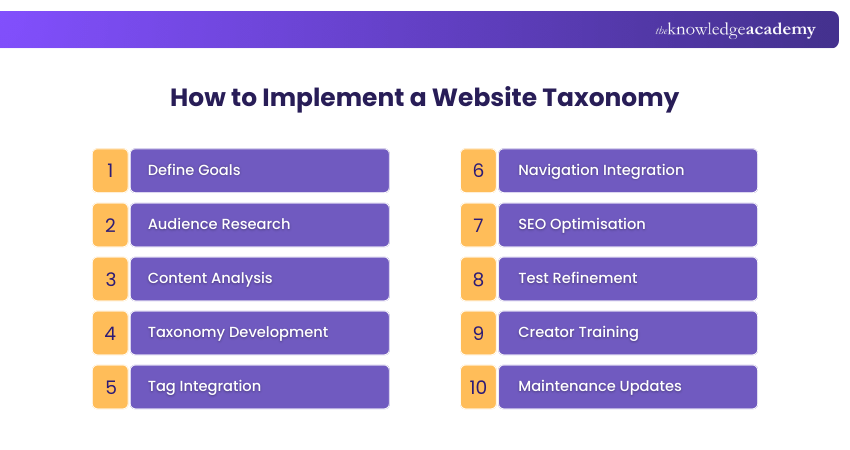
Website Taxonomy about creating a thoughtful, scalable structure that enhances user experience, improves SEO, and supports your business goals. Here’s how to implement a robust one step by step:
1) Define Goals
Your answers will shape how detailed, broad, or technical your taxonomy needs to be. Start with a clear understanding of why you're creating a taxonomy. Here are some questions you can ask:
a) Do you want to improve site navigation?
b) Are you trying to boost SEO?
c) Is the goal to better manage growing content?
d) Do you want to enhance internal linking and user engagement?
Bring your digital ideas to life - Learn to build apps with our Javascript and JQuery Training - Register today!
2) Audience Research
Your taxonomy should speak your audience’s language. This helps you tailor your taxonomy to real-world usage patterns and preferences. Here’s how to research effectively:
a) Use Google Analytics to find top-performing content and keywords
b) Use tools like Hotjar or Microsoft Clarity to see how users interact with your site
c) Send out user surveys to learn how your visitors search for information
d) Analyse competitor sites for insights into language and structure
3) Content Analysis
This step uncovers patterns and guides how content can logically be grouped, merged, or repurposed. Before you build anything, take stock of what you already have:
a) List every page, blog post, product, or content item
b) Group them based on topics, types, or formats
c) Identify duplicate, outdated, or underperforming content
d) Spot gaps where new content might be needed
4) Taxonomy Development
You should start building your taxonomy based on the insights from your research and audit. Here are the best practices you can follow:
a) Use intuitive, familiar language
b) Avoid jargon or overly technical terms unless your audience uses them
c) Make sure categories are mutually exclusive
d) Visualise your structure using tools like Miro, Lucidchart, or Trello
e) These structures can help stakeholders see the big picture
5) Tag Integration
Tags can drive related posts, power filtering systems, and improve user journeys without complicating the navigation. These are powerful when used right as they allow for content discovery across unrelated categories.
a) Don’t over-tag, 3–5 tags per content piece is usually enough
b) Use tags for themes or attributes like Eco-friendly, How-To, Beginner
c) Tags should be user-relevant and SEO-friendly
6) Navigation Integration
Good navigation turns your taxonomy from a back-end structure into a front-end experience enhancer. Once your taxonomy is defined, bring it to life:
a) Update your main menu, breadcrumbs, and sidebars
b) Ensure important categories are only one or two clicks away
c) Use dropdowns or mega menus for hierarchical structures
d) Add internal links between related content pieces
Why scroll when you can code? Build your own site with our WordPress Essentials Training - Sign up now!
7) SEO Optimisation
SEO and taxonomy go hand-in-hand in improving discoverability and rankings. Here are some SEO best practices:
a) Include relevant keywords in category and tag names
b) Create SEO-friendly URLs like example.com/blog/marketing-strategies
c) Add meta descriptions and headings that match your taxonomy
d) Use structured data where appropriate to help search engines understand relationships
e) Create XML sitemaps reflecting your taxonomy for better crawling
8) Test Refinement
Refine based on real data and feedback before rolling out site wide. Here are the steps you can follow:
a) Build a staging environment with your taxonomy in place
b) Conduct usability testing: ask real users to find content using the new structure
c) Test across devices and browsers
d) Use heatmaps and click tracking to see how users interact with your new structure
e) Measure engagement metrics: bounce rate, time on site, page views
9) Creator Training
This step ensures long-term consistency, which is critical for a clean, user-friendly site. Your beautifully designed taxonomy is only as good as the people using it.
a) Create a taxonomy style guide with naming conventions, rules, and examples
b) Train writers, editors, and product managers on how to assign categories and tags
c) Automate part of the process, if possible, by using CMS plugins for suggested tags
10) Maintenance Updates
Taxonomy isn’t a one-time job. Your website evolves, and so should its structure. An up-to-date taxonomy keeps your site fresh, relevant, and user centric.
a) Review the taxonomy quarterly or bi-annually
b) Remove unused tags or merge redundant ones
c) Add new categories or update labels as your business grows
d) Monitor user behavior and search trends to identify shifting needs
e) Keep SEO updated as keywords evolve
Website Taxonomy Best Practices
Here are the best practices to ensure your taxonomy remains effective, user-friendly, and scalable over time:
1) Know Audience
Your taxonomy should speak the language of your users. Key areas:
a) Understand how your audience searches, what terms they use, and what topics interest them.
b) Use analytics, user feedback, and surveys to shape category names and content labels.
c) Avoid internal jargon or overly technical terms unless your target users are familiar with them.
2) Keyword Research
Keywords are the bridge between your users and your content. Key areas:
a) Use tools like Google Keyword Planner, SEMrush, or Ahrefs to discover popular search terms.
b) Incorporate relevant keywords into your category titles, tag names, and URL structures.
c) This improves your site’s SEO and ensures your taxonomy matches what users are actively searching for.
Apps don’t build themselves, but you can create them with our XML Course - Be the brain behind the screen!
3) Be Consistent
Consistency builds trust and makes content easier to manage. Key areas:
a) Use the same naming conventions throughout like singular vs plural, title case vs lowercase
b) Avoid duplicate categories or tags with similar meanings like “How-To” vs “Tutorials”
c) Stick to a defined taxonomy style guide so that everyone, from content creators to developers is aligned.
4) Keep Simple
The simpler the taxonomy, the easier it is for users to navigate. Key areas:
a) Limit categories and tags to what is necessary and helpful
b) Avoid overly niche categories that apply to only one or two pieces of content
c) Use clear, straightforward labels that instantly tell users what to expect
5) Growth Potential
Your taxonomy should be scalable and adaptable. Key areas:
a) Choose a flexible structure that can handle more content without breaking
b) Leave room for new categories or tag groups as your website grows
c) Regularly review your taxonomy to add, merge, or update classifications
d) Most of the growth choices are based on new trends or offerings
Conclusion
This blog will help you understand What is Website Taxonomy and how to make optimum use of it. A good one is like tidying up a messy room, everything has a place, and it’s easier to find what you need. When your content is well-organised, visitors enjoy using your site, and search engines understand it better too. Keep it simple, user-focused, and scalable, and your taxonomy will serve your website well for years to come.
Code is the new superpower - Claim yours Front-End Web Development Course today!
Frequently Asked Questions
What is the Format of Taxonomy?

The format of taxonomy typically includes a structured hierarchy of categories, subcategories, and tags used to classify website content. It can be flat, hierarchical, faceted, or network-based, depending on the complexity and goals of the site. The format should be clear, consistent, and user-friendly.
What is the Methodology of Taxonomy?
The methodology of taxonomy involves defining goals, researching user behavior, auditing content, building a logical structure, integrating it into navigation, optimising for SEO, and regularly refining it. It’s a strategic, research-driven process to ensure content is well-organised and easily discoverable.
What are the Other Resources and Offers Provided by The Knowledge Academy?
The Knowledge Academy takes global learning to new heights, offering over 3,000+ online courses across 490+ locations in 190+ countries. This expansive reach ensures accessibility and convenience for learners worldwide.
Alongside our diverse Online Course Catalogue, encompassing 17 major categories, we go the extra mile by providing a plethora of free educational Online Resources like Blogs, eBooks, Interview Questions and Videos. Tailoring learning experiences further, professionals can unlock greater value through a wide range of special discounts, seasonal deals, and Exclusive Offers.
What is The Knowledge Pass, and How Does it Work?
The Knowledge Academy’s Knowledge Pass, a prepaid voucher, adds another layer of flexibility, allowing course bookings over a 12-month period. Join us on a journey where education knows no bounds.

Richard Harris


Senior Full Stack Developer and Technology Educator
Richard Harris is a highly experienced full-stack developer with deep expertise in both frontend and backend technologies. Over his 12-year career, he has built scalable web applications for startups, enterprises and government organisations. Richard’s writing combines technical depth with clear explanations, ideal for developers looking to grow in modern frameworks and tools.


 If you wish to make any changes to your course, please


