


 Top Rated Course

We may not have the course you’re looking for. If you enquire or give us a call on +32 35001305 and speak to our training experts, we may still be able to help with your training requirements.
12 Types of Explainer Videos: A Brief Overview
James Smith 25 March 2026Explainer Video Types include 2D animation, 3D animation, whiteboard, motion graphics, live-action, screencasts, and hybrid formats. They are short, engaging videos designed to simplify complex ideas and communicate messages clearly. Each type serves a unique purpose depending on the audience and intended business goals.

Training Outcomes Within Your Budget!
We ensure quality, budget-alignment, and timely delivery by our expert instructors.
Table of Contents

Have you ever watched a short video that made a complex idea suddenly feel simple and easy to understand? That is the power of Explainer Video Types. They turn complex information into something clear, engaging, and memorable. Whether it is a product, service, or concept, the right video style can capture attention and deliver the message without overwhelming the viewer.
With so many types of Explainer Videos available today, choosing the right one can make a big difference in how your audience understands your content. In this blog, you will learn about the Explainer Video Types, how to create one, why they are effective, and more. Keep reading to discover the right type that best fits your goals and meets your audience’s needs.
Table of Contents
1) Different Types of Explainer Videos
2) How to Create an Effective Explainer Video?
3) Why Explainer Videos Are Effective?
4) How to Structure an Explainer Video?
5) Conclusion
Different Types of Explainer Videos
Here are the top 12 Types of Explainer Videos that you can use to create a one-of-a-kind user experience:
1) Graphics for 2D Motion
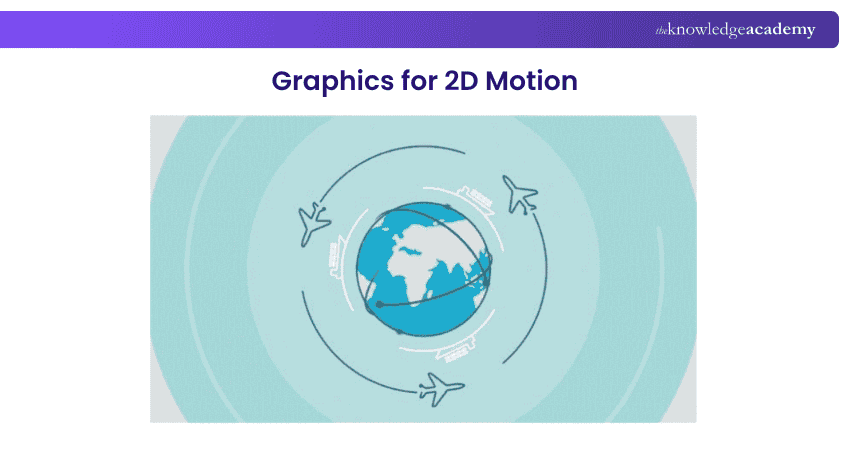
Graphics for 2D Motion Explainer Videos use flat, animated visuals to present ideas in a simple and engaging way. They are widely used to explain products, services, or complex concepts through clear, structured visuals that guide viewers and make information easier to understand.
This style is highly flexible and can adapt to different brand tones, from minimal and professional to bold and creative. It is also cost-effective and quick to produce, making it a practical choice for marketing campaigns, educational content, and corporate communication across various industries.

2) Animation of 2D Characters
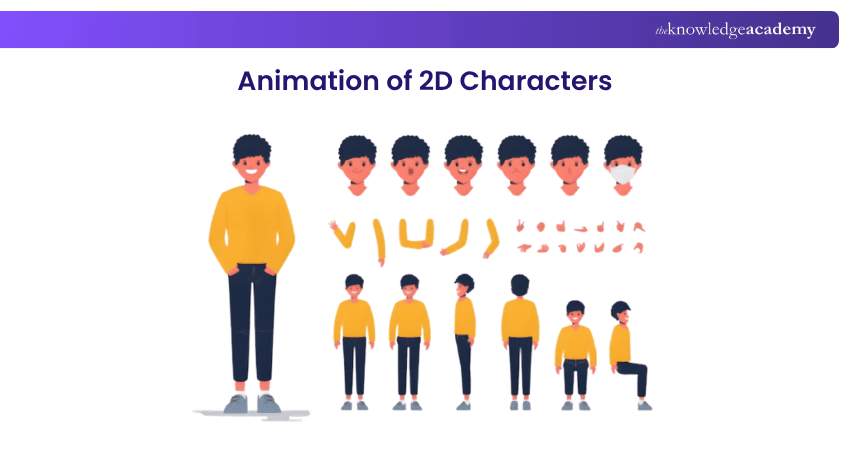
2D Character Animation Explainer Videos use animated characters to tell stories and explain ideas in a relatable and engaging way. These characters help humanise complex or abstract concepts. This makes the content more interesting and easier for audiences to connect with on a personal level.
This approach builds a strong emotional connection through humour, empathy, or real-life situations. It also clearly demonstrates how a product or service solves specific problems, helping viewers understand its value and making the message more memorable and impactful.
3) 2D Cartooning Using 3D Components
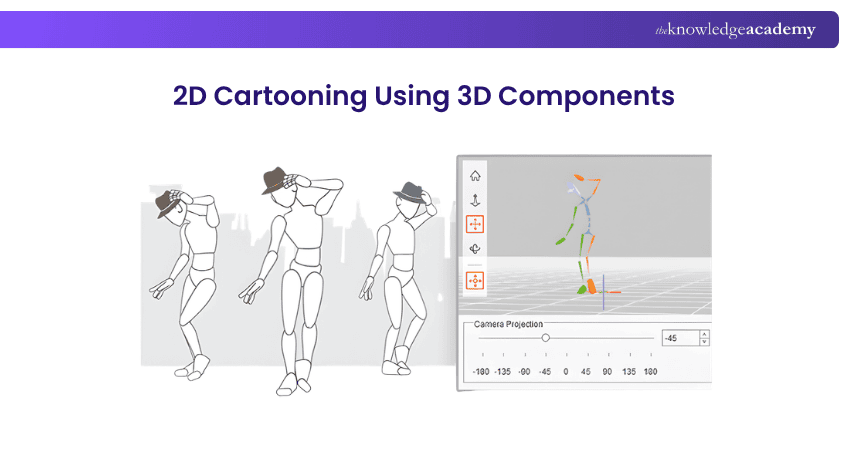
2D Cartooning using 3D Components in Explainer Videos is a creative fusion that combines the charm and simplicity of 2D animation with the depth and dynamism of 3D elements. This hybrid style allows for a unique visual experience, where the familiar, flat appearance of 2D cartoons is enhanced with 3D features, adding a layer of sophistication and visual interest.
Including 3D components in a 2D cartoon world can create a sense of depth and realism, making the animation more engaging and eye-catching. For instance, a 2D character might interact with 3D objects, or the environment might incorporate 3D textures and lighting effects. This approach enriches the visual appeal but also aids in highlighting key elements or ideas within the video, drawing the viewer’s attention effectively.
4) Animation in 2.5D
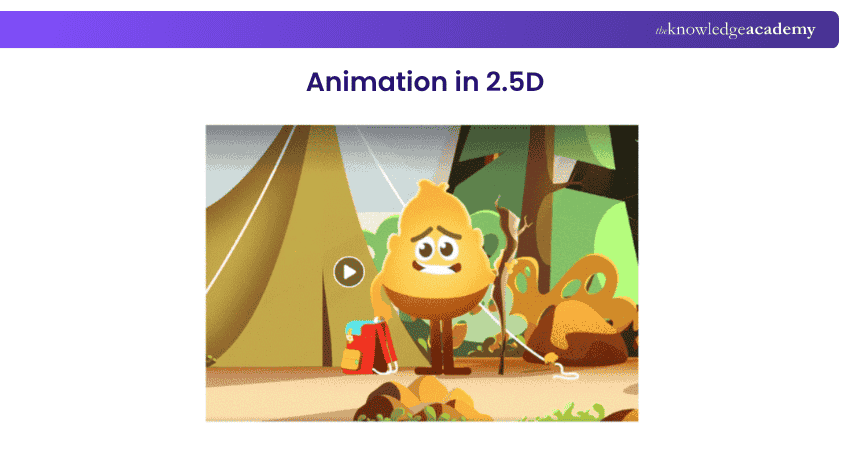
2.5D Animation combines flat 2D visuals with depth effects to create a semi-3D look. It uses techniques, such as layering, zooming, and panning, to add movement and create a sense of space. This makes visuals more dynamic and visually appealing.
This style offers a modern and polished experience while maintaining the clarity of 2D animation. It is also more affordable and easier to produce than full 3D animation, making it an excellent choice for brands that want high-quality visuals without the complexity and cost of full 3D production.
Boost engagement with powerful video marketing strategies with the Video Marketing Course now!
5) Videos of Whiteboard Animation
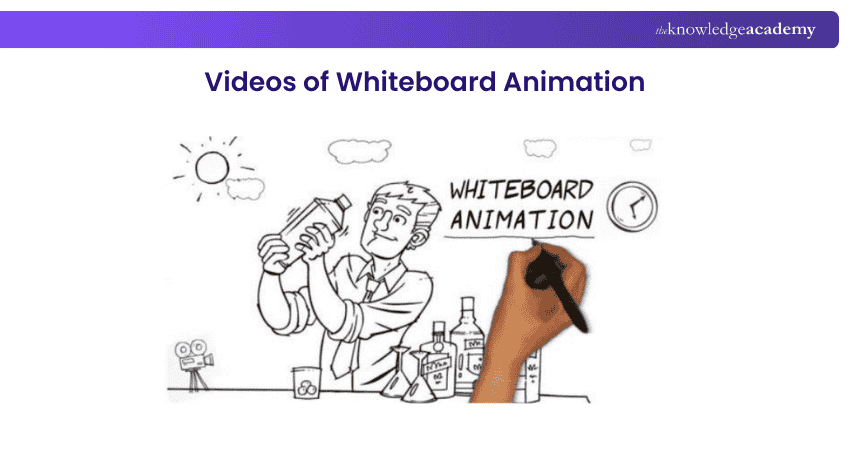
Whiteboard Animation Videos are a popular and effective style in Explainer Videos. Characterised by their simplistic and educational approach, these videos mimic the style of hand-drawing illustrations and text on a whiteboard. This animation technique is particularly effective for explaining complex concepts in a straightforward, engaging manner.
The charm of whiteboard animations lies in their sequential drawing format, which guides viewers through a story or explanation step-by-step. The continuous line of drawing, often accompanied by narration, holds the viewer's attention and makes the story's unfolding or explanation of a concept feel natural and easy to follow.
6) Animation in 3D
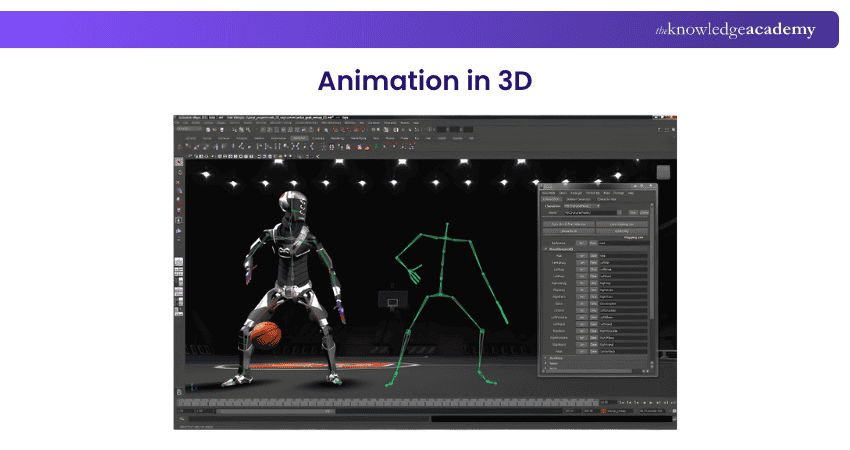
3D Animation with Explainer Video script offers depth and realism that can't be achieved with 2D animation. This style utilises three-dimensional graphics to create lifelike characters, environments, and objects, providing a rich and immersive visual experience. The added dimension in 3D animation allows for more dynamic and fluid movements, making the visuals more engaging and appealing.
The realism of 3D animation is particularly effective in demonstrating products, processes, or concepts that require detailed, accurate representation. It enables viewers to visualise products in a lifelike way, often from multiple angles, enhancing their understanding and engagement. This type of animation can create intricate and realistic scenarios that can be difficult to replicate in other formats, making it ideal for technical explanations, architectural visualisations, and detailed product demonstrations.
7) Live Action Explainer Videos
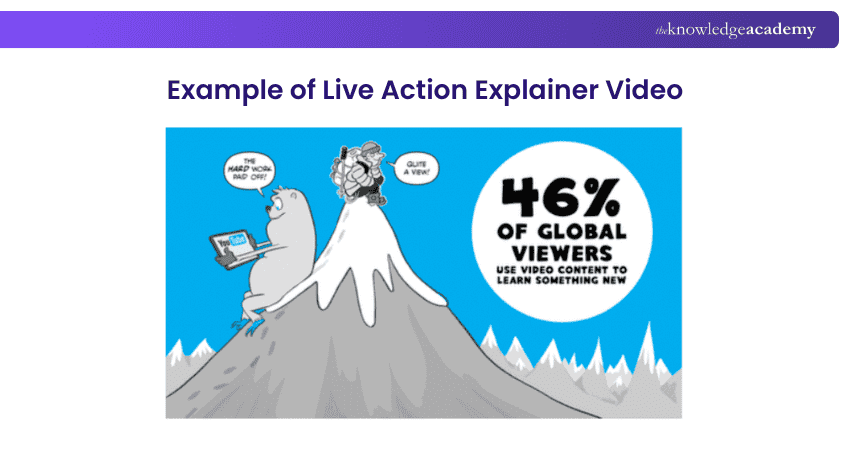
Live action Explainer Videos use real people, real settings, and real-world scenarios to deliver messages in a natural and relatable way. This style often combines live footage with motion graphics to highlight key points, making the content more engaging and easier to understand.
They are highly effective for building trust, showing empathy, and creating an emotional connection with the audience. Elements like tone of voice, expressions, and real-life context make the message more impactful. While they offer authenticity and versatility, they can be more time-consuming to produce and may have limited creative flexibility.
Are you interested in becoming an expert in marketing? Sign up now for our Marketing Courses!
8) Pause movement
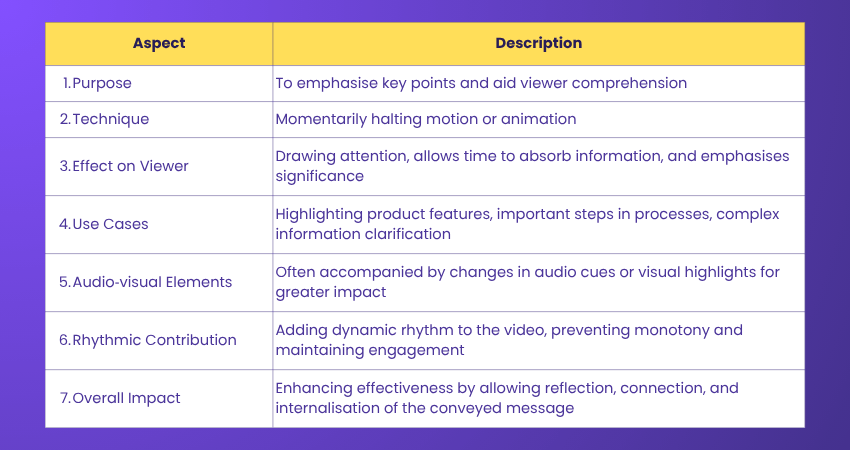
Pause movement in Explainer Videos is a deliberate technique where the motion or animation momentarily halts to emphasise a particular point or concept. This pause creates a powerful tool for drawing the viewer's attention and allowing them to absorb critical information. In the constant flow of visuals and information, a sudden pause acts as a visual and cognitive break, highlighting the importance of what's being shown or said.
This technique can be used to underscore the critical benefits of a product, essential steps in a process, or to allow the viewer time to comprehend complex information. It also adds a dynamic rhythm to the video, preventing monotony and maintaining viewer engagement. Pauses can be accompanied by changes in audio cues or visual highlights, further stressing the moment's significance.
9) Animation of Kinetic Typography
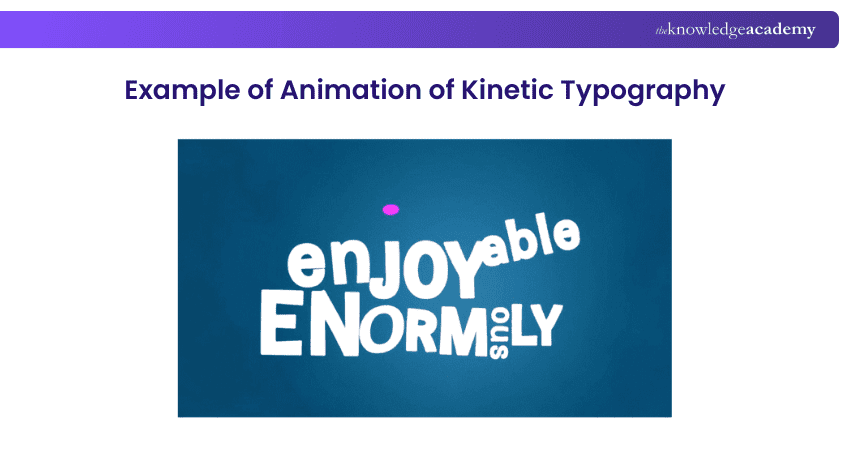
Animation of Kinetic Typography in Explainer Videos is a dynamic and visually engaging method that brings the text to life. This style involves animating the movement of words and letters on the screen, making them an active part of the storytelling. Kinetic typography can be used to emphasise key points, convey emotions, and maintain viewer engagement in a uniquely compelling way.
This technique often sees words flying, floating, expanding, or changing colours to convey the message visually. It's not just about reading the text; it’s about experiencing it as it dynamically interacts with the viewer. Kinetic typography is particularly effective in videos where the audio or spoken word is the primary focus, as it visually reinforces the spoken content, enhancing understanding and retention.
Do you want to learn more about consumer behaviour? Sign up now for our Consumer Behaviour Course. Join now!
10) Parallax with Images

Parallax with images is a cool visual effect that creates a sense of depth on a website or in a video. It works by moving different layers of images at different speeds as you scroll or interact with the page. The background moves slower than the foreground, giving it a 3D-like feel.
This effect adds a dynamic and engaging touch to your design, making it more interactive and fun for viewers. It’s commonly used in websites and explainer videos to draw attention to important elements, creating a more immersive experience. Parallax with images is a great way to make your content stand out and keep your audience interested.
11) Hybrid Explainer Videos
Hybrid Explainer Videos combine multiple styles, such as 2D, 3D, motion graphics, or live action, to create visually rich and engaging content. By blending different techniques, they offer a fresh and dynamic way to present ideas, making complex information more appealing and easier to understand.
This style is highly adaptable and works well for industries like technology, healthcare, and education, where both concepts and details need clear explanation. While hybrid videos are creative and engaging, they require careful planning and a longer production process to ensure every element works smoothly together.
12) Product Demo Videos
Product demo videos showcase how a product works by highlighting its key features in action. These videos can include screencasts, live demonstrations, or animated elements, helping viewers clearly see the product’s functionality and purpose.
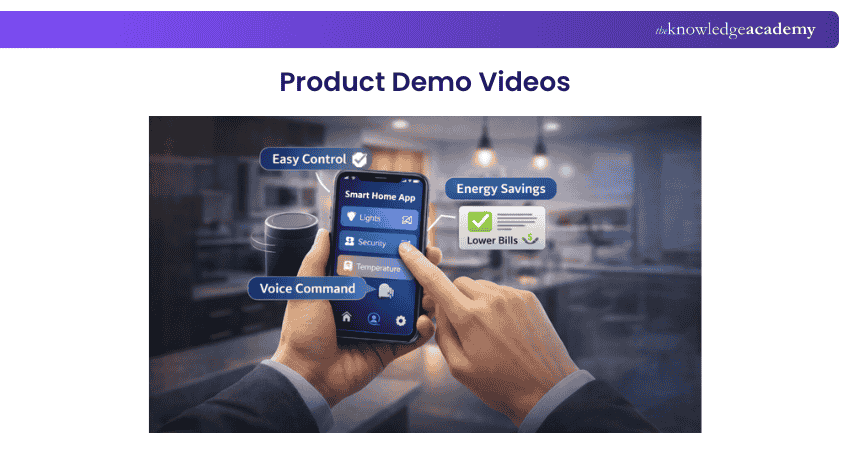
Effective demos connect features to real benefits, making it easier for audiences to understand how the product solves their problem. They are widely used in onboarding, marketing, and sales, helping build trust and encouraging faster decision-making.
Create content that attracts and converts audiences with the Content Marketing Course – Sign up now!
How to Create an Effective Explainer Video?
Creating different Explainer Video Types may seem challenging, but with the right structure and steps, you can produce professional-quality videos without advanced skills. Let's look at it below:
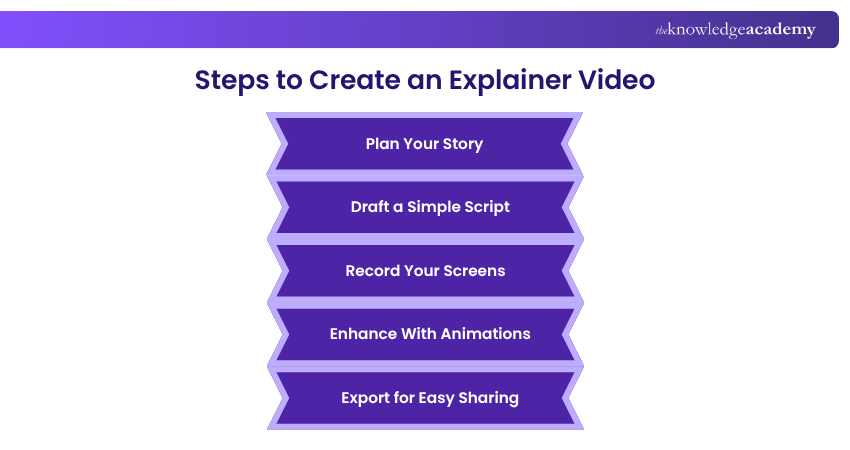
1) Plan Your Story
Every effective Explainer Video starts with a clear story. A strong narrative keeps viewers engaged and ensures your message is understood. Begin by defining a core message, mapping the journey from problem to solution, and using a simple structure: hook, explanation, and call to action.
The story planning process should include:
1) Identifying your core message.
2) Defining your target audience and their knowledge level.
3) Mapping the viewer’s journey from problem to solution.
4) Structuring the story into three stages: hook, explanation, and CTA.
2) Draft a Simple Script
Explainer Video scripts should be simple, conversational, and easy to follow. They are designed to be spoken aloud and supported by visuals. A strong script works closely with visuals and focuses on delivering one clear idea. Keeping the script concise helps maintain attention and improves understanding.
When drafting your script, consider the following questions:
1) What problem does your audience face?
2) What is the key message they must understand?
3) What objections might they have?
4) What action should they take after watching?
5) How will visuals support each point?
6) What tone or style will connect best with your audience?
7) What is the ideal video length?
3) Record Your Screens
Recording quality plays a key role in building viewer trust and keeping them engaged. You do not need expensive equipment, but focusing on clarity and preparation is essential. Choose the right recording method based on your content. Also, ensure clear audio, test your setup in advance, and do practice runs to deliver your message smoothly and confidently.
Best practices to follow:
1) Choose between screen recording, webcam, or a combination.
2) Ensure clear and clean audio quality.
3) Prepare your equipment before recording.
4) Do practice runs for smooth delivery.
4) Enhance With Animations
Animations help guide attention and reinforce your message. When used correctly, they improve understanding and make your video more engaging. Elements like text overlays, callouts, and motion graphics help highlight key points and explain complex ideas visually. They create smooth transitions, making your video feel more polished and professional.
Use animations effectively by:
1) Using callouts and arrows to guide attention.
2) Adding text overlays to support key points.
3) Using transitions to connect ideas clearly.
4) Using motion graphics to simplify data.
5) Keeping text visible for at least three seconds.
6) Syncing animations with narration.
7) Avoiding too many animations at once.
8) Maintaining consistent animation styles.
5) Export for Easy Sharing
Once your video is complete, exporting it correctly ensures it looks professional across all platforms. Choose export settings based on where your video will be shared. This helps maintain the right balance between quality and performance across different devices and platforms.
Consider the following when exporting:
1) Internal Training: Focus on high quality
2) Email Sharing: Balance quality with file size limits
3) Social Media: Follow platform-specific requirements
4) Website Embedding: Optimise for fast loading
Build strong marketing fundamentals for success with Introduction to Marketing Training – Sign up now!
Why Explainer Videos Are Effective?
Explainer Videos are highly effective because they simplify complex ideas and present them in an engaging, easy-to-understand format. They capture attention quickly, making it easier for viewers to grasp key messages. Their visual and interactive nature helps improve retention and understanding, making them a powerful tool for communication.
How to Structure an Explainer Video?
To structure an Explainer Video, start with a clear introduction that grabs attention, followed by a brief explanation of the problem. Then, showcase your solution with simple visuals and clear messaging. Conclude with a strong call-to-action, encouraging viewers to take the next step, whether it’s learning more or making a purchase.
Conclusion
Choosing the right Explainer Video can make a big difference in how your message is understood and remembered. By exploring different Explainer Video Types and following a clear creation process, you can turn complex ideas into engaging, easy-to-follow content. This will lead you to truly connect with your audience and drive meaningful results.
Are you interested in knowing how to conduct successful mobile advertising marketing? Sign up now with our Mobile Marketing Course!
Frequently Asked Questions
What is the Ideal Length for an Explainer Video?

The ideal length for an explainer video is around 60 to 90 seconds. This duration is long enough to explain the key points clearly, but short enough to keep viewers engaged. In today’s fast-paced digital world, keeping videos concise ensures better viewer retention and impact.
Are Explainer Videos and Demo Videos the Same Thing?
No, explainer videos and demo videos are not the same. Explainer videos focus on simplifying a concept or solution to a problem, often with visuals. Demo videos, on the other hand, show how a product or service works in action, highlighting its features and functionality.
What are the Other Resources and Offers Provided by The Knowledge Academy?
The Knowledge Academy takes global learning to new heights, offering over 3,000+ online courses across 490+ locations in 190+ countries. This expansive reach ensures accessibility and convenience for learners worldwide.
Alongside our diverse Online Course Catalogue, encompassing 17 major categories, we go the extra mile by providing a plethora of free educational Online Resources like Blogs, eBooks, Interview Questions and Videos. Tailoring learning experiences further, professionals can unlock greater value through a wide range of special discounts, seasonal deals, and Exclusive Offers.
What is The Knowledge Pass, and How Does it Work?
The Knowledge Academy’s Knowledge Pass, a prepaid voucher, adds another layer of flexibility, allowing course bookings over a 12-month period. Join us on a journey where education knows no bounds.
What are the Related Courses and Blogs Provided by The Knowledge Academy?
The Knowledge Academy offers various Marketing Courses, including Explainer Videos Training, Marketing Budget Course and Business Marketing Strategies Training. These courses cater to different skill levels, providing comprehensive insights into Brand Management.
Our Digital Marketing Blogs cover a range of topics related to Content and Video Marketing , offering valuable resources, best practices, and industry insights. Whether you are a beginner or looking to advance your Storyboarding skills, The Knowledge Academy's diverse courses and informative blogs have you covered.

James Smith


Digital Marketing Manager and Trainer
James Smith is a digital marketing professional with over a decade of experience in SEO, content strategy, paid media and analytics. He has supported both SMEs and global brands in transforming their digital presence. James’s writing and training are rooted in results-driven tactics and the latest marketing trends.
View Detail
Upcoming Digital Marketing Resources Batches & Dates
Date
 Explainer Videos Training
Explainer Videos Training
Fri 12th Jun 2026
Explainer Videos Training
Fri 4th Sep 2026
Explainer Videos Training
Fri 18th Dec 2026

 If you wish to make any changes to your course, please


