


 Top Rated Course


We may not have the course you’re looking for. If you enquire or give us a call on +32 35001305 and speak to our training experts, we may still be able to help with your training requirements.
Understand What is CSS Border: A Comprehensive Guide
The Knowledge Academy 02 March 2026CSS border properties define the style, width, and colour of borders. Apply them on all sides, add red bottoms, or use rounded corners for design. Explore techniques of borders with simple examples. Customise borders easily for any element with flexibility, control, enhanced visual appeal, and creative styling using CSS.

Training Outcomes Within Your Budget!
We ensure quality, budget-alignment, and timely delivery by our expert instructors.
Table of Contents
Ever noticed how a simple line can make a big difference? That’s the magic of borders in web design. Whether you’re boxing in a bold heading or outlining a sleek button, CSS Border properties add structure and flair. Wondering what is border in CSS? It’s the tool that gives your elements a defined edge both literally and visually.
The CSS Border property isn’t just about lines it makes your content stand out. From dotted to double, thin to thick, you can customise borders to match your brand. In this blog, we cover styles, width, colour, shorthand, padding, and examples of borders to help you create polished designs.
Table of Contents
1) Understanding What is CSS Border
2) Various Ways to use CSS Border
3) Examples
4) Exploring a few Advanced Techniques of CSS Border
5) Common Mistakes Using CSS Border and how you can Avoid Them?
6) How can I add Border in CSS?
7) What is Border box CSS?
8) Conclusion
Understanding What is CSS Border
CSS Borders are a fundamental element in web design that plays a crucial role in enhancing the visual appeal and structure of a webpage. It serves as a boundary around HTML elements, creating a clear distinction between different components and providing an organised layout.
Additionally, Web Developers have the power to customise the appearance of borders with CSS Border, using various properties such as style, width, and colour. These properties allow designers to choose from an array of border styles, including solid, dotted, dashed, double, and more, catering to their specific design preferences.
Furthermore, one of the significant advantages of CSS Borders are its flexibility and ease of implementation. By using simple CSS selectors, designers can apply borders to various elements, like images, buttons, divs, and headers, effortlessly.
Moreover, designers can also add rounded borders to soften the look of elements and create eye-catching designs that align with their website's theme. CSS Border is not limited to basic effects; it can be combined with other CSS properties to add gradients, shadows, and animations, making the design more engaging and interactive.

Various Ways to use CSS Border
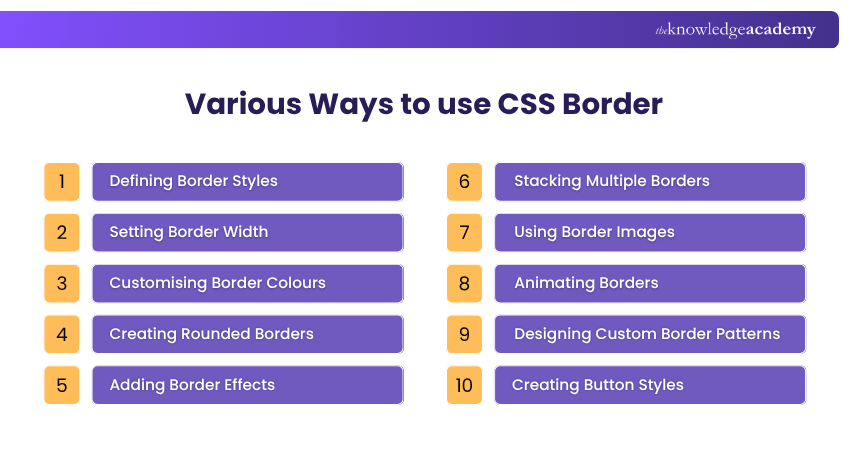
CSS Border offers a plethora of possibilities for web designers to enhance the visual appeal of their web pages and create a polished and professional look. Let's explore the various ways CSS Border can be used to achieve stunning designs:
Defining Border Styles
CSS Border allows designers to choose from a range of border styles, such as solid, dashed, dotted, double, groove, and ridge. Each style brings a distinct look to the elements, enabling designers to match the borders with the overall website theme.
CSS offers styles like solid, dashed, dotted, and double to customise borders.

Setting Border Width
The border-width property enables designers to control the thickness of the borders. Whether it's a subtle and sleek border or a bold and prominent one, designers can tailor the border width according to their design preferences.
In CSS, you can control the thickness of a border using the border-width property. Values can be in pixels (px), ems (em), or use keywords like thin, medium, or thick.

Customising Border Colours
With the border-colour property, designers can set the colour of the borders. This empowers them to match the border colours with the website's colour scheme, creating a cohesive and harmonious visual experience.
You can change border colours in CSS using the border-color property. Use colour names, HEX, RGB, or HSL values.

Creating Rounded Borders
CSS Border allows for rounded borders using the border-radius property. Designers can achieve circular, elliptical, or custom shapes, adding a layer of elegance and softness to elements.
Adding Border Effects
By combining CSS Border with other effects like shadows, gradients, and transitions, designers can create eye-catching and interactive elements that captivate users and elevate the overall design.
Stacking Multiple Borders
CSS Border enables designers to stack multiple borders on an element using various properties. This technique leads to innovative designs with unique combinations of border styles.
Using Border Images
The border-image property lets designers use images as borders, providing immense creative possibilities to craft visually stunning and distinctive designs.
Animating Borders
CSS Animation can be applied to borders, making them dynamic and engaging. Animating borders can draw attention to specific elements and enhance user interactivity.
Designing Custom Border Patterns
By combining different border properties, designers can create custom border patterns that align with the website's theme and personality.
Creating Button Styles
CSS Border can be applied to buttons to create visually appealing and interactive buttons that entice users to take action.
CSS Border Shorthand
CSS offers a shorthand property to define border width, style, and colour in one line:

This sets a 3px solid green border. You can also use shorthand for individual sides like border-top, border-right, etc., to customise each edge separately.
CSS Border Padding
Padding in CSS adds space between the content and the border. Use the padding property to control this spacing.

This creates space inside the border, making content more readable and visually balanced.
CSS Border Colour
The border-color property in CSS lets you set the colour of an element’s border. You can use colour names, HEX codes, RGB, or HSL values.

You can also define different colours for each side using border-top-color, border-right-color, and so on.
Gain a foundational understanding of HTML and CSS with our HTML and CSS Course. Join our HTML And CSS Course today!
Examples
Example 1:
Below is an example of how borders can be styled in CSS using different properties like width, style, and colour:

This creates a red border, 2 pixels thick, around a paragraph.
Example 2:
This example adds a solid purple border only to the left side of the paragraph.

Exploring a few Advanced Techniques of CSS Border
Advanced techniques of CSS Border go beyond the basic styling options and offer web designers exciting possibilities to create unique and captivating designs. These techniques allow for more creativity and innovation, making web pages stand out and leave a lasting impression on visitors. Let's explore a few of these advanced CSS Border techniques:
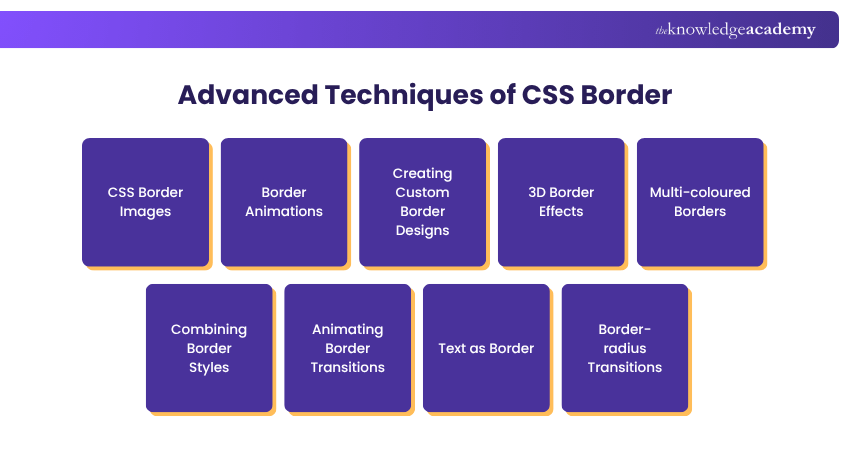
a) CSS Border Images:With the border-image property, designers can use images as borders, rather than relying on traditional border styles. This opens up a world of creative opportunities, as designers can choose from a wide range of images to create intricate and visually stunning borders. Border images can be seamlessly repeated or sliced to fit various element sizes, making them versatile and adaptable.
b) Border Animations: CSS animations can be applied to borders, adding dynamic movement and interactivity to elements. Designers can create animated borders that change size, shape, or colour, creating a captivating user experience (UX). For instance, buttons with pulsating borders or animated borders around images can draw attention and engagement.
c) Creating Custom Border Designs: By combining various CSS properties, designers can craft custom border designs that align with the website's theme and style. For example, using gradients, shadows, and border radius, designers can create futuristic and visually appealing borders.
d) 3D Border Effects: CSS Border can be manipulated to achieve 3D effects, giving elements a sense of depth and dimension. This technique involves using multiple borders with different colours and widths to create a 3D appearance, making elements pop out from the screen.
e) Multi-Coloured Borders: Instead of applying a single colour to a border, designers can use the border-image property or CSS gradients to create multi-coloured borders. This adds vibrancy and visual interest to elements, making them more appealing to users.
f) Combining Border Styles: By stacking multiple border styles, designers can create intricate and unique border designs. For example, combining dashed and dotted borders in various colours can produce visually striking patterns.
g) Animating Border Transitions: CSS transitions can be applied to border properties, enabling smooth and gradual changes in border styles when hovering over elements. This subtle animation effect adds elegance and enhances the user experience.
h) Text as Border:With CSS, designers can use text as borders, creating a fascinating typographic effect around elements. This technique blends typography and design, allowing for innovative and attention-grabbing results.
i) Border-radius Transitions: Applying transitions to the border-radius property allows designers to create smooth shape transitions. Elements can transform from square to circular or other custom shapes gracefully, making the design more visually engaging.
Gain an extensive understanding of Web Development by signing up for theWeb Development Training Coursenow!
Common Mistakes Using CSS Border and how you can Avoid Them?
When working with CSS Border, several common mistakes can be easily made, impacting the overall design and user experience (UX). By recognising and avoiding these pitfalls, along with properly adjusting CSS Image Size, designers can ensure that their borders enhance the aesthetics and functionality of the web page. Here are some common mistakes and how to avoid them:
a) Overusing Borders: Applying borders excessively throughout a webpage can lead to a cluttered and distracting visual experience. Instead, use borders strategically to highlight key elements and create a sense of hierarchy.
b) Ignoring Browser Compatibility: Different browsers may interpret CSS Border properties differently, resulting in inconsistent border appearances. Test your designs across various browsers to ensure a consistent and uniform look.
c) Using Inappropriate Border Styles: Selecting the wrong border style for an element can diminish its impact or clash with the overall design. Choose border styles that complement the content and match the website's theme.
d) Inconsistent Border Styles: Maintaining consistency in border styles enhances the overall design cohesiveness. Avoid using too many different border styles throughout the website.
e) Neglecting Accessibility: Insufficient contrast between border colour and background can hinder users with visual impairments from discerning the elements clearly. Ensure that the borders meet accessibility guidelines for optimal usability.
f) Misaligned Border Radius: When applying rounded borders, ensure that the radius is uniform and suits the element's shape. Mismatched or irregular border radius can appear unprofessional.
How can I add Border in CSS?
Use CSS for border by applying the border property to add borders in CSS. It combines width, style, and colour in one line.

You can also style individual sides using border-top, border-right, border-bottom, and border-left. To customise further, use border-width, border-style, border-color, or border-radius for rounded edges.
What is Border box CSS?
In CSS, border-box is a value of the box-sizing property. It makes the element’s padding and border included within the specified width and height. This helps maintain consistent sizing.

Using border-box prevents elements from expanding beyond their set dimensions due to padding or borders.
Conclusion
Borders play a key role in shaping how content appears on a webpage. The CSS Border definition refers to setting an element’s border style, width, and colour. Use the border property to combine these in one line. With simple techniques, borders can highlight content, organise layout, and give your site a clean, polished appearance.
Get an understanding of how to build a robust application with JavaScript. Join our MEAN Stack Web Development Training now!
Frequently Asked Questions
What is @property in CSS?

The @property rule in CSS lets you define custom properties (also called CSS variables) with specific syntax rules, default values, and inheritance behaviour. This is useful for animations and transitions involving custom properties.
How to Blur a Border in CSS?
To blur a border in CSS, use a pseudo-element positioned around the element and apply filter: blur(). This creates a soft, blurred border effect visually, since CSS doesn't support direct border blurring.
What are the Other Resources and Offers Provided by The Knowledge Academy?
The Knowledge Academy takes global learning to new heights, offering over 3,000+ online courses across 490+ locations in 190+ countries. This expansive reach ensures accessibility and convenience for learners worldwide.
Alongside our diverse Online Course Catalogue, encompassing 17 major categories, we go the extra mile by providing a plethora of free educational Online Resources like Blogs, eBooks, Interview Questions and Videos. Tailoring learning experiences further, professionals can unlock greater value through a wide range of special discounts, seasonal deals, and Exclusive Offers.
What is The Knowledge Pass, and How Does it Work?
The Knowledge Academy’s Knowledge Pass, a prepaid voucher, adds another layer of flexibility, allowing course bookings over a 12-month period. Join us on a journey where education knows no bounds.
What are the Related Courses and Blogs Provided by The Knowledge Academy?
The Knowledge Academy offers various App & Web Development Training, including the MEAN Stack Web Development Training, HTML and CSS Course, and the Mobile App Development Course. These courses cater to different skill levels, providing comprehensive insights into CSS Tricks.
Our Programming & DevOps Blogs cover a range of topics related to App & Web Development, offering valuable resources, best practices, and industry insights. Whether you are a beginner or looking to advance your Programming & DevOps skills, The Knowledge Academy's diverse courses and informative blogs have got you covered.

The Knowledge Academy


Global Training Provider
The Knowledge Academy is a world-leading provider of professional training courses, offering globally recognised qualifications across a wide range of subjects. With expert trainers, up-to-date course material, and flexible learning options, we aim to empower professionals and organisations to achieve their goals through continuous learning.


 If you wish to make any changes to your course, please


