


 Top Rated Course

We may not have the course you’re looking for. If you enquire or give us a call on +44 1344 203 999 and speak to our training experts, we may still be able to help with your training requirements.
Download LinkedIn Video: A Step-by-Step Explanation
James Smith 17 February 2026Learning how to Download LinkedIn Videos is an essential skill in an era where professional development and networking are intertwined with digital media. This blog explores quick and easy ways to Download LinkedIn Videos so that you can revisit them whenever you wish even when you are offline. Read on to learn more!

Training Outcomes Within Your Budget!
We ensure quality, budget-alignment, and timely delivery by our expert instructors.
Table of Contents
Have you ever come across a LinkedIn video packed with such amazing insights and fresh information that you wish you could save it on your device? Don't worry—now you can by simply following the steps outlined in this blog. The process to Download LinkedIn Video is pretty simple and involves a few powerful software freely available online. So, be it a game-changing career tip or an inspiring presentation, dive into this blog and unlock the secret to saving LinkedIn videos with just a few clicks.
Table of Contents
1) Why Download LinkedIn Videos?
2) Ways to Download LinkedIn Videos
a) Experts PHP
b) Download LinkedIn Video
c) LinkedIn Video Downloader Chrome extension
3) Conclusion
Why Download LinkedIn Videos?
LinkedIn videos can be an excellent source of information, providing valuable insights into the industry, thought leadership material, informative resources, and engaging presentations. Suppose it’s a stimulating speech, an inspirational message from a renowned professional or a lesson about industry-leading practices. In that case, LinkedIn videos can help educate, inspire and help you grow professionally. After downloading these videos, the users can:
1) Access Online Content: Downloading videos from LinkedIn enables users to access valuable content when they’re not online, allowing professionals to continue learning and developing.
2) Sharing with Your Colleagues: Saved LinkedIn videos can be shared with team members, coworkers, and industry colleagues, encouraging knowledge sharing among professional networks.
3) Referral for Future Use: Downloaded LinkedIn videos are a handy source of reference, allowing users to return to essential insights, strategies, or concepts at any time.

Ways to Download LinkedIn Videos
The internet offers various tools for downloading videos from LinkedIn, each with unique features and user interfaces. Here, we’ll explore three popular methods that cater to different preferences and needs:
1) Experts PHP
Experts PHP offers a complimentary service for downloading videos from various platforms, including Twitter, Instagram, and Dailymotion. It’s important to note that it does not facilitate the download of copyrighted videos for commercial purposes. Experts PHP is an excellent choice for those looking to Download LinkedIn Videos. The tool saves videos in MP4 HD quality and 720P format. To Download LinkedIn Video using Experts PHP, follow these steps:
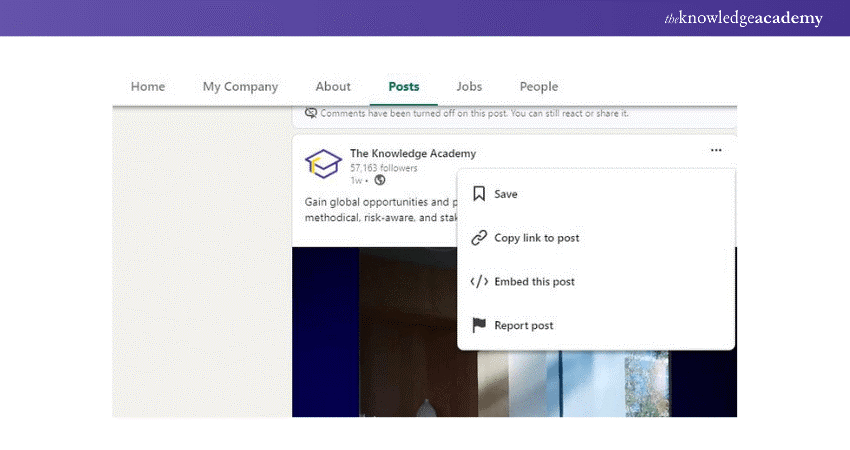
Step 1: Navigate to LinkedIn, locate the video you want to download from LinkedIn and copy its URL.
Step 2: Click here to access the LinkedIn video downloader page on Experts PHP.
Step 3: Enter the video URL into the provided field and click the ‘DOWNLOAD’ button.
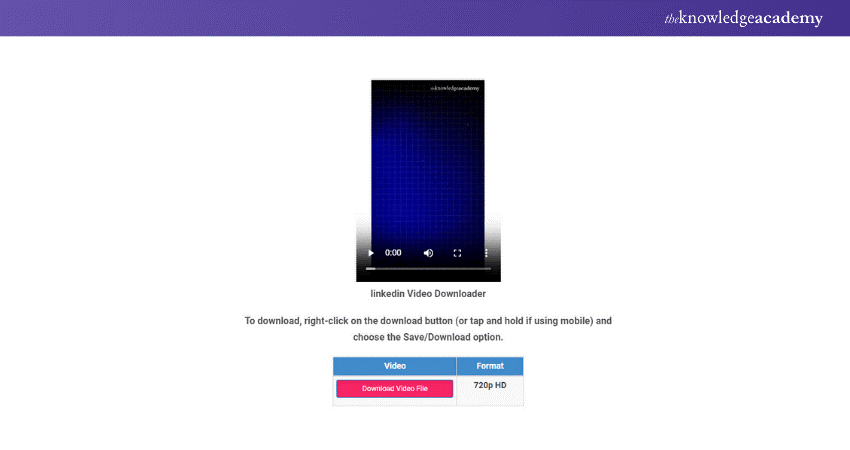
Step 4: Once the download link appears, right-click the ‘Download Link’ button next to the video/MP4 option and choose ‘Save link as…’ to download the LinkedIn video.
Learn how to edit videos with our YouTube Marketing Course today!
2) Download LinkedIn Video
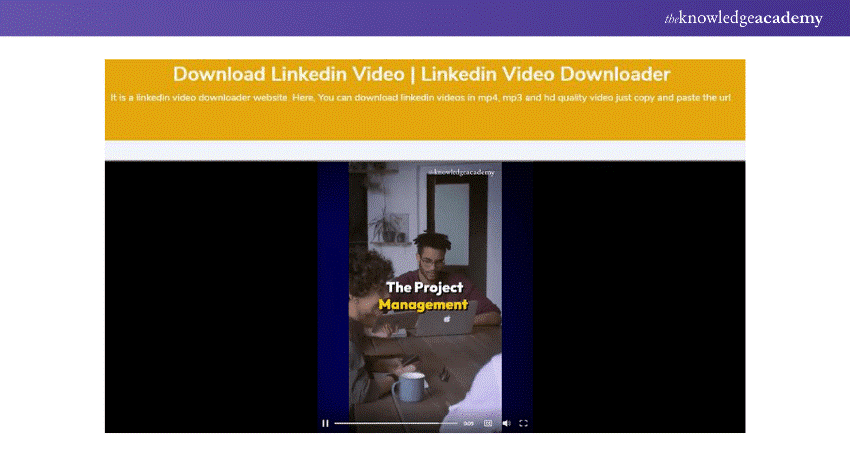
Download LinkedIn Video is a user-friendly website that allows you to Download LinkedIn Videos, images, and resumes at no cost and without registering. You can follow these instructions to download videos from LinkedIn:

Step 1: Visit the Download LinkedIn Video website by typing downloadlinkedinvideo.com in your web browser and press Enter to launch the site.
Step 2: Navigate to LinkedIn, search for the video you want to download, and copy its link.
Step 3: Paste the copied video link in the download field on the website and click the right-pointing arrow to proceed.
Step 4: Hit the ‘Download’ button to open a new browser window.
Step 5: Now, in the new window, click on the three-dot icon and choose the ‘Download’ option from the icon to download the LinkedIn video.
3) LinkedIn Video Downloader Chrome Extension
This Chrome extension simplifies downloading videos from LinkedIn, requiring just a few clicks. It’s designed to download videos shared by LinkedIn users but does not support downloading live streams or learning content from LinkedIn. Here’s how to use it:
Step 1: The initial step is to open the Chrome Web Store and search for ‘LinkedIn video downloader’ in the search bar, then select it.
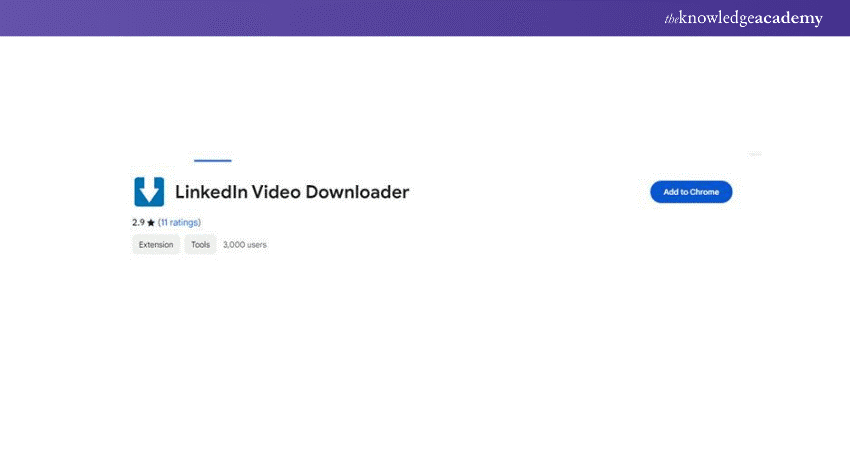
Step 2: Click on ‘Add to Chrome’ followed by ‘Add extension’ to install the extension. It will then operate in the background automatically.
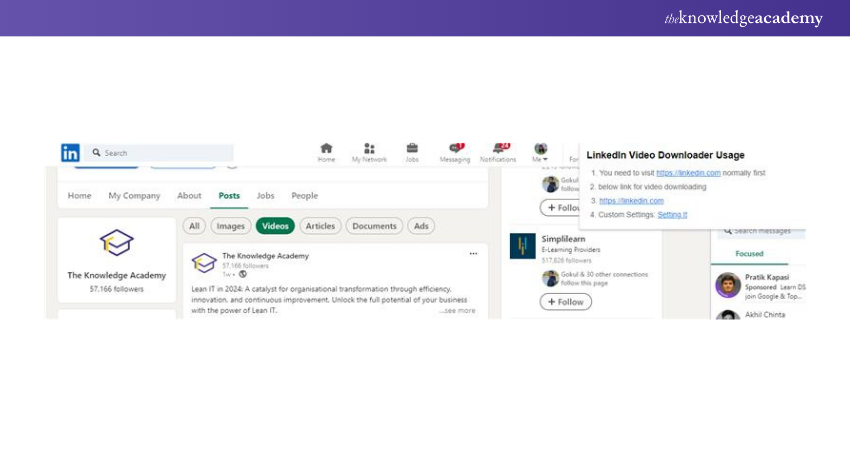
Step 3: Visit the LinkedIn website or application, where you’ll notice a download icon at the corner of the video for easy downloading.
Discover the essentials of Search Engine Optimisation with our SEO Course - join now!
Conclusion
In conclusion, whether you’re a professional seeking to curate a personal library of educational content or a student aiming to learn from industry leaders, the ability to Download LinkedIn Video content is a game-changer. With the tools and methods outlined in this blog, you can capture and enjoy LinkedIn’s valuable resources on your own terms. So, keep the best LinkedIn videos handy and enrich your professional journey.
Unlock your professional potential with our LinkedIn Marketing Course today and start transforming your career with expert guidance!
Frequently Asked Questions
What Should I Consider Before Downloading Videos From LinkedIn?

Before downloading any content, ensure you’re doing so for personal use and not infringing on copyright or privacy rights. Always use trusted services and be mindful of the legal and ethical implications.
Can I Download LinkedIn Videos to My Mobile Device?
Many of the services mentioned have mobile-friendly websites, and some even offer apps. Check the service's compatibility with your device before proceeding.
What are the other resources and offers provided by The Knowledge Academy?
The Knowledge Academy takes global learning to new heights, offering over 3,000+ online courses across 490+ locations in 190+ countries. This expansive reach ensures accessibility and convenience for learners worldwide.
Alongside our diverse Online Course Catalogue, encompassing 19 major categories, we go the extra mile by providing a plethora of free educational Online Resources like Blogs, eBooks, Interview Questions and Videos. Tailoring learning experiences further, professionals can unlock greater value through a wide range of special discounts, seasonal deals, and Exclusive Offers.
What is the Knowledge Pass, and how does it work?
The Knowledge Academy’s Knowledge Pass, a prepaid voucher, adds another layer of flexibility, allowing course bookings over a 12-month period. Join us on a journey where education knows no bounds.
What are Related Courses and Blogs Provided by The Knowledge Academy?
The Knowledge Academy offers various Digital Marketing Courses, including the LinkedIn Marketing Course, Search Engine Optimisation Course, and Google Analytics Certification. These courses cater to different skill levels, providing comprehensive insights into How to Edit YouTube Videos.
Our Digital Marketing Blogs cover a range of topics related to Digital Marketing, offering valuable resources, best practices, and industry insights. Whether you are a beginner or looking to advance your Digital Marketing skills, The Knowledge Academy's diverse courses and informative blogs have got you covered.

James Smith


Digital Marketing Manager and Trainer
James Smith is a digital marketing professional with over a decade of experience in SEO, content strategy, paid media and analytics. He has supported both SMEs and global brands in transforming their digital presence. James’s writing and training are rooted in results-driven tactics and the latest marketing trends.
View Detail
Upcoming Digital Marketing Resources Batches & Dates
Date
 LinkedIn Marketing Course
LinkedIn Marketing Course
Fri 20th Mar 2026
LinkedIn Marketing Course
Fri 3rd Jul 2026
LinkedIn Marketing Course
Fri 2nd Oct 2026
LinkedIn Marketing Course
Fri 18th Dec 2026

 If you wish to make any changes to your course, please


