


 Top Rated Course

We may not have the course you’re looking for. If you enquire or give us a call on +852 2592 5349 and speak to our training experts, we may still be able to help with your training requirements.
Top 17 Microsoft Teams Alternatives: You must Consider
The Knowledge Academy 25 April 2026Microsoft Teams alternatives like Slack, Zoom, Google Meet, Webex, and Mattermost offer chat, video meetings, and collaboration tools for teams. These platforms support remote work, real-time communication, and easy file sharing. They help organisations improve productivity and team engagement across locations.

Training Outcomes Within Your Budget!
We ensure quality, budget-alignment, and timely delivery by our expert instructors.
Table of Contents

Microsoft Teams has become a widely used collaboration platform, helping teams communicate, share files, and work together efficiently. As workplace tools continue to change, exploring Microsoft Teams alternatives can help organisations find options that better align with their workflows, goals, and communication needs.
In this blog, we will explore 17 Microsoft Teams alternatives that enhance productivity and communication, highlighting platforms with diverse features designed to support modern and flexible ways of working.
Table of Contents
1) What is Microsoft Teams?
2) Three reasons you need a Microsoft Teams Alternative
3) Top Microsoft Teams Alternatives
4) How to choose the best Microsoft Teams Alternative?
5) Three reasons you need a Microsoft Teams Alternative
6) What are the drawbacks of Microsoft Teams?
7) Conclusion
What is Microsoft Teams?
Microsoft Teams is an all-in-one communication and collaboration platform that brings together chat, video conferencing, file sharing, and private messaging. It lets users start voice or video calls, join scheduled meetings, and collaborate in real time across devices.
The platform makes teamwork easier with features like “@” mentions and organised channels for different topics or groups. For larger meetings, breakout rooms provide space for smaller group discussions and focused collaboration.
Additionally, Microsoft Teams Rooms extends these capabilities into physical meeting spaces, turning conference rooms into integrated video collaboration environments that simplify joining meetings and sharing content.This functionality provides a straightforward way to participate in meetings, distribute materials, and conduct calls via a user-friendly touchscreen console. For anyone preparing for roles involving Microsoft Teams, going through Microsoft Teams Interview Questions and Answers can enhance your understanding of its collaborative features.

Three reasons you need a Microsoft Teams Alternative
While Microsoft Teams offers impressive features, it’s not without its limitations, especially when it comes to addressing the challenges of virtual teams. Here’s why you might consider exploring Microsoft Teams alternatives:
a) Channel cap limit: Microsoft Teams caps you at 200 public and 30 private channels, which can be a bottleneck for large organisations with numerous teams and departments.
b) Rigid permissions: The inability to add guest users to channels and the automatic full access granted to new team members can be a bit unsettling.
c) File management frustrations: Have you ever felt the rage when trying to organise files in Microsoft Teams? Files uploaded in chats just pile up in the channel’s file section. Attempt to tidy up by moving them to folders, and poof! The links in your chats break, tempting you to take a timeout from Teams.
Master Microsoft Teams with ease! Learn essential tips and tricks to boost collaboration and productivity. Discover how to use Microsoft Teams today!
Top Microsoft Teams Alternatives
Now, let us delve deeper into the top Microsoft Teams Alternatives that are as follows:
Slack
Slack stands out as a stellar alternative to Microsoft Teams, particularly for its messaging prowess. At first glance, it may seem like just another handy chat tool, but Slack is much more. It’s celebrated for its user-friendly interface and a diverse range of features, from the basics to more sophisticated options. Slack is also highly customisable, boasting about 2,000 apps that significantly broaden its capabilities, along with seamless integrations with popular services like Google Drive and Trello.
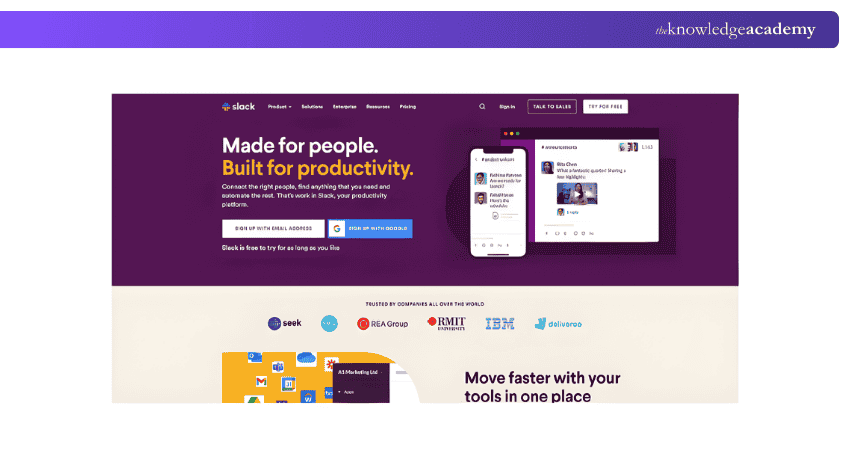
When it comes to cost, Slack is quite accessible. It offers a no-charge tier, perfect for those just starting out or with minimal needs. For more robust requirements, there are two subscription levels: Pro at £8 per user monthly and Business+ at £15 per user monthly. While it’s true that Slack’s video and audio call quality may not match other specialised conferencing tools, its extensive array of additional features more than compensates, ensuring that your team’s communication is as smooth and efficient as possible. To better understand the Difference between slack and teams, it's important to compare their pricing, features, and overall functionality.
Master Microsoft Office 365 with our comprehensive Microsoft Office 365 Training - join now!
Google Meet
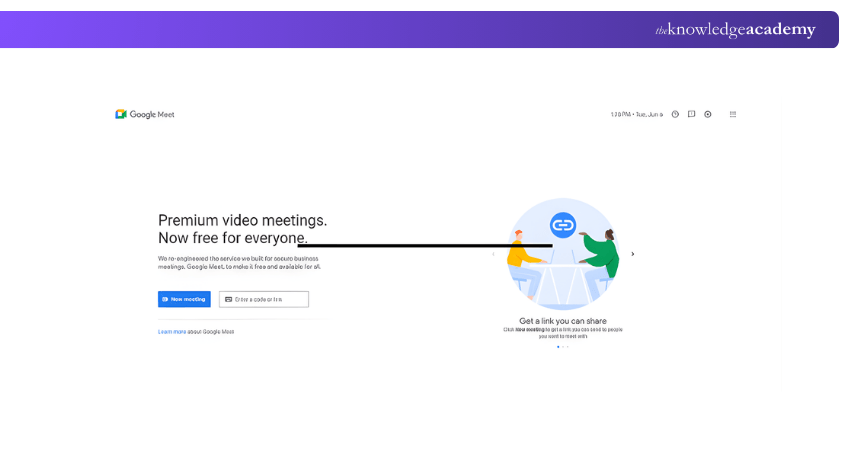
Google Meet is a straightforward alternative to Microsoft Teams, known for its ease of use and strong security controls. As a web-based tool, it does not require any downloads and allows users to join meetings directly through a shared link or a Gmail invitation. This makes it easy to access across devices without worrying about software compatibility.
Meeting features depend on whether users have a Google Workspace subscription. Workspace users can host meetings with up to 150 participants, run unlimited sessions, and hold meetings for up to 24 hours. The free version supports up to 100 participants, even for those without a Google account, although inviting non-Google users requires a Workspace plan.
Security is a key strength of Google Meet. All meetings are protected with encryption, and participants can only join using a meeting link, invitation, or PIN for dial-in access. Hosts can further control access by enabling additional verification steps to keep meetings private.
Google Meet also connects smoothly with other Google Workspace tools such as Calendar and Drive, making scheduling and file sharing more convenient. While some features, including live transcription, are limited without a subscription, Google Meet remains a dependable option for teams looking for a simple and secure video conferencing solution.
Unravel the full potential of Microsoft Teams with our comprehensive Microsoft Teams Training - register now!
Zoom
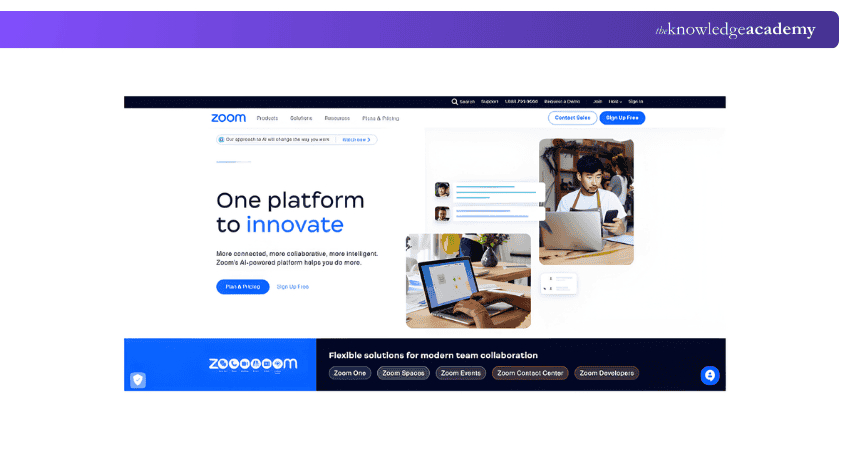
Zoom is a comprehensive video conferencing tool that uses instant messaging and calling to improve collaboration. It is designed with multiple functions covering every business need. Users will be able to make recordings of their meetings for future reference, enjoy a convenient instant messaging option during video chat, and take advantage of a built-in cloud phone solution. The platform is widely available on iOS, Android, and desktop devices.
Zoom's potential of hosting a large audience of up to 10,000 virtual attendees makes it the perfect option for large webinars and events. Besides that, Zoom meetings may be streamed on Facebook for wider coverage and interaction. The free plan is very generous; it allows unlimited 40-minute calls and is compatible with Google Calendar, so you can easily schedule your appointments.
On the other hand, Zoom has its limitations. The platform’s pricing covers a wide range of subscriptions and add-ons, many of which can be too expensive, especially while hosting large webinars. Another limitation is the lack of control over the live team chat comments, which cannot be deleted once posted. In the context of Zoom vs Microsoft Teams Security, this could raise concerns about managing and protecting sensitive discussions. In addition, a user has to download this application before joining any meeting, which could be inconvenient for some.
Regarding pricing, the free plan offered by Zoom is basic and, with the paid plans starting from an annual rate of £149. 90 or a monthly fee of £12.50. The customer feedback is usually positive, and Zoom’s rating is 4. 5 out of 5 in G2 from over 52,000 reviews and 4. 6 out of 5 on Capterra from about 13,000 reviews.
Microsoft Teams vs Zoom: Explore features, video conferencing tools, and find the best fit for your team's collaboration needs! Compare today."
Cisco WebEx
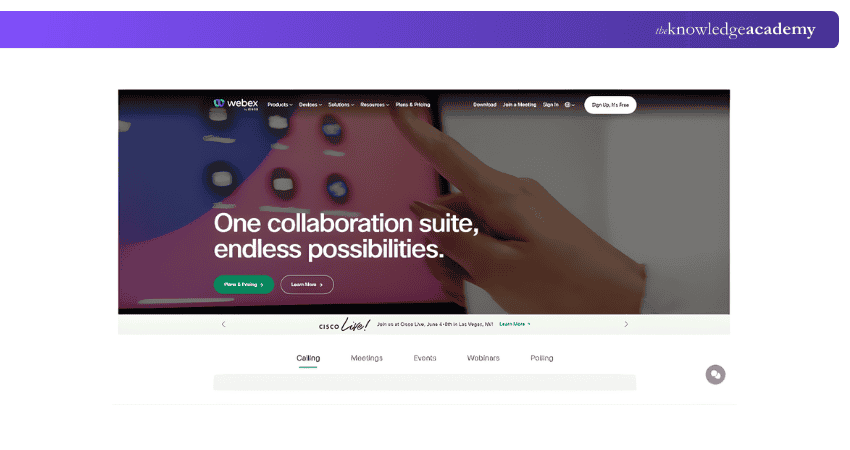
Cisco Webex Meetings is a strong video conferencing solution that closely compares with Microsoft Teams in terms of features designed for organisations of different sizes. It offers multiple plans, allowing businesses to choose options that best fit their communication and collaboration requirements. Beyond everyday meetings, Webex is widely used for hosting large-scale events such as product launches, webinars, and training sessions, encouraging focused discussions and shared ideas.
One of the key strengths of Cisco Webex Meetings is its enterprise-level security, including robust encryption that helps keep communications private. Its integration with other Cisco collaboration tools creates a unified experience, while its advanced controls make it well suited for managing complex meetings and virtual events.
However, there are some limitations to consider. The interface can feel complex for first-time users, and reliable performance depends heavily on a stable internet connection. Pricing may also be a concern for smaller businesses, as it sits on the higher side. That said, Cisco Webex Meetings does offer a free basic version, allowing users to explore its core features before committing.
For teams requiring advanced capabilities, paid plans start at £12, adding enhanced tools for meetings and collaboration. Overall, Cisco Webex Meetings stands out for its security, integrations, and event management features, though its learning curve and pricing may present challenges for some users.
Twist
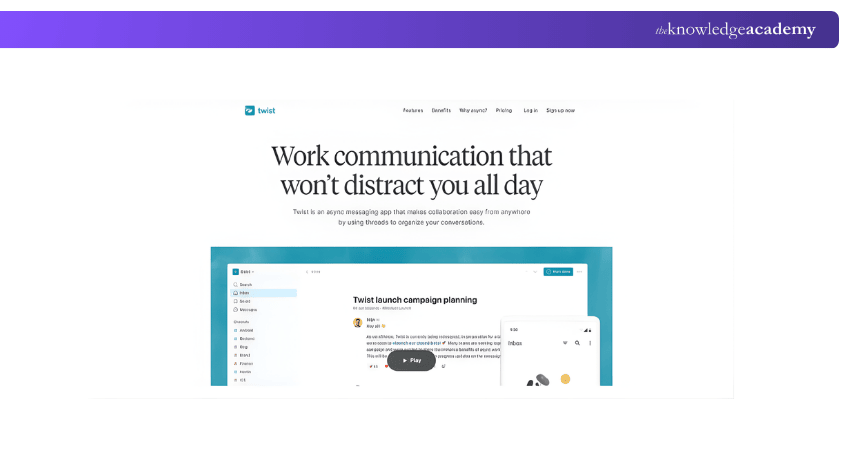
Twist is a unique collaboration tool designed for asynchronous communication, offering a distinctive choice compared to instant messaging applications like Microsoft Teams. It fosters well-structured, organised, and efficient interaction among team members who may be remote or in different time zones.
The platform’s key feature is its use of threaded conversations, which contrasts with traditional chat apps where messages can be lost in a continuous flow. By organising discussions into threads, Twist ensures conversations remain focused and relevant to specific topics, projects, or tasks, reducing clutter and enhancing clarity for team members to follow and engage in discussions.
Twist accommodates both public and private channels, providing flexibility in communication. Public channels are ideal for broad team dialogues and sharing information, while private channels cater to sensitive discussions or project specifics within certain groups or departments. The interface is clean and intuitive, making it simple to navigate and locate pertinent conversations without effort. Users can peruse various channels and threads to stay informed on ongoing discussions. Moreover, Twist’s robust search functionality enables users to find specific messages, threads, or files with ease.
For collaborative efforts, Twist offers an array of tools. Users can centralise important information by sharing files, documents, and images within threads. The platform also integrates seamlessly with widely used productivity tools, allowing users to link their preferred apps and services to streamline their workflow.
Another notable aspect of Twist is its focus on mindfulness and minimising distractions. Contrary to real-time messaging tools that often demand immediate responses, Twist encourages users to take breaks and concentrate on their work without the pressure to reply instantly. This approach promotes a balanced and productive work atmosphere.
Take charge of Microsoft Teams with our expert-led Managing Microsoft Teams MS700 Course - sign up now and become a master in team collaboration!
Mattermost
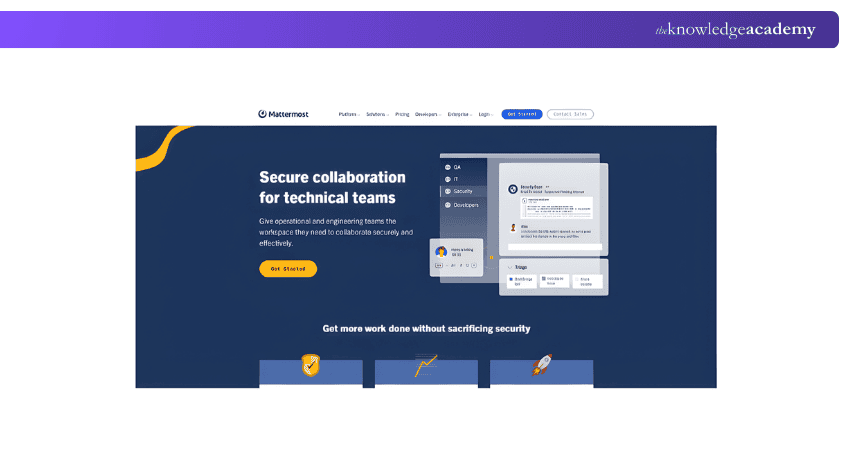
Mattermost is an open-source collaboration platform that provides a secure and self-hosted alternative to Microsoft Teams. It offers a large range of features to facilitate team communication, file sharing, and collaboration in a private and controlled environment.
One of the key advantages of Mattermost is its self-hosting capability. This means organisations have the option to host the platform on their own servers, giving them greater control over their data and security. Self-hosting allows organisations to customise and tailor the platform to their specific requirements and integrate it with their existing infrastructure.
Mattermost provides real-time messaging capabilities that enable teams to have quick and efficient communication. Users can create public or private channels to organise discussions around specific projects, departments, or topics. Among these channels, team members can engage in threaded conversations, share files, and collaborate effectively.
The platform supports voice and video calls, allowing teams to have face-to-face communication when needed. It also offers screen-sharing functionality, making it easier to present information, collaborate on documents, or troubleshoot issues remotely.
Mattermost integrates with a wide range of popular tools and services, such as Jira, GitHub, and Jenkins. This enhances the team's productivity by centralising notifications and updates from these external applications. This integration capability streamlines workflows and reduces the need for constant context switching between different tools.
Mattermost offers advanced security features to protect sensitive data and ensure privacy. It provides end-to-end encryption for all communications and offers compliance with industry standards. Thus it becomes suitable for organisations with strict data security requirements.
The platform is highly customisable, which allows organisations to tailor the User Interface, themes, and functionality to meet their specific needs. This flexibility enables teams to create an environment that aligns with their workflows and preferences.
Mattermost is an open-source project, which means its source code is available for free modification and contribution by the community. This fosters a vibrant developer community and allows for ongoing improvements and enhancements to the platform.
Unlock the full potential of Microsoft SharePoint with our end-user Microsoft SharePoint Training – join now!
Flock
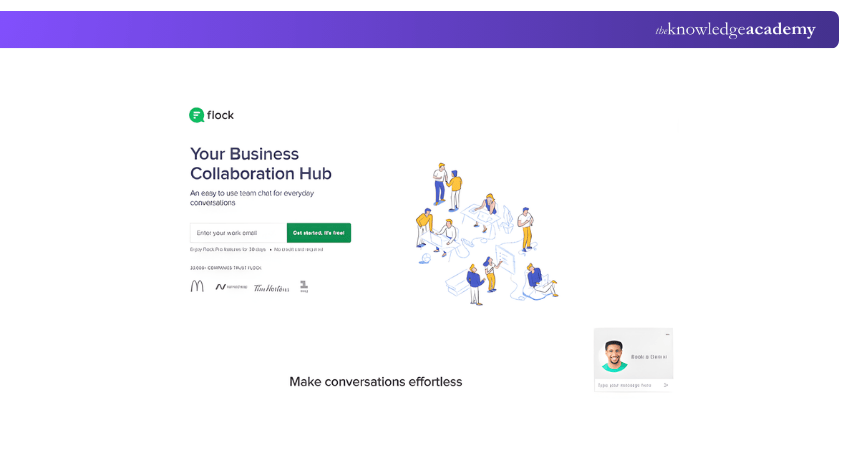
Flock emerges as a formidable contender in the team communication platform arena, offering a robust alternative to Microsoft Teams. It is tailored to meet the demands of modern teams and businesses, providing a comprehensive suite of features that extend well beyond basic messaging and channels. The platform’s User Interface is both attractive and user-friendly, contributing to its cost-effectiveness—a notable advantage over its larger counterparts. Flock’s collaborative tools, which include shared notes, reminders, to-do lists, and polls, facilitate teamwork and enhance productivity.
Audio and video communications are seamless on Flock, with added screen-sharing capabilities that are indispensable for connecting with remote teams. The platform’s versatility is evident in its compatibility with web, desktop, and mobile devices, ensuring uninterrupted connectivity. Flock’s support for four different languages underscores its commitment to inclusivity and diversity within the workplace.
The pros of using Flock include its intuitive interface, reminiscent of familiar chat layouts, and its ability to integrate with popular productivity apps, which helps streamline workflow processes. Additionally, Flock’s video conferencing and screen-sharing features enable comprehensive virtual meetings.
However, there are cons to consider. Flock offers limited customisation options compared to its competitors, and users may occasionally encounter performance issues and lag. The platform’s scalability is also a concern, as it may not be the ideal solution for larger organisations or enterprises.
Flock is accessible with a free basic version, making it an appealing entry point for teams. For those requiring more advanced features, the premium version starts at £6.
Expanding on its attributes, Flock’s approach to team communication is centred around efficiency and inclusivity. The multilingual support breaks down language barriers, creating a more diverse and welcoming environment. Its affordability positions it as an attractive choice for startups and small businesses, while the array of features ensures that teams are well-equipped for effective collaboration.
Despite some customisation limitations and occasional performance setbacks, Flock stands out as a balanced option for those seeking a mix of functionality and affordability, solidifying its place as a strong competitor in the market of team communication platforms.
Elevate your Cloud Computing skills with our comprehensive Google Cloud Training – sign up today!
Rocket.Chat
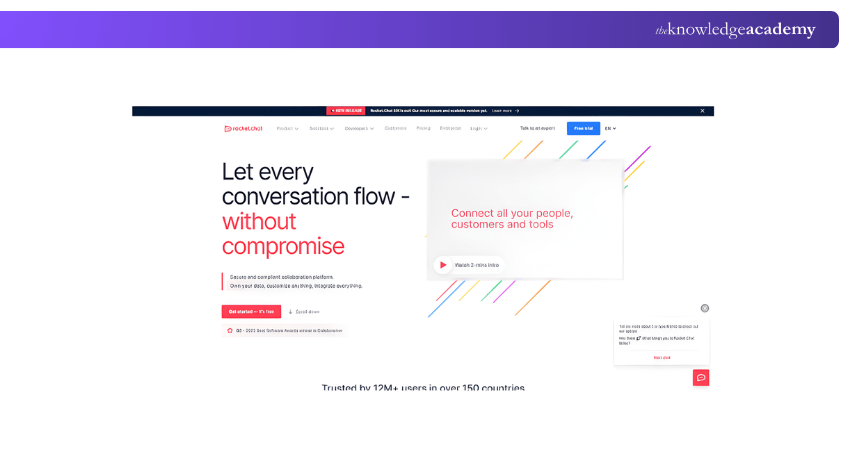
Rocket.Chat stands out as a strong option for teams that place high importance on security and data privacy. Designed as an alternative to Microsoft Teams, it focuses heavily on protecting communication through strict data control. Teams can choose how they host the platform, whether on-premises, in a private cloud, or within highly secure, isolated environments.
Being open source, Rocket.Chat offers a high level of flexibility and control. Organisations can customise the platform to suit their internal requirements, which is particularly useful for teams handling sensitive information. It also includes a Microsoft Teams bridge, allowing users to stay connected with contacts who continue to use Microsoft’s platform.
From a collaboration perspective, Rocket.Chat supports direct messages, channels, team conversations, threads, and discussions. It integrates with a wide range of tools, helping remote and distributed teams maintain smooth workflows without switching platforms frequently.
Rocket.Chat’s strengths include strong security controls, extensive customisation options, and compatibility with Microsoft Teams. However, it does have limitations. There is no built-in video calling feature, self-hosting can be complex for non-technical teams, and the free Starter plan supports teams of up to 25 members only.
The Pro version is priced at £4 per user, making it a cost-effective option for teams that require advanced features without high licensing costs. Overall, Rocket.Chat is well suited for organisations that prioritise privacy, flexibility, and control, even though teams may need to rely on external tools for video meetings and invest time in setup.
Chanty
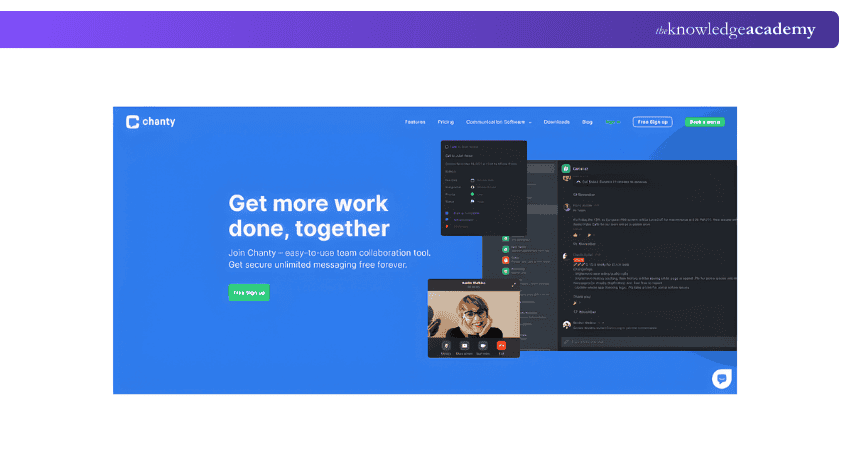
Chanty is known as a team communication and collaboration platform that aims to simplify and streamline workplace communication. It provides users with a diverse range of features to enhance team collaboration, Project Management, and efficient communication within organisations.
One of the key features of Chanty is its user-friendly interface. The platform provides a clean and intuitive design, making it easy for team members to navigate and use the various features. The User Interface is simple and clutter-free, enabling teams to focus on their conversations and tasks without distractions.
Chanty offers real-time messaging capabilities, allowing team members to engage in quick and efficient communication. Users can create public or private channels to organise discussions based on teams, projects, or specific topics. Within these channels, team members can exchange messages, share files, and collaborate effectively.
The platform provides robust search functionality, enabling users to find past messages, files, and conversations quickly. This feature is particularly helpful for retrieving information, referencing shared resources, or catching up on missed conversations. It helps to keep the team informed and ensures that important information is easily accessible. Chanty offers task management features that help teams create and assign tasks, establish due dates, and track progress. This feature facilitates project management and helps teams stay organised. Team members can collaborate on tasks, update statuses, and receive notifications, ensuring everyone is aligned and aware of their responsibilities.
Chanty integrates with popular productivity tools and services, such as Trello, Google Drive, and Zapier. This integration capability allows teams to centralise their workflows and access various tools within the Chanty platform. It reduces the need to switch between different applications and promotes seamless collaboration.
The platform also offers audio and video calling capabilities, enabling teams to have virtual meetings and discussions. This feature supports screen sharing, making it easier to present ideas, collaborate on documents, and provide demonstrations. Virtual meetings foster face-to-face communication and help team members connect regardless of their physical location.
Chanty places a strong emphasis on security and data privacy. It encrypts communication to ensure that conversations and files remain private and secure. The platform also provides administrative controls, allowing organisations to manage user access and permissions effectively.
Maximise your productivity and master Time Management with our dynamic Productivity and Time Management Course today!
Zoho Cliq
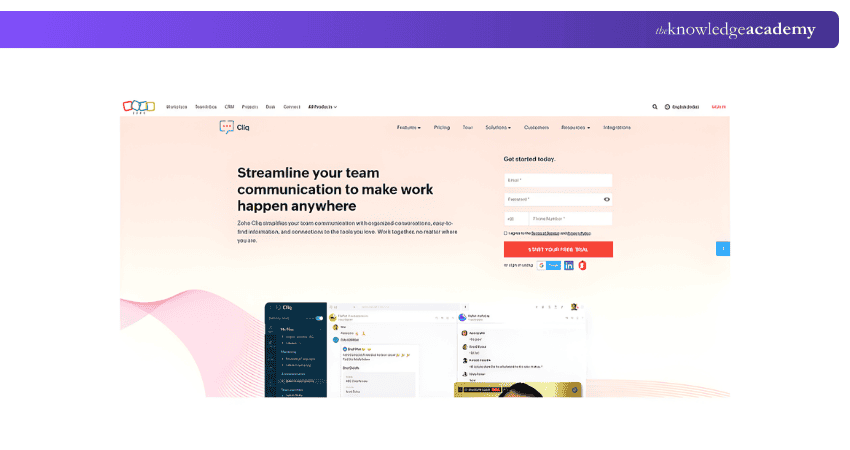
Zoho Cliq is known as a team communication and collaboration platform that provides a seamless and integrated solution for businesses. It provides a wide variety of features designed to enhance team productivity, streamline communication, and promote efficient collaboration.
One of the key features of Zoho Cliq is its real-time messaging capabilities. Users can create channels to facilitate team discussions, share ideas, and exchange information. The platform supports both public and private channels. This allows teams to have open conversations or engage in more confidential discussions. Users can also have one-on-one conversations, ensuring effective communication at an individual level.
Zoho Cliq provides a user-friendly interface that is easy to navigate and use. The platform offers a clean and intuitive design, enabling team members to quickly find relevant conversations and access the information they need. The interface allows users to organise channels, customise notifications, and manage their preferences. As a result, it ensures a personalised and efficient user experience.
The platform offers extensive collaboration features to enhance teamwork and Project Management. Users can create and assign tasks, establish deadlines, and track progress within the platform. Thus, they can ensure that team members are aligned and accountable. Zoho Cliq also provides file-sharing capabilities, allowing users to share documents, images, and other files directly within conversations.
It integrates well with a variety of third-party applications and services, including Zoho CRM, Google Drive, Trello, and more. This integration capability allows teams to centralise their workflows and access multiple tools within the Zoho Cliq platform. It reduces the need to switch between different applications and promotes seamless collaboration.
The platform offers audio and video calling features, enabling teams to have virtual meetings and discussions. Users can initiate voice or video calls directly from within the platform, making it easy to connect with team members regardless of their location. It also supports screen sharing, which facilitates effective presentations, collaborative editing, and demonstrations during virtual meetings.
Zoho Cliq places a strong emphasis on security and data privacy. The platform provides advanced security measures, including encryption and data access controls, to ensure the protection of sensitive information. It also offers granular user access permissions, allowing organisations to define and manage who can view and edit conversations and files.
Choosing between Microsoft Teams vs Slack? Compare features, collaboration tools, and find your perfect fit for seamless team communication!
Spike
Spike is a multifaceted communication platform that streamlines teamwork by integrating email, instant messaging, and audio/video conferencing. It transforms cumbersome email threads into a chat-like format for clarity and ease of engagement. Spike’s intelligent email sorting distinguishes urgent messages from less important ones, enhancing productivity. Users can effortlessly locate emails, files, and content, while built-in calendars aid in managing schedules and meetings. Note-taking and task management are integrated within the platform, ensuring organisation and accessibility. Additionally, Spike supports snoozing non-urgent emails and multiple email accounts. Real-time collaboration is bolstered through group chats and file sharing, with end-to-end encryption safeguarding all communications. Spike’s cross-platform availability on iOS, Android, Windows, and Mac ensures team connectivity across devices.
Workplace from Facebook
Workplace from Facebook is a collaborative tool that leverages Facebook's familiar features to foster internal communication and collaboration within organisations. Its intuitive interface mirrors Facebook, easing the transition for new users. Workplace offers a customisable feed, likes, comments, and groups to suit organisational needs. It serves as a broadcasting channel for vital updates and achievements, keeping employees informed and motivated. Live video, auto-translate, and organisational charts are key features that streamline daily operations. Workplace’s shared spaces facilitate collaboration with external partners and vendors, while groups and chat functions support project coordination and document sharing. In emergencies, employers can swiftly connect with their teams, including remote employees, via video conferencing and calls.
Brosix
Brosix is an instant messaging software tailored for secure business communication and collaboration. It emphasises security with robust encryption, ensuring private and protected conversations. Brosix enables the creation of private team networks, fostering a collaborative environment. Secure file sharing, screen sharing, and remote desktop control are pivotal features that enhance cooperative work on projects. Brosix also offers chat rooms and group chats for simultaneous communication among team members. The whiteboard feature allows for the visualisation of ideas and strategies during brainstorming sessions. Administrative control is a significant aspect, granting admins the authority to manage user accounts and configure communication settings, thus maintaining organisational security and integrity.
Pumble
Pumble is a versatile Microsoft Teams Alternative that offers a cost-free collaborative environment. It enables real-time communication, significantly reducing reliance on email. With Pumble, teams have unlimited access to users and message history, ensuring no important information is lost. Its compatibility across various platforms and user-friendly interface make it an accessible choice for all team members. The offline functionality allows users to work without an internet connection, maintaining productivity. Pumble supports both one-on-one and group communications, with features like file sharing, message pinning, and voice/video calls, making it inclusive for remote workers. It also accommodates contractors and stakeholders, fostering a comprehensive collaborative space.
GoTo Meeting
GoTo Meeting is a renowned video conferencing tool that serves as an effective Teams substitute. It offers high-definition video for immersive meetings and includes features like screen sharing, mobile access, and the ability to record meetings with transcriptions. These capabilities position it as a strong contender in virtual collaboration tools. Security is a priority with encrypted chats and password-protected meetings, ensuring confidential communication. The one-click join feature, real-time calendar integration, and interactive whiteboard promote efficient meeting management and brainstorming. Breakout rooms provide focused discussion spaces, while real-time polls and hand-raising features enhance engagement. GoTo Meeting’s compatibility with other tools streamlines workflow, allowing users to stay within the platform while accessing various functionalities.
Miro
Miro is an innovative online whiteboard platform that serves as an excellent alternative to Microsoft Teams, designed to enhance team collaboration. It offers a vast, interactive canvas that accommodates teams of any size to work concurrently, making it ideal for brainstorming and project planning.
Miro’s extensive template library, intuitive interface, and seamless integration with other tools streamline Project Management and task delegation. The platform’s presentation mode enables leaders to share ideas dynamically, while remote team members can contribute effortlessly thanks to its sharing capabilities.
Miro supports real-time communication with chat, video, and voice features, enriching the collaborative experience. Additional tools like sticky notes, drawing utilities, and media embedding functionalities make it a comprehensive solution for productive meetings.
GlobalMeet
GlobalMeet is a cloud-based conferencing platform that offers a robust alternative to Microsoft Teams for businesses of all scales. It provides high-quality audio and video conferencing accessible worldwide, ensuring reliable communication for global teams. GlobalMeet’s user-friendly interface supports HD conferencing and is optimised for both desktop and mobile use, catering to the modern workforce’s needs.
The platform’s security protocols encrypt all business communications, preserving the integrity of organisational data. Hosts can record sessions for later review and utilise features like screen sharing, interactive whiteboards, and file sharing to foster a dynamic meeting environment. GlobalMeet enhances engagement through real-time chats, surveys, and customisable meeting rooms, delivering a consistent and interactive user experience.
How to choose the best Microsoft Teams Alternative?
Selecting the ideal Microsoft Teams Alternative requires careful consideration of your team’s specific needs. Here are some refined points to guide your decision:
1) Identify the optimal communication channel: Assess the various communication methods available and choose one that aligns with your team’s workflow and preferences.
2) Team size considerations: Evaluate the platform’s capacity to accommodate the number of individuals in your team or organisation.
3) Meeting duration compatibility: Ensure the platform supports the typical length of your team’s meetings without restrictions.
For instance, Microsoft Teams imposes a cap of 200 public and 30 private channels. This limitation might be restrictive for larger organisations with numerous teams and departments that need to categorise their communications effectively. When selecting an alternative, it’s crucial to find a platform that can support your organisational structure and communication demands without such constraints. If you're preparing for a role that involves Microsoft Teams, reviewing Microsoft Teams Interview Questions can help you better understand these limitations and how to manage them in your organisation.
Three reasons you need a Microsoft Teams Alternative
While Microsoft Teams offers impressive features, it’s not without its limitations, especially when it comes to addressing the challenges of virtual teams. Here’s why you might consider exploring Microsoft Teams alternatives:
a) Channel cap limit: Microsoft Teams caps you at 200 public and 30 private channels, which can be a bottleneck for large organisations with numerous teams and departments.
b) Rigid permissions: The inability to add guest users to channels and the automatic full access granted to new team members can be a bit unsettling.
c) File management frustrations: Have you ever felt the rage when trying to organise files in Microsoft Teams? Files uploaded in chats just pile up in the channel’s file section. Attempt to tidy up by moving them to folders, and poof! The links in your chats break, tempting you to take a timeout from Teams.
Master Microsoft Teams with ease! Learn essential tips and tricks to boost collaboration and productivity. Discover how to use Microsoft Teams today!
What are the drawbacks of Microsoft Teams?
Despite its benefits, Microsoft Teams has some limitations that users should consider. Its wide range of features can feel overwhelming for new or less tech-savvy users, which may slow adoption and everyday use.
Accessing the full set of tools usually requires a Microsoft 365 subscription, which can be costly for small teams. Teams also relies heavily on a stable internet connection, and limited customisation, file management challenges, and cluttered channels can affect workflow efficiency for some organisations.
Conclusion
While Microsoft Teams is a widely adopted platform for organisational collaboration, considering Microsoft Teams Alternative can lead to discovering a system that ideally suits your team’s specific needs for communication and collaboration. Whether your focus is on superior video conferencing features, robust task management, or seamless integrations, the options highlighted previously provide a variety of functionalities that can boost your team’s effectiveness and productivity. It is our aspiration that this blog post has equipped you with the insights necessary to select the most suitable alternative to Microsoft Teams that resonates with your objectives.
Get your hands on Microsoft Word with Microsoft Word Masterclass and elevate your career!
Frequently Asked Questions
Is there a collaborative platform of Google which is equivalent to Microsoft Teams?

Google Meet stands as Google’s counterpart to Microsoft Teams, offering robust video conferencing capabilities for business meetings. It provides a similar suite of tools for communication and collaboration, making it a viable alternative for organisations.
Can I join Teams meeting without app?
Yes, it’s possible to join a Microsoft Teams meeting without installing the app. By clicking on the meeting link provided by the host or admin, you’ll be prompted to either download the Teams app or continue the meeting via a web browser. If you prefer not to install the app, simply select the option to proceed in the browser.
What are the other resources and offers provided by The Knowledge Academy?
The Knowledge Academy takes global learning to new heights, offering over 3,000+ online courses across 490+ locations in 190+ countries. This expansive reach ensures accessibility and convenience for learners worldwide.
Alongside our diverse Online Course Catalogue, encompassing 17 major categories, we go the extra mile by providing a plethora of free educational Online Resources like Blogs, eBooks, Interview Questions and Videos. Tailoring learning experiences further, professionals can unlock greater value through a wide range of special discounts, seasonal deals, and Exclusive Offers.
What is the Knowledge Pass, and how does it work?
The Knowledge Academy’s Knowledge Pass, a prepaid voucher, adds another layer of flexibility, allowing course bookings over a 12-month period. Join us on a journey where education knows no bounds.
What are related courses and blogs provided by The Knowledge Academy?
The Knowledge Academy offers various Microsoft Office Training, including the Microsoft PowerPoint Training, Microsoft Access Training, and Microsoft Word Course. These courses cater to different skill levels, providing comprehensive insights into Google Sheets vs Excel.
Our Office Applications Blogs cover a range of topics related to Microsoft Teams, offering valuable resources, best practices, and industry insights. Whether you are a beginner or looking to advance your Office Application skills, The Knowledge Academy's diverse courses and informative blogs have got you covered.

The Knowledge Academy


Global Training Provider
The Knowledge Academy is a world-leading provider of professional training courses, offering globally recognised qualifications across a wide range of subjects. With expert trainers, up-to-date course material, and flexible learning options, we aim to empower professionals and organisations to achieve their goals through continuous learning.

Upcoming Microsoft Technical Resources Batches & Dates
Date
 Microsoft Teams Training
Microsoft Teams Training
Fri 17th Jul 2026
Microsoft Teams Training
Fri 16th Oct 2026

 If you wish to make any changes to your course, please


