


 Top Rated Course

We may not have the course you’re looking for. If you enquire or give us a call on +353 12338944 and speak to our training experts, we may still be able to help with your training requirements.
What is Server Management, and How Does it Work?
Sienna Roberts 21 April 2026Server Management involves monitoring, maintaining, and optimising servers to ensure performance, security, uptime, and efficient operation of IT systems. It includes tasks like software updates, hardware checks, backups, and security monitoring, making sure servers run smoothly and support all digital services effectively.

Training Outcomes Within Your Budget!
We ensure quality, budget-alignment, and timely delivery by our expert instructors.
Table of Contents

You click on your favourite website, but it won’t load. You try again, still nothing. The issue? Likely a poorly managed server. Servers power everything online, websites, emails, apps, and cloud tools. Without care, they can slow down, crash, or leak data. Server Management keeps systems smooth, secure, and running 24/7, often without you realising it.
In this blog, you’ll learn what Server Management is, why it matters, how it works, and what tools and components it involves. We’ll also cover key benefits, essentials, and best practices to keep your servers secure and running smoothly.
Table of Contents
1) What is Server Management?
2) Importance of Effective Server Management
3) How Does Server Management Work?
4) Server Management Basics
5) Server Management Components
6) Essential Requirements for Effective Server Management
7) Best Practices of Server Management
8) Conclusion
What is Server Management?
Server Management means looking after a server, so it works properly, stays safe, and is always ready to handle tasks. A server is a powerful computer that stores data, runs websites, manages emails, and supports many online services for businesses and users. It involves many tasks, such as installing updates, checking performance, making backups, and protecting against hackers.
For example, if a company’s website is hosted on a server, regular monitoring ensures it loads quickly and stays available to visitors. Without proper management, the server could slow down, crash, or be attacked, causing major problems for the business. This can lead to lost sales, unhappy customers, and damage to the company’s reputation.

Importance of Effective Server Management
Good Server Management is very important because it keeps your website or app working all the time. If a server is not managed well, it can crash, slow down, or get hacked.
Here’s why it’s important:
1) It helps your server stay online with no problems
2) It keeps your server safe from hackers or attacks
3) It helps your website load fast and work better
4) It saves you time and money by avoiding big problems
5) It helps your business stay trusted by users
Understand the principal components of Active Directory. Join our Fundamentals of Active Directory 55152A Course now!
How Does Server Management Work?
Server Management includes several daily and weekly tasks:
1) Monitoring: Watching the server to make sure it works well.
2) Updates: Installing new software or fixing bugs.
3) Security Checks: Protecting the server from viruses or hackers.
4) Backup: Saving a copy of important data in case something goes wrong.
5) Fixing Problems: Solving any errors quickly.
Some people do this work manually. Others use special Server Management tools to automate tasks and get alerts.
Server Management Basics
To manage a server, you need to understand both hardware and software. Let’s look at the basics.

1) Hardware Management
Hardware is what the server is made of. It must work well for the server to run properly. This means checking the physical parts of the server. These parts must stay cool, clean, and work well.
2) Central Processing Unit (CPU)
The CPU is like the brain of the server. It does all the thinking. If the CPU is too busy, the server slows down or crashes. You can fix this by stopping heavy tasks or adding more power.
3) CPU Temperature
CPUs get hot when they work a lot. If they get too hot, they might stop working. That’s why servers have cooling systems. If it’s too hot, you can shut it down and fix the problem.
4) Random Access Memory (RAM)
RAM is like short-term memory. It helps the server run fast. If the RAM is full, the server slows down. You must check the RAM often and make sure it’s enough for the work
5) Hard Drive
This is where the server stores files. If it’s too full or not working well, the server becomes slow or might lose data. Always check how full it is and if it’s healthy.
6) Operating Environment
Servers must stay in clean, cool, and safe rooms. Too much heat, dust, or humidity can break them. Only trained people should be allowed near them.
7) Software Management
Servers also run software. These applications must be updated and checked often. If the software has problems, it can slow down the server or let hackers in.
8) Security
This includes installing firewalls, antivirus software, and strong passwords to stop hackers or viruses from getting in.
9) Data Backups
Backups save copies of your files. If something goes wrong, backups help you get your data back. You can back up to a local drive or the cloud. It’s important to test backups to make sure they work.
10) Power Backups
If the power goes out, the server can stop suddenly and lose data. That’s why we use an Uninterruptible Power Supply (UPS). It keeps the server running for a short time so you can shut it down safely.
Build a strong foundation in Windows Server. Join our Fundamentals of a Windows Server Infrastructure M10967 Training now!
Server Management Components
Here are some key parts that are managed in most servers:
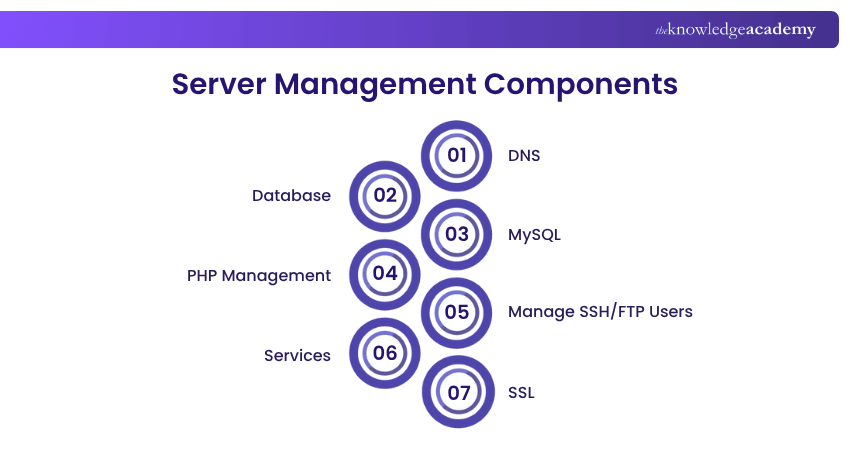
1) DNS
Domain Name System (DNS) changes names like www.example.com into numbers the server can understand (IP addresses). Managing DNS ensures websites connect correctly.
2) Database
A database is where a lot of data is stored in tables. For example, customer records or product lists are saved in a database. Keeping it organised and optimised helps the server run faster and prevents data errors.
3) MySQL
MySQL is a popular type of database used on many servers. It must be set up, updated, and managed carefully. Regular maintenance ensures smooth performance and reduces the risk of data loss or corruption.
4) PHP Management
PHP is a coding language used by many websites. Managing PHP means choosing the right version and updating it when needed. This helps websites run smoothly, stay secure, and support the latest features.
5) Manage SSH/FTP Users
Secure Shell (SSH) and File Transfer Protocol (FTP) are ways to connect to the server. You must manage who can connect, what they can see, and what they can change.
6) Services
Services are applications which run in the background. For example, a mail service helps send emails. You must restart or fix services if they stop working.
7) SSL
Secure Sockets Layer (SSL) keeps data safe by encrypting it. Websites with Hypertext Transfer Protocol Secure (HTTPS) use SSL. Managing SSL means renewing certificates and checking if they work.
Essential Requirements for Effective Server Management

To manage a server well, you need a few things:
1) Knowledge: Know how servers work and how to fix them
2) Monitoring Tools: Use software that watches the Server for problems
3) Security Tools: Firewalls, antivirus, and login checks
4) Backup Systems: Automatic backups to cloud or other servers
5) Regular Updates: Always update software and security patches
6) User Permissions: Give the right access to the right people only
Best Practices of Server Management
Here are the best practices of it:
1) Always keep software up to date
2) Monitor CPU, RAM, and disk space
3) Schedule regular data backups
4) Use strong passwords and Two-factor Authentication (2FA)
5) Don’t give everyone full access
6) Use firewalls and antivirus software
7) Keep a server log to track changes
Conclusion
Server Management plays an important role in keeping your digital services fast, secure, and always available. By regularly monitoring systems, updating software, and backing up data, you can prevent downtime and protect valuable information. With the right tools and practices, managing servers ensures everything runs smoothly, making it a smart investment for any business or IT team.
Gain in-depth knowledge of Windows Server in topics like virtualisation and security. Join our Microsoft Windows Server Training now!
Frequently Asked Questions
What is a Management Server Used for?

Server Management helps control and manage other servers or computers. It checks health, runs updates, and handles user settings. It’s like a main office that controls other machines.
What does a Managed Server do?
A managed server is looked after by a hosting company or IT team. They manage the updates, backups, and security. You don’t have to do anything, they do it for you.
What are the Other Resources and Offers Provided by The Knowledge Academy?
The Knowledge Academy takes global learning to new heights, offering over 3,000+ online courses across 490+ locations in 190+ countries. This expansive reach ensures accessibility and convenience for learners worldwide.
Alongside our diverse Online Course Catalogue, encompassing 17 major categories, we go the extra mile by providing a plethora of free educational Online Resources like Blogs, eBooks, Interview Questions and Videos. Tailoring learning experiences further, professionals can unlock greater value through a wide range of special discounts, seasonal deals, and Exclusive Offers.
What is The Knowledge Pass, and How Does it Work?
The Knowledge Academy’s Knowledge Pass, a prepaid voucher, adds another layer of flexibility, allowing course bookings over a 12-month period. Join us on a journey where education knows no bounds.
What are the Related Courses and Blogs Provided by The Knowledge Academy?
The Knowledge Academy offers various Microsoft Windows Server Training, including the Windows Server Administration 55371AC Training, Fundamentals of Active Directory 55152A Training, and the Fundamentals of a Windows Server Infrastructure M10967 Training. These courses cater to different skill levels, providing comprehensive insights into File Server.
Our Microsoft Technical Blogs cover a range of topics related to Server Management, offering valuable resources, best practices, and industry insights. Whether you are a beginner or looking to advance your technical skills, The Knowledge Academy's diverse courses and informative blogs have got you covered.
Upcoming Microsoft Technical Resources Batches & Dates
Date
 Windows Server Administration 55371AC
Windows Server Administration 55371AC
Mon 27th Jul 2026
Windows Server Administration 55371AC
Mon 16th Nov 2026

 If you wish to make any changes to your course, please


