


 Top Rated Course

We may not have the course you’re looking for. If you enquire or give us a call on +852 2592 5349 and speak to our training experts, we may still be able to help with your training requirements.
Visual Basic for Applications (VBA): A Complete Guide
The Knowledge Academy 28 February 2026Visual Basic for Applications (VBA) is a programming language used to automate tasks and enhance functionality in Office apps like Excel and Word. It allows creating macros, custom functions, and interactive tools, helping improve efficiency, accuracy, and overall productivity for users across various tasks and projects.

Training Outcomes Within Your Budget!
We ensure quality, budget-alignment, and timely delivery by our expert instructors.
Table of Contents
Tired of spending hours on repetitive Office tasks? With Visual Basic for Applications, you can automate processes, build custom features, and create powerful tools in Excel and Word. This means saving time, reducing errors, and boosting productivity effortlessly. Picture routine projects running smoothly without constant manual input. Like having a smart assistant inside your software, VBA empowers you to work faster and smarter. Explore how mastering this skill can unlock your full potential today.
Table of Contents
1) What Is Visual Basic for Applications (VBA)?
2) Basics of VBA Programming
3) Getting Started with VBA in Excel
4) What You Can Do With VBA?
5) Why use VBA?
6) Practical applications of VBA in Microsoft Office
7) Important VBA Excel Terms
8) Common Challenges Faced in VBA
9) Conclusion
What Is Visual Basic for Applications (VBA)?
Visual Basic for Applications (VBA) is a Microsoft implementation of the VBA language which is built into most of the Office applications. It allows users to automate tasks, customise commands, and create interactive solutions in these and the majority of other Microsoft Office applications.
It also connects all Office applications together, providing the ability to share and process data across them all. The VBA development environment could be used to develop macros. VBA is widely used by professionals for both complex analysis and reporting tools. It makes it a perfect tool for productivity and performance improvements.

Basics of VBA Programming
Venturing into VBA Programming can elevate your Microsoft Office expertise. Beyond the interface lies a world of Macros, Objects, and Methods waiting to be harnessed. Before diving into its advanced capabilities, let's demystify the foundational pillars of Visual Basic Programming.
a) Macros: VBA fundamentally revolves around the concept of Visual Basic and Macros. Imagine having a magical list that can perform a series of actions in your document at the click of a button.
That’s essentially what Macros are: predefined sets of instructions crafted to automate tasks. Whether you're generating a report in Excel or formatting a Word document, Microsoft Excel VBA and Macros help expedite the process by automating repetitive tasks and improving overall efficiency.
b) Objects: The universe of VBA is populated by entities known as Objects. From cells in an Excel spreadsheet, charts in a presentation, to paragraphs in a Word document—every element you interact with is an Object. Each Object serves as a manipulatable entity, allowing VBA to control and change aspects of it as needed.
c) Methods: If Objects are the nouns of the VBA language, then Methods are the verbs. They dictate what actions can be performed on or with Objects. To draw a parallel with everyday Excel use, think of right-clicking a cell; the dropdown menu options like 'Cut', 'Copy', or 'Paste' can be thought of as Methods. In VBA terminology, Methods associated with a cell might include 'ClearContents' or 'Copy'.
d) Properties: Delving deeper into the anatomy of Objects, we come across Properties. They help define the characteristics or attributes of an Object. For instance, an Excel cell has numerous Properties like its content value, background colour, font type, and more. By modifying these Properties through VBA, you can achieve a tailored outcome, be it changing the font style or updating the cell value.
e) Events: Events act as catalysts in the VBA realm. They are specific actions or occurrences that can spark off VBA code. Examples of Events include the simple act of clicking a button, opening a document, or even selecting a specific cell in a spreadsheet. By linking VBA code to specific Events, automation takes on a responsive and dynamic nature, ensuring that certain actions are automatically performed under specified conditions.
Getting Started with VBA in Excel
To begin working with VBA in Excel, you’ll first need to make the Developer tools visible, then access the VBA editor, and finally become familiar with the interface that allows you to manage and write your code.
1) Enabling the Developer tab
a) Right-click anywhere on the Excel Ribbon
b) Choose Customize the Ribbon
c) In the right-hand panel, tick Developer
d) Click OK and the Developer tab now appears on the Ribbon
2) Opening the VBA Editor
a) Go to the Developer tab and click Visual Basic
b) Or press Alt + F11 on your keyboard to open it instantly
c) Use the same shortcut to switch back to Excel
3) Navigating the VBA interface
a) Project Explorer: Displays all open workbooks, sheets, and modules
b) Code Window: The space where you write and edit your VBA code
c) Properties Window: Lets you view or change settings of selected objects
d) Immediate Window: Used for testing commands and debugging
Gain practical coding power with our Object Oriented Programming (OOPs) Course – Join Now!
What You Can Do With VBA?
Discover the powerful capabilities of VBA that go far beyond basic Excel functions, as highlighted below:

1) Write Macros
With VBA, you can automate repetitive tasks by creating macros. These scripts save time, minimise errors, and allow you to complete complex processes with a single command.
2) Update Data
VBA lets you update or modify large sets of data efficiently. Instead of manually editing records, you can apply rules and transformations quickly across multiple worksheets.
3) Perform Scenario Analysis
VBA allows advanced scenario analysis by modelling different outcomes. You can adjust variables, compare results, and make informed business or financial decisions with greater accuracy.
4) Organise Information
VBA makes it easy to organise, filter, and format information. You can create customised views, reports, and dashboards to structure data clearly for better interpretation.
5) Be Unconventional
Beyond standard Excel functions, VBA empowers you to build unique tools. You can design creative solutions, custom functions, and interactive features tailored to your needs.
6) Prompt Action
With VBA, you can create triggers that prompt specific actions. For example, automatically sending alerts, updating cells, or generating reports when certain conditions are met.
Accelerate your web development journey with our Bootstrap Training – Begin Now!
Why use VBA?
VBA, or Visual Basic for Applications, is a transformative tool within the Microsoft Office suite. Enhancing productivity, customization, and integration, it optimizes User Experience without additional costs.
1) Automation
VBA stands tall as a beacon of efficiency in the Microsoft Office suite. One of its defining features is the ability to automate tasks. Consider the myriad routine tasks you undertake such as copying data, formatting tables, or generating standardised reports. These activities, when done manually, consume a significant chunk of your time and carry the risk of inconsistencies or mistakes.
VBA swoops in to alleviate this burden. By setting up automated sequences, you not only reclaim lost hours but also ensure the precision of each task, effectively sidelining the chances of human error.
2) Customisation
Beyond its automation capabilities, VBA offers the allure of customisation. The standard functionalities in Office Applications are vast, but they might not cater to the unique requirements every user has. VBA bridges this gap. With it, you're not confined to the predefined boundaries of Office Applications.
Whether it's designing forms that resonate with your brand's aesthetics, sculpting interfaces that are intuitive to your workflow, or concocting functions that cater to niche calculations, VBA empowers you to modify Office Applications in a manner that resonates with your specific needs. It's the software bending to your will, ensuring that your tools are truly tailor-made.
3) Integration
Working in an interconnected digital ecosystem often means juggling data across multiple Applications. VBA shines in its ability to foster seamless integration between them. Have you ever been in a situation where your data in Excel needs to find its way into a Word document or PowerPoint presentation? Manually copying, pasting, and formatting can be tedious. VBA smoothens this transition.
By leveraging its integrative capabilities, tasks such as extracting insights from an Excel worksheet and automatically portraying them in a polished Word report become effortless. It's this symbiotic relationship between Office Applications, facilitated by VBA, that streamlines workflows and enhances productivity.
4) Cost-efficient
In an era where software subscriptions and purchases constantly dent our wallets, VBA offers a breath of fresh air. Its presence is innate within the Microsoft Office suite. What this implies is a goldmine of capabilities already within your grasp, without the need for additional investments. No scouting for supplementary tools, no hassles of integrating third-party software.
With VBA, you're essentially unlocking a richer experience in a platform you're already familiar with. It's about realising and harnessing the potential that's been at your fingertips all along, ensuring you get maximum utility without incurring extra costs.
Start Your IT journey with our Programming Training and boost your career to greter heights, Sign-up Now!
Practical applications of VBA in Microsoft Office
In the vast ecosystem of Microsoft Office, VBA stands out as a versatile powerhouse. Let's explore its applications across various tools:
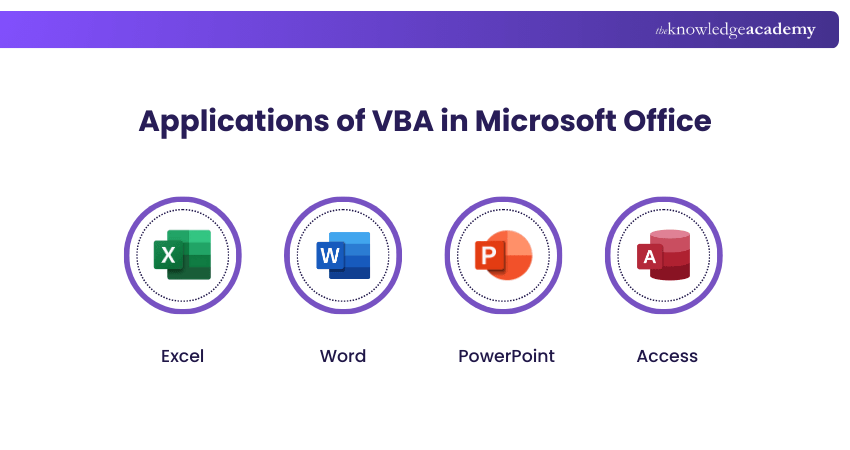
a) Excel: When working in Excel, who hasn't been bogged down by repetitive tasks? VBA comes to the rescue, streamlining these monotonous chores. Beyond that, it grants you the ability to craft custom functions, uniquely designed to suit your needs.
Imagine creating tailored user forms to guide data entry, ensuring consistency and minimising mistakes. And for those complex financial models or intricate data scenarios, VBA effortlessly sequences and automates calculations, making your work more efficient.
b) Word: In the realm of document creation, consistency is paramount. Through VBA, one can effortlessly automate document formatting, ensuring every piece you produce meets the highest professional standards. But it doesn't stop there.
The tool allows you to mold custom templates infused with specific functionalities, revolutionising the way you approach document creation. For instances where standardised data capture is essential, VBA empowers you to devise specialised forms, ensuring each piece of information fits perfectly within its designated space.
c) PowerPoint: Presentations often need timely updates. With VBA, slides can be set to refresh their content automatically, drawing from databases or other external sources. What's more fascinating is how seamlessly you can weave in Excel's analytical prowess directly into your slides. By linking dynamic charts or tables from Excel, your presentations become more alive, updating as the source data evolves.
And for those looking to make a lasting impression, customising slideshow interfaces can provide an interactive and personalised touch, making your deck truly stand out. These ideas could serve as great inspiration for Visual Basic Projects Ideas, helping you explore new ways to enhance your presentations through automation and data integration.
d) Access: Databases are critical, and their functionalities are paramount. VBA augments Access, introducing new capabilities while refining the existing ones. It enables the creation of bespoke forms, each tailored to the specific nuances of your database.
It directs users and ensuring directing users and ensuring accurate data capture. Moreover, with automation in place, VBA can conduct rigorous data validation, ensuring each entry maintains the sanctity of your database.
Interested in Data Modelling? Why not try our Delphi Course?
Important VBA Excel Terms
The following terms are fundamental concepts in Office VBA (Visual Basic for Applications) and are essential for understanding how automation and programming work within Microsoft Office applications:
1) Argument: A value passed to a procedure or function to control how it runs
2) Class Module: It is used to define custom objects with properties and methods
3) Object Model: Structured objects in an Office application for automation
4) Macros: Recorded or written sets of VBA commands that automate frequent tasks
5) Procedural Programming: A coding style where tasks are done in procedural way
Common Challenges Faced in VBA
While VBA is a powerful tool for Excel automation, beginners and even experienced users often face hurdles that can slow progress and cause frustration.

a) Debugging Errors: Locating and fixing syntax or runtime errors can be tricky without clear error messages.
b) Code Efficiency: Poorly structured VBA can make processes run slowly or become resource heavy.
c) Limited Knowledge: New users often struggle with loops, conditionals, and object models.
d) Compatibility Issues: Macros may not work consistently across different Excel versions or platforms.
e) Security Restrictions: Organisations sometimes block or disable macros due to security concerns.
f) Documentation Gaps: Lack of proper comments or structure makes code hard to maintain later.
Conclusion
VBA supercharges Microsoft Office, offering automation and customisation. Essential for optimising tasks, mastering VBA opens vast productivity avenues. Starting with basic automation, and progressing incrementally, one can unlock Office's full potential through Visual Basic for Applications. This empowers users to unlock Office’s potential with VBA, boosting efficiency, accuracy, and innovation in daily tasks.
Interested in Big Data solutions? Try our Clojure Programming Language Training!
Frequently Asked Questions
Is Visual Basic for Applications Still Used?

Yes, Visual Basic for Applications is still widely used, especially in Excel, Word, and Access, for automating tasks and creating custom solutions. Many businesses rely on VBA for legacy systems, quick automation, and improving productivity without needing complex programming.
How can I protect my VBA code?
You can protect Visual Basic for Applications code by setting a password in the VBA editor to lock the project for viewing. This prevents unauthorised access or modification. Additionally, keep backups and restrict file access to maintain security and safeguard your code effectively.
What are the Other Resources and Offers Provided by The Knowledge Academy?
The Knowledge Academy takes global learning to new heights, offering over 3,000+ online courses across 490+ locations in 190+ countries. This expansive reach ensures accessibility and convenience for learners worldwide.
Alongside our diverse Online Course Catalogue, encompassing 17 major categories, we go the extra mile by providing a plethora of free educational Online Resources like Blogs, eBooks, Interview Questions and Videos. Tailoring learning experiences further, professionals can unlock greater value through a wide range of special discounts, seasonal deals, and Exclusive Offers.
What is The Knowledge Pass, and How Does it Work?
The Knowledge Academy’s Knowledge Pass, a prepaid voucher, adds another layer of flexibility, allowing course bookings over a 12-month period. Join us on a journey where education knows no bounds.
What are the Related Courses and Blogs Provided by The Knowledge Academy?
The Knowledge Academy offers various Programming Training, including Python Course, PHP Course and Visual Basic Course. These courses cater to different skill levels, providing comprehensive insights into Importance of Technology.
Our Programming & DevOps Blogs cover a range of topics related to Visual Basic, offering valuable resources, best practices, and industry insights. Whether you are a beginner or looking to advance your Programming skills, The Knowledge Academy's diverse courses and informative blogs have got you covered.

The Knowledge Academy


Global Training Provider
The Knowledge Academy is a world-leading provider of professional training courses, offering globally recognised qualifications across a wide range of subjects. With expert trainers, up-to-date course material, and flexible learning options, we aim to empower professionals and organisations to achieve their goals through continuous learning.

Upcoming Programming & DevOps Resources Batches & Dates
Date
 Visual Basic Course
Visual Basic Course
Fri 12th Jun 2026
Visual Basic Course
Fri 11th Sep 2026
Visual Basic Course
Fri 27th Nov 2026

 If you wish to make any changes to your course, please


