


 Top Rated Course

We may not have the course you’re looking for. If you enquire or give us a call on +33 805638382 and speak to our training experts, we may still be able to help with your training requirements.
Inline Style in React: A Complete Guide
Richard Harris 09 February 2026Inline style in React refers to directly applying CSS styles to individual elements within a component using the style attribute, written as JavaScript objects. This enables dynamic styling based on component state or props. In React, inline styles are written in camelCase as key-value pairs. Keep reading this blog to learn more!

Training Outcomes Within Your Budget!
We ensure quality, budget-alignment, and timely delivery by our expert instructors.
Table of Contents

Struggling with managing CSS in your React components? Discover how Inline Style in React offers a streamlined approach to applying styles. With Inline Style in React, you can directly apply styles to individual elements using JavaScript objects. This method allows for dynamic styling, making your UI adaptable based on state or the use of react props without external stylesheets.
Imagine easily adjusting styles right within your component logic, offering more control and flexibility. Inline Style in React simplifies the process by keeping styles and logic in the same place, reducing complexity. Start using Inline Style in React today to enhance your styling workflow and create responsive, dynamic UIs.
Table of Contents
1) What is Inline Style in React?
2) When Should you use Inline Styling?
3) How to use Inline Styles?
4) What are Styling Options in React Components?
5) Creating Inline Styles in React
6) Benefits of Inline Styling
7) Drawbacks of Inline Styling
8) Conclusion
What is Inline Style in React?
React is a popular choice among developers due to its extensive styling capabilities for web applications. While traditional Web Development often relies on inline styles added directly to the style attribute of elements, React offers a more sophisticated and flexible approach.
In non-single-page applications, inline styles are commonly used within the style attribute of DOM elements. However, React’s component-based architecture provides a more elegant solution for styling, making the process both efficient and versatile.

When Should you use Inline Styling?
Inline styles in React have a limited scope and are best suited for small, one-off changes to a component’s appearance. They are particularly useful for dynamically applying styles based on state or for conditional styling.
For more extensive and consistent styling needs, it is generally recommended to use CSS stylesheets. This approach allows for better organisation and reusability of styles across multiple components.
Let’s take an example to better understand when to use inline styling in React.js:
|
import React, { useState } from "react"; import "./styles.css"; export default function App() { const [color, setColor] = useState("#ff0000"); const customStyle = { backgroundColor: color }; const handleChange = (event) => { setColor(event.target.value); }; return (
Scaler topic ); } |
In the code above, we import divStyle from an external stylesheet to apply basic styling to the div (such as margin and width).
Using the useState hook, we manage the state of the color variable, which is initially set to red. When the user enters a color in the input field, the color state is updated, and the new color is applied as the background color of the div, which uses the customStyle object in its style attribute.
How to use Inline Styles?
Instead of creating a different CSS file, you can define a JavaScript object with the styles you want and apply them directly to your component using the style attribute. Here’s a simple example to illustrate how inline styles work in a React component:
|
import React from 'react'; const MyButton = () => { const buttonStyle = { backgroundColor: 'blue', color: 'white', fontSize: '1.5rem', padding: '10px 20px', borderRadius: '5px', cursor: 'pointer', }; return; }; |
In this example, we create a buttonStyle object with properties like backgroundColor, color, and more. Then, we use this object in the style attribute of the button component, making our button look stylish!
Breaking it Down:
a) backgroundColor: This help set the button’s background colour to blue.
b) color: It is used for setting the text colour to white.
c) fontSize: It helps Define the size of the font.
d) padding: Adds some spacing inside the button.
e) borderRadius: This will help round the corners of the selected button.
f) cursor: It is used to change the default cursor to a pointer when hovering over the button.
This approach allows you to keep your styles encapsulated within your component. This makes it easier to manage and maintain.
Transform your coding skills into mobile app success by signing up with our Mobile App Development Course today!
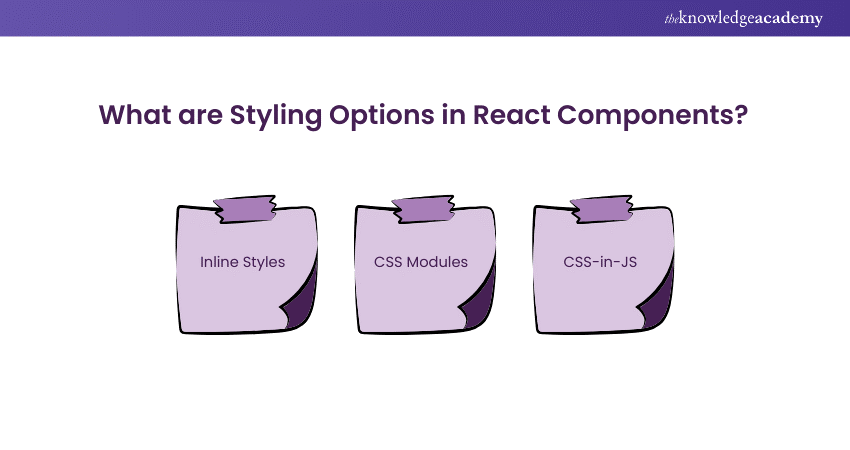
What are Styling Options in React Components?
There are several styling options for React components. Some of them include:
1) Inline Styles
Inline styles in React involve defining styles as JavaScript objects directly within the component code. These styles are applied using the style attribute on elements, making them scoped to the component. This approach is often used for simple and component-specific styling.
Here’s an example of how to use inline styles in a React component:
|
import React from 'react'; const MyComponent = () => { const myStyle = { color: 'blue', fontSize: '16px', }; return Hello, React!
; }; export default MyComponent; |
In this example, we define a myStyle object with properties like color and fontSize. We then apply these styles to the div element using the style attribute.
2) CSS Modules
With CSS Modules, you can create a different CSS file for each component and then import it into the component. This allows you to write traditional CSS while ensuring the styles are scoped to the component, preventing global style conflicts.
Here’s an example of using CSS Modules in a React component:
|
import React from 'react'; import styles from './MyComponent.module.css'; const MyComponent = () => { return Hello, React!
; }; export default MyComponent; |
In this example, we import the styles from MyComponent.module.css and apply them to the div element using the className attribute. This approach keeps the styles encapsulated within the component. This avoids conflicts with other styles in your application.
3) CSS-in-JS
Libraries like styled-components and Emotion allow you to write CSS styles directly within your JavaScript code using tagged template literals. This approach offers several benefits, including dynamic styling.
Here’s an example using styled-components in a React component:
|
import React from 'react'; import styled from 'styled-components'; const StyledDiv = styled.div` color: blue; font-size: 16px; `; const MyComponent = () => { return }; export default MyComponent; |
Using styles in React components helps create visually appealing and functional user interfaces. The choice of styling method depends on the project’s requirements, your personal preference, and the level of component reusability you need.
Creating Inline Styles in React:
Now that we understand inline styles in React.js, let’s delve into the syntax and examples to better grasp this concept.
Syntax Overview
The syntax for inline styles in React.js is as follows:
|
style={{ color: 'red', padding: 20 }} |
Here, the outer curly braces denote that the code is JavaScript (JSX syntax), and the inner curly braces contain the JavaScript object with the style properties.
Example Code
Here is an example of using inline styles in a React component:
|
function DemoComponent() { return Example of Inline Style
; } |
In the code above, we pass an object to the style attribute of the div element to set the color to red and padding to 20.
Benefits of Inline Styling
Just like any other styling method, inline styling in React has its pros and cons. Some of the advantages of using the Inline styling method include:
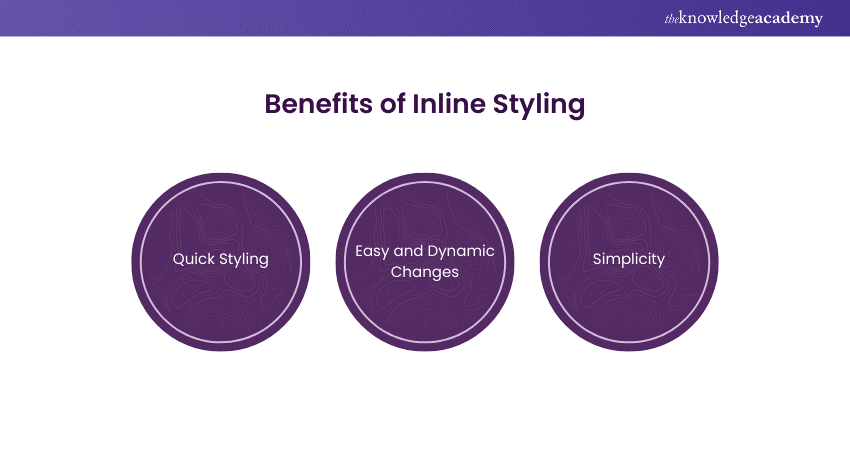
a) Quick Styling: Inline styles offer a fast way to style an element directly within your React component.
b) Easy and Dynamic Changes: Inline styles allow for rapid and straightforward modifications, making it easy to update styles dynamically.
c) Simplicity: Inline styles are easy to use and understand, especially for small, specific style changes.
Drawbacks of Inline Styling
Inline styling also has some cons. Some of them include:
a) Limited Support for Pseudo-classes: Inline styles do not support CSS pseudo-classes like :hover, :active, or :visited. Attempting to use these pseudo-classes inline will result in errors.
b) Lack of Media Query Support: Media queries, which are essential for making web pages responsive across different screen sizes, are not supported with inline styles. Using media queries inline will also lead to errors.
c) Performance Issues in Large Applications: Inline styling can lead to poor performance in large applications. It can reduce production and create a cluttered codebase, making it difficult to identify and fix issues.
Build your future with expert-led App & Web Development Training – Join now and start creating dynamic digital solutions!
Conclusion
Inline Style in React provides a powerful and flexible way to manage component-specific styles directly within your JavaScript code. By using JavaScript objects for styling, developers can easily implement dynamic and responsive designs. This approach is often utilized in React JS Projects, enhancing the efficiency and adaptability of their React applications.
Learn React Native and turn your app ideas into reality with our expert-led React Native Training – Register today!
Frequently Asked Questions
What is Inline Style or CSS File?

An inline style applies CSS directly to an HTML element via the style attribute, often used in React as JavaScript objects. A CSS file, on the other hand, contains external stylesheets that are linked to multiple HTML elements, promoting reusability and keeping styling separate from logic.
What is Inline Function in React?
An inline function in React is a function defined directly within a component’s JSX, often used for event handlers like onClick. While convenient for small tasks, inline functions can lead to unnecessary re-renders and performance issues because they are recreated every time the component renders.
What are the Other Resources and Offers Provided by The Knowledge Academy?
The Knowledge Academy takes global learning to new heights, offering over 3,000+ online courses across 490+ locations in 190+ countries. This expansive reach ensures accessibility and convenience for learners worldwide.
Alongside our diverse Online Course Catalogue, encompassing 19 major categories, we go the extra mile by providing a plethora of free educational Online Resources like Blogs, eBooks, Interview Questions and Videos. Tailoring learning experiences further, professionals can unlock greater value through a wide range of special discounts, seasonal deals, and Exclusive Offers.
What is The Knowledge Pass, and How Does it Work?
The Knowledge Academy’s Knowledge Pass, a prepaid voucher, adds another layer of flexibility, allowing course bookings over a 12-month period. Join us on a journey where education knows no bounds.
What are the Related Courses and Blogs Provided by The Knowledge Academy?
The Knowledge Academy offers various App & Web Development Training, including React Native Training, Website Design Course and Mobile App Development Course. These courses cater to different skill levels, providing comprehensive insights on How to Become a Web3 Developer.
Our Programming & DevOps Blogs cover a range of topics related to App Development, offering valuable resources, best practices, and industry insights. Whether you are a beginner or looking to advance your skills in Programming & DevOps, The Knowledge Academy's diverse courses and informative blogs have you covered.

Richard Harris


Senior Full Stack Developer and Technology Educator
Richard Harris is a highly experienced full-stack developer with deep expertise in both frontend and backend technologies. Over his 12-year career, he has built scalable web applications for startups, enterprises and government organisations. Richard’s writing combines technical depth with clear explanations, ideal for developers looking to grow in modern frameworks and tools.

Upcoming Programming & DevOps Resources Batches & Dates
Date
 React Native Training
React Native Training
Thu 25th Jun 2026
React Native Training
Thu 15th Oct 2026
React Native Training
Thu 3rd Dec 2026

 If you wish to make any changes to your course, please


