


 Top Rated Course

We may not have the course you’re looking for. If you enquire or give us a call on +44 1344 203999 and speak to our training experts, we may still be able to help with your training requirements.
Photo Retouching Tools For Beginner
Richard Harris 24 February 2026Embark on your Photo Retouching journey with ease! Our blog on Photo Retouching Tools for beginners introduces essential tools like the Healing Brush, Red Eye, Spot Healing, Patch, Content Aware, and more. Explore their user-friendly features and kickstart your retouching endeavors with confidence and precision.

Training Outcomes Within Your Budget!
We ensure quality, budget-alignment, and timely delivery by our expert instructors.
Table of Contents

Photo Retouching is the process of enhancing and improving the appearance of digital images. Whether you want to fix exposure, remove blemishes, adjust colours, or add creative effects, Photo Retouching tools can help you achieve your desired results. But with so many Photo Retouching Tools now available, how do you choose the best one for your needs?
In this blog, we will review some of the best Photo Retouching Tools for beginners based on their features, functionality and ease of use. We will also provide some tips and tricks on how to use these tools effectively. By the end of this blog, you will have a better understanding of Photo Retouching Tools and how to use them to create stunning images.
Table of Contents
1) Best Photo Retouching Tools in Photoshop
a) Healing Brush Tool
b) Red Eye
c) Spot Healing Tool
d) Patch Tool
e) Content-Aware Tool
f) Dodge & Burn Tool
g) Blur & Sharpen Tool
h) Clone Tool
2) Conclusion
Best Photo Retouching Tools in Photoshop
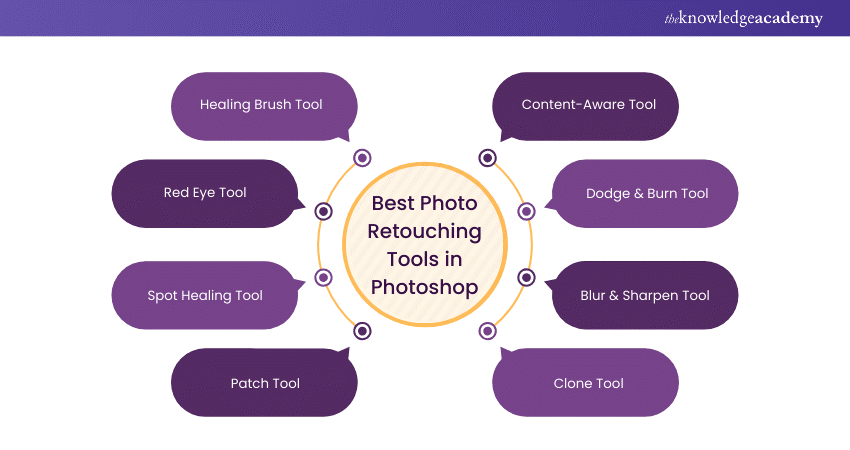
Photo Retouching is an artistic craft that uses powerful tools to refine and perfect images. Whether you're a professional photographer or a passionate hobbyist, exploring the types of photo retouching can help you choose the best tools and techniques to elevate your edits. Let’s dive into the features and applications of some of the leading Photo Retouching tools available.
1) Healing Brush Tool
The Healing Brush Tool is pivotal in Photo Retouching, excelling at imperfection removal. Blending neighbouring pixels delicately erases blemishes and flaws without compromising the surrounding texture or tone. This tool proves invaluable for portrait retouching, where it effortlessly eliminates unwanted spots, wrinkles, or minor imperfections. Its precision ensures the final result maintains a natural and authentic appearance, making it an essential choice for achieving flawless skin and overall image refinement.

2) Red Eye Tool
The Red Eye Tool is a swift solution to the common red-eye phenomenon in photographs. Specifically designed to correct red pupils caused by camera flash, this tool detects and automatically replaces the red tint with a more realistic hue. Ideal for portrait retouching, it ensures that subjects' eyes appear natural and vibrant. With a simple click, this tool eliminates red-eye issues, enhancing the overall quality of portraits and making the eyes the captivating focal point of the image.
3) Spot Healing Tool
The Spot Healing Tool is the go-to choice for quick and efficient corrections in Photo Retouching. This tool removes small imperfections like blemishes, dust spots, or minor wrinkles. Powered by content-aware algorithms, it intelligently analyses the surrounding pixels and seamlessly replaces the unwanted elements. Its user-friendly interface and ability to provide instant, flawless results make it indispensable for achieving a polished and pristine look in portraits or close-up shots.
4) Patch Tool
The Patch Tool is a versatile and powerful instrument in Photo Retouching, ideal for addressing larger imperfections or unwanted elements within an image. It allows users to select a problematic area and replace it with content from another part of the image. The Patch Tool ensures a seamless blend between the replaced content and the surrounding pixels, making it practical for tasks such as removing large blemishes, unwanted objects, or distractions from the composition.
Enhance your editing skills with our Adobe Lightroom Masterclass – Sign up today!
5) Content-Aware Tool
The Content-Aware Tool is a sophisticated and intelligent solution for retouching tasks. Leveraging advanced algorithms, this tool fills or removes elements based on the context of the surrounding area. Whether erasing unwanted objects, extending backgrounds, or seamlessly blending elements, the Content-Aware Tool significantly streamlines the retouching process, providing realistic and visually pleasing results. Its adaptability makes it an essential choice for Retouchers aiming for efficiency and high-quality outcomes.
6) Dodge & Burn Tool
The Dodge & Burn Tool offers precise control over image contrast by selectively lightening (dodging) or darkening (burning) specific areas. This tool enhances facial features in portrait retouching, emphasising highlights and shadows for a more sculpted look. In landscape photography, it can bring out details in both foreground and background. The Dodge & Burn Tool's versatility makes it an indispensable asset for Retouchers seeking to fine-tune exposure and create visually dynamic and impactful images.
7) Blur & Sharpen Tool
Perfecting focus is an essential aspect of Photo Retouching, and the Blur & Sharpen Tool provides the means to achieve this with precision. This tool allows Retouchers to control image clarity by selectively blurring or sharpening specific areas. Portrait photography can soften distracting backgrounds, bringing the subject into sharper focus. In product photography, it can enhance the crispness of details. The Blur & Sharpen Tool is a valuable asset for Retouchers seeking to refine and emphasise specific elements within an image.
Want to master photo retouching? Learn How to Become a Photo Retoucher now!
8) Clone Tool
The Clone Tool is a versatile and indispensable asset in Photo Retouching, offering the ability to replicate or remove specific areas within an image. It enables seamless corrections by sampling pixels from one part of the photo and applying them elsewhere. Portrait retouching can eliminate imperfections or duplicate features for a more balanced appearance. Architectural photography can remove unwanted elements or duplicate patterns for aesthetic purposes. The Clone Tool's precision and flexibility make it an essential choice for Retouchers aiming for detailed and accurate corrections within their images.
Unlock your potential as a Photo Retoucher with our Photo Retouching Training – Sign up now!
Conclusion
Mastering the essentials of Photo Retouching Tools is a gateway for beginners to elevate their editing skills. From the Healing Brush to the Red Eye tool, understanding and applying these tools empower novices to embark on a seamless journey of refining and perfecting their images with confidence. With Adobe Photoshop Lightroom, users can enhance their workflow by leveraging advanced retouching features for professional-quality edits.
Discover your creative potential with our Animation and Design Courses – Sign up now!
Frequently Asked Questions
What makes the Healing Brush Tool ideal for beginners in Photo Retouching?

The Healing Brush Tool is ideal for beginners in Photo Retouching due to its user-friendly nature. With seamless pixel blending, it effortlessly removes imperfections while maintaining the original texture. Its precision and intuitive operation make it accessible, enabling beginners to achieve flawless results and build confidence in their retouching skills.
How can beginners effectively use the Red Eye Tool for portrait Retouching?
To effectively use the Red Eye Tool for portrait retouching, beginners should select the tool, click on the red-eye area, and let the software automatically correct the colour. Adjustments can be made for size and darkness. This quick process ensures natural-looking eyes, enhancing the overall quality of portraits with ease.
What are the other resources and offers provided by The Knowledge Academy?
The Knowledge Academy takes global learning to new heights, offering over 3,000+ online courses across 490+ locations in 190+ countries. This expansive reach ensures accessibility and convenience for learners worldwide.
Alongside our diverse Online Course Catalogue, encompassing 17 major categories, we go the extra mile by providing a plethora of free educational Online Resources like Blogs, eBooks, Interview Questions and Videos. Tailoring learning experiences further, professionals can unlock greater value through a wide range of special discounts, seasonal deals, and Exclusive Offers.
What is the Knowledge Pass, and how does it work?
The Knowledge Academy’s Knowledge Pass, a prepaid voucher, adds another layer of flexibility, allowing course bookings over a 12-month period. Join us on a journey where education knows no bounds.
What are the related courses and blogs provided by The Knowledge Academy?
The Knowledge Academy offers various Animation and Design Courses, including Photo Retouching Training, Design Patterns Training and many more. These courses cater to different skill levels, providing comprehensive insights into 2D Animation Styles.
Our Office Applications Blogs cover a range of topics related to Photo Retouching offering valuable resources, best practices, and industry insights. Whether you are a beginner or looking to advance your knowledge on Photo Retouching, The Knowledge Academy's diverse courses and informative blogs have you covered.

Richard Harris


Senior Full Stack Developer and Technology Educator
Richard Harris is a highly experienced full-stack developer with deep expertise in both frontend and backend technologies. Over his 12-year career, he has built scalable web applications for startups, enterprises and government organisations. Richard’s writing combines technical depth with clear explanations, ideal for developers looking to grow in modern frameworks and tools.

Upcoming Office Applications Resources Batches & Dates
Date
 Photo Retouching Training
Photo Retouching Training
Fri 17th Apr 2026
Photo Retouching Training
Fri 12th Jun 2026
Photo Retouching Training
Fri 21st Aug 2026
Photo Retouching Training
Fri 30th Oct 2026

 If you wish to make any changes to your course, please


