


 Top Rated Course

We may not have the course you’re looking for. If you enquire or give us a call on +40 316317743 and speak to our training experts, we may still be able to help with your training requirements.
CRM Analytics: Everything You Need to Know
The Knowledge Academy 29 April 2026CRM Analytics involves analysing customer data from CRM systems to improve decision-making, enhance customer experience and boost sales and retention. Mastering the art of analysing CRM data can be a powerful launchpad to a distinctive Salesforce career that is profitable, future-ready, highly rewarding, and in high demand.

Training Outcomes Within Your Budget!
We ensure quality, budget-alignment, and timely delivery by our expert instructors.
Table of Contents
If you want to stand out in the Salesforce world, just having a CRM system is not enough. The real advantage comes from unlocking the hidden value inside it, and that is where CRM Analytics makes the difference. It turns raw customer data into a clear guide for smarter decisions, stronger strategies, and better experiences. Mastering CRM Analytics helps you create a niche that is profitable and future-ready.
In this blog, you will learn why CRM Analytics can be a career-defining move, how it transforms dashboards into decisions, and how it positions you as a trusted strategist in the growing Salesforce ecosystem. Let’s get started!
Table of Contents
1) What is CRM Analytics?
2) Key Features of CRM Analytics
3) Core Components of CRM Analytics
4) Types of CRM Analytics
5) Benefits of Using Salesforce CRM Analytics
6) Common Challenges in CRM Analytics Implementation
7) Metrics You Can Track With CRM Analytics
8) Conclusion
What is CRM Analytics?
CRM Analytics is the process of gathering, analysing, and interpreting customer data from a Customer Relationship Management (CRM) system to improve decisions and strengthen customer relationships. It focuses on behaviours such as buying habits, preferences, and responses to marketing or support activities to uncover useful patterns.
With features like dashboards and predictive models, businesses can anticipate customer needs, personalise interactions, and boost satisfaction. For example, CRM Analytics can identify customers at risk of leaving or highlight which campaigns bring the best results, allowing teams to act quickly and effectively.
Key Features of CRM Analytics
Here are five of the best features you must consider enabling in CRM Analytics to make the whole analysis process more efficient:
1) Analytics Templates
Analytics Templates allow users to build new apps using pre-designed versions of existing ones. This saves a lot of time when creating apps, while also ensuring consistency in design and including the right data points.
2) Email Alerts from CRM Analytics Dashboards
This feature is important because it allows users to subscribe to dashboard widgets as well as for changes in the metrics to trigger an email notification.
3) Data Blending in CRM Analytics Explorer
This feature lets users combine data from multiple related datasets directly within any Lens. It is important because it allows analysis across different data sources without needing to create a separate Recipe or Dataflow.
4) CRM Analytics Direct Data for External Data Sources
This feature allows you to query external connected data sources directly, without needing to move the data into a new dataset. It removes the need for creating a separate dataflow, saving time and keeping data accessible straight from the source.
5) Inherit Sharing from Salesforce
This feature allows datasets created in CRM Analytics to automatically inherit the sharing and security settings of their underlying Salesforce objects. It ensures that users have the same data visibility in CRM Analytics as they already do in Salesforce, keeping access control simple and secure.
Core Components of CRM Analytics
To take full advantage of the benefits of CRM Analytics, it's essential to understand its foundational components. Let's explore some of the key concepts your team must become familiar with:
1) Analytics Applications
An analytics app is like a project folder that stores every related analytics asset organised in one place. Whether it's for a specific department, business function or use case, these apps help you manage dashboards, datasets, lenses, and stories in a structured and secure manner.
2) Datasets
A dataset in CRM Analytics is a collection of organised data that combines related records into one table. It provides a simplified view of information, making it faster and easier to run queries and create visualisations.
3) Lenses
A lens is an exploratory tool used to drill into a dataset and answer specific business questions. It allows users to group and visualise data in an interactive manner, making it ideal for quick insights or testing out hypotheses.
4) Interactive Dashboards
A dashboard brings together multiple lenses and visual elements into a single, interactive view. It helps users see the bigger picture by combining various metrics and perspectives into a single screen. With dashboards, decision-makers can monitor Key Performance Indicators (KPIs), track progress and respond to trends in real time.
Looking for the Oracle to assure customer relationship success? Our comprehensive Oracle CRM Training is at your service - Sign up now!
Types of CRM Analytics
CRM Analytics can be broadly categorised into three types. Let's explore each of these in detail:
1) Collaborative CRM
Collaborative CRM enables different departments to work together by providing them with shared access to customer information in one centralised location. Everyone can view customer history, interactions, service requests, and notes, which makes it easier to support and understand the customer.
Its key features include:
1) Interaction Management: It tracks all customer interactions, including email, social media, calls, and in-person interactions, and stores them in a single customer profile.
2) Channel Management: It helps you understand which communication channels customers prefer, such as chat or email, and ensures future communication occurs through those same channels.
2) Operational CRM
Operational CRM focuses on automating day-to-day business tasks and efficiently managing customer relationships. It handles everything from sales tracking to marketing campaigns and customer support processes.
Here are its key features:
1) Sales: It helps attract new customers and manage existing ones with tools like lead tracking, contact management, and sales forecasting.
2) Marketing: It allows teams to send personalised messages and create targeted campaigns using customer data.
3) Customer Service: It supports tasks like responding to queries, routing cases, collecting feedback, and offering self-service options.
3) Analytical CRM
Analytical CRM operates in the background to analyse data collected from Sales, Marketing and Customer Support. It helps you understand customer behaviour, track performance and make smarter decisions.
Here are some of its key features:
1) Channel Analysis: Collects and organises customer data from different communication platforms.
2) Customer Analysis: Studies customer behaviour and preferences to spot useful patterns.
3) Service Insights: Suggests ways to improve support and build loyalty.
4) Marketing: Looks at past campaigns, buyer habits, and demographics to improve future strategies.
5) Sales: Evaluates the effectiveness of the sales process and helps manage leads.
Benefits of Using Salesforce CRM Analytics
Salesforce CRM Analytics helps you gain a deeper understanding of your customers. It lets you tailor your strategy to meet individual needs rather than using a one-size-fits-all approach. Here are some of its key benefits:
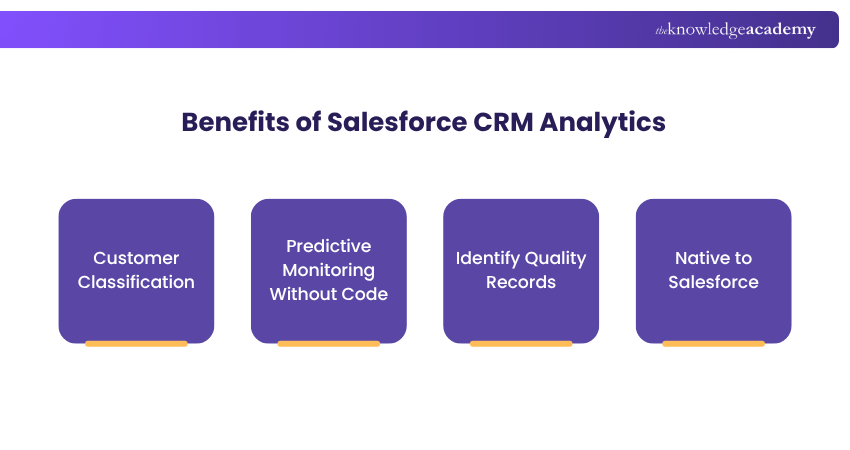
1) Customer Classification
1) CRM Analytics enables you to group customers by factors such as gender, age, spending habits, and purchasing patterns.
2) This helps you run more targeted marketing and manage sales more effectively.
3) It also provides a real-time, 360-degree view of each customer.
2) Predictive Monitoring Without Code
1) It uses a no-code setup to analyse customer data easily.
2) It identifies trends and patterns to forecast future outcomes.
3) It helps reduce risks and supports smarter business decisions.
3) Identify Quality Records
1) It identifies those customer segments that generate the highest profit.
2) It helps you siphon your marketing and sales efforts into high-value groups.
3) It recommends deals with the greatest chance of closing successfully.
4) Native to Salesforce
1) It's fully integrated with Salesforce and built on its core value of trust.
2) It offers strong data security and simplified access control.
3) It supports existing Salesforce security settings as well as custom access rules.
Turn conversations into conversions with the power of HubSpot CRM. Sign up for our HubSpot CRM Training and build smarter relationships!
Common Challenges in CRM Analytics Implementation
Despite the benefits offered by CRM Analytics tools, hindrances inevitably arise during any digital transformation project. Here are some of the biggest challenges:
1) Integration with Existing Systems
1) Connecting CRM Analytics with multiple platforms, legacy systems, and external tools can be complex.
2) Mismatched data formats or APIs often slow down integration.
3) Migration projects may face delays, causing interruptions in operations.
2) Data Quality and Accuracy
1) CRM Analytics requires clean, consistent, and standardised data for reliable insights.
2) Inaccurate or duplicate records can lead to misleading results.
3) Regular data governance and cleansing are essential but time-consuming.
3) User Adoption and Change Management
1) Employees may resist changes to familiar workflows and tools.
2) Gaining end-user confidence is critical for successful adoption.
3) Ongoing training and support are needed to encourage confident use.
From first contact to lasting loyalty, our CRM Training will help you cultivate the skills that drive business growth - Sign up now!
Metrics You Can Track With CRM Analytics
CRM Analytics offers in-depth insights across all departments by tracking performance, identifying trends, and enabling teams to make data-driven decisions. These are the things it helps you track:
1) Marketing Performance Indicators
CRM Analytics enables marketing teams to measure campaign effectiveness, identify high-performing channels, and understand the sources of leads. Key metrics include:
1) Campaign ROI and cost per lead
2) Conversion rates by channel or campaign
3) Website traffic and engagement insights
4) Lead source tracking and attribution
5) Drop-off points in the customer journey
2) Sales Metrics
Sales teams can use CRM Analytics to track progress throughout the pipeline and refine the forecasting process. Commonly tracked metrics include:
1) Lead-to-deal conversion rates
2) Sales cycle length
3) Win/loss analysis
4) Forecast accuracy and goal tracking
5) Revenue by product, region or rep
6) High-value customer segments
3) Customer Service Metrics
CRM Analytics enhances customer service by providing a comprehensive view of support activities, enabling teams to identify trends and improve service quality. Useful metrics include:
1) Number of support tickets raised and resolved
2) Average resolution time
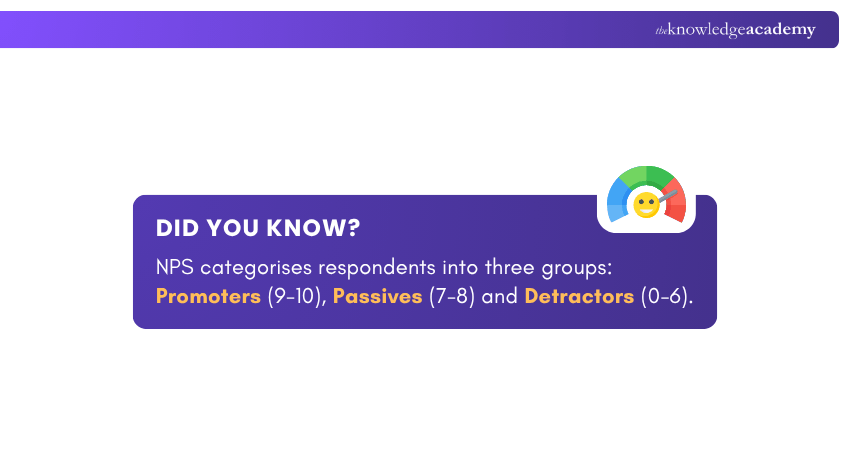
3) Net Promoter Score (NPS) and Customer Satisfaction (CSAT)
4) Repeat issues and escalation rates
5) Agent performance and workload
6) Feedback trends and service gaps
Conclusion
CRM Analytics is more than a tool; it’s your ticket to standing out in the Salesforce ecosystem. By mastering its insights, you can move beyond routine tasks and step into a more strategic role. Whether you’re in marketing, sales or customer support, this process helps you drive value, impress stakeholders and build a niche that’s uniquely yours.
Become the backbone of Salesforce excellence with our Salesforce Admin Training - Sign up now!
Frequently Asked Questions
What Kind of Data can You use with CRM Analytics?

The most commonly used data types in CRM Analytics include sales data, customer interaction data, marketing campaign data, and service case data. The platform can ingest data from diverse sources, including CRM systems, databases, spreadsheets, and external applications.
Is Google Analytics a CRM Tool?
No, Google Analytics is not a CRM tool. It's primarily a Web Analytics platform that tracks website traffic and user behaviour to provide insights into website performance. While it can integrate with CRM systems to improve marketing strategies, it does not offer the same features as a dedicated CRM.
What are the Other Resources and Offers Provided by The Knowledge Academy?
The Knowledge Academy takes global learning to new heights, offering over 3,000+ online courses across 490+ locations in 190+ countries. This expansive reach ensures accessibility and convenience for learners worldwide.
Alongside our diverse Online Course Catalogue, encompassing 17 major categories, we go the extra mile by providing a plethora of free educational Online Resources like Blogs, eBooks, Interview Questions and Videos. Tailoring learning experiences further, professionals can unlock greater value through a wide range of special discounts, seasonal deals, and Exclusive Offers.
What is The Knowledge Pass, and How Does it Work?
The Knowledge Academy’s Knowledge Pass, a prepaid voucher, adds another layer of flexibility, allowing course bookings over a 12-month period. Join us on a journey where education knows no bounds.
What are the Related Courses and Blogs Provided by The Knowledge Academy?
The Knowledge Academy offers various CRM Courses, including the Salesforce CRM Course, HubSpot CRM Training and the Oracle Sales CRM Training. These courses cater to different skill levels, providing comprehensive insights into Becoming a CRM Developer.
Our Office Applications Blogs cover a range of topics related to CRM Analytics, offering valuable resources, best practices, and industry insights. Whether you are a beginner or looking to advance your CRM Analytics skills, The Knowledge Academy's diverse courses and informative blogs have got you covered.

The Knowledge Academy


Global Training Provider
The Knowledge Academy is a world-leading provider of professional training courses, offering globally recognised qualifications across a wide range of subjects. With expert trainers, up-to-date course material, and flexible learning options, we aim to empower professionals and organisations to achieve their goals through continuous learning.

Upcoming Office Applications Resources Batches & Dates
Date
 Salesforce CRM Masterclass
Salesforce CRM Masterclass
Fri 4th Sep 2026
Salesforce CRM Masterclass
Fri 4th Dec 2026

 If you wish to make any changes to your course, please


