


 Top Rated Course

We may not have the course you’re looking for. If you enquire or give us a call on +61 1-800-150644 and speak to our training experts, we may still be able to help with your training requirements.
What is a Digital Workflow? Definition, Steps, and Examples
James Smith 22 April 2026Digital Workflow is a series of processes performed electronically often utilising software, to achieve a specific goal. It replaces manual, paper-based processes with digital ones, leading to increased efficiency, reduced errors, and improved visibility. It also includes the automation of a process that an organisation uses for results.

Training Outcomes Within Your Budget!
We ensure quality, budget-alignment, and timely delivery by our expert instructors.
Table of Contents

In a world where speed and precision rule the workplace, staying organised is everything. That’s where a Digital Workflow steps in turning messy processes into seamless, automated systems. No more paper trails or endless email threads, just smooth, trackable progress from start to finish.
A Digital Workflow empowers teams to collaborate in real time, reduce manual errors, and keep every task on course. Whether it's managing approvals, handling client requests, or coordinating projects, it brings structure to the chaos. Curious how it works? Let’s dive into the steps and see real-life examples that bring it to life.
Table of Contents
1) What is a Digital Workflow?
2) Functions of Digital Workflows
3) Steps to Build a Digital Workflow
4) Steps to Implement Digital Workflow Automation
5) What are the Benefits of a Digital Workflow?
6) Examples of Digital Workflow
7) Obstacles to Implementing Digital Workflows
8) Conclusion
What is a Digital Workflow?
A Digital Workflow replaces manual, paper-based processes with digital solutions, increasing efficiency, reducing errors, and improving visibility. Essentially, it's the automation of any process within an organisation using technology. By streamlining processes and automating repetitive tasks, Digital Workflows significantly boost operational speed and efficiency.
Digital Workflows provide real time tracking and visibility into the progress of tasks and processes, allowing for better monitoring and management. This process can be simple or complex, can require basic or advanced technology; all of this will depend on the work that needs to get done. Effective management is crucial to ensure Digital Workflows are monitored, optimised, and aligned with business goals.

Functions of Digital Workflows
Digital Workflows can be applied to virtually any repetitive task, series of tasks, or processes such as accounting and finance payment processing, employee onboarding, customer service claims processing, supply chain management, IT support tickets, and marketing campaign management.
These functions help organisations streamline operations, reduce errors, and improve overall performance. It can automate tasks like data entry, invoice processing, and report generation, freeing up employees for more work. Digital workflows facilitate better communication by providing centralised platform for sharing information as well.
Steps to Build a Digital Workflow
There are eight steps to create a Digital Workflow that will make your processes more efficient and productive.

1) Identify Processes Ready for Digitisation
Start by creating a plan that safeguards both your employees and the business’s output, with minimal disruption. Observe existing operations and take stock of the processes that can be transitioned to digital. Manual tasks such as sorting, labelling, and filing are excellent candidates for automation.
2) Design a Workflow Blueprint for Each Process
To ensure a smooth automation journey, create a detailed workflow map for each process you plan to digitise. This should document each step from start to finish. These workflow maps serve as valuable references for identifying inefficiencies and minimising automation errors.
3) Share The New Workflow with Your Entire Team
A new process is only worthwhile if it’s available to the entire team that needs it. With access to the workflow maps, your team can help train the new employees about new processes and understand how their roles are changing.
4) Select the Ideal Automation Software Partner
There are various types of automation software available to suit different needs. These software tools, such as Customer Relationship Management (CRM) systems, HR platforms, and Business Process Management solutions, cater to various automation needs. Choose a solution that aligns with your workflow goals and operational requirements.
5) Digitise Paper Files
Current processes might depend on paper archives and filing systems that make useful information inconvenient or impossible to access in a Digital Workflow. Incorporate this data into your system by transforming paper files into digital files.
From hashtags to high ROI - Join our Social Media Marketing Course!
6) Define Clear Roles and Access Permissions
Which employees have access to which documents is an important security concern for any Digital Workflow Software. It’s crucial to prevent unauthorised access to sensitive information by assigning roles and setting strict access permissions.
7) Test, Test, Test, and Then Deploy
Make sure to test any new Digital Workflow automation before deploying it, especially when it comes to any customer facing processes. Testing might include creating a fake customer account and managing a purchase from start to finish or interacting with a chatbot.
8) Keep an Eye on Progress with KPIs
Key Performance Indicators are excellent progress trackers to ensure your new automation is helping you reach your business goals. This is essential because Digital Workflows are meant to change as the company’s needs and priorities evolve.
9) Fine-tune Digital Workflows to Push Toward More Productivity
After you implement Digital Workflow, identify if the automation is still performing to your KPI’s or pinpoint room for improvement. By coming back to review its progress periodically, you can continue to optimise your workflow.
Steps to Implement Digital Workflow Automation
To digitalise and automate your workflows, you need to understand how the processes work manually.
1) Map Out Your Existing Workflow Steps
Creating a map of all the manual processes can be difficult and time consuming, but this process helps identify Digital Workflow opportunities for your current manual workflow system.
2) Spot Processes Ideal for Automation
Processes that require much time but are repetitive and relatively easy to complete are perfect candidates for automation, like basic data entry.
3) Compare and Select the Best Automation Tools
Choose the right automation tool based on your business needs. While AI-powered solutions are advanced, simpler tools like form builders or invoice templates can also streamline your workflow.
4) Launch, Test, and Iterate Your Automation
Once the key manual processes to be automated are identified, you can begin building Digital Workflows. Begin building your Digital Workflows, focusing on key areas such as HR onboarding or customer service. Test thoroughly, gather feedback, and refine the automation before full deployment.
Learn how to turn clicks into cash with our Google AdSense Course - Register today!
What are The Benefits of a Digital Workflow?
Digital workflows can save time, reduce costs, and bring clarity to how tasks are managed within an organisation. It can also create more transparency in how tasks are completed.
1) Enhanced Team Productivity
Automated Digital Workflows transform productivity and reduce the time spend on manual tasks that are essential as the pace of business transformation continues to accelerate.
2) Greater Accountability and Strategic Alignment
This process can monitor time to execute business functions by creating productivity measurement and continual process improvement which will make it easier to keep an eye on governance.
3) Increased Process Visibility
Real-time dashboards and graphical views help managers understand the current status of workflows and make informed decisions.
4) Faster Business Reaction Time
Workflow software helps businesses react quickly and smoothly to market fluctuations through process modifications.
5) Enable Remote Work
With hybrid and remote work on the rise, Digital Workflows support teams working from anywhere by keeping processes accessible and organised.
6) Increase Workplace Transparency
Digital Workflow create a shared record that helps all team members stay up to date on the progress of a task or process. A shared process record can also be valuable in clearing up any questions or discrepancies that may arise.
7) Create time for more Valuable Work
Digital Workflow automation decreases the amount of time that is spent on repetitive tasks like sending a welcome email to a new hire while onboarding them.
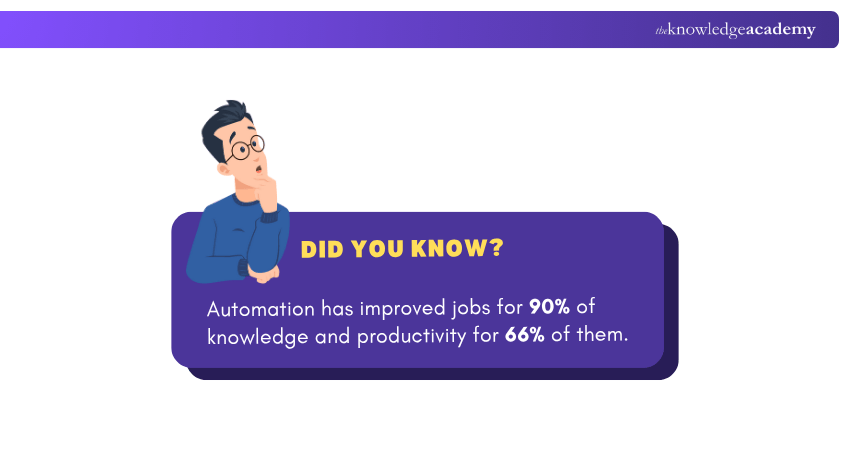
Examples of Digital Workflow
A Digital Workflow refers to the use of technology to automate a sequence of tasks, reducing manual involvement and improving operational efficiency. While these workflows may vary by industry, their core goal remains the same, streamlining processes to enhance speed, accuracy, and visibility.
Here are Some Industry-specific Examples:
1) Human Resources: Automates tasks such as onboarding new employees, managing leave applications, and conducting performance evaluations; reducing paperwork and speeding up approvals.
2) Banking Sector: Enhances customer experience by digitising processes like account opening, loan approvals, and fraud monitoring through automated systems.
3) Manufacturing: Utilises Digital Workflows for quality control, equipment maintenance tracking, and supply chain coordination, ensuring smoother production and fewer delays.
4) Travel and Hospitality: Simplifies operations like booking management, itinerary changes, and customer support using automated platforms and real-time notifications.
Obstacles to Implementing Digital Workflows
While Digital Workflows offer significant advantages, their implementation can come with several challenges that organisations must overcome to ensure success.
Some Common Obstacles Include:
1) Undefined Processes: Automation is difficult when workflows are poorly mapped or lack proper documentation.
2) Change Aversion: Teams may resist shifting away from familiar, manual practices.
3) Skill Shortages: Lack of internal technical knowledge can slow down deployment.
4) Weak Executive Support: Without leadership backing, initiatives may lack direction and urgency.
5) System Compatibility Issues: New tools may not integrate well with legacy systems.
6) Compliance Constraints: Regulatory demands can complicate digital transformation efforts.
7) Lack of User Training: Inadequate training may lead to underuse or errors within the system.
Conclusion
Digital Workflows replace manual tasks with automated processes, improving efficiency, accuracy, and overall transparency. They simplify operations across various sectors, from HR to finance and beyond. Although challenges may arise during implementation, the long-term advantages are well worth the effort. By learning the steps and real-world applications, organisations can successfully adopt Digital Workflows to achieve faster and more reliable outcomes.
Elevate your Marketing skills with our Certified Artificial Intelligence (AI) for Digital Marketing Training.
Frequently Asked Questions
How is Digital Workflow Different from Paper Workflow?

Primarily in their reliance on technology for managing tasks and information. Digital Workflows utilise software and online platforms to automate processes, improve efficiency whereas paper workflows rely on physical documents, manual processes and limited automation.
What is Digital Transformation in Libraries?
This would involve adapting to the digital age by integrating technology to enhance traditional library functions and services, making them more accessible and relevant. This would also include creating online catalogues, digital achieves, and e-lending services, as well as offering virtual services.
What are the Other Resources and Offers Provided by The Knowledge Academy?
The Knowledge Academy takes global learning to new heights, offering over 3,000+ online courses across 490+ locations in 190+ countries. This expansive reach ensures accessibility and convenience for learners worldwide.
Alongside our diverse Online Course Catalogue, encompassing 17 major categories, we go the extra mile by providing a plethora of free educational Online Resources like Blogs, eBooks, Interview Questions and Videos. Tailoring learning experiences further, professionals can unlock greater value through a wide range of special discounts, seasonal deals, and Exclusive Offers.
What is The Knowledge Pass, and How Does it Work?
The Knowledge Academy’s Knowledge Pass, a prepaid voucher, adds another layer of flexibility, allowing course bookings over a 12-month period. Join us on a journey where education knows no bounds.
What are the Related Courses and Blogs Provided by The Knowledge Academy?
The Knowledge Academy offers various Digital Marketing Courses, including the Certified Artificial Intelligence (AI) For Digital Marketing Training, Digital Marketing Tools Training, and the SEO Course. These courses cater to different skill levels, providing comprehensive insights into Chatbot Marketing.
Our Digital Marketing Blogs cover a range of topics related to Digital Workflow, offering valuable resources, best practices, and industry insights. Whether you are a beginner or looking to advance your Digital Marketing skills, The Knowledge Academy's diverse courses and informative blogs have got you covered.

James Smith


Digital Marketing Manager and Trainer
James Smith is a digital marketing professional with over a decade of experience in SEO, content strategy, paid media and analytics. He has supported both SMEs and global brands in transforming their digital presence. James’s writing and training are rooted in results-driven tactics and the latest marketing trends.
View Detail
Upcoming Digital Marketing Resources Batches & Dates
Date
 Digital Marketing Tools Training
Digital Marketing Tools Training
Fri 17th Jul 2026
Digital Marketing Tools Training
Fri 20th Nov 2026

 If you wish to make any changes to your course, please


