Accounting Software Training

Online Instructor-led (1 days)

Classroom (1 days)

Online Self-paced (8 hours)

Sage 50 Accounts Training Course Outline

Module 1: Get Started with Sage 50 Accounts

  • Introduction to Sage 50 Accounts
  • Sage 50 Interface Overview
  • Introduction to Customers in Sage 50 Accounts
  • Enter the Customer Records
  • Introduction to Suppliers in Sage 50 Accounts
  • Enter the Supplier Records
  • Creating Bank Account Records

Module 2: Charts of Accounts

  • Chart of Accounts Overview
  • Adding a Chart of Accounts
  • Exporting a Chart of Accounts into an Excel Sheet
  • Copying a Chart of Accounts

Module 3: Cash Flow

  • Introduction to Cash Flow
  • Creating a Forecast
  • How to Export Cash Flow Forecast?

Module 4: Budgeting and Departments

  • Discuss Budgeting Methods
  • Set Your Budget Method
  • Create Department Records
  • Create Budget Records

Module 5: Bill of Materials

  • Introduction to Bill of Materials
  • Add BOM to a Product
  • Bill of Materials with Wizard Tool

Module 6: Remittance to Supplier

  • What is Remittance?
  • Choose When to Create Remittances
  • Create a Remittance
  • Find the Remittance

Show moredown

Who Should Attend this Sage 50 Accounts Training Course?

The Sage 50 Accounts Course is designed for anyone who wants to learn how to use the Sage 50 Accounts software. The following professionals can benefit from attending this course:

  • Project Managers
  • Marketing Managers
  • Sales Managers
  • Operations Managers
  • HR Professionals
  • Finance Professionals
  • Entrepreneurs and Small Business Owners

Prerequisites for the Sage 50 Accounts Training Course

There are no formal prerequisites for the Sage 50 Accounts Course. However, a basic understanding of accounting concepts, Microsoft Windows and business terminology will be extremely beneficial for the delegates attending Accounting Software Training.

Sage 50 Accounts Training Course Overview

Sage 50 Accounts Training explores how to use Sage 50 software to manage key accounting functions effectively. Delegates learn system setup, bookkeeping, VAT processing, and financial reporting processes.

This training helps delegates strengthen practical accounting skills for efficient financial operations. By developing transaction processing and reporting capabilities, delegates improve accuracy in financial management.

This 1-Day course offered by The Knowledge Academy enables delegates to apply Sage 50 principles confidently. Delegates gain practical experience in managing financial data and supporting effective financial control.

Sage 50 Accounts Training Course Objectives

  • To learn the fundamentals of Sage 50 Accounts, including navigation and basic functionalities
  • To understand and implement financial processes such as invoicing, cash flow management, and tax calculations
  • To gain proficiency in advanced features like financial reporting and stock management
  • To develop skills for efficient data entry and error minimisation in accounting tasks
  • To prepare for real-world application of Sage 50 Accounts in a business setting, enhancing employability and expertise
  • To improve confidence in managing end-to-end accounting workflows using Sage 50 Accounts 

This Sage 50 Accounts Training is designed to provide a thorough understanding of Sage Accounts, equipping delegates with the skills needed to manage business finances effectively. Focusing on both basic and advanced functionalities ensures that delegates are well-prepared for various purposes.

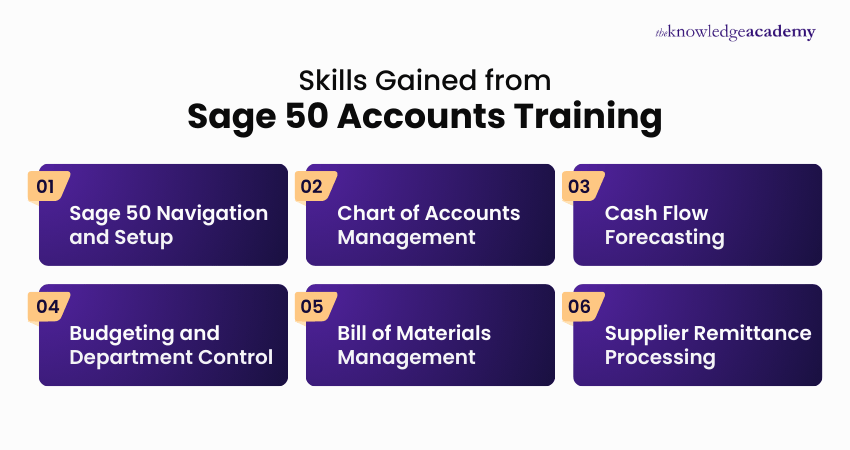
Skills Gained from Sage 50 Accounts Training

Sage 50 Accounts Training introduces the essential knowledge required to manage day-to-day accounting tasks using the Sage 50 Accounting software. Learners develop practical understanding aligned with accurate financial recording and effective account management.

Skills You Will Acquire Through Sage 50 Accounts Training

Here is the key skills gained with this training:

  • Sage 50 Navigation and Setup: Gain confidence navigating the interface, setting up customers, suppliers, and bank accounts efficiently.
  • Chart of Accounts Management: Ability to create, copy, customise, and export Chart of Accounts (COA) for accurate financial reporting.
  • Cash Flow Forecasting: Develop skills to create, monitor, and export cash flow forecasts to support informed business decisions.
  • Budgeting and Department Control: Professionals understand budgeting methods, create department records, and manage budgets across business functions.
  • Bill of Materials Management: Learners gain practical experience of adding bill of materials to products by using built-in wizard tools.
  • Supplier Remittance Processing: This training enables learners to create, manage, and track supplier remittances accurately and efficiently.

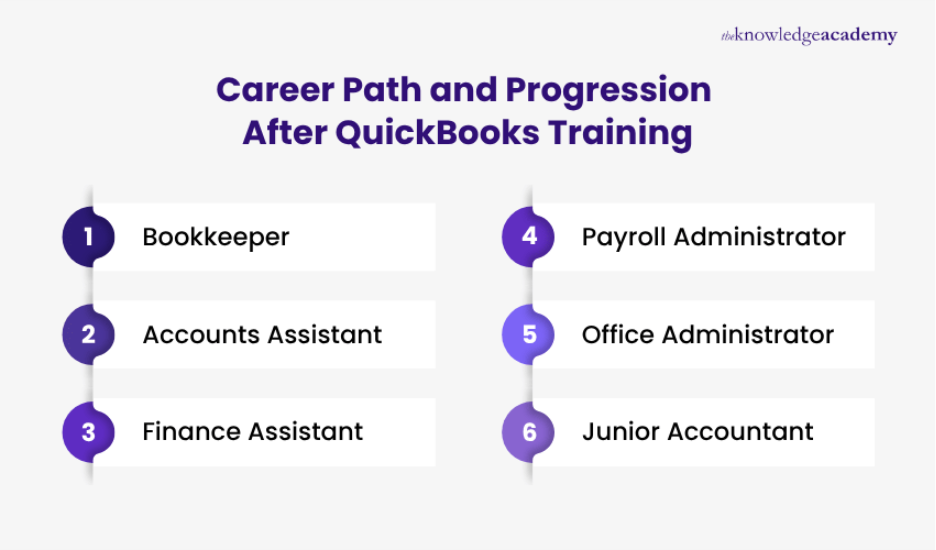
Career Path of Sage 50 Accounts Course

Completing a Sage 50 Accounts Course opens up strong career opportunities in finance and accounting roles across industries. It equips you with practical skills to manage business finances, improving employability and career growth.

  • Accounts Assistant
  • Bookkeeper
  • Finance Executive
  • Payroll Administrator
  • Accounts Payable Specialist
  • Accounts Receivable Specialist
  • Junior Accountant
  • Financial Administrator
  • Office Accounts Manager

Show moredown

What’s Included in this Sage 50 Accounts Training Course?

  • World-Class Training Sessions from Experienced Instructors
  • Sage 50 Accounts Certificate
  • Digital Delegate Pack

Show moredown

Online Instructor-led (1 days)

Classroom (1 days)

Online Self-paced (8 hours)

QuickBooks Training Course Outline

Module 1: Introduction to QuickBooks

  • Overview of QuickBooks Features
  • Benefits of Using QuickBooks
  • Getting Started with QuickBooks

Module 2: Setting up Your Chart of Accounts

  • Create and Edit Accounts
  • Understanding Asset, Liability, Income, and Expense Accounts

Module 3: Understanding and Generating Reports

  • Generating and Customising Reports
  • Using Filters to Refine Report Data

Module 4: Managing Expenses and Access Required for Expenses

  • Expenses
  • Managing Expenses
  • Access Required for Expenses
  • Expense Claims

Module 5: Recording Information for Sub-Contractors and Capturing Insurance Details

  • Recording Information for Sub-Contractors
  • Recording Insurance Policies

Module 6: Clearing Cache & Cookies Regularly

  • Understanding Cache & Cookies
  • Clearing Cache & Cookies Regularly

Module 7: Understanding Retention and Capturing Information Correctly

  • Understanding Retention
  • Capturing Retention Information

Show moredown

Who Should Attend this QuickBooks Training?

The QuickBooks Course is designed for individuals seeking to become proficient in using QuickBooks for efficient Financial Management and Accounting. This training will benefit the following professionals:

  • Small Business Owners
  • Entrepreneurs
  • Team Leaders
  • Accounting Professionals
  • Finance Managers
  • Office Administrators
  • Managers

Prerequisites for the QuickBooks Training

There are no formal prerequisites to attend this QuickBooks Training. However, a basic understanding of accounting principles can be helpful for delegates attending this Accounting Software Training.

QuickBooks Training Course Overview

QuickBooks Training introduces delegates to essential accounting functions including invoicing, payroll, tax tracking, and financial reporting. The training focuses on using a cloud-based platform to manage business finances accurately and efficiently.

This training supports upskilling by strengthening financial management capability, improving accuracy, and enhancing decision-making confidence. Delegates develop the skills required to manage accounts, budgets, and operational finances effectively.

This 1-Day course offered by The Knowledge Academy helps delegates apply QuickBooks principles confidently in real-world scenarios. Delegates gain practical experience through guided exercises that enhance day-to-day financial management skills.

QuickBooks Training Course Objectives

  • To master QuickBooks fundamentals
  • To efficiently manage financial data
  • To streamline invoicing and reporting
  • To ensure accurate payroll processing
  • To enhance career opportunities with QuickBooks expertise
  • To apply effectively in real-world business accounting workflows

After completing this QuickBooks Course in Oman, delegates will acquire a comprehensive understanding of QuickBooks, enabling them to optimise its use for efficient financial management and potentially advancing their careers in accounting and finance.

5 Essential Steps for Successful QuickBooks Integration

QuickBooks Integration Steps

Let us look at the five key steps involved in successfully integrating third-party tools with QuickBooks. Whether for accounting, payroll, or reporting, these actions help ensure a smooth and secure setup process.

  • Step 01 – Assess Requirements: Identify what your business needs from the integration.
  • Step 02 – Select Compatible Tools: Choose software that aligns with QuickBooks' integration capabilities.
  • Step 03 – Connect the Tool: Link your chosen tool with your QuickBooks account.
  • Step 04 – Configure Settings: Set up preferences, data mapping, and access permissions.
  • Step 05 – Run a Test: Perform a test run to verify the integration is working correctly.

Show moredown

What’s Included in this QuickBooks Training?

  • World-Class Training Sessions from Experienced Instructors
  • QuickBooks Certificate
  • Digital Delegate Pack

Show moredown

Online Instructor-led (1 days)

Classroom (1 days)

Online Self-paced (8 hours)

Tally Training Course Outline

Module 1: Introduction to Tally

  • What is Tally?
  • Features of Tally
  • Advantages of Tally

Module 2: Tally Basics

  • How to Start Tally?
  • Screen Components
  • Accounting Features
  • Inventory Features
  • Taxation

Module 3: Accounting

  • Alter, Delete, Shut Company
  • Tally Groups
  • Create Single Ledger

Module 4: Create Inventory

  • Tally Stock Group
  • Create Single Stock Group
  • Create Multiple Stock Groups
  • Create Stock Category
  • Creation of Godowns/Location
  • Create Stock Items and Units

Module 5: Reporting and Analysis

  • Understanding Financial Statements
  • Configure Balance Sheet
  • Profit & Loss Account Analysis

Module 6: Vouchers

  • What is Voucher?
  • Create Payment Voucher
  • Features of a Voucher

Show moredown

Who Should Attend this Tally Training?

After completing this Tally Training, delegates will acquire a comprehensive understanding of Tally, enabling them to optimise its use for efficient financial management and potentially advancing their careers in accounting and finance.

  • Finance Managers
  • Bookkeepers
  • Tax Consultants
  • Auditors
  • Business Analysts
  • Procurement Managers
  • Inventory Managers
  • Retail Business Owners

Prerequisites for the Tally Training

There are no formal prerequisites for attending this Tally Course. However, a basic understanding of accounting would be beneficial for delegates attending this Tally Training.

Tally Training Course Overview

Tally Training provides a comprehensive introduction to Tally, covering accounting, inventory, taxation, payroll, and billing. It equips delegates to manage financial operations efficiently using a robust and user-friendly software platform.

Tally Training strengthens career prospects by building practical skills in financial management, tax compliance, and inventory control. It enables professionals to handle essential accounting tasks confidently and meet industry requirements.

The Knowledge Academy’s 1-Day Tally Training Course offers a structured curriculum, practical exercises, and expert guidance. It supports delegates at all levels, ensuring they gain applied knowledge and confidence in using Tally effectively.

Tally Training Course Objectives

  • To understand Tally software, its features, and advantages
  • To gain proficiency in Tally navigation, accounting, inventory, and taxation functions
  • To advance in financial tasks like creating ledgers, managing groups, and company data
  • To enhance inventory management, including stock groups, categories, items, and godowns
  • To build skills in financial reporting, including balance sheets and profit & loss accounts
  • To develop practical voucher creation and accurate transaction recording skills

This Tally Training is designed to transform delegates into proficient users, equipping them with practical skills essential for modern accounting, inventory management, and financial reporting. Through hands-on exercises and expert guidance, delegates will emerge capable of handling real-world business transactions efficiently and accurately.

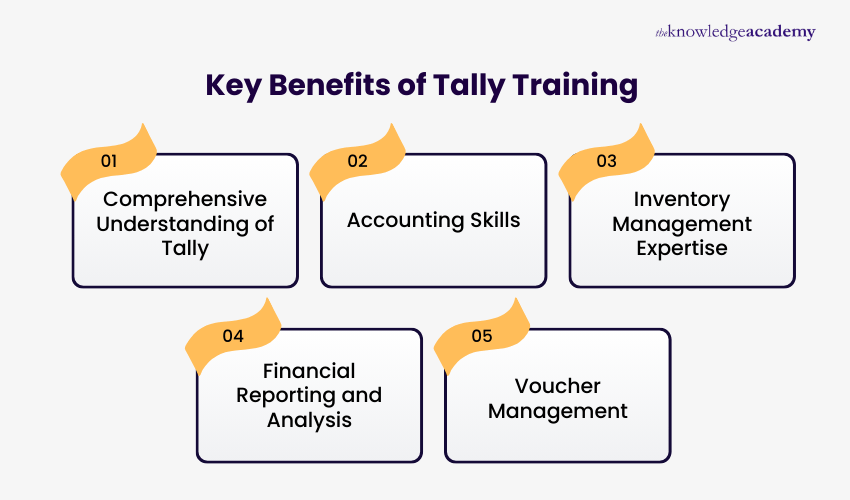
Key Benefits of Tally Training

Tally Training provides professionals with practical skills to manage accounting, inventory, taxation, and payroll efficiently using the robust, user-friendly Tally accounting software.

Key Advantages of Tally Training

Here are the key benefits gained from this training:

  • Comprehensive Understanding of Tally: Gain a solid foundation in Tally, its features, advantages, and its role in simplifying accounting and inventory management.
  • Accounting Skills: Develop the ability to create and manage ledgers, groups, and company accounts, including altering, deleting, and maintaining company data.
  • Inventory Management Expertise: Acquire skills to create stock groups, categories, items, units, and manage godowns/locations for streamlined inventory control.
  • Financial Reporting and Analysis: Learn to generate, configure, and analyse financial statements such as balance sheets and profit and loss accounts for informed decision-making.
  • Voucher Management: Gain practical experience in creating and managing vouchers, including payment vouchers, and understand their features for accurate transaction recording.

Show moredown

What’s Included in this Tally Training?

  • World-Class Training Sessions from Experienced Instructors
  • Tally Certificate
  • Digital Delegate Pack

Show moredown

Online Instructor-led (1 days)

Classroom (1 days)

Online Self-paced (8 hours)

Xero Training Course Outline

Module 1: Getting Started with Xero

  • What is Xero?
  • Cloud Accounting with Xero
  • Key Benefits of Using Xero
  • Understanding Xero’s User Interface
  • Navigating Menus and Icons
  • Dashboard Essentials
  • Customising Your Dashboard
  • Setup Panels on the Dashboard
  • Understanding the Business Snapshot Panel
  • Interactive Elements and Support in Xero

Module 2: Managing Contacts and Inventory

  • Introduction to Contact Management in Xero
  • How to Add a New Contact
  • Organising and Grouping Contacts
  • Adding Account Numbers to Contacts
  • Setting Default Foreign Currency for Contacts
  • Importance of Contact Notes and History
  • Introduction to Inventory Management in Xero
  • How to Create an Inventory Item
  • Setting Purchase and Sales Defaults ‘
  • Editing Inventory Items in Xero
  • Tracking Stock Levels and Adjustments

Module 3: Sales Invoices

  • Introduction to Sales Invoicing in Xero
  • Creating Sales Invoice
  • Adding Line Items and Using Inventory on Invoices
  • Approving and Send a Customer Invoice
  • Sending Reminders and Tracking Payments
  • Customising Invoice Templates in Xero
  • Creating and Applying Branding Themes
  • Managing Customer Statements in Xero
  • Recording Prepayments and Overpayments
  • Reconciling Sales and Reviewing Financial Reports

Module 4: Quotes and Email Communication

  • Creating and Customising Quotes in Xero
  • Converting Estimates into Quotes
  • Emailing Quotes from Xero
  • Creating Email Templates in Xero
  • Using Placeholders and Fields in Emails
  • Customer Interaction with Online Quotes
  • Managing Quotes Efficiently

Module 5: Purchase Orders and Bills

  • Introduction to Purchase Orders in Xero
  • Creating and Saving a Purchase Order
  • Managing Delivery Address Options
  • Sending a Purchase Order to a Supplier
  • Converting a Purchase Order into a Bill
  • Approving and Processing Bills in Xero
  • Tracking Vendor Communication
  • Managing Bills and Payment Due Dates

Module 6: Bank Reconciliation and Reporting

  • Adding a Bank Account in Xero
  • Adding a Credit Card Account
  • Reconciling Bank Transactions in Xero
  • Using Bank Rules for Automation
  • Understanding Bank Feeds in Xero
  • Generating an Income Statement (Profit & Loss)
  • Customising Financial Reports
  • Exporting Reports for Sharing and Analysis

Show moredown

Who Should Attend this Xero Training Course?

The Xero Training aims to teach professionals the basics of Xero, a cloud-based accounting software. This course can be beneficial for anyone who wants to learn how to use Xero. This training can be valuable for various professionals, including:

  • Chartered Accountants
  • Certified Bookkeepers
  • SME Owners
  • Finance Managers
  • Payroll Clerks
  • Tax Consultants
  • Financial Analysts
  • Business Consultants

Prerequisites for the Xero Training Course

There are no formal prerequisites for attending the Xero Training Course. However, it will be helpful to have a basic knowledge of accounting principles, financial management concepts, and basic computer skills, which will be beneficial for delegates attending this Accounting Software Training.

Xero Training Course Overview

Xero Training introduces delegates to cloud-based accounting processes used for managing business finances. It focuses on account setup, transaction recording, reconciliations, and financial reporting within Xero.

This training strengthens delegates’ ability to manage accurate, real-time financial data efficiently. It improves accounting confidence, supports informed decision-making, and enhances day-to-day financial control.

This 1-Day course offered by The Knowledge Academy enables delegates to apply Xero confidently in real business scenarios. Delegates gain practical skills to streamline accounting tasks and improve financial clarity across organisations.

Xero Training Course Objectives

  • To introduce the basics of Xero software and its interface
  • To demonstrate how to set up a company in Xero
  • To guide on entering and managing transactions effectively
  • To explain the process of bank reconciliation in Xero
  • To illustrate the creation and interpretation of financial reports
  • To teach efficient management of accounts payable and receivable

After completion, delegates receive a Xero Certification, confirming their expertise in using Xero for financial management and demonstrating their ability to simplify accounting processes efficiently.

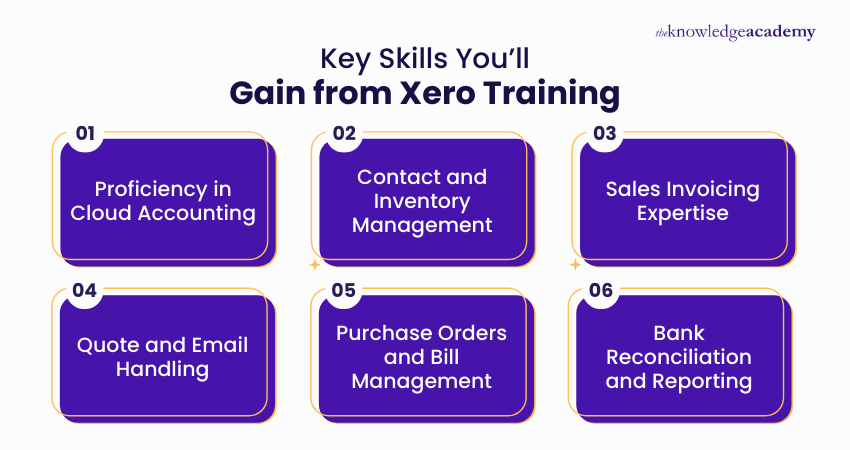
Key Skills You’ll Gain from Xero Training

Xero Training equips learners with practical, cloud-based accounting skills for efficient financial management. It enables accurate, real-time handling of transactions, reporting, and business finances.

Core Competencies You Will Develop Through Xero Training

Here are the key skills gained from this training:

  • Proficiency in Cloud Accounting: Professionals understand Xero’s interface, dashboards, and navigation, enabling smooth management of business finances.
  • Contact and Inventory Management: Get skilled in organising contacts, set account defaults, and track inventory levels for accurate record-keeping.
  • Sales Invoicing Expertise: Learn to create, customise, and send sales invoices, and reconcile transactions effectively.
  • Quote and Email Handling: Prepare and send quotes, use email templates, and manage customer communication professionally.
  • Purchase Orders and Bill Management: Learn how to create, process, and approve purchase orders and bills, ensuring timely supplier payments and record accuracy.
  • Bank Reconciliation and Reporting: Learners gain the ability to reconcile accounts and generate financial reports like profit & loss statements for analysis.

Show moredown

What’s Included in this Xero Training Course?

  • World-Class Training Sessions from Experienced Instructors
  • Xero Certificate
  • Digital Delegate Pack

Show moredown

Online Instructor-led (1 days)

Classroom (1 days)

Online Self-paced (8 hours)

Wave Accounting Training Course Outline

Module 1: Introduction to Wave Accounting

  • Overview of Wave Features
  • Cloud-Based Accounting Advantages
  • Setting Up a Wave Account
  • Navigating the Wave Interface
  • Basic Data Entry Essentials

Module 2: Chart of Accounts Management

  • Creating a Chart of Accounts
  • Account Categorisation Techniques
  • Customising Account Settings
  • Maintaining Accurate Account Balances
  • Chart of Accounts Reporting

Module 3: Transactions and Invoicing

  • Recording Income Transactions
  • Managing Expense Transactions
  • Generating Professional Invoices
  • Tracking Payment Receipts
  • Invoice and Receipt Reporting

Module 4: Bank Reconciliation

  • Connecting Bank Accounts
  • Reconciling Bank Transactions
  • Resolving Discrepancies Effectively
  • Bank Reconciliation Reporting
  • Ensuring Financial Accuracy

Module 5: Financial Reporting in Wave

  • Generating Financial Statements
  • Interpreting Balance Sheets
  • Analysing Income Statements
  • Utilising Financial Ratios
  • Reporting Customisation Options

Module 6: Tax Preparation and Compliance

  • Tax-Related Settings in Wave
  • Tracking Deductible Expenses
  • Managing Tax Liabilities
  • Simplifying Tax Season Processes
  • Ensuring Tax Compliance

Module 7: Payroll Processing

  • Setting Up Employee Profiles
  • Calculating Payroll in Wave
  • Handling Payroll Taxes
  • Payroll Reporting Features
  • Streamlining Payroll Tasks

Show moredown

Who Should Attend this Wave Accounting Training Course?

This Wave Accounting Training Course is ideal for individuals who want to enhance their financial management skills and optimise their use of the Wave Accounting platform. The course is well-suited for:

  • Accountants
  • Bookkeepers
  • Small Business Owners
  • Entrepreneurs
  • Financial Analysts
  • Administrative Professionals
  • Managers and Decision-Makers

Prerequisites for Wave Accounting Training Course

There are no formal prerequisites to attend this Wave Accounting Training Course.

Wave Accounting Training Course Overview

Wave Accounting is a cloud-based platform designed to simplify financial management for small and medium-sized businesses. It provides intuitive tools for invoicing, expense tracking, and essential bookkeeping in one central system. 

This software is highly valuable for accountants, small business owners, and finance professionals seeking to streamline daily operations. Its accuracy and ease of use support better financial decision-making and strengthen professional capability. 

This 1-Day Wave Accounting Training by The Knowledge Academy equips delegates with practical skills in using Wave’s core functions to navigate the system, set up accounts, record transactions, and create polished financial reports with confidence.

Wave Accounting Training Course Objectives

  • To perform essential tasks such as chart of accounts management
  • To learn about the bank reconciliation and financial reporting effectively
  • To understand tax preparation, compliance, and effective payroll processing
  • To explore collaboration strategies and user permissions for optimisation
  • To integrate third-party tools and automate workflows effectively
  • To apply acquired skills for streamlined financial operations in practice

After attending this Wave Accounting Training, delegates will be able to create and manage a chart of accounts, record transactions, and generate professional invoices. They also will be able to implement collaboration strategies, manage user permissions, and integrate third-party tools for optimised workflows.

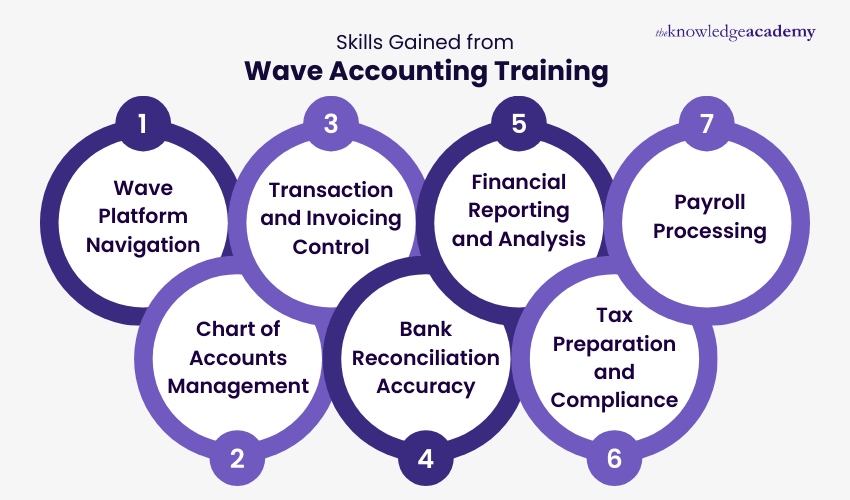
Skills Gained from Wave Accounting Training

Wave Accounting Training develops practical skills for managing day-to-day financial tasks using the Wave cloud-based accounting platform. It enables learners to confidently handle invoicing, transactions, reporting, tax preparation, and payroll activities.

Professional Skills Developed Through Wave Accounting Training

Skills gained from this training include:

  • Wave Platform Navigation: Ability to navigate the Wave interface, understand core features, set up accounts, and perform data entry accurately.
  • Chart of Accounts Management: Skills to create, categorise, customise, and maintain a chart of accounts while ensuring accurate account balances and reporting.
  • Transaction and Invoicing Control: Capability to record income and expense transactions, generate professional invoices, track payments, and manage invoice reporting.
  • Bank Reconciliation Accuracy: Proficiency in connecting bank accounts, reconciling transactions, resolving discrepancies, and maintaining reliable financial records.
  • Financial Reporting and Analysis: Skills to generate financial statements, interpret balance sheets, analyse income statements, and customise financial reports.
  • Tax Preparation and Compliance: Ability to manage tax-related settings, track deductible expenses, handle tax liabilities, and support compliance processes.
  • Payroll Processing: Competence in setting up employee profiles, calculating payroll, handling payroll taxes, and producing payroll reports efficiently.

Show moredown

What’s Included in this Wave Accounting Training Course?

  • World-Class Training Sessions from Experienced Instructors
  • Wave Accounting Certificate
  • Digital Delegate Pack

Show moredown

Not sure which course to choose?

Speak to a training expert for advice if you are unsure of what course is right for you. Give us a call on +44 20 4538 6376 or Enquire.

Benefits of Accounting Software Courses

The Knowledge Academy’s Accounting Software Courses provide professionals with the expertise to optimise operations, maintain financial accuracy, and comply with accounting standards. Below are some of the benefits of being certified:

  • Improve Operational Efficiency: Automate invoicing, reconciliation, and payroll using Sage and QuickBooks to minimise manual effort and boost productivity.
  • Enhance Financial Accuracy: Use live dashboards and advanced reporting tools in Xero and Sage Intelligence to create accurate financial statements and ensure data precision.
  • Regulatory Compliance: Fulfil tax, VAT, and audit requirements through built-in compliance modules available across all leading accounting platforms.
  • Optimise Cost and Resource Management: Leverage software integrations to track expenses, manage budgets efficiently, and eliminate administrative processes.
  • Data-driven Decision-Making: Utilise analytics and forecasting tools to measure performance, predict outcomes, and guide strategic financial planning.
  • Career Development Opportunities: Build expertise for roles such as Digital Accountant and Financial Systems Analyst, as global demand for cloud-based accounting professionals continues to grow.
     

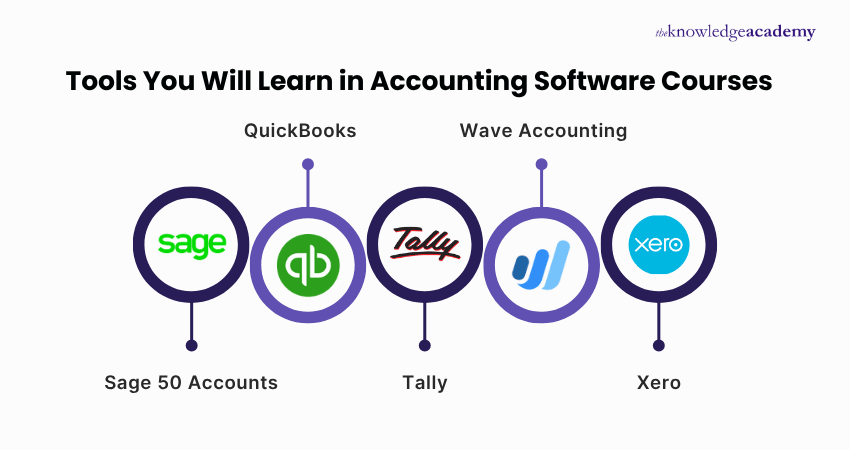
Tools You Will Learn in Accounting Software Courses

Tools to learn in Accounting Software Courses

Our Accounting Software Training develops proficiency across leading digital accounting tools, enabling learners to excel in financial management. Below is a list of accounting software featured in this training:

  • Sage 50 Accounts: Learn to manage accounts, budgets, and cash flow using Sage’s automation features for accuracy and control.
  • QuickBooks: Gain hands-on skills in cloud bookkeeping, expense monitoring, and real-time financial reporting with QuickBooks Online.
  • Tally: Master inventory, payroll, and tax management through Tally ERP for complete business accounting solutions.
  • Wave Accounting: Explore free cloud-based tools to manage small business finances, generate insightful reports, and track income and expenses.
  • Xero: Understand VAT submissions, digital transactions, and financial analytics using Xero’s live data dashboards for smarter decision-making.
Show more blue-arrow

Accounting Software Training FAQs

The Accounting Software Courses offer organised training of accounting software such as Xero, Sage, QuickBooks, and Wave. Such programmes make the delegates work with financial data easily and automate the routine accounting operations. The training helps professionals acquire the competencies required in the contemporary and computer-based finance professions.

The Accounting Software Courses do not have any compulsory prerequisites. Delegates can attend the courses by simply knowing the basics of computer literacy and understanding the basic principles of accounting.

These Accounting Software Courses can make you efficient and accurate in carrying out financial activities. They enhance your professional credibility by improving the practical knowledge in commonly utilised accounting tools. They also familiarise you for embracing digital finance worlds with confidence.

The Knowledge Academy offers 24/7 support via phone & email if you encounter any challenges during these courses. Our customer support team is available to assist and promptly resolve any issues you may encounter.

Yes, after completing the Accounting Software Courses, you will receive a certificate of completion to validate your achievement and demonstrate your proficiency in the course material.

The majority of the courses specialise in the industry-leading programmes like Sage, QuickBooks, Xero, Tally, and Wave. The particular software varies depending on the course you choose. They also offer practical experience to make sure that the delegates understand the concepts completely.

Accounting Software Training Courses Preparation mostly includes having some basic financial terminology knowledge and a working computer setup. It might be valuable, but not crucial, to review the introductory concepts of accounting. A stable internet connection is preferable during an online session. 

You will develop skills in bookkeeping, transaction processing, reporting, reconciliation, and financial analysis. You will gain practical software navigation, data accuracy, and workflow optimisation abilities. These competencies directly support roles in finance and accounting.

Yes, The Knowledge Academy offers flexible online learning options, allowing you to complete the Accounting Software Training Courses at your own pace and from any location, making it convenient for working professionals.

The content of the training is based on current accounting practices and regulations. The courses embrace the current market changes in terms of software and industry demands. Accounting Software Training Courses guarantee that your competence is up to date and compliant. 

Indeed, the courses are designed to assist beginners in learning accounting software with step-by-step guidance. Basic modules do not need any prior experience. Guided and practical exercises enable delegates to gain confidence quickly.

Most of the Accounting Software Training do not require any prior experience since they begin with basic accounting concepts and gradually introduce tools like QuickBooks, Xero, Sage, and Tally for practical learning. 

Yes, delegates without an accounting background can take these Accounting Software Courses. The material is presented in a user-friendly form with real-life examples. 

The career paths one can pursue after completing Accounting Software Courses are Bookkeeper, Accounts Assistant, Payroll Administrator or Finance Clerk. The courses also contribute to the progress of becoming an accounting technician or junior accountant. They offer a viable basis for promoting the advancement of careers in finance in the long run.

The software changes and the emerging changes in financial practices are periodically updated in the curriculum of the Accounting Software Training Courses. Teachers make sure that examples and exercises, as well as workflow, are up-to-date. This keeps your training up to date.

Accounting Software Training Courses gives the entrepreneurs freedom to handle money and minimise the aspect of being dependent on external handouts. The training increases precision in invoicing, reporting and tracking of cash flow. The result is increased financial decisions and control of operations. 

Yes, Accounting Software Training provides you with the necessary financial management skills in order to operate a business. You are confident in the work with the bookkeeping, payroll, and reporting. This is the basis of business planning and sustainability.

Accounting Software Courses strengthen your technical capabilities and increase your competitiveness in the job market. Employers value candidates with proven proficiency in leading financial software. This skillset enhances promotion prospects and broadens employment options.

The Knowledge Academy stands out as a prestigious training provider known for its extensive course offerings, expert instructors, adaptable learning formats, and industry recognition. It's a dependable option for those seeking this certification.

The Knowledge Academy is one of the Leading global training provider for Accounting Software Training.

The training fees for Accounting Software Training in Oman starts from $1795

Show more down

Why we're the go to training provider for you

icon

Best price in the industry

You won't find better value in the marketplace. If you do find a lower price, we will beat it.

icon

Trusted & Approved

Recognised by leading certification bodies, we deliver training you can trust.

icon

Many delivery methods

Flexible delivery methods are available depending on your learning style.

icon

High quality resources

Resources are included for a comprehensive learning experience.

barclays Logo
deloitte Logo
Thames Water Logo

"Really good course and well organised. Trainer was great with a sense of humour - his experience allowed a free flowing course, structured to help you gain as much information & relevant experience whilst helping prepare you for the exam"

Joshua Davies, Thames Water

santander logo
bmw Logo
Google Logo
cross

Upgrade Your Skills. Save More Today.

superSale Unlock up to 40% off today!

WHO WILL BE FUNDING THE COURSE?

close

close

Thank you for your enquiry!

One of our training experts will be in touch shortly to go over your training requirements.

close

close

Press esc to close

close close

Back to course information

Thank you for your enquiry!

One of our training experts will be in touch shortly to go overy your training requirements.

close close

Thank you for your enquiry!

One of our training experts will be in touch shortly to go over your training requirements.