


 Top Rated Course

We may not have the course you’re looking for. If you enquire or give us a call on +60 1800812339 and speak to our training experts, we may still be able to help with your training requirements.
How to Comment in HTML: How and why to use it?
Richard Harris 05 December 2025Wondering How to Comment in HTML? HTML Comments allow you to leave notes or temporarily disable code without affecting the page. Simply enclose your text within tag! -- and --tag. In this blog, we’ll explore the syntax, practical uses, and tips for effective commenting in HTML. Dive in to know more!

Training Outcomes Within Your Budget!
We ensure quality, budget-alignment, and timely delivery by our expert instructors.
Table of Contents

Let’s say that you're working on a complex HTML project, but you need to leave notes for yourself or your team. This is where knowing How to Comment in HTML becomes invaluable. Without comments, understanding the purpose behind specific sections can be challenging. Comments act as a guide, helping you and others navigate the code effortlessly. They can also be used to temporarily disable code without deleting it, making debugging more efficient.
Moreover, Statista states that around 52.9 worldwide users prefer utilising Hypertext Markup Language (HTML). Given this circumstance, this blog will help you comprehend How to Comment in HTML and appreciate the significant role it plays in maintaining clean, understandable code.
Table of Contents
1) What is a Comment in HTML?
2) Why is Commenting in HTML Important?
3) HTML Comment Syntax
4) Best Practices for Adding HTML Comments
5) Tips for Commenting in HTML
6) Mistakes to Avoid While Commenting
7) Used Cases of HTML Comments
8) Do Screen Readers Read HTML Comments?
9) Which Tools is Best for HTML?
10) Conclusion
What is a Comment in HTML?
In HTML, a Comment is a segment of code that the web browser disregards.

These tags instruct the browser not to display the enclosed text on the front end. Comments enable you to leave notes in your code for yourself or other developers, temporarily disable sections of code for debugging, or assign tasks and highlight errors.
In essence, commenting in HTML facilitates smarter working when constructing or debugging a website, and it is straightforward to implement.

Why is Commenting in HTML Important?
HTML Comments, often overlooked, hold immense value in Web Development. They enhance code clarity, streamline debugging, and foster collaboration. Here’s why they’re important:
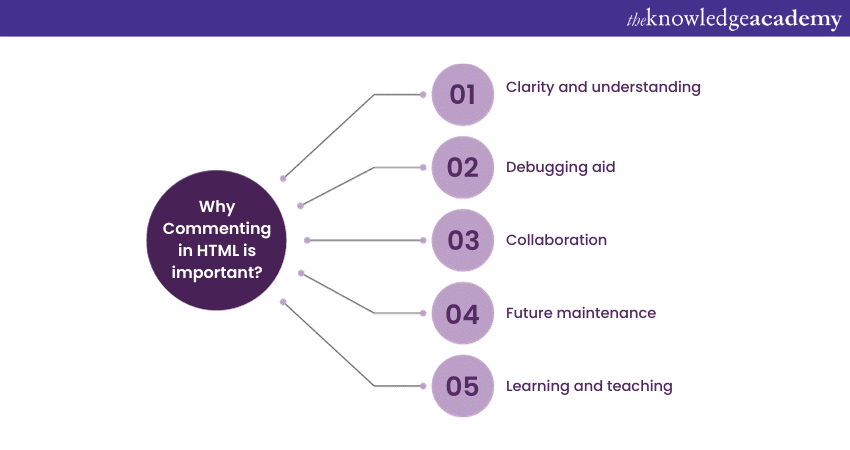
1) Clarity and Understanding: Imagine you're reading a book without any punctuation or spaces between words; it would be hard to comprehend. In a similar way, without Comments in HTML, your code can become a jumbled mess. Comments act as guideposts, explaining what different parts of your code do. They make your code readable and understandable, not just for you but for anyone who might work on it.
2) Debugging aid: Like detectives solving a mystery, developers often need to find and fix issues in their code. Comments can be like clues that help you quickly locate and solve problems. When you add comments to explain what each part of your HTML does, it's much easier to pinpoint errors and correct them efficiently.
3) Collaboration: Building websites often involves teamwork. When multiple people work on the same project, Comments serve as a shared language. They allow team members to understand each other's contributions and intentions. This collaboration is vital for creating consistent and well-functioning websites.
4) Future Maintenance: Websites are not static; they evolve and get updated. Comments are like a time capsule that preserves the reasoning behind your code. When you or someone else revisits the code months or years later, Comments provide context and help ensure that changes or updates don't break existing functionality.
5) Learning and Teaching: Whether you're a beginner learning HTML or an experienced developer teaching someone else, Comments are invaluable. They act as educational tools, helping newcomers grasp the fundamentals of HTML. When you Comment on your code, you're not just making it easier for others to understand; you're also contributing to a knowledge-sharing community.
Unlock your coding potential with our comprehensive App & Web Development Training today.
HTML Comment Syntax
When using HTML Comments, it is necessary for you to understand the way they’re supposed to be placed. While HTML is verbose, the right placement of “<>” “/” and other elements is crucial for your Comment to work. Here, we’ll help you answer the question “How to Comment in HTML?” with the usage of the right syntaxes.
1) Single-line Comments
Think of these as quick post-it notes for your HTML code. They begin with “”, and everything in between is considered a Comment. Single-line Comments are perfect for brief explanations, reminders, or even temporarily disabling a single line of code.
For example:
Single-line Comments are ideal for adding short explanations to specific lines of code or for temporarily disabling a single line of code. They are concise and effective for quick annotations.
Unlock your Web Development potential with M20480: Programming In HTML5 with JavaScript and CSS3. Join now and start building the web of tomorrow!
2) Multi-line Comments
When you need to leave more extensive Comments or want to Comment out multiple lines of code at once, Multi-line Comments are the ones you’re looking for. They also start with “”. These are excellent for providing in-depth explanations or for temporarily hiding larger sections of your HTML.
For example:
Multi-line Comments are useful when you need to provide detailed documentation for a section of code or when you want to temporarily exclude a larger block of code without deleting it entirely. These Comments make it easy to see at a glance what a particular block of code does and why it's there.
Unlock your creativity with HTML5! Join our HTML 5 Apps And Game Training> for Apps and Games today.
Best Practices for Adding HTML Comments
HTML Comments are invaluable for enhancing code readability and collaboration. To use them effectively, follow these best practices:
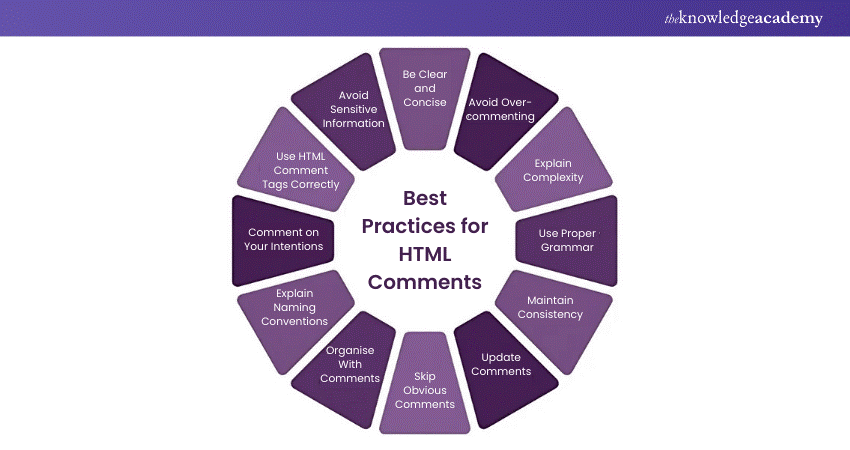
1) Be Clear and Concise:
Keep Comments brief and focused. Clear, succinct Comments convey information more effectively.
2) Avoid Over-Commenting:
Don't overwhelm your code with Comments on every line. Reserve them for complex or crucial sections.
3) Explain Complexity:
Use Comments to clarify intricate or non-obvious code, making it more accessible to others.
4) Use Proper Grammar:
Maintain professionalism by ensuring correct grammar, spelling, and punctuation in your Comments.
5) Maintain Consistency:
Stick to a consistent Commenting style across your codebase for clarity and uniformity.
6) Update Comments:
As code evolves, update associated Comments to keep them accurate and relevant.
7) Skip Obvious Comments:
Avoid Commenting on straightforward HTML elements like
or
unless they're used unusually.
8) Organise With Comments:
Use Comments as section headers to structure your code logically, aiding comprehension.
9) Explain Naming Conventions:
If you use specific naming conventions, include Comments to elucidate these conventions for others.
10) Comment on Your Intentions: Provide context by explaining not just what your code does but why certain choices were made.
11) Use HTML Comment Tags Correctly: Properly open and close HTML Comments with “” to prevent syntax errors.
12) Avoid Sensitive Information: Never include sensitive data, like passwords or API keys, in your Comments as they may be visible in the source code.
Tips for Commenting in HTML
HTML Comments are a valuable tool for developers to document their code, but it's crucial to use them effectively. Here are five best practices for using HTML Comments:
a) Keep Comments Concise: Comments should be brief and to the point. Avoid lengthy comments that are hard to understand. Use comments to provide context and explanations, not to restate what the code does.
b) Use Comments Sparingly: While helpful, too many comments can make the code harder to read. Use comments only when necessary to explain the code or provide instructions. Over-commenting can also complicate future updates.
c) Be Consistent: Maintain a consistent style for adding comments. This makes it easier for other developers to understand your code.

d) Remove Unnecessary Comments: Eliminate comments that are no longer needed. Unnecessary comments can clutter your code and make it harder to read. When updating your code, ensure you remove irrelevant comments.
e) Use Comments for Debugging: Comments can aid in debugging. If you encounter an issue, consider adding comments to temporarily disable parts of your code or provide troubleshooting information. Once resolved, remove any temporary comments.
Mistakes to Avoid While Commenting
When adding comments to your HTML code, it's important to avoid common pitfalls that can reduce their effectiveness. Here are some mistakes to steer clear of:
a) Over-commenting: Adding too many comments can clutter your code and make it harder to read. Only comment when necessary to explain complex logic or provide context.
b) Vague Comments: Ensure your comments are clear and specific. Vague comments can be confusing and unhelpful. Always aim to provide meaningful explanations.
c) Outdated Comments: Regularly update or remove comments that no longer apply to your code. Outdated comments can mislead developers and cause confusion.
d) Commenting Obvious Code: Avoid commenting on code that is self-explanatory. Comments should add value by explaining the 'why' behind the code, not the 'what'.
e) Inconsistent Commenting Style: Use a consistent format for your comments to maintain readability and professionalism. Inconsistent styles can make your code look disorganised.
f) Using Comments as a Crutch: Relying too heavily on comments to explain poorly written code is bad practice. Strive to write clean, understandable code that requires minimal commenting.
Used Cases of HTML Comments
HTML Comments serve various practical purposes in web development. Here are some common use cases:
a) Documentation: Comments can be used to document the purpose and functionality of specific sections of code, making it easier for other developers to understand and maintain the codebase.
b) Debugging: During the debugging process, comments can temporarily disable parts of the code to isolate issues without deleting the code entirely. This helps in troubleshooting and fixing bugs efficiently.
c) Collaboration: In team environments, comments can be used to communicate with other developers, leaving notes, reminders, or instructions that facilitate collaboration and code reviews.
d) Version Control: Comments can indicate changes or updates made to the code, providing a history of modifications that can be useful for version control and tracking the evolution of the project.
e) Conditional Content: Comments can be used to include or exclude certain sections of code based on specific conditions, such as different versions of a website or features that are under development.
Do Screen Readers Read HTML Comments?
No, screen readers do not read HTML Comments. These comments are intended for developers and are not rendered in the browser or accessible to assistive technologies like screen readers.
Which Tool is Best for HTML?
The best tool for HTML depends on your needs. Popular options include Visual Studio Code for its customisable features, Sublime Text for simplicity, and Notepad++ for lightweight editing.
Build visually appealing and functional websites from scratch – join our HTML and CSS Course now!
Conclusion
In conclusion, mastering How to Comment in HTML is a simple yet powerful skill that enhances your coding efficiency and collaboration. By using comments effectively, you can keep your code organised, make it easier to debug, and provide clear explanations for future reference. Additionally, commenting around key elements like the href attribute in HTML can help ensure that navigation links are properly understood in your code.
Get started with HTML today and unlock the web's potential. Join Introduction To HTML today!
Frequently Asked Questions
What is the Shortcut for Comment in HTML?

The shortcut to comment in HTML is typically Ctrl + / (Windows) or Cmd + / (Mac) in most code editors like VS Code or Sublime Text. This wraps the selected text in.
How do I Uncomment in an HTML Shortcut?
To uncomment in HTML, use the same shortcut Ctrl + / (Windows) or Cmd + / (Mac). This removes the tags from the selected text.
What are the Other Resources and Offers Provided by The Knowledge Academy?
The Knowledge Academy takes global learning to new heights, offering over 3,000 online courses across 490+ locations in 190+ countries. This expansive reach ensures accessibility and convenience for learners worldwide.
Alongside our diverse Online Course Catalogue, encompassing 19 major categories, we go the extra mile by providing a plethora of free educational Online Resources like News updates, Blogs, videos, webinars, and interview questions. Tailoring learning experiences further, professionals can maximise value with customisable Course Bundles of TKA.
What is The Knowledge Pass, and How Does it Work?
The Knowledge Academy’s Knowledge Pass, a prepaid voucher, adds another layer of flexibility, allowing course bookings over a 12-month period. Join us on a journey where education knows no bounds.
What are the Related Courses and Blogs Provided by The Knowledge Academy?
The Knowledge Academy offers various App & Web Development Trainings, including HTML, UI/UX and Mobile App Development Courses. These courses cater to different skill levels, providing comprehensive insights into the Difference Between HTML and HTML5.
Our Programming & DevOps Blogs cover a range of topics related to HTML, offering valuable resources, best practices, and industry insights. Whether you are a beginner or looking to advance your Programming skills, The Knowledge Academy's diverse courses and informative blogs have you covered.

Richard Harris


Senior Full Stack Developer and Technology Educator
Richard Harris is a highly experienced full-stack developer with deep expertise in both frontend and backend technologies. Over his 12-year career, he has built scalable web applications for startups, enterprises and government organisations. Richard’s writing combines technical depth with clear explanations, ideal for developers looking to grow in modern frameworks and tools.

Upcoming Programming & DevOps Resources Batches & Dates
Date
 Introduction to HTML
Introduction to HTML
Fri 17th Jul 2026
Introduction to HTML
Fri 11th Sep 2026

 If you wish to make any changes to your course, please


