


 Top Rated Course

We may not have the course you’re looking for. If you enquire or give us a call on +91-181-5047001 and speak to our training experts, we may still be able to help with your training requirements.
Git Branching Strategy for Efficient Development
Richard Harris 06 February 2026Unlock the power of a well-defined Git Branching Strategy to streamline your development process. Discover how to enhance collaboration, reduce conflicts, and ensure efficient code integration. This blog covers essential concepts of Git Branching Strategy and advanced workflows like Gitflow and GitHub Flow. Read on to learn more.

Training Outcomes Within Your Budget!
We ensure quality, budget-alignment, and timely delivery by our expert instructors.
Table of Contents

In the bustling world of Software Development, having a clear Git Branching Strategy is akin to navigating a complex city with a detailed map. Without it, chaos can quickly ensue, leading to conflicts, errors, and inefficiencies. This blog delves into the essentials of Git Branching, from creating branches to choosing the right strategy for your team’s needs. Ready to transform your Development Workflow? Let’s explore the art of effective Branching.
Table of Contents
1) What is a Branching Strategy?
2) Need for a Branching Strategy
3) How to Create a Branch?
4) Some Common Git Branching Strategies
5) Conclusion
What is a Branching Strategy?
A branching strategy is a systematic approach to managing your Git Repository’s branches. It defines how branches are created, used, and merged, ensuring teams maintain order and efficiency throughout the Git Life Cycle. Think of it as a roadmap that guides how different versions of your codebase evolve and integrate.
In Git, branches are essentially separate Development lines that allow multiple features, fixes, or experiments to proceed in parallel. Each branch represents an isolated environment where developers can work independently without affecting the main codebase. A branching strategy provides guidelines on when and how to create, merge, or delete branches, ensuring a structured approach to development. If a branch is no longer needed, learning how to delete a branch in git is an essential part of maintaining a clean and efficient workflow.

Why is a Branching Strategy Needed?
With a defined Branching Strategy, managing a codebase can become manageable. Here’s why a Branching Strategy is essential:
1) Organisational Clarity: A clear strategy helps teams understand the purpose of each branch and the workflow to follow. It clarifies where changes should be made and how they should be integrated.
2) Conflict Reduction: By isolating changes in separate branches, developers minimise conflicts that arise from simultaneous edits to the same codebase. This makes merging changes smoother and more predictable.
3) Enhanced Collaboration: A branching strategy supports parallel Development by allowing multiple team members to work on different features or fixes simultaneously. It promotes better collaboration and reduces bottlenecks in the Development process.
4) Streamlined Releases: Different strategies provide structured approaches to managing releases, ensuring that code is tested and validated before it reaches production. This decreases the risk of introducing bugs into the live environment.
5) Efficient Rollbacks: If a new feature or fix causes issues, a well-defined strategy allows for easy rollbacks. You can rename a branch or revert to a stable branch or previous commit without disrupting ongoing Development.
Learn robust Website Development with our Drupal 7 Course. Join now!
How to Create a Branch?
Creating branches in Git is a fundamental skill for managing Development tasks. Here’s a step-by-step guide to creating and managing branches effectively:
Step 1: Creating a Branch
To create a new branch, use the following command:
|
git branch |
Replace ‘
|
git branch feature/login-page |
Step 2: Navigating to a Branch
Once a branch is created, you must switch to it to start working. Use:
|
git checkout |
This command switches your working directory to the specified branch. For example, to switch to the ‘feature/login-page’ branch, use:
|
git checkout feature/login-page |
You’re now in the ‘feature/login page’ branch, where you can make changes independently of other branches.
Step 3: Creating and Navigating Branches Simultaneously
To streamline your workflow, you can create and shift to a new branch in a single step:
|
git checkout -b |
This command combines branch creation and navigation. For example:
|
git checkout -b feature/login-page |
This creates the ‘feature/login page’ branch and switches to it immediately, saving time and effort.
Step 4: Verifying the Current Branch
To check which branch you’re currently on, use:
|
git branch |
This command lists all branches, with the current branch marked by an asterisk (*). This helps ensure you’re working in the proper context. For example:
|
* feature/login-page main |
Here, the ‘feature/login-page’ is the active branch.
Step 5: Deleting a Branch
Once a branch is no longer required, you can delete it to keep your repository clean. Use:
|
git branch -d |
This command deletes the specified branch if it has been fully merged. For example:
|
git branch -d feature/login-page |
If the branch has not been merged and you still want to delete it, use:
|
git branch -D |
This forces deletion, potentially losing unmerged changes.
Some Common Git Branching Strategies
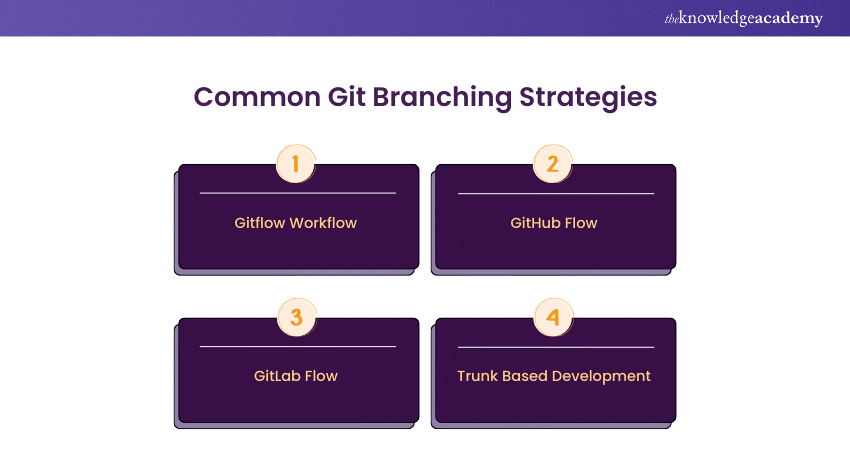
Different projects and teams may benefit from various branching strategies. Here’s a closer look at some of the most popular ones:
Gitflow Workflow
Gitflow is a comprehensive branching model ideal for larger projects with multiple releases. It involves several vital branches:
1) ‘main’ (or ‘master’): This branch represents the production-ready code. It should always contain stable and tested code.
2) ‘develop’: This branch serves as the integration branch where features are combined before merging into ‘main’. It contains the latest Development changes.
3) Feature Branches: These are created from ‘develop’ for each new feature or improvement. They follow the naming convention ‘feature/
4) Release Branches: These branches are created from ‘develop’ when preparing for a new release. They allow for final testing and bug fixes before merging into ‘main’ and ‘develop’.
5) Hotfix Branches: Created from ‘main’ to address critical issues or bugs in production. Once fixed, they are merged into both ‘main’ and ‘develop’.
Gitflow provides a structured approach to managing releases and hotfixes, ensuring a stable codebase and smooth release process.
GitHub Flow
GitHub Flow is a simpler, more flexible branching model for continuous deployment environments. Key elements include:
1) ‘main’: The primary branch where production-ready code resides. All Development Branches are created from ‘main’.
2) Feature Branches: These branches are created for each new feature or fix and follow the naming convention ‘feature/
3) Pull Requests (PRs): Once a feature branch is ready, a PR is opened to merge changes into ‘main’. This process allows for code review, testing, and discussion before integration. After the merge, running a Git Pull Command helps ensure that the local branch is up to date with the latest changes.
GitHub Flow supports rapid iteration and deployment by focusing on continuous integration and frequent merges. It’s ideal for projects with frequent updates and deployments.
GitLab Flow
GitLab Flow combines aspects of Gitflow and GitHub Flow, offering flexibility based on project needs. Key features include:
1) Environment Branches: These branches correspond to different deployment environments (e.g., ‘staging’, ‘production’). They allow teams to deploy code to specific environments for testing and validation.
2) Feature Branches: Like other strategies, these are created for new features and fixes. They are merged into the appropriate environment branches via merge requests (MRs).
3) Release Branches: These may be used for managing releases, allowing for final adjustments and bug fixes before deployment.
GitLab Flow’s flexibility allows teams to choose between different workflows, whether they prefer a release-based approach or continuous deployment.
Trunk Based Development
Trunk Based Development emphasises keeping branches short-lived and merging changes frequently into the ‘main’ branch. Key aspects include:
1) ‘main’: The primary branch where all changes are eventually merged. It should always reflect the current state of the project.
2) Short-lived Branches: Developers work on small, incremental changes in short-lived branches, merged into ‘main’ regularly (e.g., daily).
3) Frequent Integration: Continuous integration practices ensure that changes are tested and integrated frequently, reducing the complexity of merging and minimising the risk of conflicts.
Trunk-based Development encourages continuous integration and delivery, promoting a stable and up-to-date codebase.
Learn app creation with our Android App Development Course. Sign up now!
Conclusion
An effective Git Branching Strategy is essential for achieving efficient development and collaboration. Whether you choose Gitflow, GitHub Flow, GitLab Flow, or Trunk-Based Development, having a clear and well-defined approach to branching can transform your workflow. It helps reduce conflicts, enhance collaboration, and streamline releases. Incorporating Git Rebase and Merge effectively can further optimise your branching strategy, ensuring a smoother integration process. While Git offers flexibility, understanding how it compares to other version control systems like Perforce vs Git can provide valuable insights. Embrace the right strategy for your project and watch your development process become more organized and productive.
Learn Foundational Concepts of iOS app Development with our IOS App Development Course. Join now!
Frequently Asked Questions
Why is a Branching Strategy Important in Git?

A branching strategy helps manage code changes efficiently, prevent conflicts, and improve collaboration among developers by providing a clear structure for how and when to integrate changes.
How do I Choose the Right Branching Strategy for my Project?
Consider your project's size, release cycle, and team workflow. Gitflow is ideal for complex projects, GitHub Flow suits continuous deployment, GitLab Flow offers flexibility, and Trunk Based Development encourages frequent integration.
What are the Other Resources and Offers Provided by The Knowledge Academy?
The Knowledge Academy takes global learning to new heights, offering over 3,000+ online courses across 490+ locations in 190+ countries. This expansive reach ensures accessibility and convenience for learners worldwide.
Alongside our diverse Online Course Catalogue, encompassing 19 major categories, we go the extra mile by providing a plethora of free educational Online Resources like Blogs, eBooks, Interview Questions and Videos. Tailoring learning experiences further, professionals can unlock greater value through a wide range of special discounts, seasonal deals, and Exclusive Offers.
What is The Knowledge Pass, and How Does it Work?
The Knowledge Academy’s Knowledge Pass, a prepaid voucher, adds another layer of flexibility, allowing course bookings over a 12-month period. Join us on a journey where education knows no bounds.
What are the Related Courses and Blogs Provided by The Knowledge Academy?
The Knowledge Academy offers various App & Web Development Training, including the Git & GitHub Fundamentals Course, Drupal 7 Course and Android App Development Course. These courses cater to different skill levels and provide comprehensive insights into What is a UI Developer?
Our Programming & DevOps Blogs cover a range of topics related to Git & GitHub Fundamentals, offering valuable resources, best practices, and industry insights. Whether you are a beginner or looking to advance your Git & Git Hub Skills, The Knowledge Academy's diverse courses and informative blogs have got you covered.

Richard Harris


Senior Full Stack Developer and Technology Educator
Richard Harris is a highly experienced full-stack developer with deep expertise in both frontend and backend technologies. Over his 12-year career, he has built scalable web applications for startups, enterprises and government organisations. Richard’s writing combines technical depth with clear explanations, ideal for developers looking to grow in modern frameworks and tools.

Upcoming Programming & DevOps Resources Batches & Dates
Date
 Git & GitHub Fundamentals
Git & GitHub Fundamentals
Fri 11th Sep 2026
Git & GitHub Fundamentals
Fri 11th Dec 2026

 If you wish to make any changes to your course, please


