

CCNA Training

Online Instructor-led (5 days)

Classroom (5 days)

Online Self-paced (40 hours)

CCNA Certification Course Outline

Domain 1: Network Fundamentals

  • Explain the Role and Function of Network Components
  • Describe the Characteristics of Network Topology Architectures
  • Compare Physical Interface and Cabling Types
  • Identify Interface and Cable Issues
  • Compare TCP to UDP
  • Configure and Verify IPv4 Addressing and Subnetting
  • Describe the Need for Private IPv4 Addressing
  • Configure and Verify IPv6 Addressing and Prefix
  • Compare IPv6 Address Types
  • Verify IP Parameters for Client OS (Windows, Mac OS, Linux)
  • Describe Wireless Principles
  • Explain Virtualisation Fundamentals (Virtual Machines)
  • Describe Switching Concepts

Domain 2: Network Access

  • Configure and Verify VLANs (Normal Range) Spanning Multiple Switches
  • Configure and Verify Interswitch Connectivity
  • Configure and Verify Layer 2 Discovery Protocols (Cisco Discovery Protocol and LLDP)
  • Configure and Verify (Layer 2/Layer 3) EtherChannel (LACP)
  • Describe the Need for and Basic Operations of Rapid PVST+ Spanning Tree Protocol and Identify Basic Operations
  • Compare Cisco Wireless Architectures and AP Modes
  • Describe Physical Infrastructure Connections of WLAN Components (AP, WLC, Access/Trunk Ports, and LAG)
  • Describe AP and WLC Management Access Connections
  • Configure Components of a Wireless LAN Access for Client Connectivity Using GUI

Domain 3: IP Connectivity

  • Interpret Components of Routing Table
  • Determine How a Router Makes a Forwarding Decision by Default
  • Configure and Verify IPv4 and IPv6 Static Routing
  • Configure and Verify Single Area OSPFv2
  • Describe the Purpose of the First Hop Redundancy Protocol

Domain 4: IP Services

  • Configure and Verify Inside Source NAT Using Static and Pools
  • Configure and Verify NTP Operating in a Client and Server Mode
  • Explain the Role of DHCP and DNS Within the Network
  • Explain the Function of SNMP in Network Operations
  • Describe the Use of Syslog Features, Including Facilities and Levels
  • Configure and Verify the DHCP Client and Relay
  • Explain Forwarding Per-Hop Behaviour (PHB) for QoS Such as Classification, Marking, Queuing, Congestion, Policing, Shaping
  • Configure Network Devices for Remote Access Using SSH
  • Describe the Capabilities and Functions of TFTP/FTP in the Network

Domain 5: Security Fundamentals

  • Define Key Security
  • Describe Security Programme Elements
  • Configure Device Access Control Using Local Passwords
  • Describe Security Password Policies Elements, Such as Management, Complexity, and Password Alternatives
  • Describe Remote Access and Site-to-Site VPNs
  • Configure and Verify Access Control Lists
  • Configure Layer 2 Security Features
  • Differentiate Authentication, Authorisation, and Accounting Concepts
  • Describe Wireless Security Protocols (WPA, WPA2, and WPA3)
  • Configure WLAN Using WPA2 PSK Using the GUI

Domain 6: Automation and Programmability

  • Explain How Automation Impacts Network Management
  • Compare Traditional Networks with Controller-Based Networking
  • Describe Controller-Based and Software Defined Architectures
  • Compare Traditional Campus Device Management with Cisco DNA Center Enabled Device Management
  • Characteristics of REST-Based APIs (CRUD, HTTP Verbs, and Data Encoding)
  • Recognise Capabilities of Configuration Management Mechanisms Puppet, Chef, and Ansible
  • Interpret JSON Encoded Data

Show moredown

Who Should Attend this CCNA Certification Course?

This CCNA Course is designed for individuals who want to gain foundational knowledge and skills in computer networking and earn the Cisco Certified Network Associate (CCNA) Certification. This CCNA Course benefits a wide range of professionals, including:

  • System Administrators
  • Network Engineers
  • DevOps Engineers
  • Cloud Computing Engineers
  • Security Engineers
  • Software Developers
  • IT Professionals

Prerequisites of this CCNA Certification Course

There are no formal prerequisites to attend this CCNA Training. However, a basic understanding of networking and operating systems would be beneficial for the delegates.

CCNA Certification Course Overview

CCNA is a fundamental course in the IT industry, providing a strong foundation for success in today’s tech world. Insights into both IPv4 and IPv6 networks are gained by delegates with an understanding of the Importance of CCNA.

Proficiency in CCNA is essential for IT Technicians and Network Engineers. It enables professionals to confidently work with Cisco equipment and advance in CCNA Job Roles like Network Engineers and Network Administrators.

The 5-Day CCNA Training Course equips delegates with skills to excel in IT. With expert guidance, delegates gain the expertise to lead projects and understand the Benefits Of Ccna Certification.

CCNA Certification Course Objectives

To learn how to identify the components of a computer network and describe their basic characteristics

  • To configure and verify IPv4 and IPv6 addressing and subnetting
  • To implement and verify VLANs, interswitch connectivity, and EtherChannel configurations
  • To explain and configure key security fundamentals, including device access control, VPNs, and wireless security protocols
  • To explore automation and programmability impacts on network management

Upon completion of CCNA Certification Course, delegates will emerge with a strong foundation in CCNA, enabling them to navigate the complexities of modern networking environments with confidence. This newfound expertise will open doors to exciting career opportunities and empower them to make a substantial impact in the IT industry.

CCNA Certification Journey from Launch to Hybrid Networking

Timeline pyramid chart illustrating the evolution of the CCNA Certification Course from 1998 to 2025

Here are the major milestones in the development of the CCNA (Cisco Certified Network Associate) Certification. Understand how CCNA has evolved over time to meet the needs of modern networking professionals and changing IT landscapes.

  • 1998 – Launch of CCNA: Cisco introduces the foundational certification for networking professionals.
  • 2000 – Specialisations Introduced: Tracks like Security, Wireless, and Voice expand CCNA’s scope.
  • 2013 – ICND1/ICND2 Exams Introduced: Split-path exams for more structured certification journeys.
  • 2016 – Exam Update (IPv6 & Cloud): Introduces modern topics like IPv6 and cloud computing.
  • 2020 – Specialisations Merged: All CCNA tracks combined into a single, comprehensive certification.
  • 2021–2024 – Content Modernisation: Emphasis on automation, security, and real-world IT relevance.
  • 2025 – Focus on Hybrid Networking: Aligns with trends in cloud-managed networks and remote infrastructure.

Show moredown

What’s Included in this CCNA Certification Course?

  • World-Class Training Sessions from Experienced Instructors 
  • CCNA Certificate
  • Digital Delegate Pack

Show moredown

Online Instructor-led (4 days)

Classroom (4 days)

Online Self-paced (32 hours)

Interconnecting Cisco Networking Devices Part 1 Course Outline

Module 1: Building a Simple Network

  • Exploring the Functions of Networking
    • Network
    • Common Physical Components of a Network
    • Characteristics of a Network
    • Physical Topologies
  • IP Network Addressing
    • Classful Addressing
    • Rules for Assigning Network ID
    • Classful Network Architecture
    • Implement Two-Factor Authentication
    • Keep Your Systems Up to Date
    • Encrypt the Entire Network
    • Physically Secure the Network
  • Securing the Network
  • Understanding the Host-to-Host Communications Model
    • Layers of the OSI Model
    • TCP/IP Model

Module 2: Ethernet LANs

  • Understanding the Challenges of Shared LANs
    • Ethernet LAN Segments
    • Extending a LAN Segment
    • Collisions
    • Collision Domains
  • Operating Cisco IOS Software
    • Cisco Catalyst switches
    • Configuring Network Devices
    • External Configuration Sources
    • Cisco IOS Command-Line Interface Functions
    • Entering the EXEC Modes
    • Keyboard Help in the CLI
    • Enhanced Editing Commands
    • Command History

Module 3: WLANs

  • Exploring Wireless Networking
    • Business Case for WLAN Service
    • Differences Between WLANs and LANs
    • Radio Frequency Transmission
    • ITU-R Local FCC Wireless
    • 802.11 Standards Comparison
    • Wi-Fi Certification
  • Understanding WLAN Security
    • Wireless LAN Security Threats
    • Mitigating Security Threats
    • Wireless Client Association
    • Working of 802.1x on WLANs
    • WPA and WPA2 Modes
  • Implementing a WLAN
    • 802.11 Topology Building Blocks
    • BSA Wireless Topology
    • Steps to Implement a WLAN
    • Configure WLAN using WPA2 PSK using the GUI

Module 4: LAN Connections

  • Exploring the Functions of Routing
    • Routers
    • Path Determination
    • Packet Forwarding
    • Routing Tables
    • Routing Table Information
    • Routing Metrics
    • Routing Methods
  • Understanding Binary Numbering
    • Doing the Logic Thing
  • Constructing a Network Addressing Scheme
    • Kinds of Addresses
    • IP Addressing Scheme
    • Subnet Addressing and Masking
    • Classless Interdomain Routing (CIDR)
  • Starting a Cisco Router
    • Before You Get Started
    • Router Setup Steps
  • Configuring a Cisco Router
  • Exploring the Packet Delivery Process
    • Host-to-Host Packet Delivery
    • Graphical Representations of Host-to-Host IP Communications
    • Data Encapsulation
    • Checking the ARP Table
    • Sending the ARP Request
    • Switch Learning and Forwarding
    • Host Receives/ Responds ARP Request
    • Host Receives ARP Response
    • Sender Builds Frame
    • Switch Forwards Frame
  • Understanding Cisco Router Security
    • Physical and Environmental Threats
    • Configuring Password Security
    • Configuring the Login Banner
    • Telnet and SSH Access
  • Using Cisco SDM
    • Configuring Your Router to Support Cisco SDM
    • Start Cisco SDM
    • Steps to Start the Cisco SDM
  • Using a Cisco Router as a DHCP Server
  • Accessing Remote Devices
    • Establishing a Telnet or SSH Connection
    • Telnet and its Configuration
    • SSH and its Configuration

Module 5: WAN Connections

  • Understanding WAN Technologies
    • Introduction
    • Types of WAN Technologies
  • Enabling Static Routing
    • Static Routes Configuration
  • Access Point Configuration
  • Configuring Serial Encapsulation
  • Enabling RIP

Module 6: Network Environment Management

  • Discovering Neighbours on the Network
    • Discovering Neighbours with CDP
    • Using CDP
    • Additional Cisco Discovery Protocol Commands
  • Creating a Network Map
  • Managing Router Start up and Configuration
    • Router Power-On Boot Sequence
    • Router Internal Components
    • ROM Functions
    • Finding the Cisco IOS Image
    • Loading the Cisco IOS Image from Flash
    • Loading the Configuration
  • Managing Cisco Devices
    • Cisco IOS File System and Devices
    • Managing Cisco IOS Images

Show moredown

Who Should Attend this Interconnecting Cisco Networking Devices Part 1 Course?

Individuals who are looking to enhance their foundational networking knowledge and those seeking to attain the Cisco Certified Network Associate (CCNA) Certification, may consider taking up this Course. Here are a few professionals who will benefit the most from this course:

  • Network Administrators
  • IT Professionals
  • Systems Engineers
  • Telecommunications Specialists
  • Wireless Network Engineers
  • IT Procurement Professionals
  • Data Centre Professionals

Prerequisites for the Interconnecting Cisco Networking Devices Part 1 Course

There are no formal prerequisites for attending this Interconnecting Cisco Networking Devices Part 1 Course. However, basic knowledge of computer operating systems and internet usage will be beneficial.

Interconnecting Cisco Networking Devices Part 1 Course Overview

Cisco Networking powers secure, scalable IT systems, supporting seamless communication and business continuity. Understanding Cisco devices is key to thriving in today’s digital infrastructure landscape. 

This Interconnecting Cisco Networking Devices Part 1 Training strengthens foundational networking skills, enabling efficient network setup, security, and troubleshooting. It helps  delegates to build confidence in managing real-world network environments. 

The Knowledge Academy’s 4-day training offers hands-on learning in IP addressing, routing, and device configuration. It serves as a strong foundation for Cisco careers and CCNA Certification success. 

Interconnecting Cisco Networking Devices Part 1 Course Objectives

  • To gain proficiency in network access, covering topics like VLANs and basic switch configuration
  • To develop expertise in IP connectivity, including subnetting, routing, and router operation
  • To acquire skills in IP services, such as NAT and DHCP
  • To learn to configure and troubleshoot Cisco routers and switches
  • To understand network security essentials, including securing network devices
  • To enhance your knowledge of wireless network fundamentals
  • To prepare for the CCNA Certifications by building a strong foundation in Cisco networking

After completing the Interconnecting Cisco Networking Devices Part 1 Course, delegates will be ready to pursue CCNA Certification and excel in the networking domain. This course opens doors to rewarding careers in Network Administration, Engineering, and IT Management.

Show moredown

What’s Included in this Interconnecting Cisco Networking Devices Part 1 Course?

  • World-Class Training Sessions from Experienced Instructors
  • Interconnecting Cisco Networking Devices Part 1 Certificate
  • Digital Delegate Pack

Show moredown

Online Instructor-led (4 days)

Classroom (4 days)

Online Self-paced (32 hours)

Interconnecting Cisco Networking Devices Part 2 Course Outline

Module 1: Implementation of Scalable Medium-Sized Networks

  • Troubleshooting VLAN Connectivity
  • Building Redundant Switched Topologies
  • Improving Redundant Switched Topologies with EtherChannel
  • Understanding Layer 3 Redundancy

Module 2: Troubleshoot Basic Connectivity

  • Troubleshooting IPv4 Network Connectivity
  • Troubleshooting IPv6 Network Connectivity

Module 3: Implementation of an EIGRP-Based Solution

  • Implementing EIGRP
  • Implementing EIGRP for IPv6
  • Troubleshooting EIGRP

Module 4: Implementation of a Scalable OSPF-Based Solution

  • Understanding OSPF
  • Implementing Multiarea OSPF IPv4
  • Implementing OSPFv3 for IPv6
  • Troubleshooting Multiarea OSPF

Module 5: Wide-Area Networks

  • Understanding WAN Technologies
  • Understanding Point-to-Point Protocols
  • Configuring GRE Tunnels
  • Configuring Single-Homed EBGP

Module 6: Network Device Management

  • Implementing Basic Network Device Management and Security
  • Learning About the Evolution of Intelligent Networks
  • Introducing QoS

Show moredown

Who Should Attend this Interconnecting Cisco Networking Devices Part 2 Course?

The Interconnecting Cisco Networking Devices Part 2 Training is designed for individuals who want to further advance their networking knowledge and skills using Cisco. This CCNA Training Course especially benefits professionals, such as:

  • Network Administrators
  • System Administrators
  • IT Support Specialists
  • DevOps Engineers
  • IT Managers
  • Network Consultants
  • Network Security Specialists

Prerequisites of the Interconnecting Cisco Networking Devices Part 2 Course

There are no formal prerequisites for this Interconnecting Cisco Networking Devices Part 2 Course. However, delegates should be capable of installing and troubleshooting small networks and possess knowledge of Interconnecting Cisco Networking Devices Part 1.

Interconnecting Cisco Networking Devices Part 2 Course Overview

Interconnecting Cisco Networking Devices Part 2 (ICND2) Training focuses on advanced networking concepts used in modern enterprise environments. The training covers routing and switching technologies, VLANs, OSPF, WAN connectivity, and network troubleshooting practices.

This Interconnecting Cisco Networking Devices Part 2 strengthens delegates’ ability to configure, manage, and troubleshoot complex network infrastructures effectively. Delegates develop practical skills that support network reliability, operational efficiency, and informed technical decision-making.

This 4-Day course offered by The Knowledge Academy enables delegates to apply advanced Cisco networking concepts confidently in real-world scenarios. Delegates gain hands-on experience aligned with industry requirements, supporting career progression in networking and infrastructure-focused roles.

Interconnecting Cisco Networking Devices Part 2 Course Objectives

  • To implement scalable medium-sized networks by troubleshooting VLAN connectivity
  • To troubleshoot basic IPv4 and IPv6 network connectivity issues
  • To implement and troubleshoot EIGRP-based solutions for both IPv4 and IPv6 networks
  • To deploy and manage scalable OSPF-based solutions, including Multiarea OSPF for IPv4 and OSPFv3 for IPv6
  • To understand and configure wide-area network technologies, including point-to-point protocols, GRE tunnels, and single-homed EBGP
  • To enhance network security and performance through effective configuration and monitoring techniques.

After completing this Interconnecting Cisco Networking Devices Part 2 Course, delegates will emerge with a robust skill set, enabling them to confidently configure, troubleshoot, and manage Cisco networking devices in diverse network environments.

Show moredown

What’s Included in this Interconnecting Cisco Networking Devices Part 2 Course?

  • World-Class Training Sessions from Experienced Instructors
  • Interconnecting Cisco Networking Devices Part 2 Certificate
  • Digital Delegate Pack

Show moredown

Online Instructor-led (1 days)

Classroom (1 days)

Online Self-paced (8 hours)

GNS3 Training​ Course Outline

Module 1: GNS3 Overview

  • What is GNS3?
  • Architecture
  • Use Cases

Module 2: GNS3 Setup Wizard

  • Overview
  • Manually Starting the Setup Wizard
  • Disable the Setup Wizard
  • Using the GNS3 Setup Wizard
  • Import GNS3 VM into VMware Workstation
  • Local GNS3 VM Setup Wizard

Module 3: GNS3 GUI

  • Screen Layout
  • GNS3 Workspace
  • Topology Summary
  • Servers Summary
  • GNS3 Console
  • Devices Toolbar
  • GNS3 Toolbar
  • GNS3 Toolbar Groups

Module 4: Symbols and Styles

  • Use Custom Symbols in GNS3
  • GNS3 Styles

Module 5: Switching and GNS3

  • Introduction
  • Cisco Switches
  • Non-Cisco

Module 6: Close Terminal

  • Change the Terminal
  • Use a Custom Terminal
  • Use a Different Terminal Just One at a Time

Module 7: Import GNS3 Appliance and Link Control

  • Import the Appliance
  • View Appliance Settings
  • Use the Appliance
  • Packet Filters
  • Suspend a Link

Show moredown

Who should attend this GNS3 Training?

This GNS3 Course is designed for individuals who want to learn to use the GNS3 Network simulation tool for building and testing network configurations. This CCNA Course is beneficial for various professionals, including:

  • Software Developers
  • Network Engineers
  • System Administrators
  • IT Professionals
  • Security Engineers
  • IT Support Specialists
  • Network Architects

Prerequisites of the GNS3 Training

There are no formal prerequisites for attending this GNS3 Course. However, a basic knowledge of networking and technical aptitude would be beneficial for the delegates.

GNS3 Training Course Overview

Graphical Network Simulator is a vital tool for building and simulating complex network environments. With GNS3, learners can gain hands-on experience by integrating virtual and real networking devices, making it a powerful platform for mastering core networking skills. It allows users to visualise and test network configurations in a risk-free setting that is ideal for anyone preparing for practical networking roles.

Upskilling in GNS3 is a smart move for professionals such as Network Engineers, System Administrators, and IT specialists. As networks grow more complex, the ability to simulate, troubleshoot, and optimise them virtually becomes a key asset. Developing expertise in GNS3 not only boosts technical confidence but also enhances productivity and career prospects in the networking field.

The Knowledge Academy offers a 1-day GNS3 Training course that delivers everything you need to get started. The course covers GNS3’s architecture, versions, supported operating systems, and installation. It also helps learners understand the differences between simulation and emulation, ensuring a well-rounded learning experience.

GNS3 Training Course Objectives

  • To master the fundamentals of GNS3
  • To understand network topologies and configurations
  • To develop skills in designing and implementing virtual networks
  • To explore advanced features of GNS3 for complex network simulations
  • To acquire troubleshooting expertise in GNS3 environments
  • To prepare for GNS3 Certification exams
  • To gain practical insights into real-world network scenarios
  • To enhance collaboration and knowledge sharing within network teams

Upon completing of this GNS3 Training, delegates will emerge with a robust understanding of network simulation and configuration, equipping them with the skills necessary to tackle complex networking challenges. This proficiency will not only enhance their career prospects but also empower them to make informed decisions, optimise network performance, and reduce risks in live network environments.

Show moredown

What’s included in this GNS3 Training Course?

  • World-Class Training Sessions from Experienced Instructors
  • GNS3 Certificate
  • Digital Delegate Pack

Show moredown

Online Instructor-led (1 days)

Classroom (1 days)

Online Self-paced (8 hours)

Cisco Packet Tracer Course Outline

Module 1: Introduction

  • Packet Tracer Overview
  • Supported Protocols Overview
  • Topologies Overview
  • Types of Network Topologies
  • Interface Overview
  • Features of Packet Tracer

Module 2: Network Devices

  • Cisco Devices and Packet Tracer Devices
  • Types of Routers
  • Series of Cisco Switches
  • Server
  • Access Point
  • Bridge
  • Customising Devices with Modules
  • Emulating WAN
  • Accessing CLI
  • Configuring Network Devices

Module 3: Generic IP End Devices

  • Client Devices
  • Servers
  • Configuration of EMAIL-SERVER
  • Configuration of FTP-SERVER
  • Configuration of DNS-SERVER
  • Configuration of DHCP-SERVER
  • Steps to Configure Email on PC0
  • Desktops
  • Laptops
  • Configuring End Devices

Module 4: Network Topology

  • Devices Connectivity
  • Testing Connectivity with PDUs
  • Complex PDU
  • Clustering a Topology
  • Simulation Mode

Module 5: Configuring Routing with CLI

  • Static Routing
  • Dynamic Routing
  • RIP Dynamic Routing Protocol
  • Routing Table
  • Load Sharing

Module 6: Border Gateway Protocol (BGP)

  • Introduction to BGP
  • BGP Features
  • BGP Configuration
  • BGP Vs RIP Vs OSPF

Module 7: IPv6 on Packet Tracer

  • IPv6 Address Format
  • RIP (Dynamic Routing Protocol) Configuration Using IPv6
  • IPv6 and IPv4

Module 8: Configuring VLAN and Trunks

  • Virtual LAN (VLAN)
  • VTP (VLAN Trunking Protocol)
  • Inter VLAN Routing
  • Trunk Ports

Show moredown

Who Should Attend this Cisco Packet Tracer Course?

The Cisco Packet Tracer Training Course is designed for individuals who want to gain hands-on experience with networking simulations using the Cisco Packet Tracer. This CCNA Certification Course is especially beneficial for the following professionals:

  • Network Engineers
  • Network Administrators
  • System Architects
  • Network Technicians
  • Network Analysts
  • Network Consultants
  • Network Architects
  • IT Support Specialists

Prerequisites for the Cisco Packet Tracer Course

There are no formal prerequisites to attend this Cisco Packet Tracer Training. However, a basic understanding of networking concepts and operating systems would be beneficial for the delegates.

Cisco Packet Tracer Course Overview

Cisco Packet Tracer is a powerful network simulation tool that allows users to design, visualise, and troubleshoot computer networks. It eliminates the need for physical hardware, making it an ideal solution for network education and skill development.

The Cisco Packet Tracer Course in Luxembourg enables learners to design and troubleshoot networks effectively. It provides a strong foundation for understanding, managing, and developing complex network systems.

The Knowledge Academy 1-day Cisco Packet Tracer Training Course allows delegates to gain hands-on experience through simulated networking scenarios. Delegates will be fully prepared to apply their skills in real-world networking environments.

Cisco Packet Tracer Course Objectives

  • To understand the interface and functionalities of the Cisco Packet Tracer
  • To simulate different network configurations and scenarios
  • To troubleshoot common network issues using simulation tools
  • To design complex network architectures using virtual equipment
  • To apply networking theories and practices in a simulated environment
  • To enhance problem-solving skills in network management

After completing the Cisco Packet Tracer Course, delegates receive a certification validating their proficiency in using the tool. This credential showcases their ability to manage and troubleshoot networks effectively.

Show moredown

What’s Included in this Cisco Packet Tracer Course?

  • World-Class Training Sessions from Experienced Instructors
  • Cisco Packet Tracer Certificate
  • Digital Delegate Pack

Show moredown

Online Instructor-led (4 days)

Classroom (4 days)

Online Self-paced (32 hours)

CCNP Collaboration Training Course Outline

Module 1: Infrastructure and Design

  • Describe the Cisco On-Premises, Hybrid, and Cloud Collaboration Solution Design Elements Described in the SRND/PA
    • Licensing (Smart, Flex)
    • Sizing
    • Bandwidth
    • High Availability
    • Disaster Recovery
    • Dial Plan
    • Security (Certificates, SRTP, TLS)
    • QoS
  • Describe the Purpose of Edge Devices in the Cisco Collaboration Architecture Such as Expressway and Cisco Unified Border Element
  • Configure these Network Components to Support Cisco Collaboration Solutions
    • DHCP
    • NTP
    • CDP
    • LLDP
    • LDAP
    • TFTP
    • Certificates
  • Troubleshoot these Network Components in a Cisco Collaboration Solution
    • DNS (A/AAA, SRV, Reverse Pointer Record (PTR))
    • NTP
    • LDAP Integration on Cisco UCM
  • Explain these Components to Support Cisco Collaboration Solutions
    • SNMP
    • DNS
    • Directory Connector
  • Describe Webex Control Hub Features

Module 2: Protocols, Codecs, and Endpoints

  • Troubleshoot these Elements of a SIP Conversation
    • Call Set Up and Tear Down
    • SDP
    • DTMF
  • Identify the Collaboration Codecs for a Given Scenario
  • Deploy SIP Endpoints
    • Manual
    • Self-Provisioning
    • Bulk Administration Tool (BAT)
    • Onboarding Cloud Devices
    • Device Onboarding Via Activation Codes (MRA/On-Premises)
  • Troubleshoot SIP Endpoints
  • Describe SIP OAuth on Cisco UCM

Module 3: Cisco IOS XE Gateteway and Media Resources

  • Configure Voice Gateway Elements
    • DTMF
    • Voice Translation Rules and Profiles
    • Codec Preference List
    • Dial Peers
  • Troubleshoot ISDN PRI/BRI
  • Identify the Appropriate IOS XE Media Resources
  • Describe Cloud Calling Hybrid Local Gateway

Module 4: Call Control

  • Describe the Cisco UCM Digit Analysis Process
  • Implement Toll Fraud Prevention on Cisco UCM
  • Configure Globalised Call Routing in Cisco UCM
    • Route Patterns (Traditional and +E.164)
    • Translation Patterns
    • Standard Local Route Group
    • Transforms
    • SIP Route Patterns
  • Describe Mobile and Remote Access (MRA)
  • Describe Webex Calling Dial Plan Features
    • Locations and Numbers
    • Outgoing and Incoming Permissions
    • Transfer and Forwarding Restrictions

Module 5: QoS

  • Describe Problems that can Lead to Poor Voice and Video Quality
    • Latency
    • Jitter
    • Packet Loss
    • Bandwidth
  • Describe the QoS Requirements for Voice and Video
  • Describe the Class Models for Providing QoS on a Network
    • 4/5 Class Model
    • 8 Class Model
    • QoS Baseline Model
  • Describe the Purpose and Function of these DiffServ Values as it Pertains to Collaboration
    • EF
    • AF41
    • AF42
    • CS3
    • CS4
  • Describe QoS Trust Boundaries and their Significance in LAN-Based Classification and Marking
  • Describe and Determine Location-Based CAC Bandwidth Requirements
  • Configure LLQ
    • Class Map
    • Policy Map
    • Service Policy

Module 6: Collaboration Applications

  • Configure Cisco Unity Connection Mailbox and MWI
  • Configure Cisco Unity Connection SIP Integration Options to Call Control
  • Describe Cisco Unity Connection Call Handlers
  • Deploy Webex App

Show moredown

Who Should Attend this CCNP Collaboration Training Course?

The CCNP Collaboration Certification Course is designed to equip professionals with the skills and knowledge required to deploy collaboration solutions that offer seamless communication experiences. This course can be beneficial for various professionals, including:

  • Network Engineers
  • Systems Engineers
  • Network Administrators
  • IP Network Engineers
  • Cisco Technology Specialists
  • Collaboration Engineers
  • Telecommunications Engineers

Prerequisites of the CCNP Collaboration Training Course

There are no formal prerequisites for attending this CCNP Collaboration Certification Course. However, professionals will find it beneficial to have three to five years of experience in implementing collaboration solutions, along with a basic understanding of CCNA, Ethernet, and TCP/IP networking concepts

 CCNP Collaboration Training Course Overview

CCNP Collaboration Training introduces delegates to advanced network collaboration technologies and solution management. The training focuses on implementing, configuring, and troubleshooting complex collaboration environments using industry-relevant practices.

This training supports upskilling by strengthening design, implementation, and support capabilities across collaboration networks. Delegates build on foundational networking knowledge to enhance technical competence and career progression within IT environments.

This 4-Day course offered by The Knowledge Academy helps delegates apply CCNP Collaboration principles confidently in real-world scenarios. Delegates gain practical experience configuring, managing, and troubleshooting Cisco collaboration solutions through applied learning.

CCNP Collaboration Certification Course Objectives

  • To learn the principles and elements of Cisco Collaboration Solutions design
  • To configure network components and troubleshoot Cisco Collaboration Solutions
  • To deploy SIP endpoints and troubleshoot SIP conversations in collaboration scenarios
  • To configure Cisco IOS XE gateway elements and identify appropriate media resources
  • To implement toll fraud prevention and globalised call routing in Cisco UCM
  • To describe QoS requirements and configure Quality of Service mechanisms
  • To configure Cisco Unity Connection and deploy WebEx applications efficiently

After completing the CCNP Collaboration Certification Training, professionals will be able to design, implement, and support advanced collaboration solutions. The course enhances career prospects, supports organisational success, and creates pathways to advanced CCNA Training for continued growth in collaboration technologies.

Show moredown

What’s Included in this CCNP Collaboration Training Course?

  • World-Class Training Sessions from Experienced Instructors
  • CCNP Collaboration Certificate
  • Digital Delegate Pack

Show moredown

Online Instructor-led (3 days)

Classroom (3 days)

Online Self-paced (24 hours)

Cisco Meraki Training Course Outline

Module 1: Cisco Meraki Cloud Architecture Basics

  • Dashboard Architecture
  • Cloud/Back-end Architecture
  • Device to Cloud Communication
  • Data Security and Retention
  • Firmware Management and Lifecycle

Module 2: Building the Dashboard

  • Creating an Organisation
  • Creating a Network
  • Claiming and Adding Devices
  • Defining Administrators and Privileges
  • Tagging to Scope
  • Dashboard Alerting and Reporting

Module 3: The Meraki Admin Experience 

  • Org-wide Health
  • Dashboard Early Access Program
  • Global Overview
  • Network-wide Health Views
  • Automated Topology Views 

Module 4: Automating the Dashboard

  • Configuration Templates
  • Using Webhooks, Syslog, and SNMP to Trigger Outside Automation
  • Dashboard API
  • MT Automation

Module 5: MX and MG Best Practices

  • MX Scaling
  • Deployment Modes
  • Security
  • VPN
  • Routing
  • Deploying Meraki Auto VPN
  • Monitoring Your Deployment
  • Threat Assessment on Meraki Dashboard
  • Introduction to MG Cellular
  • Dashboard Monitoring for MG
  • MG Deployment Considerations
  • Troubleshooting Meraki Devices

Module 6: MX SD-WAN Best Practices

  • Introduction to Meraki SD-WAN
  • The Science of Transport Performance
  • The Anatomy of SD-WAN Policies
  • SD-WAN over Cellular
  • SD-Internet
  • Integrating MPLS

Module 7: Meraki Switching Design and Recommendations

  • Introduction to Meraki Switches
  • Meraki Switching Design
  • Designing a Wired Enterprise Network
  • Planning Hybrid Campus LAN Architectures with Cloud Management
  • Securing Layer 2 Operations
  • Operating and Optimising Meraki Switches
  • Troubleshooting Your Meraki Deployment

Module 8: Meraki Wireless Best Practices and Design

  • Scoping and Scaling the Dashboard
  • Physical WLAN Design 
  • Configuring Meraki Wireless
  • RF Profile Best Practices and Recommendations
  • Channel Planning Best Practices
  • Meraki Auto RF 
  • Other Design Considerations for Meraki Wireless
  • Setting Up Enterprise-Grade Meraki Wireless
  • Operating the Network

Module 9: MV Security and MT (IoT) Design

  • Redefining Surveillance: The Meraki Difference
  • Designing with Purpose: Building an Effective Surveillance System
  • Building an Optimised Camera System
  • Accessing Footage: Meraki MV Camera Views
  • Configuring and Optimising MV Cameras
  • Operating Meraki MV Cameras
  • Troubleshooting Meraki MV Cameras
  • Strengthening Security: Implementing Meraki IoT with MV
  • Building Smarter Spaces with Meraki MT Sensors
  • Understanding MT Security Architecture
  • Protecting Business Assets Using MT Sensors
  • Exploring MT Sensors
  • Deploying Meraki MT Sensors
  • Configuring and Monitoring Alerts
  • IoT Operational Best Practices
  • Troubleshooting Meraki MT Sensors

Show moredown

Who Should Attend this Cisco Meraki Training Course?

The Cisco Meraki Certification Course is designed for IT Professionals and individuals interested in learning how to configure, manage, and optimise Cisco Meraki networking solutions. This CCNA Certification Course is beneficial for various professionals, including:

  • IT Managers
  • System Administrators
  • Network Administrators
  • Security Managers
  • Wireless Network Specialists
  • Cloud Infrastructure Professionals
  • Technical Solutions Architects

Prerequisites of the Cisco Meraki Training Course

There are no formal prerequisites for attending this Cisco Meraki Training Course. However, it is beneficial for delegates to have a basic understanding of networking concepts and familiarity with Cisco products.

Cisco Meraki Training Course Overview

Cisco Meraki Training Course introduces delegates to deploying, administering, and troubleshooting cloud-managed networking solutions. The training focuses on streamlined network management, enhanced security configuration, and efficient device maintenance within cloud networking environments.

This training supports upskilling by strengthening network administration capability, security optimisation, and cloud-based infrastructure management. Delegates enhance their ability to maintain secure, scalable networks while staying aligned with evolving cloud networking trends.

This 3-Day Cisco Meraki Training Course offered by The Knowledge Academy helps delegates apply Cisco Meraki principles confidently in real-world scenarios. Delegates gain practical experience using the Meraki dashboard to manage, secure, and troubleshoot professional network environments.

Cisco Meraki Training Course Objectives

  • To deploy and configure Meraki MX appliances effectively
  • To implement advanced security features using Meraki Firewalls
  • To monitor network performance and troubleshoot issues
  • To configure and optimise Meraki switches and wireless networks
  • To secure WiFi connections and prevent network vulnerabilities
  • To deploy and manage Cisco Meraki MV security cameras

Upon completion of the Cisco Meraki Training Course, delegates will be equipped with the knowledge, skills, and confidence needed to deploy, manage, and troubleshoot Cisco Meraki networking solutions effectively. They will be better prepared to ensure the reliability, performance, and security of their organisation's network infrastructure, ultimately contributing to improved productivity and business.

Show moredown

What’s Included in this Cisco Meraki Training Course?

  • World-Class Training Sessions from Experienced Instructors
  • Cisco Meraki Certificate
  • Digital Delegate Pack

Show moredown

Not sure which course to choose?

Speak to a training expert for advice if you are unsure of what course is right for you. Give us a call on +352 8002-6867 or Enquire.

Introduction to CCNA Certification

CCNA Training equips professionals with the skills to configure, manage, and troubleshoot enterprise networks effectively. This globally recognised certification builds a foundation in networking technologies, including IP connectivity, automation, and security essentials.

Professionals develop expertise in network configuration, device management, and performance optimisation. This enables them to pursue advanced Cisco Certifications and expand their careers in network engineering, IT infrastructure, and technical support.
 

Career Opportunities After CCNA Training

Career Opportunities After CCNA Training   

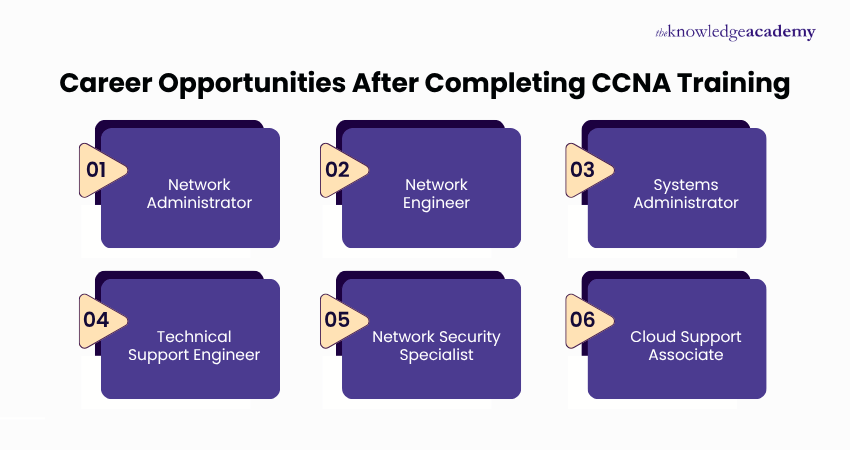
Earning a CCNA Certification unlocks various paths for professionals in the field of networking and the IT sector. Below are the most suited roles to pursue after gaining the certification:

  • Network Administrator: Oversees daily network operations, monitors performance, and resolves issues to maintain seamless connectivity and optimal system efficiency.
  • Network Engineer: Plans, implements, and optimises network infrastructure to ensure secure, reliable, and scalable performance.
  • Systems Administrator: Ensures smooth integration, updates, and secure access by overseeing servers and networks.
  • Technical Support Engineer: Maintains stable and consistent system performance by diagnosing and resolving hardware and network issues.
  • Network Security Specialist: Prevents cyber threats by protecting networks using firewalls, VPNs, and encryption.
  • Cloud Support Associate: Provides support for cloud-based systems with stable connectivity, performance, and data integration.
Show more blue-arrow

Package deals for CCNA Training

Our training experts have compiled a range of course packages on a variety of categories in CCNA Training, to boost your career. The packages consist of the best possible qualifications with CCNA Training, and allows you to purchase multiple courses at a discounted rate.

Swipe for more. Don’t miss out!

CCNA Training FAQs

CCNA is a globally recognised networking certification validating essential knowledge in network fundamentals, IP services, security fundamentals, automation, and programmability, preparing professionals to install, configure, and troubleshoot networks effectively.

IT professionals, network engineers, support technicians, students, and career changers seeking foundational networking skills and Cisco Certification will benefit from attending this CCNA course.

Attend our CCNA Certification Course to build essential networking skills, earn a globally recognised credential, and advance your IT career. The Knowledge Academy, a trusted global training provider, offers expert and practical guidance to prepare you for real Cisco network roles.

The prerequisites for the CCNA Courses are based on the course specifications and the target group of professionals it serves. Check the respective course page of the course that you are planning to take to know about its prerequisites.

Yes, The Knowledge Academy offers 24/7 support via phone & email before attending, during, and after the course.  Our customer support team is available to assist and promptly resolve any issues you may encounter.

If you are interested in networking, IT infrastructure, or aiming for Cisco Certifications, this course is suitable for you. It’s ideal for beginners and those seeking career advancement in network-related roles.

Yes, the CCNA Certification is worth it. It significantly boosts your career credibility and opens doors to well‑paying IT roles. It is valued by employers worldwide, and training with a global training provider like The Knowledge Academy ensures you gain the skills and confidence needed to succeed.

CCNA Certification is valid for three years. You can renew it by passing a recertification exam or by earning continuing education credits before it expires. With The Knowledge Academy, a trusted training provider, you receive the guidance needed to stay certified and keep your networking skills current. 

If you are unable to access your training, contact the support team at The Knowledge Academy via their customer service email or phone number provided on their website for prompt assistance and resolution of your issue.

Yes, the course includes the CCNA Certification exam (200-301), which assesses your knowledge of networking concepts, protocols, and hands-on configuration skills using Cisco technologies.

After completing the CCNA Certification, you will gain essential skills in networking fundamentals, IP addressing, routing, switching, security, automation, and troubleshooting. These capabilities help you manage Cisco‑based networks with confidence. The Knowledge Academy, one of the top training provider, supports you in developing strong, job‑ready competence.

Job roles include Network Technician, Helpdesk Engineer, Systems Administrator, Network Support Engineer, and Junior Network Analyst in both enterprise and service provider environments.

The CCNA Certification course builds strong competencies in IP connectivity, network access, infrastructure security, and automation, along with troubleshooting and managing Cisco hardware and networking systems.

After completing CCNA Certification, includes career paths like Network Engineer, IT Support Specialist, Security Analyst, or advancing toward specialised Cisco certifications like CCNP or CyberOps Associate.

Our CCNA Training stays current with industry trends by following Cisco’s latest curriculum, including updates in automation, programmability and security. As one of the best training providers, The Knowledge Academy delivers training that aligns with modern IT demands and evolving industry practices.

Yes, this CCNA Certification helps you understand strategies for scaling a business by building skills in scalable network design, resilience and automation. At The Knowledge Academy, a leading training provider in Luxembourg, you gain practical knowledge that supports growth‑ready IT environments.

The course equips you to implement efficient, secure networks and adopt emerging technologies, enabling you to drive innovation and improve IT operations within your organisation.

The Knowledge Academy in Luxembourg stands out as a prestigious training provider known for its extensive course offerings, expert instructors, adaptable learning formats, and industry recognition. It's a dependable option for those seeking this CCNA Certification course. 

Please see our CCNA Training available in Luxembourg

The Knowledge Academy is one of the Leading global training provider for CCNA Training.

The training fees for CCNA Training in Luxembourg starts from €2995

Show more down

Why we're the go to training provider for you

icon

Best price in the industry

You won't find better value in the marketplace. If you do find a lower price, we will beat it.
icon

Trusted & Approved

Recognised by leading certification bodies, we deliver training you can trust.

icon

Many delivery methods

Flexible delivery methods are available depending on your learning style.

icon

High quality resources

Resources are included for a comprehensive learning experience.

barclays Logo
deloitte Logo
Thames Water Logo

"Really good course and well organised. Trainer was great with a sense of humour - his experience allowed a free flowing course, structured to help you gain as much information & relevant experience whilst helping prepare you for the exam"

Joshua Davies, Thames Water

santander logo
bmw Logo
Google Logo
cross

Exclusive Deals Big Savings This March!

Grab up to 40% OFF and level up your skills this spring! march-madness

WHO WILL BE FUNDING THE COURSE?

close

close

Thank you for your enquiry!

One of our training experts will be in touch shortly to go over your training requirements.

close

close

Press esc to close

close close

Back to course information

Thank you for your enquiry!

One of our training experts will be in touch shortly to go overy your training requirements.

close close

Thank you for your enquiry!

One of our training experts will be in touch shortly to go over your training requirements.