


 Top Rated Course


We may not have the course you’re looking for. If you enquire or give us a call on +800 312616 and speak to our training experts, we may still be able to help with your training requirements.
What is Bootstrap? Features, Benefits & Alternatives Explained
The Knowledge Academy 24 February 2026Bootstrap is a popular open-source front-end framework used to design responsive and mobile-first websites quickly and efficiently. It provides pre-built HTML, CSS, and JavaScript components like buttons, forms, and navigation bars, enabling developers to create visually consistent interfaces with minimal coding effort.

Training Outcomes Within Your Budget!
We ensure quality, budget-alignment, and timely delivery by our expert instructors.
Table of Contents
Imagine having a toolkit that empowers you to create sleek, responsive websites effortlessly. That’s precisely what Bootstrap offers. But what is Bootstrap exactly, and why do Web Developers adore it? At its core, Bootstrap is a treasure trove of pre-built HTML, CSS, and JavaScript components. These building blocks are not only versatile but also a breeze to implement.
In this comprehensive blog, we’ll unravel the mystery behind this influential framework. Buckle up as we explore the question “What is Bootstrap” and discover how it has revolutionised Web Development. From simplicity to sophistication, Bootstrap is where art meets functionality. Let’s get started.
Table of Contents
1) What is Bootstrap?
2) Why to Use Bootstrap?
3) Key Features of Bootstrap Framework
4) How to Use Bootstrap?
5) Three Primary Files of Bootstrap
6) Incorporating Bootstrap into Web Development
7) Is Bootstrap better than Tailwind CSS?
8) What are the Alternatives to Bootstrap?
9) Conclusion
What is Bootstrap?
Bootstrap is an open-source framework that gives a collection of ready-made components, such as buttons, forms, navigation bars, modals, and more, which can be easily integrated into your web pages. It also offers a flexible grid system for responsive layouts, along with a set of utilities that help customise the appearance and behaviour of elements.
Originally developed by Twitter engineers in 2010 to streamline their Web Development process and maintain consistency across projects, Bootstrap has since become one of the most widely used front-end frameworks, powering millions of websites. For developers working with React, React Bootstrap allows seamless integration of Bootstrap components into React applications, combining the best of both technologies.

Why to Use Bootstrap?
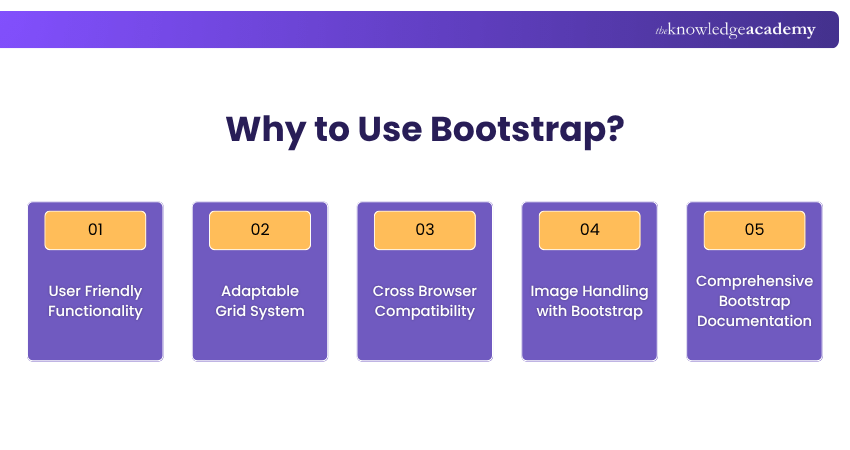
Bootstrap is an easy-to-use Web Development framework that provides a variety of features that make Web Development easier. Here’s why developers prefer using Bootstrap:
1) User Friendly Functionality
Bootstrap is equipped with ready-to-use components such as navigation bars, Bootstrap Buttons, and forms that are simple to implement. This enables users to easily build prototypes and user interfaces without much coding effort.
2) Adaptable Grid System
It has a unique, flexible, and responsive grid system that addresses design implementation for varying screen sizes. From mobile to tablet to desktop, Bootstrap ensures that the layouts are always optimised and adjusted according to the user’s needs.
Code the future with our comprehensive Java Programming Training - sign up now!
2) Cross Browser Compatibility
It has built-in support for modern browsers. Different environment issues are solved with its built-in CSS resets and modern-day compatibility fixes, reducing the need for browser specific coding.
4) Image Handling with Bootstrap
Images are made easier with specialised classes that allow users to control and utilise images on different devices. Bootstrap makes images responsive by allowing them to scale up and down to fit different screens, providing an elegant, seamless, and responsive design.
5) Comprehensive Bootstrap Documentation
Bootstrap's comprehensive documentation is a major advantage. It offers detailed instruction, practical examples, and a wealth of community resources, making it easy for both beginners and experienced developers to instantly understand and effectively utilise its features.
Key Features of Bootstrap Framework
Bootstrap is one of the most popular front-end frameworks for web development. Designed to help developers create responsive, modern websites quickly, it combines HTML, CSS, and JavaScript in a tidy, user-friendly package. Let’s explore the key features that make Bootstrap a favourite among developers.
1) Responsive Grid System
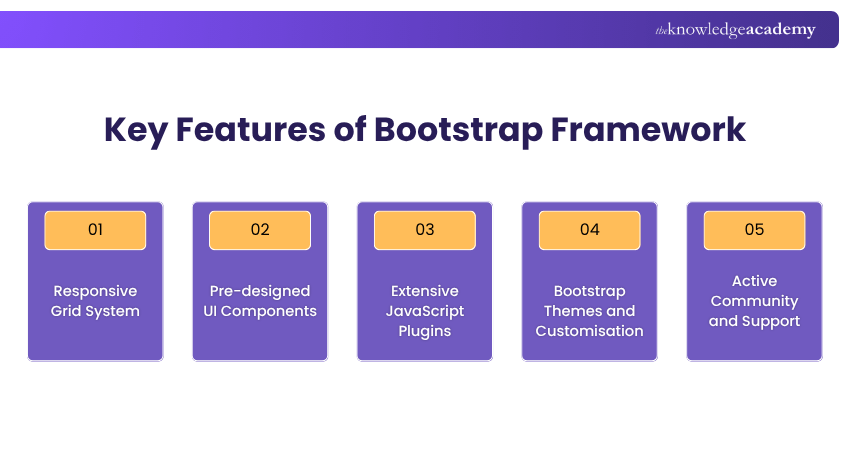
At the heart of Bootstrap lies its powerful 12-column responsive grid system. This grid allows content to adjust fluidly across different screen sizes and devices. Whether you're designing for a smartphone, tablet, or desktop, the layout adapts effortlessly. By using simple classes like col-md-6 or col-lg-4, you can create well-structured layouts without writing a single media query.
2) Pre-designed UI Components
Bootstrap saves time with a wide collection of ready-to-use UI components. From buttons, forms, and navbars to modals, alerts, and carousels, these components are styled consistently and work right out of the box. You can easily drop them into your code and tweak as needed, making it faster to build sleek, professional-looking websites.
3) Extensive JavaScript Plugins
For interactive elements, Bootstrap offers a suite of custom JavaScript plugins built on jQuery. These include dropdowns, tooltips, popovers, accordions, and more. They bring your user interface to life without requiring complex scripting. Just include the Bootstrap JS file and activate the components with data attributes or simple JavaScript calls.
4) Bootstrap Themes and Customisation
Want a unique look? Bootstrap is fully customisable. You can override default styles using your own CSS or take advantage of Bootstrap’s built-in SASS variables to make deep changes to colours, fonts, spacing, and more. You can also find countless Bootstrap themes and templates online that offer different styles and layouts, giving you a head start in your design process.
5) Active Community and Support
One of Bootstrap’s strongest assets is its large and active community. With millions of developers using it globally, you’ll find no shortage of tutorials, forums, GitHub Repositories, and Stack Overflow threads. Whether you’re troubleshooting a bug or looking for inspiration, help is always a search away.
How to Use Bootstrap?
Bootstrap is easy to get started with, even for beginners. Follow these steps to incorporate it into your web development workflow.
1) Download and Install
You can download Bootstrap from the official website or use a Content Delivery Network (CDN) link for faster setup. If you're using npm or a build tool like Webpack, Bootstrap can also be installed via package managers like npm or Yarn.
2) Begin Coding
Once included in your project, you can start using Bootstrap classes directly in your HTML. Add layout classes, button styles, and other UI elements to see immediate results. It's as simple as linking the CSS and JS files and using the framework’s syntax.
3) Use a Basic Template
Bootstrap provides starter templates to get you going. These basic HTML templates include links to Bootstrap’s CSS and JavaScript files, ensuring that all components work as intended. Using a template saves time and ensures your structure is sound from the beginning.
4) Build on a Template
After getting the basics in place, start customising the template. Add your content, experiment with different layout grids, and tweak the styling. You can build full-featured pages using Bootstrap’s components while keeping your code clean and manageable.
5) Run Bootlint or Other Linter Tools
To keep your Bootstrap code error-free, use tools like Bootlint. These tools scan your HTML for common mistakes and help ensure that you’re following best practices. It's a great way to improve code quality and maintain consistency in your project.
Three Primary Files of Bootstrap

To make the most of Bootstrap, it’s important to understand its core files. These are the backbone of the framework and need to be included for everything to function properly.
1) Bootstrap.css
This file contains all the pre-written CSS styles for Bootstrap’s layout system, typography, components, and more. It’s the reason your buttons, cards, and navbars look so polished straight away. You can use the minified version (bootstrap.min.css) for better performance.
2) Bootstrap.js
Bootstrap’s JavaScript file enables dynamic behaviours in components like dropdowns, modals, and tooltips. When linked properly, it allows for interactive features without writing your own complex JavaScript. Make sure jQuery is also included if you’re using versions of Bootstrap prior to v5.
3) Glyphicons
In earlier versions of Bootstrap (up to v3), Glyphicons were included as a free icon set. These were handy for adding small, scalable icons using simple class names. While later versions moved to using SVG and external icon libraries, you can still find themes or projects that rely on Glyphicons.
Move ahead in the tech race with our Swift Training – register today and future-proof your career!
Incorporating Bootstrap into Web Development
There are several ways to incorporate Bootstrap into your Web Development projects, each offering distinct advantages based on your preferences and needs. Here are the main methods:
1) Using a Content Delivery Network (CDN)
The simplest method is to use CDN links, which are URLs pointing to Bootstrap files hosted on a server. By adding these links to the
section of your HTML file, you can immediately start using Bootstrap. This approach ensures a quick and easy setup without the need to download files.

2) Downloading Bootstrap Files
Another method is to download and install Bootstrap directly from the official website and store the files locally on your computer. This option gives you more control over the files, allowing for customisation to fit your specific project needs.
Steps to download and use Bootstrap:
a) Visit the Bootstrap official website
b) Download the compiled Cascading Style Sheets (CSS) and JavaScript (JS) files
c) Extract the files and include them in your project directory
d) Link the downloaded files in your HTML:

3) Using Package Managers (npm or yarn)
For more complex projects, you can install Bootstrap using a package manager like npm or yarn. This method allows you to easily update and manage Bootstrap along with other project dependencies.
a) Using npm:
npm install bootstrap
Then, in your project, import Bootstrap in your JavaScript file:

b) Using yarn:
yarn add bootstrap
Similarly, import Bootstrap in your JavaScript file:

Key Points:
a) CDN: Quick setup, no downloads required, but reliant on internet access
b) Local Download: Full control and customisation, but requires manual updates
c) Package Managers: Easy updates and dependency management, ideal for larger projects.
By choosing the method that best suits your project requirements, you can effectively integrate Bootstrap and take advantage of its powerful features to streamline your Web Development process.
Transform data with R expertise. Join our R Programming Course to elevate your analytical skills and career potential.
Is Bootstrap Better Than Tailwind CSS?
Bootstrap is ideal for quick development with ready-made components, while Tailwind CSS offers more design flexibility through utility classes. Neither is strictly better, Bootstrap suits those who prefer structure, and Tailwind suits those who want full customisation. The best choice depends on your project needs.
What are the Alternatives to Bootstrap?
Popular alternatives to Bootstrap include Foundation, which provides a flexible grid and modular components, and Bulma, a lightweight CSS framework with a focus on modern design. Other options like Tailwind CSS and Materialise CSS offer utility-first styling and Google's Material Design aesthetics.
Conclusion
We believe our blog on What is Bootstrap familiarised you with a toolkit that’s both a launchpad for beginners and a powerful ally for experts. Embrace its simplicity, revel in the customisation, and let Front End Technologies like Bootstrap elevate your creations to new heights. Harness its power to build functional and responsive websites with confidence!
Build dynamic and efficient applications with ease with our Ruby Programming Course – secure your spot today!
Frequently Asked Questions
What Makes Bootstrap Different From Other Front-end Frameworks?

Bootstrap excels with its mobile-first design, a flexible grid system, and an extensive collection of pre-built components. It guarantees cross-browser compatibility, offers significant customisation options, and provides thorough documentation. Its user-friendliness and community support make it an excellent choice for developers.
Is Bootstrap a Suitable Tool for Beginners in Web Development?
Absolutely. Bootstrap's beginner-friendly documentation and intuitive classes cater to novices. Its extensive community support, coupled with a low learning curve, empowers beginners to quickly grasp Bootstrap's power and versatility. Even those new to Web Development can effortlessly create impressive websites.
What are the Other Resources and Offers Provided by The Knowledge Academy?
The Knowledge Academy takes global learning to new heights, offering over 3,000+ online courses across 490+ locations in 190+ countries. This expansive reach ensures accessibility and convenience for learners worldwide.
Alongside our diverse Online Course Catalogue, encompassing 17 major categories, we go the extra mile by providing a plethora of free educational Online Resources like Blogs, eBooks, Interview Questions and Videos. Tailoring learning experiences further, professionals can unlock greater value through a wide range of special discounts, seasonal deals, and Exclusive Offers.
What is Knowledge Pass, and how does it work?
The Knowledge Academy’s Knowledge Pass, a prepaid voucher, adds another layer of flexibility, allowing course bookings over a 12-month period. Join us on a journey where education knows no bounds.
What are Related Programming Courses and Blogs Provided by The Knowledge Academy?
The Knowledge Academy offers various Programming Training including Python courses, R programming courses and Java Training. These courses cater to different skill levels, providing comprehensive insights into R Programming.
Our Programming Blogs covers a range of topics related to Java and Python, offering valuable resources, best practices, and industry insights. Whether you are a beginner or looking to advance your Programming skills, The Knowledge Academy's diverse courses and informative blogs have you covered.

The Knowledge Academy


Global Training Provider
The Knowledge Academy is a world-leading provider of professional training courses, offering globally recognised qualifications across a wide range of subjects. With expert trainers, up-to-date course material, and flexible learning options, we aim to empower professionals and organisations to achieve their goals through continuous learning.


 If you wish to make any changes to your course, please


