


 Top Rated Course


We may not have the course you’re looking for. If you enquire or give us a call on 01344 203999 and speak to our training experts, we may still be able to help with your training requirements.
How to Change OpenAI Password? A Detailed Instructions
Lily Turner 20 March 2026To reset your OpenAI password, visit the login page, click “Forgot password?”, and enter your email. Follow the link in the reset email to create and confirm a new password. This quick process helps you securely regain access to your OpenAI account.

Training Outcomes Within Your Budget!
We ensure quality, budget-alignment, and timely delivery by our expert instructors.
Table of Contents

Think of your online accounts as the gates to a bustling city, each protected by a strong and unique password. Just as a city relies on its gates for security, your digital life depends on the strength and management of your passwords. In this digital landscape, knowing How to Change Your OpenAI Password is essential for maintaining security and peace of mind. Updating your password regularly ensures that your data remains safe and inaccessible to unauthorised users.
Changing your OpenAI password is a straightforward process that enhances your account's security. Similarly, learning how to use Sora OpenAI effectively can improve your experience by ensuring your AI interactions are secure and tailored to your needs. Whether you've forgotten your current password or simply want to boost your online safety, understanding How to Change Your OpenAI Password is a valuable skill. Let's explore the steps involved in updating your password to keep your account secure and your mind at ease.
Table of Contents
1) How to Update Your OpenAI Password?
a) How to Change Your OpenAI Password?
b) How to Reset Your OpenAI Password if You Forgot it?
2) Considerations When Changing Your OpenAI Password
a) Strength and Length
b) Uniqueness and Security
3) Conclusion
How to Update Your OpenAI Password?
Changing your OpenAI password is an important safety practice for protecting your account. Here are steps that you can take to change your password.
How to Change Your OpenAI Password?
Step1. Log in to Your OpenAI Account
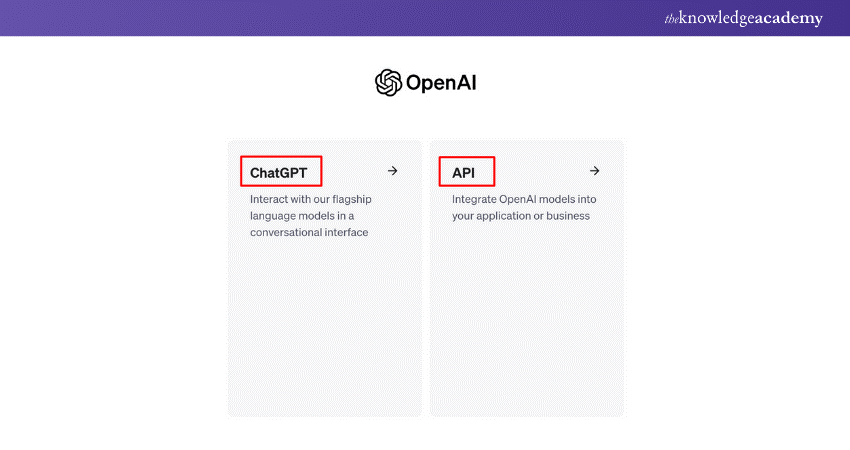
a) Go to the OpenAI login page.
b) Enter your current login credentials (email and password) and sign in.
Step 2. Access Account Settings
a) Once logged in, navigate to the account settings. This is usually found by clicking on your profile icon or your name, typically located in the top right corner of the page.
b) From the dropdown menu, select "Settings" or "Account Settings."
Step 3. Change Password
a) In the account settings, look for a section related to security or password management.
b) There should be an option to change your password. Click on "Change Password."
Step 4. Enter Current and New Passwords
a) You will likely be prompted to enter your current password for verification purposes.
b) After verifying your current password, you can enter your new password. Ensure that your new password meets any specified requirements (e.g., minimum length, use of special characters, etc.).

Step 5. Save Changes
a) After entering your new password, save the changes. This might involve clicking a button like "Save," "Update Password," or similar.
b) You may need to confirm your new password by entering it a second time to ensure accuracy.

Step 6. Confirmation
a) You should receive a confirmation that your password has been successfully updated.
b) Some services might send a confirmation email to notify you of the password change. Check your email for any such notification.
How to Reset Your OpenAI Password if You Forgot it?
If you forgot your OpenAI password, you can reset it by following these steps:
Step 1. Go to the OpenAI Login Page: Navigate to the OpenAI login page.
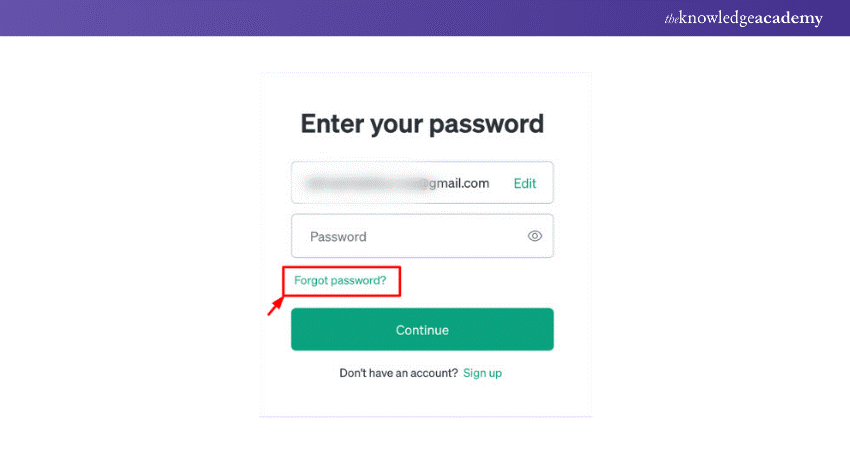
Step 2. Click on "Forgot Password?": On the login page, look for the "Forgot your password?" link and click on it.
Step 3. Enter Your Email Address: You will be prompted to enter the email address associated with your OpenAI account. Enter your email and submit the form.
Step 4. Check Your Email: OpenAI will send you an email with instructions on how to reset your password. Check your inbox for an email from OpenAI. If you don't see it, check your spam or junk folder.
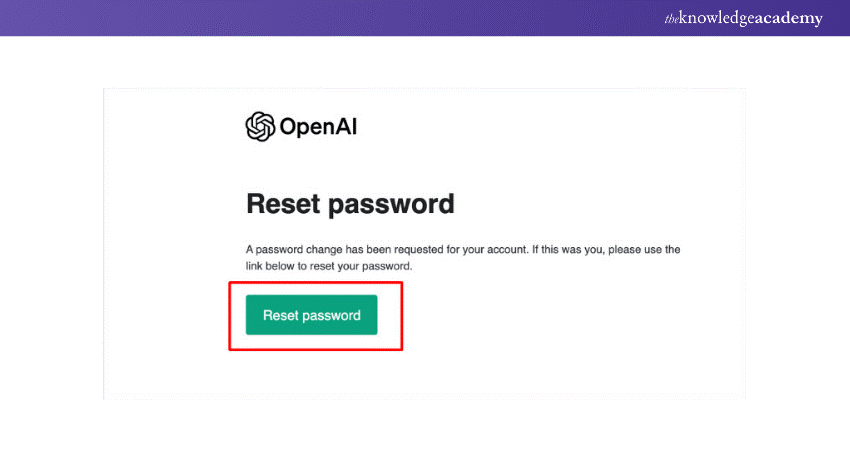
Step 5. Follow the Reset Link: Open the email and click on the password reset link provided. This will take you to a page where you can create a new password.
Step 6. Create a New Password: On the password reset page, enter a new password. Make sure it meets any specified requirements (e.g., minimum length, use of special characters, etc.). Confirm the new password by entering it again.
Step 7. Submit and Confirm: Submit the form to save your new password. You should see a confirmation that your password has been successfully reset.
Step 8. Log In: Return to the OpenAI login page and log in with your email and the new password you just created.
Considerations When Changing Your OpenAI Password
When updating your OpenAI password, several important factors should be considered to ensure maximum security and effectiveness. The following are the key aspects to keep in mind:
Strength and Length
When creating a new password for OpenAI, it's crucial to ensure its strength and length. A strong password should include a combination of numbers, lowercase letters, uppercase letters, and symbols. Ideally, the password should be at least 12 characters long. Longer passwords are often considered more secure because they are more difficult to guess or crack.
Uniqueness and Security
Another important aspect to remember when selecting a new OpenAI password is its uniqueness and security. Ensure that you use a password that you haven't used before and that is difficult to guess. Avoid using personal details such as pet names, family members' names, birthdates, or phone numbers. This practice helps ensure that your password is more secure and less susceptible to potential hackers. However, if you ever decide you no longer wish to use the service, it's also important to know how to Delete OpenAI Account properly.
Conclusion
Now you’re well-equipped on how to change your OpenAI password. Updating your password is a straightforward yet essential task to keep your account secure. Follow these steps to craft a strong, unique password and stay ahead of potential threats. Regular updates enhance your security. Keep your data safe and sound!
Frequently Asked Questions
Can I Change my Email to an OpenAI Account?

Yes, you can change the email for your OpenAI account. Go to your account settings, find the email update section, and follow the instructions to enter and confirm your new email address. Save the changes.
Is it Safe to Register on OpenAI?
Yes, it is safe to register on OpenAI. The website uses safety precautionary measures to safeguard your personal information and account data, ensuring a secure and reliable user experience.
What are the Other Resources and Offers Provided by The Knowledge Academy?
The Knowledge Academy takes global learning to new heights, offering over 3,000+ online courses across 490+ locations in 190+ countries. This expansive reach ensures accessibility and convenience for learners worldwide.
Alongside our diverse Online Course Catalogue, encompassing 19 major categories, we go the extra mile by providing a plethora of free educational Online Resources like Blogs, eBooks, Interview Questions and Videos. Tailoring learning experiences further, professionals can unlock greater value through a wide range of special discounts, seasonal deals, and Exclusive Offers.
What is The Knowledge Pass, and How Does it Work?
The Knowledge Academy’s Knowledge Pass, a prepaid voucher, adds another layer of flexibility, allowing course bookings over a 12-month period. Join us on a journey where education knows no bounds.
What are the Related Courses and Blogs Provided by The Knowledge Academy?
The Knowledge Academy offers various Artificial Intelligence & Machine Learning, including OpenAI Training, Introduction to AI Course, Artificial Intelligence (AI) For DevOps and Artificial Intelligence (AI) For IT Professionals (AI4IT). These courses cater to different skill levels, providing comprehensive insights into Generative AI.
Our Data, Analytics & AI Blogs cover a range of topics related to OpenAI, offering valuable resources, best practices, and industry insights. Whether you are a beginner or looking to advance your Artificial Intelligence skills, The Knowledge Academy's diverse courses and informative blogs have got you covered.

Lily Turner


Senior AI/ML Engineer and Data Science Author
Lily Turner is a data science professional with over 10 years of experience in artificial intelligence, machine learning, and big data analytics. Her work bridges academic research and industry innovation, with a focus on solving real-world problems using data-driven approaches. Lily’s content empowers aspiring data scientists to build practical, scalable models using the latest tools and techniques.
View Detail

 If you wish to make any changes to your course, please


