


 Top Rated Course

We may not have the course you’re looking for. If you enquire or give us a call on +852 2592 5349 and speak to our training experts, we may still be able to help with your training requirements.
What is a Macro Virus? Risks, Prevention, and Detection
The Knowledge Academy 29 April 2026A Macro Virus is a type of malware that infects systems through documents and spreadsheets by exploiting automated tasks in software like Microsoft Office. It can spread via email attachments, execute harmful code, steal data, and compromise system security, making user awareness and protection measures essential.
Home
 Resources
IT Security & Data Protection
What is a Macro Virus? Risks, Prevention, and Detection
Resources
IT Security & Data Protection
What is a Macro Virus? Risks, Prevention, and Detection
Resources
IT Security & Data Protection
What is a Macro Virus? Risks, Prevention, and Detection

Training Outcomes Within Your Budget!
We ensure quality, budget-alignment, and timely delivery by our expert instructors.
Table of Contents

Have you ever considered that everyday documents could pose a serious security risk? A Macro Virus is a hidden threat that embeds malicious code within seemingly harmless files, often exploiting trusted applications like word processors. These viruses can spread quickly, disrupt systems, and compromise sensitive data without immediate detection.
Understanding how macro viruses work, their common signs, real examples, and effective prevention methods is essential for protecting your system. This blog explores their characteristics, impact, and practical steps you can take to stay secure.
Table of Contents
1) What is a Macro Virus?
2) What are the Characteristics of a Macro Virus?
3) What are the Symptoms of a Macro Virus Infection
4) Can Macs get a Macro Virus?
5) How Does a Macro Virus Work and Spread?
6) What Can Macro Viruses Do?
7) Ways to Prevent a Macro Virus
8) How to Remove Macro Viruses?
9) Examples of Macro Viruses
10) Conclusion
What is a Macro Virus?
A Macro Virus is a computer virus developed in exact same macro language used for software applications like Microsoft Word or Excel. These viruses implant themselves into documents and spreadsheets, executing their code when the infected file is opened.
Unlike traditional viruses that infect executable files, Macro Viruses target the macros within documents, making them particularly insidious. They spread through infected documents and templates, often via email attachments, shared drives, and internet downloads. These viruses cause various malicious actions such as data corruption, information theft, and creating backdoors for unauthorised access.

What are the Characteristics of a Macro Virus?
Macro Viruses share several common traits that make them effective at spreading through everyday documents and difficult to detect. These characteristics explain how they operate, spread, and impact systems.
a) Written using Visual Basic for Applications (VBA) used in tools like Microsoft Office
b) Spread through infected documents or templates shared between users
c) Activated automatically when an infected file is opened
d) Can cause damage ranging from minor disruption to data theft or corruption
e) Hard to detect and remove as they hide within legitimate-looking macros
What are the Symptoms of a Macro Virus Infection?
The signs of a Macro Virus infection depend on the virus type, but many systems show similar warning signals. Recognising these symptoms early can help limit damage and prevent further spread.
a) Applications may crash, freeze, or behave unpredictably
b) Unknown files or folders may suddenly appear on the system
c) System settings may change without user approval
d) Overall performance may slow down significantly
e) Unauthorised access to files or networks may occur
f) Unexpected pop ups, alerts, or messages may appear
If you notice these symptoms, run a full system scan using trusted antivirus software and follow the recommended steps to remove the infection safely.
Can Macs get a Macro Virus?
Yes, Macs can be affected by Macro Viruses. These threats target applications rather than the operating system, making them platform independent. Security researchers have identified macOS malware capable of spying and bypassing protections, proving Macs are not immune to macro based attacks.
How Does a Macro Virus Work and Spread?
A Macro Virus functions by embedding malicious instructions within documents that support macros, most commonly those created using Microsoft Office applications. These instructions are usually written in Visual Basic for Applications and remain hidden inside seemingly harmless files such as Word documents or Excel spreadsheets.
The virus spreads when infected documents are shared through email attachments, downloads, or shared drives. Once a user opens the file and enables macros, the malicious code executes automatically, allowing the virus to perform harmful actions such as modifying files, stealing data, or spreading to other documents.
Protect your organisation from cyber attacks - start your journey with our Cyber Security Awareness Course today!
What Can Macro Viruses Do?
When a Macro Virus in computer infects a software program, it executes a series of commands and actions automatically when the application is opened. An executed Macro Virus typically infects every document on a user’s computer.
Macro Viruses Can:
a) Cause Text Irregularities: Insert or delete words or pictures in text documents.
b) Create New Files: Generate new, potentially harmful files.
c) Corrupt or Erase Data: Damage or delete stored data.
d) Format Hard Drives: Wipe entire hard drives, leading to data loss.
e) Access Email Accounts: Gain unauthorised access to email accounts.
f) Spread Infected Files: Send copies of infected files to everyone on the user’s contact list.
Become a Certified Cyber Security Professional to protect your digital environments with our Certified Cyber Security Professional (CCS-PRO) Course - Sign up now!
Ways to Prevent a Macro Virus
To prevent Macro Viruses, organisations and individuals must follow strong security practices and remain cautious when handling documents. Most Macro Virus infections occur when users unknowingly enable malicious macros, making awareness and preventive controls essential for reducing risk.
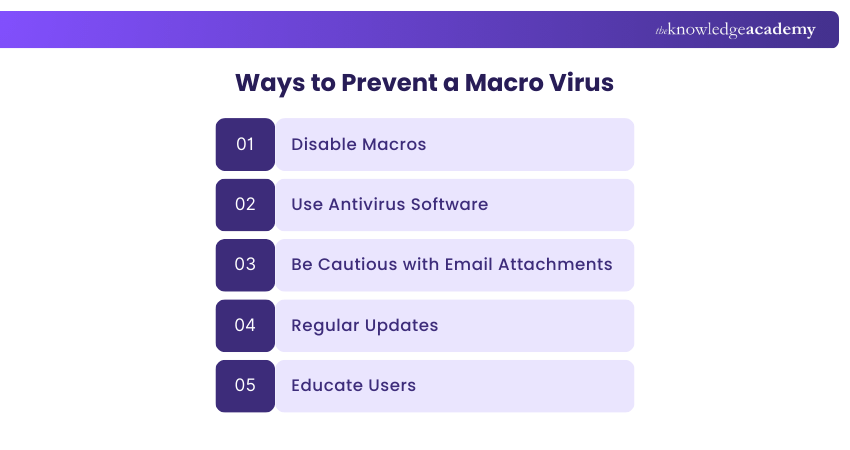
Key ways to prevent a Macro Virus:
a) Keep operating systems, Office applications, and antivirus software regularly updated
b) Disable macros by default and enable them only for trusted documents
c) Avoid opening email attachments or links from unknown or suspicious senders
d) Use reliable antivirus or anti-malware tools with real-time protection
e) Download files only from official and verified sources
f) Educate users about macro risks and common infection methods
How to Remove Macro Viruses?
Here’s how you can tackle and remove Macro Viruses from your system:
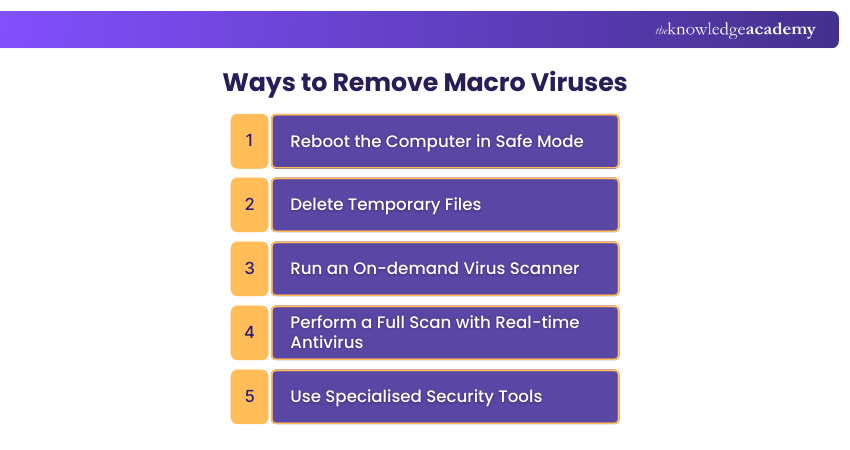
1) Reboot the Computer in Safe Mode: This limits the virus’s ability to run and spread.
2) Delete Temporary Files: This can free up disk space, speed up virus scanning, and remove malware-infected temporary files.
3) Run an On-demand Virus Scanner: Use this if a real-time antivirus is already running to check for any undetected malware.
4) Perform a Full Scan with Real-time Antivirus: Follow up with a comprehensive scan using your real-time Antivirus Software to detect and quarantine any remaining macro malware.
5) Use Specialised Security Tools: Employ security software specifically designed for Macro Virus detection and removal to effectively address the infection.
Develop advanced fraud detection strategies with our Fraud Analytics Course and start building a secure future today!
Examples of Macro Viruses
Here are some real-world examples of Macro Viruses:
1) Melissa Virus:

Melissa is a well-known macro virus that appeared in 1999 and targeted Microsoft Word documents. Once a user opened an infected file, it automatically sent itself to the first 50 contacts in the user’s email address book.
2) Babyk
Babyk is another macro virus that infected Microsoft Word documents. After activation, it spread by emailing itself to all contacts found in the victim’s Outlook address book, enabling rapid and widespread distribution.
Step into the world of Cyber Security by mastering Malware Analysis Training to defend your systems and enhance your expertise!
Conclusion
Understanding Macro Viruses is crucial to protecting your digital environment. By knowing how these viruses spread and their potential impacts, you can take proactive measures to safeguard your systems. Stay vigilant, implement robust security practices, and ensure your defences are strong against these persistent threats.
Enhance your skills with our Cyber Security Courses - Sign up today!
Frequently Asked Questions
Is Macro Virus Harmful?

Yes, a Macro Virus can be harmful. It can corrupt data, steal sensitive information, and spread rapidly across networks, leading to significant disruptions and financial losses.
What are the Common Signs of a Macro Virus Infection?
Common signs of a Macro Virus infection include unexpected changes in document formatting and frequent system crashes. You might also notice slow performance and unusual error messages when opening or saving files.
What are the Other Resources and Offers Provided by The Knowledge Academy?
The Knowledge Academy takes global learning to new heights, offering over 3,000+ online courses across 490+ locations in 190+ countries. This expansive reach ensures accessibility and convenience for learners worldwide.
Alongside our diverse Online Course Catalogue, encompassing 17 major categories, we go the extra mile by providing a plethora of free educational Online Resources like Blogs, eBooks, Interview Questions and Videos. Tailoring learning experiences further, professionals can unlock greater value through a wide range of special discounts, seasonal deals, and Exclusive Offers.
What is The Knowledge Pass, and How Does it Work?
The Knowledge Academy’s Knowledge Pass, a prepaid voucher, adds another layer of flexibility, allowing course bookings over a 12-month period. Join us on a journey where education knows no bounds.
What are the Related Courses and Blogs Provided by The Knowledge Academy?
The Knowledge Academy offers various Cyber Security Training, including Malware Analysis Training, Certified Cyber Security Professional (CCS-PRO), Cyber Security Awareness and Fraud Analytics Training Course. These courses cater to different skill levels, providing comprehensive insights into Malware.
Our IT Security & Data Protection Blogs cover a range of topics related to Malware Analysis, offering valuable resources, best practices, and industry insights. Whether you are a beginner or looking to advance your Cyber Security skills, The Knowledge Academy's diverse courses and informative blogs have got you covered.

The Knowledge Academy


Global Training Provider
The Knowledge Academy is a world-leading provider of professional training courses, offering globally recognised qualifications across a wide range of subjects. With expert trainers, up-to-date course material, and flexible learning options, we aim to empower professionals and organisations to achieve their goals through continuous learning.

Upcoming IT Security & Data Protection Resources Batches & Dates
Date
 Certified Cyber Security Professional (CCS-PRO)
Certified Cyber Security Professional (CCS-PRO)
Fri 28th Aug 2026
Certified Cyber Security Professional (CCS-PRO)
Fri 25th Sep 2026

 If you wish to make any changes to your course, please


