


 Top Rated Course

We may not have the course you’re looking for. If you enquire or give us a call on 800600725 and speak to our training experts, we may still be able to help with your training requirements.
The ArchiMate® Modelling Tool: Complete Overview
James Smith 15 July 2026Explore enterprise architecture with our comprehensive blog on the ArchiMate® Modelling Tool. This versatile software empowers businesses to create, analyse, and optimise their architectural models with ease. In this blog explore the ArchiMate® Modelling Tools and get a comprehensive overview on features, top options, and benefits. Read Now!

Training Outcomes Within Your Budget!
We ensure quality, budget-alignment, and timely delivery by our expert instructors.
Table of Contents
The ArchiMate® Modelling Language has become a powerful tool for visualising, analysing, and communicating architectural concepts. The ArchiMate® Modelling Tools provide a structured approach to represent the components, relationships, and interactions within an organisation's architecture.
This blog will give a comprehensive overview of the ArchiMate® Modelling Tools, their significance, features, popular options, practical usage, and future trends.
Table of Contents
1) What are the ArchiMate® Modelling Tools?
2) Features of the ArchiMate® Modelling Tools
3) Popular the ArchiMate® Modelling Tools
4) Getting started with the ArchiMate® Modelling Tools
5) Conclusion
What are the ArchiMate® Modelling Tools?
The ArchiMate® Modelling Tools are software applications designed to facilitate creating, managing, and visualising architectural models using the ArchiMate® Modelling Language. These tools empower architects, analysts, and other stakeholders to effectively capture, communicate effectively, and analyse complex enterprise architectures. The ArchiMate® Modelling Tools provide a range of features that enhance the modelling experience and contribute to the overall success of architectural projects. Various purposes for the ArchiMate® Modelling Tools are:
a) Creating and managing visual architectural models representing an organisation’s business, application, and technology layers.
b) Analysing relationships and dependencies between architectural components to support better decision making.
c) Enabling collaboration through a shared, standardised language for both technical and non technical stakeholders.
d) Documenting enterprise architecture in structured formats to maintain consistency and clarity across projects.
e) Evaluating the impact of architectural changes before implementation to reduce risk and improve outcomes.

Features of the ArchiMate® Modelling Tool
These tools are indispensable for architects and practitioners, offering many features that enhance enterprise architecture. These tools are more than just diagramming and empower users to create, analyse, and communicate complex architectural designs efficiently. When comparing the ArchiMate® vs UML, it becomes evident that while both are valuable modelling languages, they serve different purposes— The ArchiMate® Modelling Language focuses on enterprise architecture, whereas UML is more geared toward software development and system design.
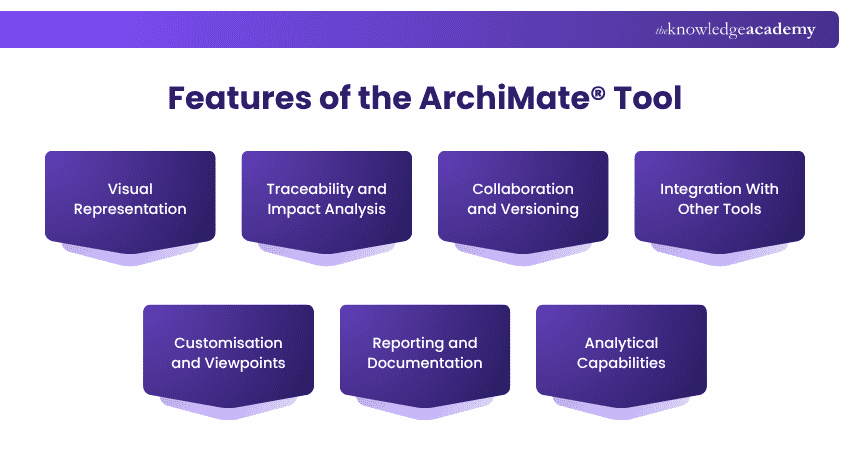
Visual Representation
These tools provide a canvas where architects can translate abstract concepts into clear and intuitive diagrams. These visual representations align the gap and expectations between technical and non-technical stakeholders. With standardised notation, the tools enable architects to display relationships, dependencies, and components, enhancing comprehension and decision-making.
Traceability and Impact Analysis
One of the standout features of these tools is their ability to establish traceability. Architects can map relationships between architectural elements, enabling a profound understanding of how changes ripple through the system. Impact analysis becomes a strategic asset, aiding in evaluating the consequences of alterations, identifying potential risks, and making informed choices.
Collaboration and Versioning
These tools foster collaboration by facilitating concurrent work on architectural models. Multiple stakeholders can contribute to the same project, bringing diverse perspectives. Furthermore, versioning capabilities preserve historical changes, enabling easy reversion to previous states and the ability to track the evolution of the architecture.
Integration With Other Tools
These tools integrate with software commonly employed in architecture and development processes, streamlining workflows, minimising redundancy, and enhancing overall productivity through integration with Project Management, documentation, and Modelling Tools.
Customisation and Viewpoints
One of the features is to address a variety of stakeholders; the tools provide the flexibility to generate customised viewpoints. Architects can adapt visualisations for specific audiences, highlighting key aspects relevant to each group. This focused strategy improves communication and guarantees stakeholders obtain pertinent information aligned with their interests.
Reporting and Documentation
It enables the generation of detailed reports and documentation. Architects can automatically produce comprehensive documentation, reducing manual effort and ensuring accuracy. This feature is invaluable for maintaining an up-to-date and well-documented architectural repository.
Analytical Capabilities
Beyond visualisation, these tools offer analytical tools that aid in decision-making. Architects can simulate scenarios, model "what-if" situations, and evaluate the potential outcomes of different architectural choices. This analytical approach empowers architects to make well-informed decisions that align with organisational goals.
Advance your skills with the ArchiMate® 3 Training Course: Level 1 and start modelling confidently today.
Popular the ArchiMate® Modelling Tools
Several powerful Tools have emerged to assist architects and organisations in harnessing the full potential of the ArchiMate® language. These tools offer user-friendly interfaces and a range of features tailored to streamline the process of creating, managing, and visualising architectural models.
1) Tool A
Renowned for its user-friendly interface and robust functionality, Tool A is a top choice among architects. It offers a wide array of predefined the ArchiMate® elements and relationships, simplifying the creation of intricate models. The tool's intuitive drag-and-drop functionality empowers architects to construct visual representations of complex architectures effortlessly.
2) Tool B
Tool B boasts advanced analytical capabilities that set it apart. Architects can leverage this tool's built-in simulations and scenario modelling features to predict the impact of architectural decisions. Additionally, Tool B's comprehensive reporting and documentation features facilitate the generation of detailed project documentation, ensuring transparency and knowledge sharing among stakeholders.
3) Tool C
A standout feature of Tool C is its integration with other tools commonly used in the architectural and IT landscape. This integration enhances collaboration, allowing architects to import and export data from various sources seamlessly. Tool C's versatility makes it a preferred choice for organisations seeking a cohesive ecosystem for managing their architectural endeavours.
Unlock your architectural potential with comprehensive the ArchiMate® Training – Empower your expertise today!
Getting Started With the ArchiMate® Modelling Tool
Starting your journey with the ArchiMate® Modelling Tool will allow you to explore a world of improved architectural visualisation and communication. This will help you take your first steps.
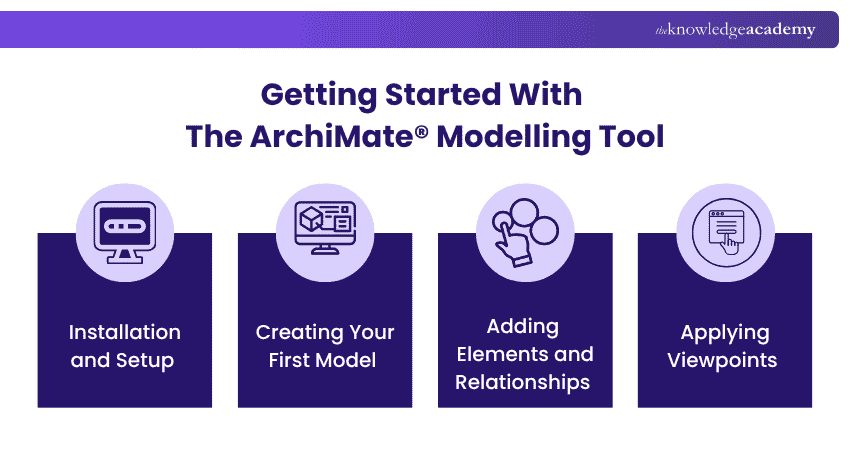
Installation and Setup
Begin by selecting the ArchiMate® tool that aligns with your preferences and requirements. Visit the tool's official website or a trusted software repository to download the installation package. Follow the installation wizard's prompts to set up the tool on your computer.
Upon installation, take a moment to explore the user interface and familiarise yourself with the tool's layout. Most tools offer intuitive menus and icons, making navigating and accessing essential features accessible.
Creating Your First Model
After installation and setup, launch the tool and create a new project or model. Give your project a meaningful name that reflects its purpose. A well-organised project structure ensures clarity and efficient management as your architectural model evolves.
Level up your the ArchiMate® 3 Training Course: Level 2 – Uncover the full potential of architectural mastery!
Adding Elements and Relationships
With your project ready, it is time to add elements and define relationships. These tools typically provide a palette of predefined ArchiMate® elements. Drag and drop these elements on your canvas to represent various aspects of your architecture.
Next, establish relationships between elements to illustrate how they interact and depend on one another. Select the appropriate relationship type from the tool's options and connect the relevant elements. These relationships contribute to a comprehensive understanding of your architecture's dynamics.
Applying Viewpoints
Viewpoints are a powerful feature that allows you to tailor your model's presentation to different stakeholders' perspectives. Create viewpoints highlighting specific aspects of your architecture, such as business processes, application interactions, or technology infrastructure.
Select a viewpoint and adjust your model to focus on the relevant elements and relationships. It enables you to communicate effectively with various audiences, ensuring that each stakeholder grasps the information most relevant to their role and interests.
As you progress, remember that practice and exploration are essential. Experiment with different elements, relationships, and viewpoints to refine your skills and create increasingly insightful architectural models. Many Tools offer tutorials, documentation, and online communities where you can seek guidance and share experiences with fellow architects.
Conclusion
The ArchiMate® Modelling Language offers a structured way to visualise and analyse enterprise architecture across business and IT. Using the ArchiMate® Modelling Tools improves clarity, supports collaboration, and enables better decision-making. We hope this blog helped in understanding their value and practical use.
Frequently Asked Questions
Who Uses the ArchiMate® Modelling Language?

The ArchiMate® Modelling Language is used by enterprise architects, business architects, IT architects, and other professionals involved in enterprise architecture and Business Process Management. It provides a standardised language for visualising, analysing, and communicating complex architectural structures and relationships within organisations.
How Does the ArchiMate® Modelling Language Differ From Other Modelling Languages?
The ArchiMate® Modelling Language differs from other modelling languages by providing a standardised approach that bridges the gap between business and IT perspectives. It offers a comprehensive set of concepts and relationships specifically tailored for enterprise architecture, enabling holistic modelling of organisational structures, processes, and systems.

James Smith


Digital Marketing Manager and Trainer
James Smith is a digital marketing professional with over a decade of experience in SEO, content strategy, paid media and analytics. He has supported both SMEs and global brands in transforming their digital presence. James’s writing and training are rooted in results-driven tactics and the latest marketing trends.
View Detail

 If you wish to make any changes to your course, please


