Sketchup Course Outline

Module 1: Introduction to SketchUp

  • SketchUp and Its Applications
  • SketchUp Interface and Workspace
  • Differences: SketchUp Free vs. SketchUp Pro

Module 2: Getting Started with Basic Tools

  • Navigating within the SketchUp Environment Orbit, Pan, and Zoom
  • Selection Techniques
    • Selecting Edges
    • Faces
    • Entities
  • Basic Drawing Tools
    • Lines
    • Rectangles
    • Circles
    • Polygons

Module 3: Building Basic 3D Models

  • Moving, Rotating, and Scaling Objects

Module 4: Working with Components and Groups

  • Benefits of Grouping Objects
  • Creating, Editing, and Importing Components
  • Utilising the 3D Warehouse

Module 5: Materials and Textures

  • Applying Materials to Objects
  • Editing Brightness and Opacity
  • Importing Custom Textures

Module 6: Cameras and Views

  • Setting Up and Saving Views
  • Creating Scenes for Presentations
  • Using the Walk-through and Look-around Camera Tools

Module 7: Lighting and Shadows

  • Adjusting Time of Day and Year for Realistic Shadows
  • Introduction to Artificial Lighting and Effects

Module 8: Tips, Tricks, and Shortcuts

  • Efficient Modelling Techniques
  • Using Keyboard Shortcuts for Faster Work
  • Addressing Common Mistakes and Challenges
Show more blue-arrow

Who Should Attend this SketchUp Course?

This SketchUp Course is designed for anyone interested in exploring the world of 3D design and visualisation using SketchUp. However, this training is more beneficial for the following professionals:

  • Architects
  • Interior Designers
  • Landscape Architects
  • Urban Planners
  • Construction Managers
  • Product Designers
  • 3D Modelers
  • Visual Merchandisers

Prerequisites of the SketchUp Course

There are no formal prerequisites for attending this SketchUp Training. However, a basic understanding of design concepts or 3D modelling can be beneficial.

SketchUp Course Overview

SketchUp Training introduces delegates to 3D modelling, Digital Prototyping, and design visualisation using SketchUp. The course explains how SketchUp supports modelling, rendering, and design workflows. It provides practical knowledge for creating and presenting 3D design concepts.

Delegates learn to create 3D models, apply materials, manage components, and use UV Mapping to enhance model appearance. The course builds practical modelling and visualisation skills. These capabilities support efficient design workflows and project presentations.

This 1-Day course by The Knowledge Academy enables delegates to apply SketchUp techniques in professional workplace scenarios. Delegates can create accurate models and present design concepts effectively. These skills support efficient project delivery and visual communication.

SketchUp Course Objectives

  • To understand the fundamentals of SketchUp
  • To navigate the SketchUp interface efficiently
  • To create and edit 3D models with precision
  • To apply materials and textures to designs
  • To develop skills in layout and presentation
  • To use advanced modelling techniques
  • To collaborate effectively within teams
  • To troubleshoot common issues in SketchUp

Upon completion of the SketchUp Training Course, delegates will possess practical skills in 3D modelling, empowering them to enhance their design capabilities and contribute to successful project implementations in real-world scenarios.

Benefits of Taking up SketchUp Course 

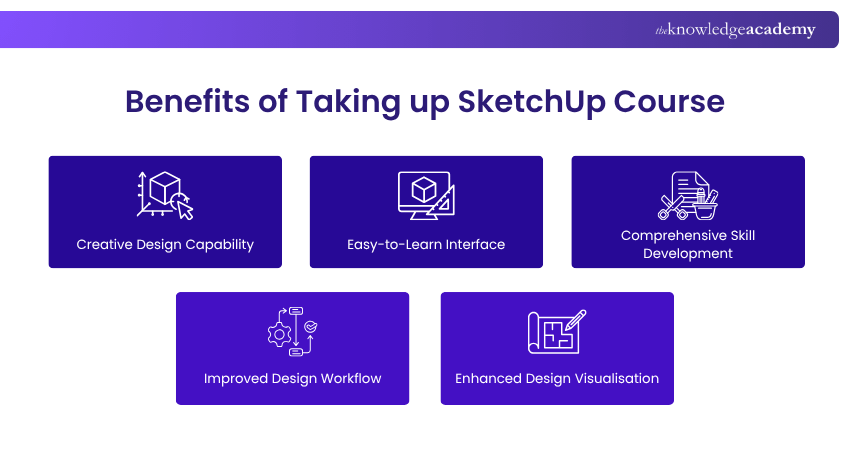
SketchUp is widely used for 3D modelling, design visualisation, and project presentation across architecture, construction, and design industries. This course helps delegates develop practical modelling skills and improve design workflows. Key benefits include:
Benefits of Taking up SketchUp Course

  • Creative Design Capability: Create detailed 3D models and transform design ideas into practical visual concepts.
  • Easy-to-Learn Interface: Learn to navigate SketchUp's intuitive interface and modelling tools with confidence.
  • Comprehensive Skill Development: Develop practical skills in modelling, materials, textures, lighting, and presentation techniques.
  • Improved Design Workflow: Use components, shortcuts, and efficient modelling techniques to complete projects more effectively.
  • Enhanced Design Visualisation: Present design concepts clearly using scenes, materials, textures, lighting, and shadows.
Show more blue-arrow

What’s Included in this SketchUp Training Course?

  • World-Class Training Sessions from Experienced Instructors   
  • SketchUp Certificate  
  • Digital Delegate Pack 
Hands-On Labs: Included as part of our online instructor-led delivery, these labs provide real-world exercises in a simulated environment guided by expert instructors to enhance your practical skills.
Show more blue-arrow

Train Your Workforce

Looking for SketchUp Course in-house or onsite training in Zurich? We specialise in corporate group training and bulk bookings for organisations of all sizes in Zurich. Our trainers deliver tailored sessions at your premises, online, or hybrid, with best price guarantee, group discounts and flexible scheduling to train your team.

Our Zurich venue

Includes..

Free Wi-Fi

To make sure you’re always connected we offer completely free and easy to access wi-fi.

Air conditioned

To keep you comfortable during your course we offer a fully air conditioned environment.

Full IT support

IT support is on hand to sort out any unforseen issues that may arise.

Video equipment

This location has full video conferencing equipment.

Zurich is the largest city in Switzerland and is the capital of the Canton of Zurich. The city has a population of around 390,474 people with the Zurich metropolitan area has a population of around 1.83 million people. The Zurich airport and railway station are the largest and busiest in the country. The University of Zurich is the largest university in Switzerland and houses over 26,000 students. The University of Zurich was founded 1833 and is a public research university. The university is split into 7 faculties which include philosophy, human medicine economic sciences, law, mathematics & natural sciences, theology and veterinary medicine. 

Show moredown

Experience live, interactive learning from home with The Knowledge Academy's Online Instructor-led SketchUp Course. Engage directly with expert instructors, mirroring the classroom schedule for a comprehensive learning journey. Enjoy the convenience of virtual learning without compromising on the quality of interaction.

classes

Live classes

Join a scheduled class with a live instructor and other delegates.

interactive

Interactive

Engage in activities, and communicate with your trainer and peers.

degree

Global Pool of the Best Trainers

We handpick from a global pool of expert trainers for our Online Instructor-led courses.

expertise

Expertise

With 10+ years of quality, instructor-led training, we equip professionals with lasting skills for success.

global

Scalable Training Delivery

Access SketchUp Course in Zurich delivered by one of the largest training providers, with scalable instructor-led classes, accessible worldwide.

Master SketchUp Course with a flexible yet structured approach that combines live, expert-led sessions and self-paced study. With Weekly one-to-one tutor support and consistently high pass rates, you’ll receive tailored guidance and achieve real results.

trainer

Structured Yet Flexible Learning

Take part in scheduled, instructor-led sessions with real-time feedback, while enjoying the freedom to study independently. Interactive resources and progress tracking tools help you stay motivated and on target.

venue

Engaging & Interactive Training

Join dynamic live sessions featuring discussions, practical activities, and peer collaboration. Learn from SketchUp Course industry experts and reinforce your knowledge with self-paced modules—plus, connect with professionals in your field.

classes

Expert-Led Course

Gain valuable insight from experienced trainers during live sessions, and revisit course materials anytime to deepen your understanding. This method offers the ideal balance between expert guidance and independent learning.

money

Global Training Accessibility

Access top-quality training across time zones—anytime, anywhere. Whether at home or on the go, our expert-led sessions and flexible study materials support your goals, and help you on the journey towards the certification.

Learn SketchUp Course through The Knowledge Academy’s Online Self-Paced Learning. This flexible and structured format supports your training goals and enables every professional to build skills with confidence.

flexiblelearning

Flexible Learning

Access SketchUp Course resources 24/7 to maintain steady progress, complete regular assessments or tasks, and upskill effectively alongside work commitments.

expert-developed

Expert-Developed Content

Our Online Course content is designed by experienced trainers to ensure accuracy, relevance, and practical value.

global-access

Global Training Provider

Access SketchUp Course in Zurich from a trusted global training provider delivering consistent learning to professionals worldwide.

cost-effective

Cost-Effective Training

Benefit from the cost-effective SketchUp Course that delivers high-quality course content without compromising learning outcomes.

interactive-lms

Interactive LMS

Track performance, download resources, and receive AI-enabled support through The Knowledge Academy’s dedicated Learning Management System.

Experience the most sought-after learning style with The Knowledge Academy's SketchUp Course Course. Available in 490+ locations across 190+ countries, our hand-picked Classroom venues offer an invaluable human touch. Immerse yourself in a comprehensive, interactive experience with our expert-led SketchUp Course sessions.

trainer

Highly experienced trainers

Boost your skills with our expert trainers, boasting 10+ years of real-world experience, ensuring an engaging and informative training experience

venue

State of the art training venues

We only use the highest standard of learning facilities to make sure your experience is as comfortable and distraction-free as possible

classes

Small class sizes

Our Classroom courses with limited class sizes foster discussions and provide a personalised, interactive learning environment

money

Great value for money

Achieve certification without breaking the bank. Find a lower price elsewhere? We'll match it to guarantee you the best value

Streamline large-scale training requirements with The Knowledge Academy’s In-house/Onsite SketchUp Course Course at your business premises. Experience expert-led classroom learning from the comfort of your workplace and engage professional development.

tailored

Tailored learning experience

Leverage benefits offered from a certification that fits your unique business or project needs

budget

Maximise your training budget

Cut unnecessary costs and focus your entire budget on what really matters, the training.

building

Team building opportunity

Our SketchUp Course offers a unique chance for your team to bond and engage in discussions, enriching the learning experience beyond traditional classroom settings

monitor

Monitor employees progress

The course know-how will help you track and evaluate your employees' progression and performance with relative ease

Fri 24th Jul 2026

-

Fri 24th Jul 2026

View Price

1 day

Online Instructor-Led

Fri 23rd Oct 2026

-

Fri 23rd Oct 2026

View Price

1 day

Online Instructor-Led

Package deals for SketchUp Course in Zurich

Our training experts have compiled a range of course packages on a variety of categories in SketchUp Course, to boost your career. The packages consist of the best possible qualifications with SketchUp Course, and allows you to purchase multiple courses at a discounted rate.

SketchUp Course in Zurich FAQs

What is SketchUp?

SketchUp is a 3D modelling software used to create, edit, and present digital design concepts. It is widely used across architecture, interior design, construction, landscape design, and product design.

What is SketchUp Training about?

SketchUp Training introduces delegates to the tools and techniques used for 3D modelling and design visualisation. The course covers modelling, materials, textures, components, presentation scenes, and efficient design workflows.

Are there any prerequisites for taking up the SketchUp Training Course?

There are no formal prerequisites for attending this SketchUp Training Course. However, a basic understanding of design concepts or 3D modelling can be beneficial.

Why is SketchUp Training important?

SketchUp Training is important because it helps professionals create accurate 3D models and communicate design ideas effectively. These capabilities support planning, visualisation, and collaboration across a wide range of design projects.

How do AutoCAD and SketchUp differ?

AutoCAD is primarily used for precise 2D drafting and technical drawings, while SketchUp focuses on intuitive 3D modelling and design visualisation. The two applications are often used together to support different stages of the design process.

What are the benefits of this SketchUp Course?

This course helps delegates improve design accuracy, communicate concepts more effectively, and streamline modelling workflows. It also develops practical knowledge that supports a wide range of design and visualisation projects.

What is the duration of SketchUp Training?

This SketchUp Training is delivered over 1 day and provides focused learning in 3D modelling, materials, visualisation, and presentation techniques. Delegates also develop practical design workflows for creating and presenting 3D projects.

Is it worth getting a certification in the SketchUp Course?

Yes, a SketchUp Course Certification demonstrates your understanding of 3D modelling and design visualisation principles. It can strengthen your professional profile across architecture, design, and construction environments.

Does The Knowledge Academy provide corporate training for this course?

Yes, The Knowledge Academy offers corporate SketchUp Training tailored to organisational learning requirements. It helps teams develop consistent 3D modelling, design visualisation, and project presentation skills.

Does The Knowledge Academy offer support to candidates pursuing the SketchUp Online Course?

Yes, The Knowledge Academy offers 24/7 support via phone & email before attending, during, and after the course. Our customer support team is available to assist and promptly resolve any issues you may encounter.

What is the difference between SketchUp Free and SketchUp Pro?

SketchUp Free provides essential web-based 3D modelling tools for basic design work, while SketchUp Pro includes advanced features, desktop applications, and professional workflow capabilities. This course introduces delegates to the differences between the two versions.

Does this SketchUp Course cover materials and textures?

Yes, this SketchUp Course covers applying materials, editing textures, and importing custom textures into 3D models. Delegates also learn how these features improve the visual quality of design presentations.

How does SketchUp Certification support architectural and interior design projects?

SketchUp enables professionals to create accurate 3D models, explore design ideas, and present concepts visually. These capabilities support planning, client communication, and design development throughout a project.

What should I look for in a high-quality SketchUp Course?

A high-quality Online SketchUp Course should cover practical modelling techniques, materials, components, visualisation, and presentation tools. It should also provide opportunities to apply these skills through guided practical exercises.

What topics are covered in this SketchUp Online Training?

This SketchUp Online Training covers the SketchUp interface, modelling tools, components, materials, textures, cameras, lighting, presentation scenes, and efficient modelling techniques. Delegates also learn practical workflows for creating and presenting 3D designs.

What skills will I gain on completing the SketchUp Training?

Delegates develop practical skills in 3D modelling, applying materials and textures, creating presentation scenes, and using SketchUp tools effectively. These capabilities support efficient design workflows and clearer visual communication. Delegates develop practical skills in 3D modelling, applying materials and textures, creating presentation scenes, and using SketchUp tools effectively. These capabilities support efficient design workflows and clearer visual communication.

What job opportunities will I get on completing the SketchUp Online Course?

SketchUp skills support roles in architecture, interior design, landscape design, construction, product design, and 3D visualisation. They are also valuable in organisations involved in planning, modelling, and digital design projects.

How does this SketchUp Training stay current with industry trends?

This SketchUp Training covers widely used modelling techniques, visualisation tools, and professional workflows relevant to modern design practices. The course reflects practical applications used across architecture, construction, and creative industries.

Will this Introduction to SketchUp Training help me understand strategies for scaling a business?

This SketchUp Training develops practical 3D modelling and design presentation skills that support professional design workflows. These capabilities can contribute to stronger project delivery, client communication, and business growth initiatives.

How will this SketchUp Course enhance my ability to innovate within my organisation?

This SketchUp Course helps delegates create and communicate design concepts more effectively using 3D modelling and visualisation techniques. These capabilities support creative problem-solving and improved design collaboration within organisations.

Why choose The Knowledge Academy in Zurich over others?

The Knowledge Academy stands out as a prestigious training provider known for its extensive course offerings, expert instructors, adaptable learning formats, and industry recognition. It's a dependable option for those seeking this certification.

What is the cost/training fees for SketchUp Course in Zurich?

The training fees for SketchUp Course in Zurich starts from CHF1595

Which is the best training institute/provider of SketchUp Course in Zurich?

The Knowledge Academy is one of the Leading global training provider for SketchUp Course.

What are the best Animation and Design Training courses in Zurich?

Please see our Animation and Design Training courses available in Zurich

Show more blue-arrow

Customers Reviews

Request For Pricing

WHO WILL FUNDING THE COURSE?
+44

Corporate Training

Unlock tailored pricing and customised training solutions for your team’s needs.

Request your quote today!

Why choose The Knowledge Academy

price

Best price in the industry

You won't find better value in the marketplace. If you do find a lower price, we will beat it.

learning

Many delivery methods

Flexible delivery methods are available depending on your learning style.

resources

High quality resources

Resources are included for a comprehensive learning experience.

Our Clients

"Really good course and well organised. Trainer was great with a sense of humour - his experience allowed a free flowing course, structured to help you gain as much information & relevant experience whilst helping prepare you for the exam"

Joshua Davies, Thames Water
santander barclays bmw google thames-water deloitte bupa tesla

SketchUp Course in Switzerland

cross

Upgrade Your Skills. Save More Today.

superSale Unlock up to 40% off today!

WHO WILL BE FUNDING THE COURSE?

close

close

Thank you for your enquiry!

One of our training experts will be in touch shortly to go over your training requirements.

close

close

Press esc to close

close close

Back to course information

Thank you for your enquiry!

One of our training experts will be in touch shortly to go overy your training requirements.

close close

Thank you for your enquiry!

One of our training experts will be in touch shortly to go over your training requirements.