


 Top Rated Course


We may not have the course you’re looking for. If you enquire or give us a call on + 1-866 272 8822 and speak to our training experts, we may still be able to help with your training requirements.
What is Python RPA & How to Write Python Script in RPA?
Lily Turner 10 April 2026This blog on Python RPA explains how to write Python scripts in RPA, also providing insights into its benefits and implementation of Python scripts in RPA.

Training Outcomes Within Your Budget!
We ensure quality, budget-alignment, and timely delivery by our expert instructors.
Table of Contents

In today's fast-paced world, organisations always look for ways to optimise their processes and improve efficiency. One successful automation method for organisations looking to reduce their process burdens recently is implementing Python RPA.
Python RPA is a powerful tool that enables organisations to automate their processes easily and efficiently. Many industries worldwide have steadily started adopting RPA to simplify their operations and create an efficient and accurate stream of progress. In fact, according to Grand View Research, the banking and financial services industries were market leaders in RPA adoption, weighing for 29% share of the revenue worldwide.
In this blog, you will learn Python RPA (Robotic Process Automation), its benefits, and how to write Python scripts in RPA to automate tasks. Learn more!
Table of Contents
1) What is Python RPA?
2) Why use Python RPA?
3) Use cases for Python RPA
4) Getting started with Python script in RPA
5) Conclusion
What is Python RPA?
Python RPA is a framework that allows developers to create software robots to automate repetitive tasks using Python. It leverages the power of the Python programming language, which is known for its simplicity, efficiency and a large community of developers.
Python RPA is built on top of existing libraries and tools such as Selenium, PyAutoGUI and Robot Framework, which provide functionalities for interacting with Graphical User Interfaces (GUI), data extraction, web testing and other tasks. Python RPA is built on top of existing Python frameworks and tools such as Selenium, PyAutoGUI, and Robot Framework, which provide functionalities for interacting with Graphical User Interfaces (GUI), data extraction, web testing, and other tasks.
Why use Python RPA?
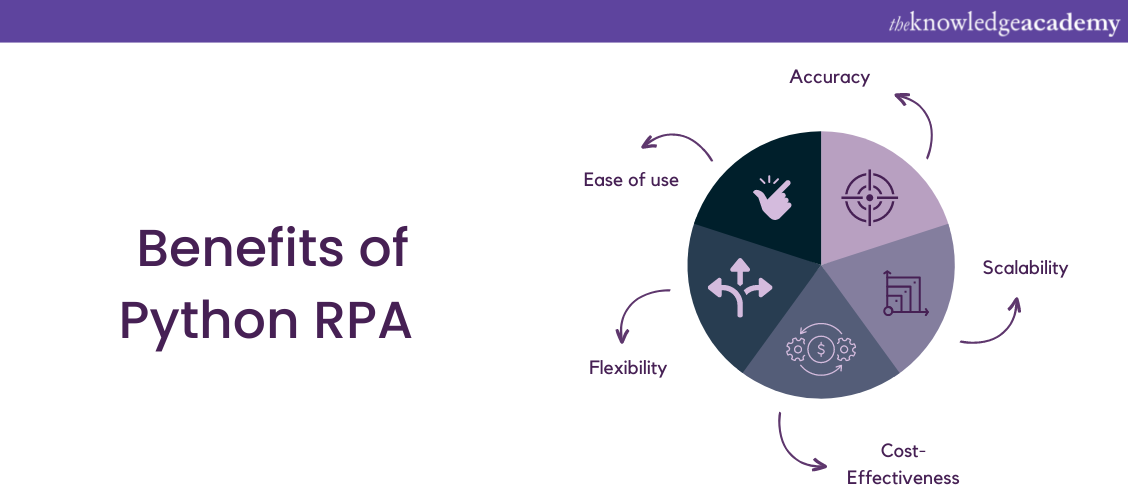
Python RPA has several advantages over traditional automation methods, such as:
1) Ease of use: It is easy to learn and use, even for non-technical users. The syntax of Python is simple and intuitive, making it an ideal language for beginners.
2) Flexibility: It can automate various tasks, including data extraction, web scraping, report generation, and more.
3) Cost-Effectiveness: It is a cost-effective solution compared to traditional automation methods, requiring minimal hardware and software resources.
4) Scalability: It can be easily scaled to handle large volumes of tasks, making it an ideal solution for businesses of all sizes.
5) Accuracy: It can perform tasks with high accuracy, minimising errors and improving overall efficiency.
Eager to learn more about Robotic Process Automation, refer to our blog on "RPA testing"
Use cases for Python RPA
Python RPA can be used in various industries and domains to automate different tasks, such as:
1) Finance: Python RPA can automate tasks such as data entry, invoice processing and accounts reconciliation.
2) Healthcare: Python RPA can be used for patient registration, insurance verification and medical record management tasks.
3) Manufacturing: Python RPA can automate inventory management, quality control and order processing tasks.
4) Logistics: Python RPA can automate tasks such as order tracking, shipment scheduling and delivery confirmation.
5) Education: Python RPA can automate tasks such as data entry, student profile review and examination testing. It can also be used to create complex frameworks that can help with fraud detection.
6) Game development: Python RPA allows game developers to construct tree-based algorithms, which are helpful in the design of different levels in a game. It lets games handle multiple requests simultaneously and helps build powerful game engines and interfaces.
Get to know the basics of RPA with Robotic Process Automation Training! Sign up now and reap the benefits!
Getting started with Python script in RPA
Under this, we will cover a few packages for executing Python scripts in RPA. If you’re looking to incorporate Python Automation Testing, the three packages discussed below can be used as a starting point for building your own RPA application as well as for UI testing.
1) pynput
We will start by talking about the pynput package. The fact that pynput runs on both Windows and macOS is one of its benefits. It also includes functionality to track keyboard and mouse input, a useful feature.
Here are some simple commands using pynput:
We will start by talking about the pynput package. The fact that pynput runs on both Windows and macOS one of its benefits. It also includes functionality to track keyboard and mouse input, a useful feature.
Here are some simple commands using pynput:
a) Import the pynput library:
from pynput import keyboard
from pynput import mouse
b) Creating a keyboard listener to detect key presses:
def on_press(key):
print('Key {} pressed.'.format(key))
def on_release(key):
print('Key {} released.'.format(key))
listener = keyboard.Listener(on_press=on_press, on_release=on_release)
listener.start()
c) Creating a mouse listener to detect mouse clicks:
def on_click(x, y, button, pressed):
if pressed:
print('Mouse clicked at ({0}, {1}) with {2} button.'.format(x, y, button))
listener = mouse.Listener(on_click=on_click)
listener.start()
d) Simulating mouse clicks:
from pynput.mouse import Controller
mouse = Controller()
mouse.position = (100, 100)
mouse.click(mouse.Button.left, 1)
e) Simulating keyboard presses:
from pynput.keyboard import Controller
keyboard = Controller()
keyboard.press('a')
keyboard.release('a')
keyboard.press('b')
keyboard.release('b')
These are just a few examples of what you can do with pynput. Many more functions and features are available in the library, which you can find in the pynput documentation.
2) pyautogui
The pyautogui library is arguably the most well-known package for emulating mouse clicks and keyboard inputs. pyautogui functions on Windows, Linux, and macOS. The biggest advantage of using pyautogui is how straightforward it is to use.
Here are some simple commands using pyautogui:
a) Import the pyautogui library:
import pyautogui
b) Moving the mouse:
pyautogui.moveTo(x, y, duration)
c) Clicking the mouse:
pyautogui.click(x, y, button, clicks, interval, duration)
d) Typing keyboard keys:
pyautogui.typewrite('Hello, World!')
e) Pressing and releasing keyboard keys:
pyautogui.keyDown(key)
pyautogui.keyUp(key)
f) Taking a screenshot:
pyautogui.screenshot('screenshot.png')
g) Locating an image on the screen:
position = pyautogui.locateOnScreen('image.png')
h) Moving the mouse relative to its current position:
pyautogui.moveRel(xOffset, yOffset, duration)
These are just a few examples of what you can do with pyautogui. Many more functions and features are available in the library, which you can find in the pyautogui documentation.
3) pywinauto
Now let's take a look at the pywinauto library on Windows. The biggest drawback of this library is that it is incompatible with Linux and MacOS. It does, however, have a few nice benefits for Windows users. One is that it has object-oriented syntax and is designed to be more Pythonic. Second, the library's layout can simplify carrying out specific actions, like clicking on particular buttons or locating menu items in an application.
Here are some simple commands using pyautogui:
a) Open an application:
from pywinauto import application
app = application.Application()
app.start("notepad.exe")
b) Connect to an existing application:
from pywinauto import application
app = application.connect(title="Untitled - Notepad")
c) Find a window:
from pywinauto import application
app = application.connect(title="Untitled - Notepad")
window = app.top_window()
d) Click a button:
from pywinauto import application
nbsp
app = application.connect(title="Calculator")
window = app.top_window()
button = window.Button5
button.click()
e) Type text into a field:
>from pywinauto import application
app = application.connect(title="Calculator")
window = app.top_window()
field = window.child_window(title="Display is 0", control_type="Text")
field.type_keys("12345")
These are just a few examples of what you can do with pywinauto. Many more functions and features are available in the library, which you can find in the pywinauto documentation.
Conclusion
In a world where automation has become the bread and butter for organisations, Python RPA is a powerful tool. The implementation of Python RPA has been extremely beneficial to many organisations, primarily because of its ease of use, cost-effectiveness, scalability and accuracy.
In this blog, we have discussed the concept of Python RPA, its benefits, use cases of implementation and simple commands that can be executed with or without any prior coding knowledge. Explore Python RPA and discover new automation methods and packages that benefit your organisation!
Understand the basics of RPA to build your first Blue Prism Process. Sign up for our Blue Prism Training course now!
Frequently Asked Questions

Lily Turner


Senior AI/ML Engineer and Data Science Author
Lily Turner is a data science professional with over 10 years of experience in artificial intelligence, machine learning, and big data analytics. Her work bridges academic research and industry innovation, with a focus on solving real-world problems using data-driven approaches. Lily’s content empowers aspiring data scientists to build practical, scalable models using the latest tools and techniques.
View Detail

 If you wish to make any changes to your course, please


