


 Top Rated Course

We may not have the course you’re looking for. If you enquire or give us a call on +43 720 115337 and speak to our training experts, we may still be able to help with your training requirements.
What Is a Storage Area Network (SAN)? Solve Your Storage Needs
Richard Harris 26 June 2026A Storage Area Network (SAN) is a high-speed network that connects storage devices to servers, ensuring centralised data storage, scalability, and security. It lets multiple servers access shared storage as if it were a local drive. This overall improves performance and efficiency. SANs are commonly used in enterprise environments.
Home
 Resources
IT Infrastructure & Networking
What Is a Storage Area Network (SAN)? Solve Your Storage Needs
Resources
IT Infrastructure & Networking
What Is a Storage Area Network (SAN)? Solve Your Storage Needs
Resources
IT Infrastructure & Networking
What Is a Storage Area Network (SAN)? Solve Your Storage Needs

Training Outcomes Within Your Budget!
We ensure quality, budget-alignment, and timely delivery by our expert instructors.
Table of Contents

Have you ever found yourself thinking about how big companies store and access huge volumes of data so effortlessly? That’s where SANs come into the picture. If you’ve been asking yourself What is Storage Area Network and why it matters, you’re in the right place. Whether you're just curious or stepping into IT, this blog will walk you through the essentials; minus the jargon overload.
In today’s data-driven world, speed and reliability are everything. A Storage Area Network isn’t just a fancy storage setup; it’s the high-speed highway that keeps business-critical systems running smoothly. Let’s dive in and break it down, step by step.
Table of Contents
1) Understanding Storage Area Networks (SAN)
2) Importance of Storage Area Networks
3) How Does SAN Work?
4) Types of SAN Storage Connections
5) Advantages of Storage Area Networks (SAN)
6) Essential Features of Storage Area Networks (SAN)
7) Limitations of Storage Area Networks (SAN)
8) Use Cases of Storage Area Networks (SAN)
9) Conclusion
Understanding Storage Area Networks (SAN)
A Storage Area Network (SAN) is a good network which is speedy in nature. It is known to merge servers to storage devices. Unlike traditional storage, SAN separates storage from the server. This allows multiple servers to access a shared pool of storage. This setup improves performance and makes data management easy. It also brings in better use of storage resources across the network.
SANs are typically used in environments where reliable access to large amounts of data is critical. This can include data centres, enterprise IT systems, and virtualised environments. By centralising storage, SANs support high availability, data protection, and streamlined backups. This goes into making them a prime component in modern IT infrastructure.

Importance of Storage Area Networks
Below given are more points as to why SANs are important:
a) Centralised Data Management: SANs allow storage to be managed from the main point. This makes it easier to oversee usage and apply updates.
b) Improved Performance: By using high-speed connections, SANs significantly reduce data transfer times. This minimises the rate of latency and brings in faster access to files.
c) Scalability: As your business grows, your need for storage also grows. This is why you must use SANs. All of this make it simple to scale up by adding more storage devices.
d) Enhanced Data Protection: SANs provide protection against data loss. This is done through a lot of characteristics. Plus, a lot of features too come into this.
e) Optimised Resource Usage: Instead of each server using its own isolated storage, SANs allow multiple servers to tap into a shared pool of resources.
How Does SAN Work?
A Storage Area Network may sound technical. However, it's all about having a faster access to data. Here's how it works:
a) Reliable Network Infrastructure: SANs run on their own network and use special hardware. This, in turn, helps to keep storage traffic away from your main business network.
b) Block-level Access: Instead of handling files, SANs work with raw blocks of data. This gives servers faster and more direct access to storage.
c) Shared Storage Pool: All servers connected to the SAN can access the same storage. This makes it easier to manage and use space efficiently.
d) Flexible Resource Management: You can divide, expand, or repurpose storage as needed without taking systems offline. This is a smooth way to scale without interrupting the workflow.
e) Simplified Control: With centralised tools, IT teams can easily monitor storage usage. They can also set rules and perform backups or updates.
f) Built-in Intelligence: Many SANs include smart features. This can include automatic backups, data snapshots, and load balancing to keep systems running smoothly.
Types of SAN Storage Connections
Storage Area Networks can be set up in a few different ways. However, it depends on the needs of the organisation and the available infrastructure. Thus, read out the most common types of SAN storage connections given below:

1) Internet Small Computer System Interface (iSCSI)
iSCSI is one of the most widely used SAN connection types. It is used especially in small to mid-sized businesses. It makes use of standard Ethernet networks to carry SCSI commands over IP. This makes it a cost-effective option, as it runs on existing network infrastructure without the need for specialised hardware. While it may not match the raw speed of Fibre Channel, it’s very capable for many enterprise workloads.
2) Fibre Channel Protocol (FCP)
FCP is the traditional backbone of high-performance SANs. It uses the best Fibre Channel networks to move data between servers and storage at very high speeds. All of this is done with low latency and minimal packet loss. This makes it a top choice for large enterprises and data centres where speed and reliability are non-negotiable.
3) Fibre Channel over Ethernet (FCoE)
FCoE blends the speed of Fibre Channel with the convenience of Ethernet. This is done by encapsulating Fibre Channel frames over standard Ethernet networks. This allows organisations to streamline their cabling and reduce hardware costs. All of this is achieved while still maintaining much of the performance associated with traditional Fibre Channel.
4) Fibre Channel over IP (FCIP)
FCIP allows Fibre Channel SANs to connect over long distances by tunnelling data through IP networks. It is good for linking remote data centres and supporting disaster recovery setups. By using existing IP infrastructure, it avoids the cost of building new Fibre Channel networks. Although latency is a bit high, its ability to maintain data continuity across locations makes it a good choice.
5) Non-volatile Memory Express over Fibre Channel (NVMe-oF)
NVMe-oF combines the speed of NVMe storage with the reliability of Fibre Channel networks. It allows data to move more quickly between servers and flash storage. All of this reduces latency and improves performance. This setup is ideal for high-demand applications like real-time analytics. While it requires modern infrastructure, it offers exceptional speed and efficiency for next-gen data centres.
Build a strong foundation in cybersecurity with CompTIA Security+ Certification Course – Join now!
Advantages of Storage Area Networks (SAN)
Storage Area Networks offer a lot of benefits that go beyond just storage. They provide the speed, flexibility, and reliability that modern businesses need to meet growing data demands. Whether it's performance, security, or ease of management, SANs deliver the foundation for a stable and scalable IT environment. Thus, below given are some of the advantages of SAN. This will help you know more on SAN.

1) High Performance
SANs are built for speed. By using reliable storage networks, they reduce bottlenecks and deliver fast data access. This is especially useful for demanding tasks such as running databases, virtual machines, or large applications that require consistent high performance. With reduced latency, SANs help keep data flowing smoothly.
2) Scalability for Growing Data Needs
As your storage requirements increase, a SAN can scale with you. It allows additional storage to be added without major disruptions, making it easier to expand in line with business growth or data-intensive operations. This flexibility helps avoid costly upgrades and futureproofs your infrastructure.
3) Reliability and High Availability
SANs are designed to keep your data accessible even in the event of hardware failures. With features such as redundancy, failover paths, and data replication, they ensure systems remain online when it matters most. This makes them ideal for mission-critical environments by reducing downtime and supporting business continuity.
4) Advanced Management Capabilities
A SAN provides IT teams with the tools to manage storage centrally and more efficiently. From performance tuning to automated backups, the ability to control everything from a single dashboard simplifies day-to-day operations and enhances visibility. This improved oversight helps teams respond more quickly to issues or changing requirements. With centralised control, scaling, monitoring, and troubleshooting become significantly less complex.
Essential Features of Storage Area Networks (SAN)
A SAN isn’t just a place to store data; it serves as the backbone that keeps your systems running smoothly. Let’s explore the key features that make SANs so effective in real-world environments:

1) Scalability for Expanding Storage
As your data needs grow, SANs make it easy to scale without disruption. You can add more drives or storage arrays on the fly, without halting operations or slowing down systems. This flexibility allows your infrastructure to grow alongside your business.
2) Robust Security Features
Keeping your data secure is non-negotiable. SANs offer powerful built-in security, including encryption, strict access controls, and authentication protocols. These features work together to prevent breaches, protect sensitive information, and ensure only authorised users can access specific data.
3) Optimised Disk Utilisation
SANs are built to use storage space intelligently. Instead of having unused capacity tied up in separate servers, SANs let you allocate space where and when it’s needed. This helps eliminate storage waste and reduces costs by ensuring you're getting the most out of every available drive.
4) Reliable Disaster Recovery Solutions
Disasters are bound to happen. However, your data shouldn't disappear with them. SANs include features like real-time replication, automated backups, and recovery tools to minimise downtime during unexpected events. If something goes wrong, data can be restored quickly and accurately.
Gain expertise on Data Analytics in the best manner possible and recognise the analyst in you through our CompTIA Data+ Course - Join now!
5) Minimal Downtime Assurance
When systems fail, time is money. SANs are built with redundancy in mind. If one component goes down, traffic is rerouted instantly using alternate paths. This failover ability means your data stays available and your operations continue uninterrupted.
6) High-speed Data Transfer
In high-pressure environments, speed is everything. SANs move data quickly between storage and servers using responsible connections. This improves performance for applications handling large files, real-time workloads, or critical databases. It ensures smoother user experiences and faster task completion without slowdowns.
7) Efficient Data Deduplication
Over time, systems can accumulate multiple copies of the same data. SANs use data deduplication to identify and eliminate duplicates, freeing up valuable space. This improves storage efficiency and cuts down on the cost of expansion. You store more, use less, and avoid clutter in the process.
8) Streamlined Backup Processes
Backups shouldn’t be a burden. This is because SANs simplify them with automated, and scheduled processes that run quietly in the background. Plus, centralised control helps teams manage backup policies without disrupting daily operations. This means your data stays safe and recoverable.
9) Dynamic Failover Protection
Failures don’t need to stop your systems. SANs automatically reroute data traffic if part of the network goes down. This built-in failover process happens in real-time, keeping operations stable and avoiding costly interruptions. It’s like a safety net that’s always ready to catch you when something goes wrong. So, there is no scrambling and downtime.
10) Thin Provisioning for Resource Optimisation
Why allocate space you’re not using? Thin provisioning allows you to assign storage based on current demand, not future guesses. This improves resource efficiency and reduces over-provisioning. It gives you flexibility to grow over time without the waste that comes with traditional static allocation.
11) Seamless Application Access
Applications perform better when they don’t have to fight for data. So, SANs let apps access storage as if it's local, with little to no delay. This results in better speed, stability, and responsiveness. This comes in especially when multiple apps or users need data at the same time. Everything just works, exactly when it’s needed.
12) Centralised Data Management
Managing scattered storage systems can be a headache. SANs bring everything together under one interface, making it easier to monitor, control, and plan your storage usage. IT teams can quickly spot issues, allocate resources, and make informed decisions. It simplifies the complex and saves valuable time.
Limitations of Storage Area Networks (SAN)
While SANs offer significant advantages, they also come with a few challenges. Understanding these limitations can help you make more informed decisions and plan your storage infrastructure more effectively.
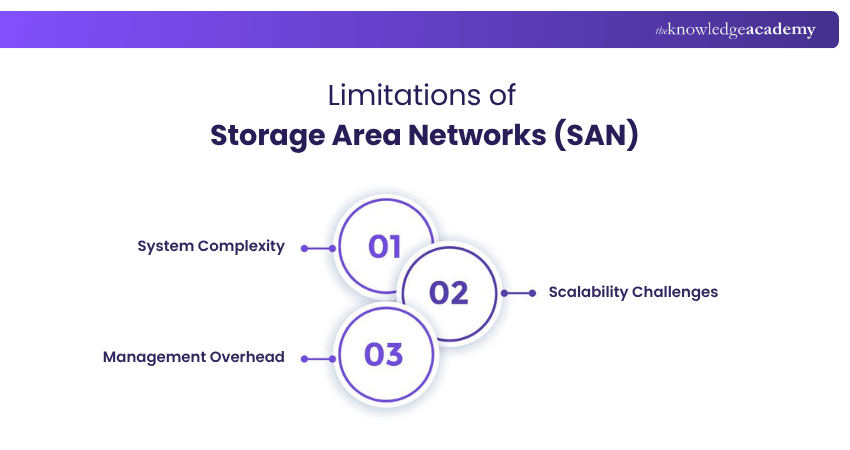
1) System Complexity
SANs are not plug-and-play. This is because setting them up involves specialised hardware, zoning, and protocols that demand expert knowledge. Even routine tasks can feel complex without the right skills or documentation. For smaller teams, this can be a real challenge.
2) Scalability Challenges
SANs can scale, but not without effort. Adding storage often involves reconfiguring systems, dealing with compatibility issues, and risking downtime. It can get expensive fast. If scaling isn't handled properly, performance can suffer, and maintenance becomes more demanding. Planning ahead is key to avoid costly surprises.
3) Management Overhead
Managing a SAN takes ongoing work. Performance checks, updates, and troubleshooting all require time and focus. Without the right tools, it can overwhelm small teams. As the system grows, so does the effort needed to keep it stable and efficient. Clear processes and skilled staff make a big difference.
Use Cases of Storage Area Networks (SAN)
SANs have become an essential part of modern IT infrastructure. It supports small business operations and global enterprise systems. It is widely used across industries where speed, reliability, and centralised data access are critical. Here are some of the most common and practical use cases for SANs:
a) Data Centres and Cloud Environments: SANs provide the backbone for enterprise data centres, enabling high-speed access to massive datasets and supporting virtual machines, containers, and cloud services efficiently.
b) Virtualisation: Virtualised environments depend on shared storage to move workloads between servers seamlessly. SANs support fast and reliable access for virtual machines, improving performance and scalability.
c) Enterprise Databases: Large databases demand fast input/output operations. SANs reduce latency and deliver the speed needed for real-time data processing, analytics, and transactional systems.
d) High-performance Applications: Industries like media production, scientific research, and financial services rely on SANs to handle large files and high-speed processing without bottlenecks. These environments benefit from the consistent throughput and minimal delays SANs provide.
e) Business Continuity and Disaster Recovery: With features like data replication and failover support, SANs help businesses protect their data and maintain operations during system failures or outages. They’re a critical part of any robust disaster recovery or high-availability strategy.
f) Backup and Archiving Solutions: SANs streamline the backup process and improve recovery times by offering fast, centralised storage. They're especially useful for organisations with strict compliance or retention requirements. They also reduce the load on production systems. All of this allows backups to run smoothly.
Conclusion
Storage Area Networks offer fast, secure, and centralised data access, making them ideal for demanding business environments. They also provide high performance, easy scalability, and robust data protection. While setup and management can be complex, the long-term benefits often make the investment worthwhile. By now, you should have a clear understanding of What is Storage Area Network.
Now get onto easily identifying cloud computing features and cloud service models through the CompTIA Cloud Essentials+ Certification.
Frequently Asked Questions
What is an Example of SAN?

An example of a SAN is a data centre setup where multiple servers access a shared pool of high-speed storage devices. This setup allows seamless data sharing, fast backups, and efficient resource use. It's commonly used in enterprises running databases, or virtual machines that require constant uptime.
Why Use a NAS Instead of a Server?
A Network Attached Storage (NAS) is often used instead of a server for its simplicity, lower cost, and ease of setup. It’s ideal for file sharing, backups, and media storage without needing advanced IT knowledge. For small businesses or home users, a NAS offers centralised storage without the complexity or maintenance of a full server.
What are the Other Resources and Offers Provided by The Knowledge Academy?
The Knowledge Academy takes global learning to new heights, offering over 3,000+ online courses across 490+ locations in 190+ countries. This expansive reach ensures accessibility and convenience for learners worldwide.
Alongside our diverse Online Course Catalogue, encompassing 17 major categories, we go the extra mile by providing a plethora of free educational Online Resources like Blogs, eBooks, Interview Questions and Videos. Tailoring learning experiences further, professionals can unlock greater value through a wide range of special discounts, seasonal deals, and Exclusive Offers.
What is The Knowledge Pass, and How Does it Work?
The Knowledge Academy’s Knowledge Pass, a prepaid voucher, adds another layer of flexibility, allowing course bookings over a 12-month period. Join us on a journey where education knows no bounds.
What are the Related Courses and Blogs Provided by The Knowledge Academy?
The Knowledge Academy offers various CompTIA Certification Courses, including the CompTIA A+ Course Outline, CompTIA Server+ Certification, and CompTIA Data+ Course. These courses cater to different skill levels, providing comprehensive insights into Block Storage.
Our IT Infrastructure & Networking Blogs cover a range of topics related to SAN, offering valuable resources, best practices, and industry insights. Whether you are a beginner or looking to advance your IT and Networking skills, The Knowledge Academy's diverse courses and informative blogs have got you covered.

Richard Harris


Senior Full Stack Developer and Technology Educator
Richard Harris is a highly experienced full-stack developer with deep expertise in both frontend and backend technologies. Over his 12-year career, he has built scalable web applications for startups, enterprises and government organisations. Richard’s writing combines technical depth with clear explanations, ideal for developers looking to grow in modern frameworks and tools.

Upcoming IT Infrastructure & Networking Resources Batches & Dates
Date
 CompTIA Network+ Training Course
CompTIA Network+ Training Course
Mon 20th Jul 2026
CompTIA Network+ Training Course
Mon 21st Sep 2026
CompTIA Network+ Training Course
Mon 16th Nov 2026

 If you wish to make any changes to your course, please


