


 Top Rated Course

We may not have the course you’re looking for. If you enquire or give us a call on +43 720 115337 and speak to our training experts, we may still be able to help with your training requirements.
Threat Modelling | Guide & Techniques
John Davies 29 April 2026Threat Modelling is a proactive Cyber Security process that identifies, analyses, and mitigates potential risks and vulnerabilities in systems or applications. It helps understand how attacks might occur, prioritise defences, and strengthen security. It promotes collaboration between different teams and builds long-term resilience.

Training Outcomes Within Your Budget!
We ensure quality, budget-alignment, and timely delivery by our expert instructors.
Table of Contents
Every digital system has a story, and every story has a potential villain. In the world of Cyber Security, those villains are in the form of hackers, data breaches, and hidden vulnerabilities. Wondering who the hero might be for those villains? Threat Modelling is the hero’s plan.
It is the process that helps businesses and organisations predict attacks before they happen. It helps you visualise risks, strengthen your weak spots, and build security in every stage of the development process. This blog breaks down what Threat Modelling is, how it works, and the leading methodologies that shape it. Let's begin to prevent!
Table of Contents
1) What is Threat Modelling?
2) Purpose of Threat Modelling
3) How Does Threat Modelling Work?
4) Steps in the Threat Modelling Process
5) Threat Modelling Frameworks and Methodologies
6) How to Create a Threat Model?
7) What are the Benefits of Threat Modelling?
8) Best Practices for Threat Modelling
9) Conclusion
What is Threat Modelling?
Threat Modelling is a structured and proactive approach used to identify, quantify, and prioritise potential security threats and vulnerabilities within a system, application, or network. It helps teams know their weaknesses, understand who might attack, why they would do it, and how they could try to break in.
The main goal is to detect possible threats early in the Software Development Life Cycle (SDLC), before the system goes live. This allows Developers to fix issues early, saving time, money, and effort later on.
Purpose of Threat Modelling
The main purpose of Threat Modelling is to protect systems and data from being hacked or misused. It helps teams think ahead and find the weak areas before they turn into major problems. Some key goals include:
1) Understanding where attacks can come from and how they can happen
2) Deciding which risks are serious
3) Planning how to stop or reduce the risks
4) Making sure everyone, from Developers to Managers, understands the security plan
How Does Threat Modelling Work?
Threat Modelling works by looking at a system through the perspectives of an attacker to understand how it could be harmed. It helps you think like hackers in identifying what kind of damage they could cause, how they might do it, and how to stop them before any real harm occurs.
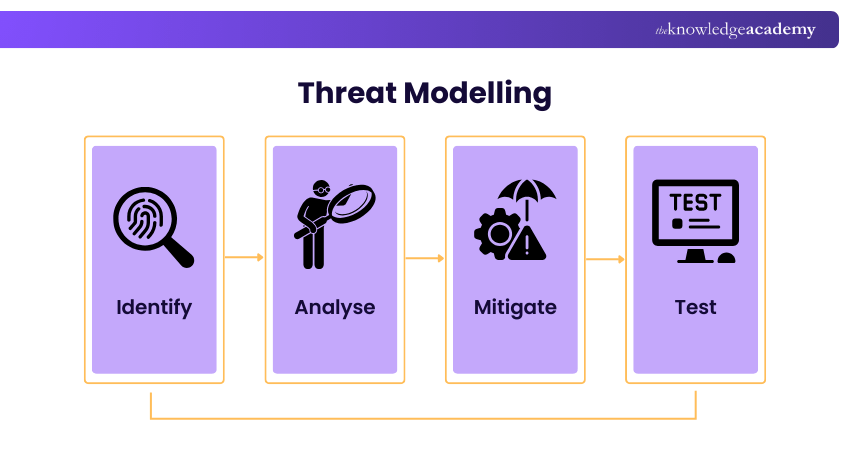
Although Threat Modelling is most effective during the design stage of development, it can be done at any point in the Software Development Life Cycle. The earlier it happens, the easier it is to fix issues and build stronger protection into the system.
Steps in the Threat Modelling Process
Threat Modelling makes sure that security is part of the system and continues to be updated as the system grows. Here’s how the process usually works:
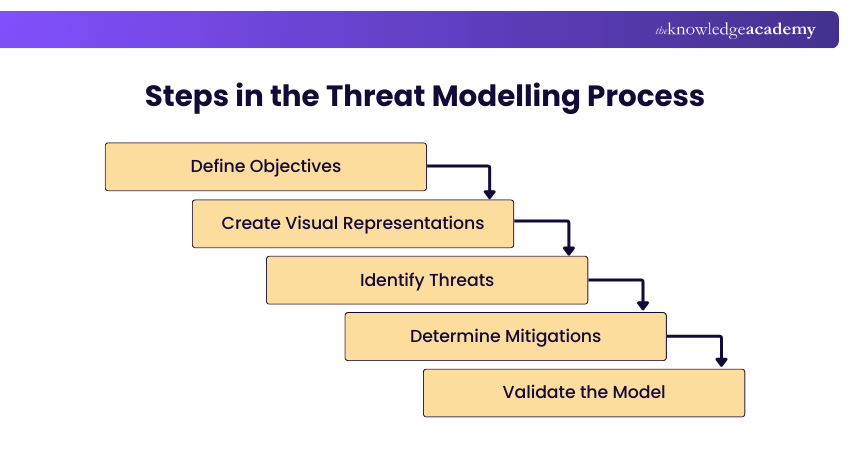
1) Define Objectives
The first step is to set clear goals. This starts by deciding what you are trying to protect and why it is important. This could be one part of your app, such as the login page, or the entire system. Think about what needs protection, like user data or payment details and who is responsible for security decisions.
2. Create Visual Representations
The next step is to create visual diagrams to show how data flows through all stages. You need to include major components, data flows, user touchpoints, and trust boundaries. You can add those in Data Flow Diagrams (DFDs) or process charts. This helps you find where you need to apply security measures.
3) Identify Threats
When you know the whole process, you can now list out things that could go wrong. It can be possible threats or your weaknesses. There are many frameworks available for this process. With that, you can categorise threats such as spoofing, tampering, data disclosure, or denial of service.
4) Determine Mitigations
Now that you know the things that are at risk, you have to plan how to reduce or remove those threats. For that, you can try to use firewalls, encrypt data, limit user permissions, or monitor suspicious activities. The aim is to make the system as safe as possible with whatever resources you have.
5) Validate the Model
Finally, test your security fixes to ensure they work. Check the protections by running safe tests or simulated attacks. As software changes or new features are added, the model should be reviewed and updated. This is because Threat Modelling is an ongoing process that keeps your system safe as it evolves.
Stay ahead of cyber threats with our CompTIA Security+ Certification – Register today!
Threat Modelling Frameworks and Methodologies
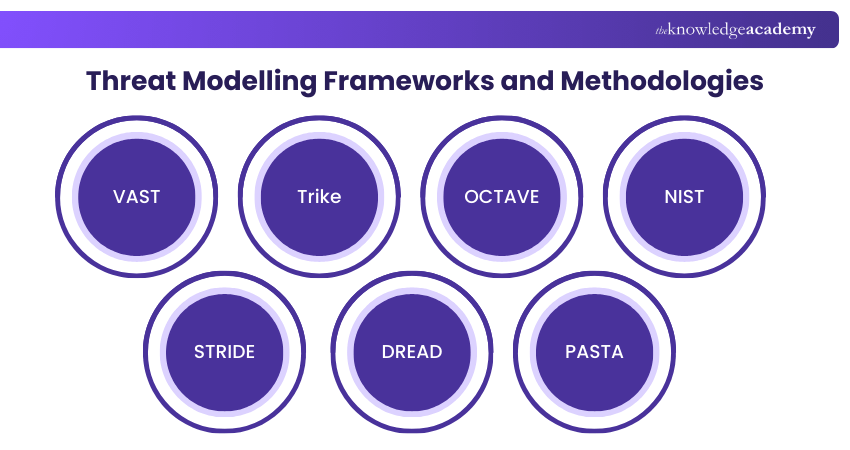
There are several frameworks that help teams perform Threat Modelling. Here are some of the common frameworks and methodologies:
1) VAST
VAST stands for Visual, Agile, and Simple Threat Modelling. It is made for teams that use Agile or DevOps methods. It lets large organisations perform Threat Modelling across many applications at once without slowing down development. Because it is visual, teams can clearly see how threats affect both software and infrastructure.
1) Works smoothly with CI/CD pipelines for ongoing development
2) Uses automation to find and fix security issues quickly
3) Separates models for applications and infrastructure
4) Encourages teamwork between Developers and security teams
2) Trike
Trike focuses on measuring risk. It is an open-source framework that focuses on defending systems rather than copying how attackers behave. It uses numbers to show how likely a threat is and how bad its impact could be.
1) Uses a risk-based method to find and rate threats
2) Sets clear security rules for each user and system task
3) Uses simple diagrams to show how the system works
4) Works well for both small and large projects
3) OCTAVE
OCTAVE, or Operationally Critical Threat, Asset, and Vulnerability Evaluation, looks at Cyber Security from a business point of view. It is often used by larger organisations that want to assess security across the whole business instead of just in software systems. Its main stages are:
1) Create threat profiles for important assets
2) Find weaknesses in systems or processes
3) Build a plan to strengthen security
4) Review and monitor the results regularly
4) NIST
NIST stands for the National Institute of Standards and Technology. Rather than being a single threat modelling framework, NIST provides formal guidance documents for threat modelling and cybersecurity risk management, such as NIST SP 800-154 and the NIST Cybersecurity Framework. It is widely used by organisations that must meet regulatory or governance requirements, including those in government, healthcare, and finance.
NIST-based threat modelling typically involves activities such as:
1) Identify the system and understand how it handles data
2) List possible attack methods or weaknesses
3) Choose appropriate security controls to reduce risk
4) Review and validate the model regularly
5) STRIDE
STRIDE is one of the most popular models created by Microsoft. It is simple, clear, and helps Developers spot weak areas early in the design stage. It helps identify six main types of threats:
1) Spoofing: When someone pretends to be someone or something else
2) Tampering: When data is changed or damaged
3) Repudiation: When someone denies doing something, and you can’t prove it
4) Information Disclosure: When private or sensitive data is shared by mistake
5) Denial of Service (DoS): When users can’t access a service or resource
6) Elevation of Privilege: When someone gets higher access than they should
6) DREAD
DREAD helps teams rate and compare threats, so they can focus on the most serious ones first. By scoring each factor, teams can decide which risks to fix first and which ones can wait. DREAD stands for:
1) Damage Potential: How bad the damage would be
2) Reproducibility: How easily the attack can be repeated
3) Exploitability: How easy it is to carry out the attack
4) Affected Users: How many people would be affected
5) Discoverability: How easy it is to find the weakness
7) PASTA
PASTA means Process for Attack Simulation and Threat Analysis. It is a detailed and practical method that focuses on simulating real attacks. The teams think like attackers and understand how real threats might happen. The process has seven main steps:
1) Decide what you want to protect
2) Set the technical scope of the system
3) Break down the system into smaller parts
4) List all possible threats
5) Look for weak points or security gaps
6) Model how attacks could happen
7) Analyse the risks and how they could affect the business
Troubleshoot networks for IT infrastructure with our CompTIA Network+ Training – Sign up anytime!
How to Create a Threat Model?
Creating a Threat Model involves combining all ideas into a clear, visual format that everyone can understand. You can do it in two ways and below are those ways:
1) Use a Data Flow Diagram
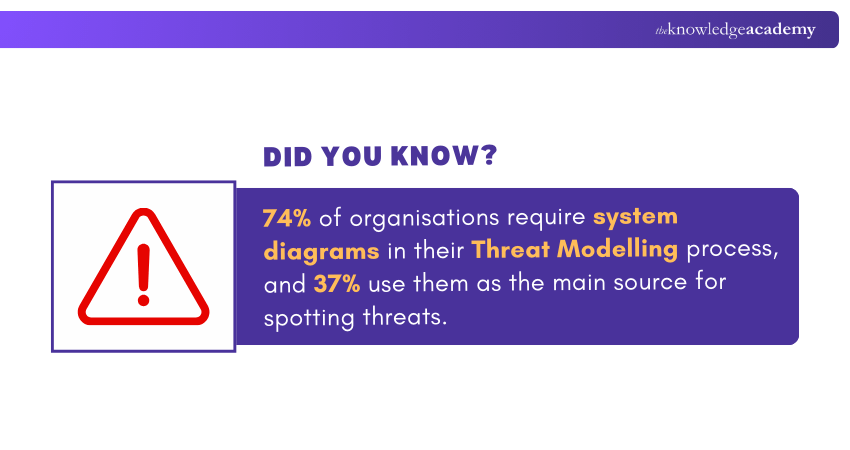
A Data Flow Diagram (DFD) shows how data moves through a system, like where it is stored, processed, and transferred. It highlights points where data leaves one trusted area and enters another. These are called trust boundaries. In threat modelling, DFDs are also used to identify key assets, entry points, and attack surfaces. Analysing these boundaries helps find weak spots where attackers could intercept or modify data.
2) Use a Process Flow Diagram
A Process Flow Diagram (PFD) maps out the steps a process takes from start to finish. It helps identify where decisions are made, where systems connect, and where failures might occur. These insights make it easier to understand how the entire operation works and where protections are most needed.
What are the Benefits of Threat Modelling?
Threat Modelling is much required for the security of applications and software. Let's check some of its benefits to reason out why you need to implement it:
1) Prioritising Cybersecurity Needs
1) Shows which threats are the most serious
2) Helps teams fix the biggest risks first
3) Ranks threats by how likely and harmful they are
4) Helps respond faster to high-risk problems
2) Enhances Regulatory Compliance
1) Supports alignment with recognised standards such as ISO 27001
2) Shows how personal or sensitive data is handled safely
3) Lowers the chance of data breaches or legal trouble
4) Keeps the organisation ready for audits or security reviews
Be the defender every organisation needs with our CompTIA PenTest+ Certification – Join soon!
3) Boosts Team Collaboration
1) Helps everyone understand the system and its risks
2) Builds better communication between technical and business teams
3) Encourages teamwork and shared security goals
4) Makes decisions faster and clearly
4) Reducing the Attack Surface
1) Removes unnecessary software, tools, or user access
2) Makes it harder for attackers to find a way in
3) Helps design simpler and safer systems
4) Reduces the number of entry points attackers can use
Best Practices for Threat Modelling
Threat Modelling works well when it is done with the right approach. So, here are some of the best practices to follow:
1) Decide what parts of the system you will check for risks
2) Draw a simple diagram to show how the system and data work
3) Add security notes about important assets, controls, and possible threats
4) Use some tools to find weaknesses
5) List the threats and match them with the defences in place
6) Update the model often when the system changes
7) Get the whole team involved to keep security a shared job
Conclusion
Cyber threats are becoming advanced every day, making Threat Modelling a significant step in building secure systems. More than just a security exercise, it creates awareness, teamwork, and smarter decision-making across the organisation. When done regularly, it strengthens your defences and builds long-term trust with users and stakeholders.
Elevate your IT support and troubleshooting skills with our CompTIA Certification – Explore now!
Frequently Asked Questions
What is an Example of a Veiled Threat?

A veiled threat is a warning or hint of harm in an indirect way. For example, one can say “It’d be unfortunate if your files went missing” because it suggests danger without stating it directly.
What is the Difference Between a Threat and a Warning?
A threat is harm with bad intent. A warning is a helpful alert meant to prevent harm by making someone aware of possible risks.
What are the Other Resources and Offers Provided by The Knowledge Academy?
The Knowledge Academy takes global learning to new heights, offering over 3,000+ online courses across 490+ locations in 190+ countries. This expansive reach ensures accessibility and convenience for learners worldwide.
Alongside our diverse Online Course Catalogue, encompassing 19 major categories, we go the extra mile by providing a plethora of free educational Online Resources like Blogs, eBooks, Interview Questions and Videos. Tailoring learning experiences further, professionals can unlock greater value through a wide range of special discounts, seasonal deals, and Exclusive Offers.
What is The Knowledge Pass, and How Does it Work?
The Knowledge Academy’s Knowledge Pass, a prepaid voucher, adds another layer of flexibility, allowing course bookings over a 12-month period. Join us on a journey where education knows no bounds.
What are the Related Courses and Blogs Provided by The Knowledge Academy?
The Knowledge Academy offers various CompTIA Certification, including CompTIA CySA+ Certification, CompTIA Security+ Certification and CompTIA Network+ Training. These courses cater to different skill levels, providing comprehensive insights into IP Spoofing.
Our IT Security & Data Protection Blogs cover a range of topics related to Threat Modelling, offering valuable resources, best practices, and industry insights. Whether you are a beginner or looking to advance your IT Security & Data Protection skills, The Knowledge Academy's diverse courses and informative blogs have got you covered.

John Davies


Cyber Security Governance & Assurance Specialist
John Davies is a cybersecurity expert specialising in governance, risk management, and compliance. With over 15 years in the field, he has led enterprise-wide security programmes across finance, healthcare and public sector organisations. His content provides practical guidance on building secure environments, managing risk and aligning with regulatory frameworks.

Upcoming IT Security & Data Protection Resources Batches & Dates
Date
 CompTIA CySA+ Certification
CompTIA CySA+ Certification
Mon 15th Jun 2026
CompTIA CySA+ Certification
Mon 7th Sep 2026
CompTIA CySA+ Certification
Mon 7th Dec 2026

 If you wish to make any changes to your course, please


