


 Top Rated Course


We may not have the course you’re looking for. If you enquire or give us a call on + 1-866 272 8822 and speak to our training experts, we may still be able to help with your training requirements.
Top 20 React.js Projects for Beginners and Professionals
The Knowledge Academy 25 February 2026React.js is a popular JavaScript library for building fast, interactive user interfaces. Top React.js Projects focus on creating dynamic, responsive applications using reusable components that improve scalability and maintainability. These projects include simple to-do applications, basic calculators, weather apps, and more.

Training Outcomes Within Your Budget!
We ensure quality, budget-alignment, and timely delivery by our expert instructors.
Table of Contents

React.js is in high demand, but do you have projects that prove your skills? Knowing concepts alone is no longer enough in today’s competitive job market. Employers and clients look for practical experience that demonstrates how well you can build real applications.
Are you wondering how to apply React.js in real-life scenarios? Rest assured that you’re in the right place. This blog explores the Top 20 React.js Projects for beginners and professionals, carefully selected to help you gain hands-on experience, strengthen your portfolio, and confidently showcase your abilities through real-world project work. Let's dive in!
Table of Contents
1) What is React.js?
2) Advantages of React.js for Front-end Development
3) React.js Projects for Beginners
4) React.js Projects for Professionals
5) Do I Need to Know JavaScript Before Building React Projects?
6) What’s the Difference Between React.js Projects and Next.js Projects?
7) Conclusion
What is React.js?
React.js is a front-end JavaScript library offered as an open-sourced tool for creating User Interfaces (UI) with a focus on reusable UI components. It follows a component-based architecture, where each part of the UI is built as an independent, reusable component, making development more organised and easier to maintain.
It has been developed and maintained by Meta, which is formerly known as Facebook. One of React’s key features is the Virtual DOM (VDOM), which allows it to update only the required parts of a web page instead of reloading the entire interface. The Document Object Model (DOM) is a structure that shows a web page as a tree of elements like text, images, and buttons. It allows JavaScript to change content, style, or layout on a web page without reloading it.

Advantages of React.js for Front-end Development
Before diving into the React.js Projects, it is essential to know the advantages that one can gain from using it. So, here are the advantages of React.js for front-end development:
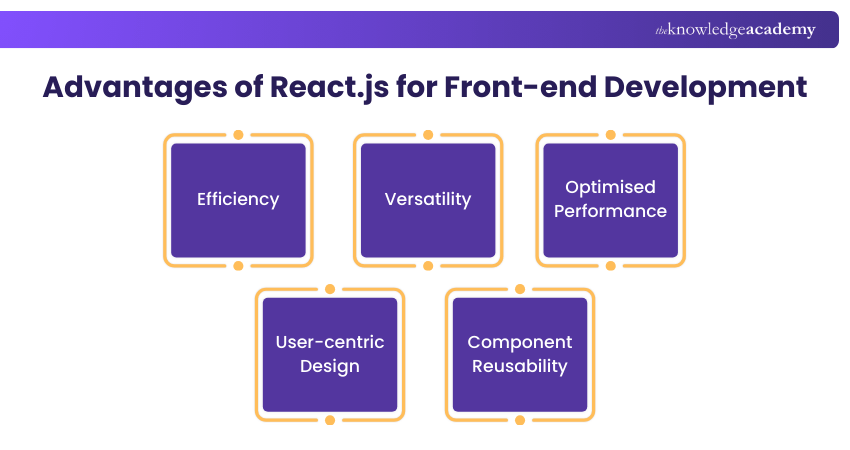
a) Efficiency: React influences the concept of a VDOM, ensuring that changes to User Interface elements are quickly generated, offering faster performance compared to many other web frameworks.
b) Versatility: React.js gives Developers the freedom to combine various supporting libraries for styling, animations, and state management. It can also easily perform Server-Side Rendering (SSR) using Node.js, expanding its range of capabilities.
c) Optimised Performance: React.js optimises performance by maintaining an in-memory cache and efficiently adding changes before updating the displayed DOM in the browser. This process, known as "Reconciliation," contributes to React's high-performance characteristics.
d) User-centric Design: React.js is well-suited for preparing user-centric front-end projects with interactive features, boosting the overall user experience. It introduces a fresh approach to website rendering, improving the responsiveness of web pages.
e) Component Reusability: React.js is built around reusable components that act as the core building blocks of an application. These components can be created once and reused across different parts of a project to reduce development time and make applications easier to manage and scale.
React.js Projects for Beginners
React.js Projects for beginners focus on building simple, practical applications that help learners understand core concepts such as components, state, props, and event handling. The following are the projects that every beginner can try out:
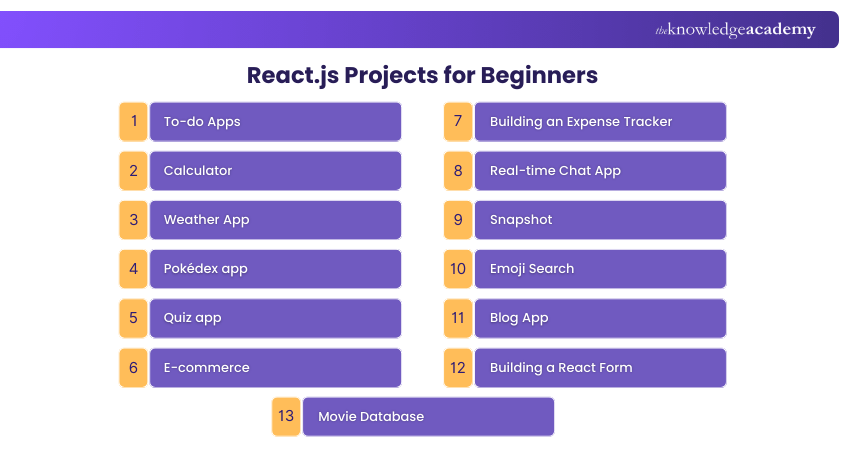
1) To-do Apps
A to-do app is a simple task manager, and it is perfect for practising React basics like components, state, props, event handling, and list rendering. Here's how you can implement it:
1) UI Layout: Design a simple interface with an input box, add button, and a list area to display tasks.
2) State Setup: Use “useState” to manage task input and an array that stores all tasks.
3) Add Tasks: Capture input value and append a new task object when the user submits.
4) Update and Delete: Allow users to mark tasks as complete or remove them using event handlers.
5) Data Persistence: Save tasks to “localStorage” so they remain after page refresh.
2) Calculator
In this React.js Project, you can create a web-based calculator with numerical input. It helps you excel in controlled input, button handling, and managing multiple pieces of state. You can do:
1) Layout Design: Create buttons for numbers, operators, and a display screen using components.
2) Input Handling: Store current and previous values using state to track calculations.
3) Operation Logic: Write functions to handle arithmetic operations and operator selection.
4) Result Calculation: Evaluate expressions when the equals button is clicked.
5) Extra Controls: Add clear, backspace, and decimal functionality for usability.
3) Weather App
A weather app is great for learning Application Programming Interface (API) calls, loading states, error handling, and conditional UI rendering. You can perform:
1) API Selection: Choose a weather API and securely store the API key.
2) Search Input: Allow users to enter a city name and trigger a search on submit.
3) Fetch Data: Make API calls using fetch or Axios and handle async responses.
4) Conditional Rendering: Show loading indicators, errors, or weather data accordingly.
5) UI Enhancements: Display icons, temperature units, and background changes based on weather.
4) Pokédex app
A Pokédex app displays Pokémon details, and it is ideal for practising API integration, routing, cards, filtering, and pagination. To implement it, you will do tasks like:
1) API Integration: Fetch Pokémon data from the PokéAPI in batches.
2) Card Layout: Display Pokémon in reusable card components with images and names.
3) Routing Setup: Use React Router to navigate to Pokémon detail pages.
4) Search and Filters: Enable filtering by Pokémon name or type.
5) Performance Handling: Implement pagination or lazy loading for smoother performance.
5) Quiz app
Building a quiz app helps you practise state transitions, conditional rendering, and building interactive UI flows along with Figma designs. Your activities for this include:
1) Question Source: Create a questions.js file with an array of objects (question, options, correct answer). If using an API, fetch once on load and store the response in state.
2) State Management: Use “useState” for “currentIndex”, “selectedOption”, “score”, and “showResult”. Consider “useReducer” if you want next/submit actions.
3) Answer Validation: On “Submit”, compare “selectedOption” with the correct answer, then update the score.
4) Progress Display: Show “Question 3 of 10” and add a progress bar based on (currentIndex + 1) / totalQuestions. Disable “Next” until an answer is selected.
5) Result Screen: Display total score plus a simple review list (question + correct answer + user answer). Add “Restart Quiz” to reset all states back to defaults.
Create a consistent design and user experience across your application with our Bootstrap Training – Register today!
6) E-commerce
An e-commerce is a strong beginner-to-intermediate project to learn State Management, reusable components, and UI structure. To implement it, your tasks involve:
1) Product Listing: Render products using reusable card components from API or JSON.
2) Product Details: Create detailed pages with images, descriptions, and prices.
3) Cart Logic: Use Context API or state to manage cart items globally.
4) Checkout Flow: Create a checkout page with shipping details, payment method selection, and order summary. Validate required fields and show inline errors.
5) Session Storage: Save cart data to localStorage for continuity. Add a “Clear cart” option after a successful order.
7) Building an Expense Tracker
An expense tracker lets users record income/expenses and view totals. It is excellent for practising forms, list renderings, calculations, and basic charts. Your expertise involves adding:
1) Transaction Form: Create inputs for amount, category, description, date, and notes.
2) State Storage: Store transactions as objects {id, type, amount, category, date, note}. Keep them in a single array and derive totals from it.
3) Balance Calculation: Calculate income, expenses, and balance using reduce(). Update totals instantly whenever the transaction list changes.
4) History Display: Render a transaction list with colour/label by type (income/expense). Add delete and edit actions; for editing, load selected items back into the form.
5) Data Visualisation: Group by category and show a simple chart or summary cards (top category, monthly spend). Add filters for date range (this month/last month).
8) Real-time Chat App
This React.js Project helps you create a chat application that improves ongoing conversations. It introduces you to real-time communication, message state handling, and user authentication.
1) Backend Setup: Choose Firebase Firestore (easy) or Socket.io (custom server). Create a messages collection/room structure to store message text, sender, and time.
2) User Authentication: Add basic login to identify users.
3) Message UI: Build message bubble components with alignment (mine vs others). Add input with the “Send” button and allow the Enter key to submit messages.
4) Live Updates: Listen for real-time database changes and update UI instantly.
5) Extra Features: Add timestamps, typing indicators, read receipts, and basic moderations (block empty messages, limit message length, prevent spam clicks).
9) Snapshot
A snapshot app is useful for practising API calls, search UX, reusable components, and responsive layouts. It can be made using React Hooks, the Context in React, and React Router.
1) Image API: Use an API like Unsplash/Pexels and store the API key in environment variables. Decide what you’ll request, like query, page, or per_page.
2) Search Functionality: Allow users to enter keywords and trigger searches.
3) Result Storage: Store images in state along with loading, error, and page. Clear old results when a new search begins but keep them for pagination.
4) Gallery Layout: Create an ImageCard component and render results in a responsive grid. Add a modal/lightbox to preview full-size images on click.
5) UX Improvements: Add skeleton loaders and graceful error messages. Implement an infinite scroll or a “Load more” button using the page state.
10) Emoji Search
An emoji search app helps users find emojis by name and copy them easily. It is simple but teaches beginners with filtering, controlled inputs, and clipboard usage. Key tasks are:
1) Emoji Dataset: Use a JSON list with fields like {emoji, name, keywords}. Keep it in a separate file for a clean structure and easy updates.
2) Search Input: Use controlled input to capture search keywords.
3) Filter Logic: Filter by checking if the query matches names or keywords (case-insensitive). Show “No results found” when nothing matches.
4) Copy Action: Enable click-to-copy functionality with confirmation.
5) Enhancements: Add category tabs (Smileys, Food, Animals), favourites, and recent emojis stored in localStorage for a polished feel.
11) Blog App
For the blog app, you can design it around the concept of three unique filters, each giving rise to its own amazing set of content. React Hook, React Routing, and pagination are required to create it.
1) Routing Structure: Create routes for Home (post list), Post Details, Create Post, and Edit Post. Use a shared layout with header/navigation for consistency.
2) CRUD Operations: Start with local state for posts, then connect to a backend (JSON Server, Firebase, or REST API). Implement create, update, or delete with UI feedback.
3) Form Handling: Build a post form with title, content, tags, and an optional image URL. Validate required fields and show helpful error messages.
4) Data Storage: Use an API to store posts and fetch them on load. Add loading states and error handling for fetch failures.
5) Extra Features: Add search by title, tag filtering, pagination, and a simple comments section. Optionally add authentication for “admin-only” editing.
12) Building a React Form
Building a React form involves creating a form component, managing input data with state, and handling user actions using event handlers with basic validation.
1) Controlled Inputs: Create a state for each input and bind the value + onChange. Keep form values in a single object state for cleaner updates.
2) Validation Logic: Validate on submit and optionally on blur (e.g., email format, password length). Store errors in an errors object and update them clearly.
3) Submit Handling: Prevent default, validate, then send data to a mock API. Disable submit while processing to stop duplicate submissions.
4) Error Feedback: Show field-level messages under input and highlight invalid fields. Add success state (thank you message or reset form).
5) Form Libraries: Rebuild using React Hook Form for better performance and cleaner code.
13) Movie Database
In this project, you will use the TMDb API to construct comprehensive movie data. The primary focus of this project would be to handle the recovery of substantial data volumes from API.
1) Movie API: Pick any movie database and store the API key safely. Define endpoints for search and details, and decide what fields you will show.
2) Search Feature: Create a search bar with submit and an optional “search as you type”. Track query, loading, and error states for a smooth experience.
3) Movie Cards: Build a MovieCard component showing poster, title, year, and rating. Handle missing posters with a default placeholder image.
4) Details Page: Use React Router route like /movie/:id and fetch full details. Show overview, genres, runtime, cast (if available), and trailer link.
5) Favourites: Add “Add to favourites” and store a favourites list in Context or local state. Persist favourites in localStorage and show them on a dedicated page.
Advance your Data Engineering skills with our Neo4j Graph Database Training – Sign up soon!
React.js Projects for Professionals
Professional projects are significantly more complex, and they involve intricate features and expansive Data Management. If you are well equipped with the knowledge and skills, you can try creating these professional projects to increase your mastery with React.js.
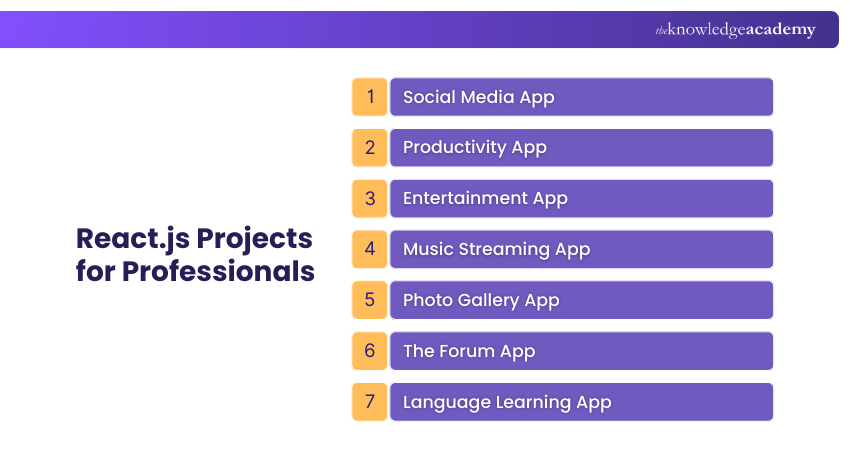
1) Social Media App
A Social Media project helps professionals understand user authentication, dynamic data rendering, and interactive UI behaviour in real time. You will perform:
1) User Authentication: Implement login and signup using email or social accounts to securely identify users and protect private actions.
2) User Profiles: Create profile pages that display user details, uploaded posts, and basic activity such as followers or post counts.
3) Post Creation: Allow users to create text or image posts using controlled form components and update the feed dynamically.
4) User Interactions: Add features like likes, comments, and follow or unfollow actions using state updates and event handling.
5) Real-time Updates: Use Firebase or sockets to update feeds instantly so users can see new posts without refreshing the page.
2) Productivity App
A productivity app is ideal for learning state management, reusable components, and clean UI logic with Cascading Style Sheets (CSS). You can become familiar with tasks like:
1) Task Creation: Allow users to add tasks with titles, priorities, due dates, or short descriptions.
2) State Management: Store tasks in React state and update them dynamically when users add, edit, or delete items.
3) Task Status: Enable users to mark tasks as completed or pending and visually differentiate them.
4) Filtering Options: Add filters to view tasks by priority, date, or completion status.
5) Data Persistence: Save tasks in localStorage or connect to a backend form so data remains after page refresh.
3) Entertainment App
An entertainment app helps professionals practise API usage, routing, and responsive layouts. React.js plays a central role in managing data, UI updates, and interactions efficiently. Key tasks are:
1) Content API: Fetch entertainment data such as movies or shows from an external API.
2) Category Sections: Display content under sections like trending, popular, or newly released.
3) Routing Setup: Use React Router to navigate between listing pages and content detail pages.
4) Media Cards: Design reusable cards that show thumbnails, titles, ratings, and short descriptions.
5) User Experience: Add loading indicators, pagination, or infinite scrolling for smooth browsing.
4) Music Streaming App
A music streaming app project introduces audio handling and more complex UI interactions. You can also integrate a database like MongoDB for a storage approach. Your duties are to do:
1) Music Data Collection: Fetch song lists from an API or use a structured static dataset.
2) Playlist Management: Allow users to create, rename, and manage playlists.
3) Audio Player Settings: Implement play, pause, next, and previous controls using the HTML audio element.
4) Playback State Optimisation: Track the current song, playback duration, and play or pause status using state.
5) UI Enhancements: Add progress bars, volume controls, and album artwork for a richer experience.
5) Photo Gallery App
A photo gallery app can be built with either Create React App or Next.js environments. It is useful for practising APIs, grid layouts, and image handling. You might work with:
1) Image API: Fetch photos from an image API based on user search queries.
2) Gallery Layout: Display images using a responsive grid or masonry layout.
3) Search Feature: Allow users to search images using keywords or categories.
4) Image Preview: Open selected images in a modal or full-screen preview.
5) Performance Optimisation: Add lazy loading and loading placeholders to improve speed.
6) The Forum App
An online discussion forum app helps developers practise CRUD operations, Node API, and structured data handling. You will contribute for:
1) Thread Creation: Allows you to create discussion topics with titles and descriptions.
2) Reply System: Enable users to post replies under threads and view conversations clearly.
3) State Management: Store threads and replies in a structured state or backend database.
4) User Roles: Differentiate between authors, moderators, and readers if required.
5) Search and Filters: Add topic-based filtering and keyword search for easy navigation.
7) Language Learning App
Here, React.js is used to build scalable, responsive, and highly interactive learning experiences with structured state management, modular design and Artificial Intelligence. Key tasks are:
1) Lesson Architecture: Professionals build lessons as reusable React components, organised by level, topic, or skills such as reading, writing, and speaking.
2) Advanced State Management: React state with Context API or Redux is used to manage user progress, lesson completion, scores, and learning history across the app.
3) Interactive Learning Components: Developers create quizzes, flashcards, and pronunciation exercises using controlled components with instant feedback.
4) Progress Tracking and Analytics: React dynamically updates dashboards showing performance, streaks, and achievements as users complete lessons.
5) Backend and API Integration: React connects with APIs and databases to store user data, sync progress, and personalise learning paths.
Build powerful, data-driven visualisations with our Data Visualisation Training with D3 Course – Join now!
Do I Need to Know JavaScript Before Building React Projects?
Yes, a basic understanding of JavaScript can be beneficial before starting React projects. You need to be comfortable with concepts like variables, functions, arrays, objects, ES6 features (such as arrow functions and destructuring), and event handling, as React is built entirely on JavaScript.
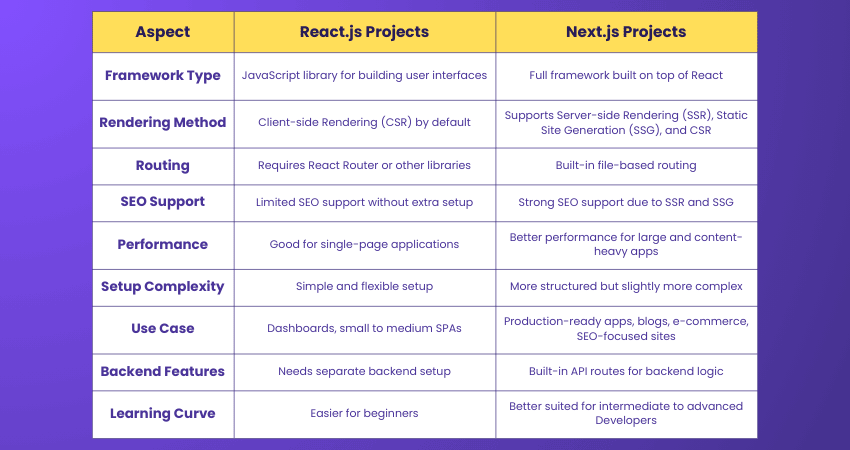
What’s the Difference Between React.js Projects and Next.js Projects?
React.js Projects focus on building client-side user interfaces and single page applications, where routing and rendering happen mostly in the browser. Next.js is a framework built on top of React that adds features like server-side rendering, static site generation, and built-in routing, making it more suitable for production-ready and large-scale applications.
Conclusion
We hope this blog helps you clearly understand Top React JS Projects and their real-world value. Building React JS projects is one of the most effective ways to move from learning concepts to gaining practical development confidence. These projects strengthen problem-solving skills, enhance portfolio quality, and prepare you for real development challenges.
Gain the confidence to build real applications with our Programming Training – Explore now!
Frequently Asked Questions
Can React.js Projects be Built Without Using Classes?

Yes, React JS Projects can be built without classes by using functional components and React Hooks, which allow State Management and lifecycle methods without class-based components.
What is the Role of APIs in React.js Projects?
APIs supply external data to React applications, enabling them to fetch, display, and update dynamic content such as users, products, or media, making projects interactive, scalable, and connected to real-world systems.
What are the Other Resources and Offers Provided by The Knowledge Academy?
The Knowledge Academy takes global learning to new heights, offering over 3,000+ online courses across 490+ locations in 190+ countries. This expansive reach ensures accessibility and convenience for learners worldwide.
Alongside our diverse Online Course Catalogue, encompassing 17 major categories, we go the extra mile by providing a plethora of free educational Online Resources like Blogs, eBooks, Interview Questions and Videos. Tailoring learning experiences further, professionals can unlock greater value through a wide range of special discounts, seasonal deals, and Exclusive Offers.
What is The Knowledge Pass, and How Does it Work?
The Knowledge Academy’s Knowledge Pass, a prepaid voucher, adds another layer of flexibility, allowing course bookings over a 12-month period. Join us on a journey where education knows no bounds.
What are the Related Courses and Blogs Provided by The Knowledge Academy?
The Knowledge Academy offers various Programming Training, including ReactJS Course, Neo4j Graph Database Course and Visual Basic Course. These courses cater to different skill levels, providing comprehensive insights into Debugging.
Our Programming & DevOps Blogs cover a range of topics related to React.js Projects, offering valuable resources, best practices, and industry insights. Whether you are a beginner or looking to advance your React.js skills, The Knowledge Academy's diverse courses and informative blogs have got you covered.

The Knowledge Academy


Global Training Provider
The Knowledge Academy is a world-leading provider of professional training courses, offering globally recognised qualifications across a wide range of subjects. With expert trainers, up-to-date course material, and flexible learning options, we aim to empower professionals and organisations to achieve their goals through continuous learning.


 If you wish to make any changes to your course, please


