


We may not have the course you’re looking for. If you enquire or give us a call on 01344203999 and speak to our training experts, we may still be able to help with your training requirements.
15 Best Test Management Tools for Software Testing
ByVishnu SankarLast updated on: 02 November 2026
Explore 15 test management tools that help QA teams organise test cases, track execution and monitor software testing activities. Compare their key features, advantages and limitations to find the right solution for test planning, automation integration, reporting and collaboration.

At a Glance
1. For Jira-based Testing: Xray connects test cases, execution results and requirements within Jira workflows.2. For Enterprise Test Management: Tricentis qTest and PractiTest support complex testing workflows, traceability and reporting across teams.3. For Manual and Automated Testing: Testmo brings manual, exploratory and automated test results into one platform.4. For AI-assisted Testing: aqua cloud offers AI-assisted test case generation alongside requirements and defect management.5. For Open-source Test Management: Kiwi TCMS supports test planning, execution tracking and automation integrations, with self-hosting options.
A software release is approaching, but test cases are scattered, execution results are difficult to track and unresolved defects are slowing progress. Test management tools help QA teams organise these activities, coordinate testing workflows and monitor progress throughout the development cycle.
Since testing requirements vary across projects, choosing a suitable platform is equally important. Some tools focus on manual testing, while others support requirements traceability, automation integration and detailed reporting. In this blog, we'll explore 15 test management tools, their key features and how to choose the right one for your team.
Top 15 Test Management Tools
The following 15 tools offer different approaches to test case management, execution tracking, automation integration and reporting. Compare their capabilities to identify a suitable option for your team's requirements.
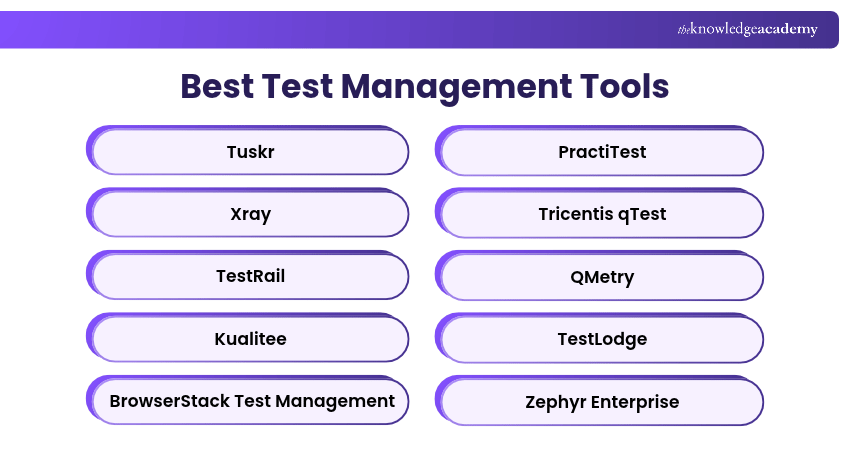
1) Tuskr
Tuskr is a cloud-based test management tool designed to help QA teams organise test cases, execute test runs and track testing progress. It provides a structured environment for managing test suites and recording results across different projects.
Key Features:
a) Test case organisation using suites and reusable information
b) Test run planning, assignment and execution tracking
c) Integration with external issue-tracking tools
Advantages:
a) Supports structured testing with a relatively simple workflow
b) Helps teams maintain reusable test cases across releases
c) Provides centralised visibility into test execution
Limitations:
a) Advanced enterprise governance requirements may need additional tools
b) Integration availability and usage limits depend on the subscription
Best For: Small and medium-sized QA teams seeking straightforward test case and test run management.

2) Xray
Xray is a test management solution designed for teams working with Jira. It enables QA professionals to manage tests alongside development requirements, user stories and defects.
Key Features:
a) Test case creation and management within Jira workflows
b) Requirements-to-test traceability
c) Manual test execution and automated result imports
Advantages:
a) Connects testing activities with Jira development workflows
b) Helps teams monitor requirement coverage
c) Supports integration with automation and CI/CD tools
Limitations:
a) Best suited to organisations already using Jira
b) Configuration and administration can become complex for larger implementations
Best For: Agile development and QA teams requiring Jira-based test management and traceability.
3) TestRail
TestRail is a dedicated test management platform for organising test cases, planning test runs and reporting testing progress. It helps QA teams maintain centralised records of manual and automated testing activities. The platform supports structured testing workflows and provides visibility into test execution across multiple releases.
Key Features:
a) Centralised test case and test suite management
b) Test planning, execution and result tracking
c) Dashboards, reports and test metrics
Advantages:
a) Supports reusable test cases and organised test libraries
b) Helps teams track testing progress across releases
c) Provides reporting for Test Managers and stakeholders
Limitations:
a) Licensing can become costly as team requirements increase
b) Advanced workflows require configuration and ongoing administration
Best For: QA teams requiring structured test case management, execution tracking and reporting.
4) Kualitee
Kualitee is a test management and defect-tracking platform that helps teams organise test cases, record execution results and manage issues identified during testing. It combines testing information within a central environment, enabling QA professionals and development teams to coordinate defect resolution and monitor project progress.
Key Features:
a) Test case, suite and execution management
b) Integrated defect and issue tracking
c) Customisable reporting and dashboards
Advantages:
a) Combines test management with defect tracking
b) Helps teams maintain visibility over testing and issue resolution
c) Supports collaboration across QA and development activities
Limitations:
a) Advanced integrations and features depend on the selected plan
b) Teams with established defect-management systems should assess workflow duplication
Best For: Teams seeking test management and defect tracking within a coordinated workflow.
5) BrowserStack Test Management
BrowserStack Test Management is a cloud-based platform for organising test cases and managing manual and automated test results. It is part of BrowserStack's wider software testing ecosystem.
Key Features:
a) Centralised test case creation and organisation
b) Manual test run planning, assignment and tracking
c) Automated result imports from supported frameworks
Advantages:
a) Brings manual and automated testing information together
b) Supports integration with development and CI/CD workflows
c) Complements BrowserStack's wider testing services
Limitations:
a) Advanced testing services may require separate subscriptions
b) Automated execution capabilities depend on the connected framework or service
Best For: QA teams that want centralised test management alongside browser, device and automation testing workflows.
Trainer Insight
A test management tool does not necessarily execute automated tests itself. Some platforms import results from testing frameworks and CI/CD pipelines, while others provide deeper automation integrations. Understanding this distinction helps teams choose a tool that works with their existing testing setup.
Strengthen your test execution, automation and Quality Assurance skills with our Software Testing and Automation Training – Register today!
6) PractiTest
PractiTest is a cloud-based test management platform designed for teams that need structured testing workflows, traceability and detailed reporting. It helps QA professionals organise test information and link test activities with requirements and defects, supporting visibility across the testing lifecycle.
Key Features:
a) Test case and test set management
b) Requirements and defect traceability
c) Automation integration and result consolidation
Advantages:
a) Supports complex testing workflows and cross-project visibility
b) Provides traceability across requirements, tests and defects
c) Offers reporting capabilities for management reviews
Limitations:
a) Configuration can require additional effort for smaller teams
b) Commercial licensing should be assessed against project requirements
Best For: Enterprise QA teams requiring comprehensive testing oversight, reporting and traceability.
7) Tricentis qTest
Tricentis qTest is an enterprise test management platform that helps organisations coordinate manual and automated testing activities across software delivery teams. It supports test planning, execution management and reporting, with integration capabilities designed for complex development environments. Tricentis qTest also offers AI-assisted test creation through AI chat and agentic test creation, with access depending on the applicable product entitlement and configuration.
Key Features:
a) Centralised test case and test cycle management
b) Manual and automated test result coordination
c) Integration with development and CI/CD systems
Advantages:
a) Supports enterprise testing across multiple teams
b) Connects testing activities with development workflows
c) Provides visibility into testing progress and quality risks
Limitations:
a) Enterprise deployment can require substantial configuration
b) Advanced functionality may depend on product packages and licences
Best For: Large organisations managing extensive test portfolios and complex software delivery processes.
8) QMetry
QMetry, part of SmartBear, offers test management solutions for organising test cases, coordinating execution and connecting testing activities with development workflows. Its products support test planning, automation integration and reporting. Available features differ across QMetry's enterprise and Jira-focused offerings.
Key Features:
a) Test case and execution management
b) Requirements and defect traceability
c) Automation and CI/CD integrations
Advantages:
a) Supports structured enterprise testing workflows
b) Helps consolidate manual and automated testing information
c) Provides integration options for development teams
Limitations:
a) Capabilities vary between QMetry products and editions
b) Advanced configuration may require technical administration
Best For: QA teams seeking integrated test management with traceability and automation support.
9) TestLodge
TestLodge is a web-based test management tool focused on straightforward test planning, case organisation and execution tracking.
It allows teams to document testing requirements, organise test suites and record test results. Its simpler approach can be useful when extensive enterprise functionality is unnecessary.
Key Features:
a) Test plan and test suite organisation
b) Test case creation and maintenance
c) Test run execution and result tracking
Advantages:
a) Provides a straightforward approach to managing manual tests
b) Helps organise testing documentation in one place
c) Suitable for teams with relatively simple testing processes
Limitations:
a) Less suitable for complex enterprise test orchestration
b) Automation reporting and integrations are more limited than specialist enterprise platforms
Best For: Small QA teams prioritising simple test documentation and manual execution tracking.
10) Zephyr Enterprise
Zephyr Enterprise is a test management platform from SmartBear designed to manage testing activities independently of Jira while supporting integration with it. It helps organisations plan tests, manage execution and monitor quality across complex software development programmes.
Key Features:
a) Centralised test planning and management
b) Test execution tracking and reporting
c) Integration with Jira and supported automation tools
Advantages:
a) Supports testing workflows across multiple projects
b) Provides an independent management environment with Jira integration
c) Helps coordinate testing activities across enterprise teams
Limitations:
a) Deployment and administration can require specialist expertise
b) Commercial licensing and infrastructure requirements should be evaluated
Best For: Enterprise QA teams needing independent test management with development-tool integrations.
11) Qase
Qase is a cloud-based test management platform designed to help software teams organise test cases, plan execution and monitor quality assurance activities. It combines structured test case management with workflow integrations and reporting features for modern development teams.
Key Features:
a) Test case libraries and shared test steps
b) Test plans, runs and execution configurations
c) Defect tracking and requirements traceability features
Advantages:
a) Provides structured test management through a modern interface
b) Supports collaboration between testers and developers
c) Helps organise reusable test cases and testing results
Limitations:
a) Advanced capabilities may depend on subscription level
b) Teams need to configure integrations for their existing development workflows
Best For: QA and software development teams seeking modern test case management with flexible integrations.
Pro Tip
Before committing to a test management platform, check which features are included in your chosen subscription. Requirements traceability, advanced reporting, automation integrations and user permissions may vary between plans. Confirm that the features your team needs are available without unexpected upgrades.
12) aqua cloud
aqua cloud is an AI-assisted test management platform that combines requirements, test cases, execution and defect information. It helps QA teams manage manual and automated testing activities while providing tools for reporting and identifying coverage gaps.
Key Features:
a) Requirements and test case management
b) AI-assisted test case and test data generation
c) Manual testing and automation integrations
Advantages:
a) Combines different testing activities within one environment
b) Provides AI-assisted support for test preparation
c) Helps teams connect requirements and testing outcomes
Limitations:
a) AI-generated tests require human review and validation
b) Advanced capabilities and deployment options should be checked against the selected package
Best For: QA teams interested in AI-assisted test preparation and integrated testing workflows.
13) Kiwi TCMS
Kiwi TCMS is an open-source test management system for creating test plans, maintaining test cases and tracking execution results. It supports manual testing and can collect automated results through plugins and integrations. The platform also offers self-hosting options for teams that prefer control over their testing infrastructure.
Key Features:
a) Test plan and test case management
b) Manual test execution and progress tracking
c) Automation framework integrations through plugins
Advantages:
a) Open-source software with self-hosting options
b) Supports manual and automated test result management
c) Offers flexibility for teams with technical administration capabilities
Limitations:
a) Self-hosting requires maintenance and infrastructure management
b) Some additional capabilities and support options involve separate services
Best For: Technical teams seeking a customisable open-source test management solution.
14) SpiraTest
SpiraTest is a test management platform developed by Inflectra. It combines requirements, testing and defect management within a coordinated environment. It helps teams connect test cases with requirements, monitor execution and track defects, making it particularly relevant when end-to-end traceability is important.
Key Features:
a) Requirements and test case management
b) Requirements-to-test traceability
c) Defect management and incident tracking
d) Reporting and automated testing integrations
Advantages:
a) Connects requirements, testing activities and defects
b) Supports traceability and audit-oriented workflows
c) Offers both cloud and on-premises deployment options
Limitations:
a) Configuration may require planning for complex workflows
b) On-premises deployment introduces infrastructure responsibilities
Best For: QA teams requiring strong requirements traceability and structured testing oversight.
Build your knowledge of test planning, test management and defect tracking with our ISTQB Software Testing Foundation Training – Sign up today!
15) Testmo
Testmo is a unified test management platform that brings manual, automated and exploratory testing activities together. It helps QA teams manage test cases, record exploratory sessions and consolidate automated results from different frameworks and CI/CD pipelines.
Key Features:
a) Manual test case and run management
b) Exploratory testing session tracking
c) Automated result collection and reporting
d) CI/CD integrations and testing analytics
Advantages:
a) Combines multiple testing approaches within one platform
b) Provides visibility into manual and automated results
c) Supports teams using different testing frameworks
Limitations:
a) Full functionality may require commercial subscriptions
b) Integration setup depends on the team's automation environment
Best For: Agile QA teams combining manual, exploratory and automated testing across development pipelines.
Find Your Test Management Tool
What is your team's main requirement?a) Jira Integrationb) Manual Testingc) Manual and Automated Testingd) Open-source SolutionSUGGESTED TOOLXray: For test management integrated with Jira workflows.
How to Choose the Right Test Management Tool
Choosing the right test management tool depends on your team's testing requirements, existing workflows and project complexity. Consider the following factors before making a decision:
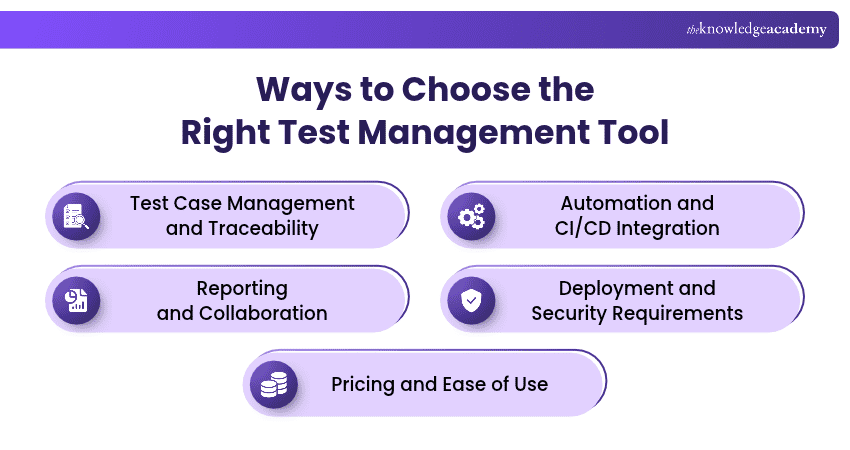
a) Test Case Management and Traceability: Choose a tool that supports test case creation, organisation and tracking while linking tests to requirements and defects.
b) Automation and CI/CD Integration: Look for compatibility with existing automation frameworks, CI/CD pipelines and issue-tracking systems to streamline testing workflows.
c) Reporting and Collaboration: Prioritise dashboards, execution reports and collaboration features that help teams monitor progress and coordinate testing activities.
d) Deployment and Security Requirements: Evaluate cloud, on-premises or self-hosted options alongside access controls, data protection and security requirements.
e) Pricing and Ease of Use: Compare licensing costs, usability, implementation effort and available features to find a solution that suits your team's budget and expertise.
Keep This in Mind
Before selecting a test management tool, test it with a small project involving real test cases, defects and reporting requirements. Check how well it integrates with your existing systems, supports team collaboration and handles testing workflows. A feature-rich tool is not necessarily the best choice if it adds unnecessary complexity.
Understand purposes, goals, and strategies of security testing with the ISTQB Advanced Security Testing Training – Join now!

Vishnu Sankar is a Senior Content Writer with 5+ years of experience across content development, software development, web development and system administration. His technical background and professional training support his expertise in IT and Tech, while his extensive research and writing experience covers Project Management and Health and Safety.
View Detail

 If you wish to make any changes to your course, please


