


 Top Rated Course


We may not have the course you’re looking for. If you enquire or give us a call on 800969236 and speak to our training experts, we may still be able to help with your training requirements.
Top 11 Inkscape Alternatives: Choose the Right Tool
Richard Harris 24 February 2026Explore the Top 11 Inkscape Alternatives, each offering unique features and capabilities. Whether you seek user-friendly interfaces, advanced design tools, or specific functionalities, find the perfect tool for your creative needs. Make an informed choice and elevate your design projects with these versatile alternatives.

Training Outcomes Within Your Budget!
We ensure quality, budget-alignment, and timely delivery by our expert instructors.
Table of Contents
A free and open-source vector graphics editor, Inkscape can create and edit logos, icons, diagrams, maps, and web graphics. However, Inkscape is not the only tool that can do these tasks. Many other Inkscape Alternatives can perform the same tasks and offer different features, advantages, and disadvantages.
You might be looking for a simple, powerful, or versatile tool or pondering cost, compatibility, usability, and functionality options. In this blog, we will review the top 11 Inkscape Alternatives and help you choose the right tool for your needs.
Table of Contents
1) What is Inkscape?
2) Top 11 Inkscape Alternatives
a) Corel Draw
b) Adobe Illustrator
c) Affinity Designer
d) Sketch
e) Linearity Curve
f) Vectornator
g) Gravit Designer
h) Canva
i) Clip Studio Paint
j) Boxy SVG
k) Vecteezy
3) Conclusion
What is Inkscape?
Inkscape is a free, open-source vector graphics editor that rivals commercial software in terms of capabilities and flexibility. It's a powerful tool for creating scalable vector graphics (SVG) for illustrations, icons, logos, diagrams, and more.
A few key features of Inkscape include:
a) Vector drawing: Inkscape excels in creating precise vector graphics, allowing users to design and manipulate objects with mathematical precision.
b) Node editing: The software offers advanced node editing, providing control over every element's shape and attributes.
c) Extensions and plugins: Inkscape supports a variety of extensions and plugins that enhance its functionality, enabling users to customise their workflows.
d) Multi-format support: Inkscape can import and export various file formats, ensuring compatibility with other design software.
e) Cross-platform availability: Inkscape is available for Windows, macOS, and Linux, and is thus accessible to a diverse user base. Its open-source nature fosters a collaborative community, contributing to its continuous improvement. With its rich feature set and accessibility, Inkscape is a helpful resource for graphic designers, artists, and hobbyists.
Top 11 Inkscape Alternatives
Here are some of the top Alternatives to Inkscape you can consider:
1) Corel DRAW
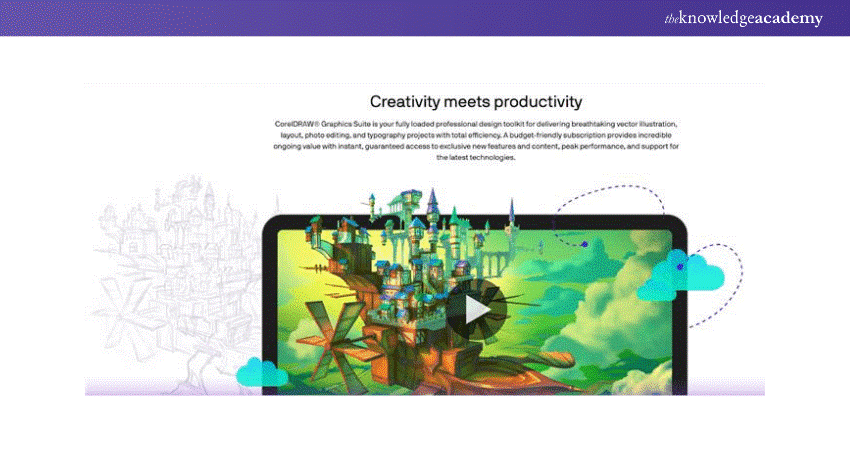
Corel DRAW stands out as a formidable alternative to Inkscape, offering a rich array of features tailored for vector graphics editing. Its user-friendly interface and effective tools make it a top choice for designers seeking a comprehensive solution. Corel DRAW provides smart drawing tools, facilitating precise design creation and advanced typography options for creative text manipulation. With integrated photo editing capabilities, it caters to a broad spectrum of design needs.
CorelDRAW Interview Questions highlight the importance of its compatibility as a key strength, supporting both Windows and Mac platforms. Additionally, CorelDRAW ensures collaboration efficiency through its collaboration tools, enabling seamless teamwork. Its subscription-based pricing model offers flexibility to users, making it accessible to professionals and businesses of varying scales. CorelDRAW remains a versatile and enduring choice in the vector graphics editing landscape, whether you're crafting logos, illustrations, or web graphics.
2) Adobe Illustrator
Adobe Illustrator is a premier alternative to Inkscape, offering a powerful vector graphics editing experience. Illustrator is renowned for its sophisticated features and provides Graphic Designers and Artists with a comprehensive toolkit. The software excels in creating logos, illustrations, and scalable vector artwork. Its seamless amalgamation with other Adobe Creative Cloud applications fosters a cohesive design workflow.
Key features of Adobe Illustrator include advanced drawing tools, precise typography controls, and seamless integration of vector and raster graphics. The intuitive interface and versatile design tools make it a preferred choice for professionals. Adobe Illustrator's cloud-based services enable users to access their projects from different devices, promoting collaboration and flexibility.
While Adobe Illustrator has a subscription-based pricing model, it offers a comprehensive set of features, frequent updates, and a vast resource library, making it ideal for those seeking a high-end vector graphics editing solution. With its industry-wide recognition and continuous innovation, Adobe Illustrator remains a leading alternative for designers seeking a robust and feature-rich platform for their creative projects.
3) Affinity Designer
As an alternative to Inkscape, Affinity Designer has gained traction for its powerful vector graphic capabilities. Developed by Serif, this software is renowned for its intuitive interface and comprehensive design tools. Affinity Designer provides many features, including precision vector tools, advanced layer management, and support for raster and vector workflows. The software excels in professional illustration and design tasks, offering real-time performance and seamless file compatibility.
What sets Affinity Designer apart is its focus on performance, allowing users to work smoothly with intricate designs. It features a unique split-view mode for precision editing, and its non-destructive layer effects enhance flexibility. Affinity Designer also supports macOS and Windows platforms, making it available for a broad user base.
With a one-time purchase pricing model, Affinity Designer provides a cost-effective solution without compromising quality. The software's commitment to innovation and user-friendly design positions it as a robust alternative for graphic designers, illustrators, and artists seeking a powerful and efficient vector design tool.
Stay at the forefront of graphic skills with our Inkscape Training – Sign up today!
4) Sketch
Designed exclusively for macOS users, this premium software caters to screen designers' needs in crafting websites, logos, and more. While not free, it delivers exceptional value to its target audience, offering a seamless and dynamic design experience. Particularly appealing to screen designers, the software provides a live preview feature, allowing for real-time visualisation of designs. Its suitability extends to collaborative environments, making it ideal for companies or groups of designers sharing workspaces to create multiple prototypes.
The user interface stands out for its intuitive design, ensuring a user-friendly experience. The simplicity and directness of the tools contribute to a smooth workflow, enhancing the overall design process. The software goes beyond the basics, providing various toolkits and compatible plugins that extend its functionality.
Notably, Sketch empowers designers to effortlessly incorporate animations into their creations and add an extra layer of dynamism to the design process. With its focus on ease of use, collaborative capabilities, and additional features, Sketch remains a powerful choice for macOS users engaged in diverse design projects.
5) Linearity Curve
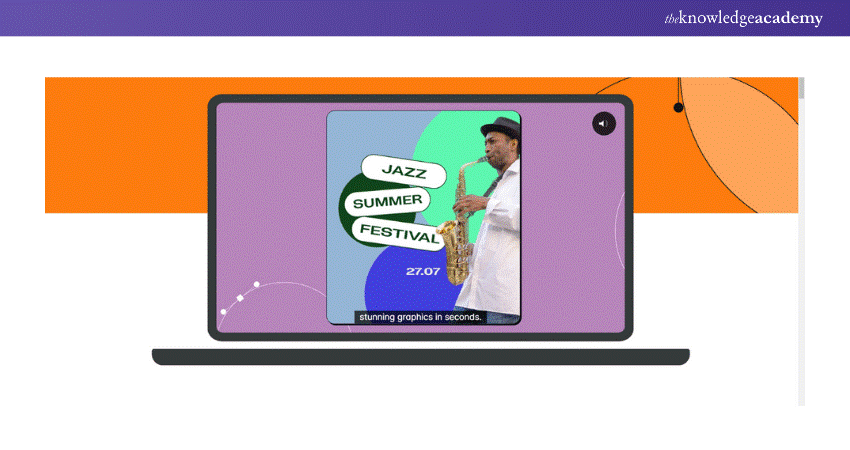
Launched in 2017, the vector design software Linearity Curve has garnered over 3.5 million downloads, attesting to its popularity. The software emerged with a dual objective: to simplify the design creation process for graphic designers and to present a fresh alternative with a more intuitive user interface.
Incorporating advanced auto-trace technology is a significant advantage, streamlining the design workflow and saving valuable time. Designers can leverage the software's diverse social media templates, ensuring that their creations align seamlessly with the specifications of various platforms.
Linearity Curve offers comprehensive video tutorials for users looking to enhance their proficiency, providing a guided learning experience. The software's integration with the Creative Cloud library adds a layer of convenience, enabling users to switch between devices effortlessly.
However, it's important to note that Linearity Curve caters exclusively to Apple users, potentially limiting its accessibility. Additionally, while the software excels in efficiency, some users may find its customisation options somewhat constrained.
6) Vectornator
Vectornator emerges as a robust alternative to Inkscape, offering a versatile vector graphic design platform focusing on user-friendly features. This application stands out for its seamless compatibility across various Apple devices, enhancing accessibility and collaboration.
With a modern and intuitive user interface, Vectornator streamlines the design process for beginners and experienced designers. Its comprehensive set of tools facilitates precise vector editing, making it a compelling choice for intricate graphic projects.
Vectornator's real-time collaboration feature allows multiple users to work simultaneously on a design, fostering teamwork and creativity. Moreover, its cross-platform capabilities ensure a smooth transition between macOS, iPad, and iPhone, providing flexibility for designers on the go. With its commitment to innovation and growing user base, Vectornator is a noteworthy vector graphic design software contender.
Unlock the future of Animation with our Animation Course – Sign up today!
7) Gravit Designer
Gravit Designer is an exceptional alternative to Inkscape, offering a versatile graphic design solution as a desktop and browser-based application. Noteworthy for its rich feature set, it comprehensively covers tools, presets, and colour schemes akin to Inkscape, providing a seamless transition for users. A standout feature is its ad-free nature, a refreshing aspect considering its free availability.
Aside from Inkscape, Gravit Designer extends its capabilities to support website wireframing and raster graphics editing. The software's efficiency is evident in its lightweight SVG file editing, ensuring optimal performance without compromising functionality. Including a global colour palette and a robust colour, picker adds to its appeal for designers seeking a dynamic colour management experience.
Gravit Designer provides an expansive and unlimited canvas size, offering flexibility for diverse design projects. Whether in desktop or browser mode, Gravit Designer emerges as a robust and user-friendly alternative, enhancing the graphic design experience with its feature-rich environment.
8) Canva
Canva stands out as a universally accessible application, intentionally designed with a broad target audience encompassing individuals worldwide. Positioned as a user-friendly software, it caters to the layman, ensuring ease of learning and enabling virtually anyone to engage in design. Its lightweight nature, primarily tailored for mobile phone usage, presents advantages and limitations. Despite its streamlined features, Canva manages to strike a balance, offering sufficient functionalities for enjoyable and efficient design work.
Primarily used as a mobile application, Canva may have limitations compared to more robust desktop counterparts; however, it compensates by providing an intuitive and straightforward design experience. The platform's real-time sharing capabilities enhance collaborative efforts, allowing users to collaborate seamlessly on projects.
Notably, Canva has become a go-to tool for amateur photographers, providing a user-friendly interface for tracing and editing. Its convenience extends to the swift creation and export of eye-catching flyers for instant sharing on social media platforms like Facebook and Instagram. Overall, Canva's simplicity and real-time sharing features make it indispensable for individuals seeking quick and effective design solutions.
9) Clip Studio Paint
Exploring alternatives to Inkscape leads us to Clip Studio Paint, a noteworthy contender with a unique focus on Manga artistry. This powerful sketching software has carved a niche for comic book designers, particularly those immersed in Manga Comics. Hailing from Japan, where Manga has gained global acclaim, Clip Studio Paint is a prominent tool in popularising Manga art worldwide.
Catering to the specialised needs of Manga artists, Clip Studio Paint transforms comic sketching into an enjoyable and creatively fulfilling experience. Its origin in Japan, a hub for Manga creativity, attests to its cultural significance and impact on the global Manga phenomenon. For artists dedicated to the intricate craft of Manga Comics, Clip Studio Paint emerges as a powerful and influential tool that enhances the art form and contributes to the vibrant world of comic book design.
Master digital drawing skills with our Drawing Course – Join today!
10) Boxy SVG

Boxy-SVG is a user-friendly illustration and design program catering to those prioritising simplicity and a straightforward interface. Ideal for beginners or individuals not in need of advanced tools, Boxy-SVG offers accessibility across different platforms, including the web, Mac OS, and Linux.
While its intuitive nature and tutorial support make it a great starting point for newcomers, the software may prove limiting for seasoned designers and illustrators seeking a more comprehensive toolset. The absence of 2D drawing, animation, and image tracing features may hinder those with advanced design requirements.
Additionally, the offline installation requirement and the export limitation from SVG to PDF in the standard version may influence the software's suitability based on individual preferences and project needs. Overall, Boxy-SVG presents itself as a viable alternative for specific user groups, emphasising simplicity and ease of use.
11) Vecteezy
Vecteezy positions itself as an image-sharing platform designed to inspire and simplify the creative endeavours of global designers. With a commitment to user-friendliness, it provides a seamless experience for both novice and experienced users alike.
The platform's extensive library of high-quality, free images contributes to its appeal, offering a valuable resource for designers and illustrators. Vecteezy's straightforward licensing options and establishment of a supportive online community further enhance its user experience.
However, Vecteezy is not without its limitations. The lack of professional tools may deter those with advanced design needs, and ads and credit requirements in the free version could impact the user experience. Additionally, the platform may face challenges related to layering functionality.
Vecteezy is a commendable Inkscape alternative, especially for those looking for a user-friendly platform with a vast collection of free images and an active online community. If you're also exploring how to crop in Inkscape, Vecteezy provides an intuitive interface that simplifies design tasks.
Learn more about digital painting with our Digital Painting Course – Sign up today!
Conclusion
Discovering the ideal design tool is crucial, and the diverse Inkscape Alternatives above cater to varying needs. Each alternative to Inkscape offers unique strengths, empowering users to unleash their creativity. If you're considering other options, you might also want to check out our comparison of Inkscape vs Gimp, where we explore how these tools stack up against each other. Irrespective of whether you prioritize simplicity, advanced features, or specific functionalities, this list ensures you find the perfect Inkscape Alternative for your projects.
Master skills in 2D Animation with our 2D Animation Course – Sign up today!
Frequently Asked Questions
What criteria should I consider when choosing an Inkscape alternative?

Consider user-friendliness, advanced features, specific design needs, platform compatibility, and community support. Prioritise a tool that aligns with your creative requirements and enhances your design workflow for optimal results.
Are these Inkscape alternatives suitable for beginners?
Yes, many alternatives offer user-friendly interfaces and tutorials, making them accessible and suitable for both beginners and experienced designers alike. Explore these alternatives to find the perfect fit for your skill level and creative aspirations.
What are the other resources and offers provided by The Knowledge Academy?
The Knowledge Academy takes global learning to new heights, offering over 3,000+ online courses across 490+ locations in 190+ countries. This expansive reach ensures accessibility and convenience for learners worldwide.
Alongside our diverse Online Course Catalogue, encompassing 17 major categories, we go the extra mile by providing a plethora of free educational Online Resources like Blogs, eBooks, Interview Questions and Videos. Tailoring learning experiences further, professionals can unlock greater value through a wide range of special discounts, seasonal deals, and Exclusive Offers.
What is Knowledge Pass, and how does it work?
The Knowledge Academy’s Knowledge Pass, a prepaid voucher, adds another layer of flexibility, allowing course bookings over a 12-month period. Join us on a journey where education knows no bounds.
What are related Office Application courses and blogs provided by The Knowledge Academy?
The Knowledge Academy offers various Office Application Courses, including Animation courses, Logo Design, Digital Painting, etc. These courses cater to different skill levels, providing comprehensive insights into Inkscape Training.
Our Office Application blogs cover a range of topics related to office applications and animations, offering valuable resources, best practices, and industry insights. Whether you are a beginner or looking to advance your Animation and graphics skills, The Knowledge Academy's diverse courses and informative blogs have you covered.

Richard Harris


Senior Full Stack Developer and Technology Educator
Richard Harris is a highly experienced full-stack developer with deep expertise in both frontend and backend technologies. Over his 12-year career, he has built scalable web applications for startups, enterprises and government organisations. Richard’s writing combines technical depth with clear explanations, ideal for developers looking to grow in modern frameworks and tools.


 If you wish to make any changes to your course, please


