




We may not have the course you’re looking for. If you enquire or give us a call on +44 1344 203 999 and speak to our training experts, we may still be able to help with your training requirements.
Essential Graphic Design Skills Every Designer Needs
ByThe Knowledge AcademyLast updated on: 24 November 2026
Discover essential graphic design skills, from typography, colour theory and layout to photo editing, UI design and communication. Learn how to strengthen your creative, technical and professional abilities through practical methods.
Quick Preview
1. Creativity and imagination help designers develop original ideas and communicate visually.2. Typography, colour theory and layout create clear, balanced and engaging designs.3. Photo editing, vector graphics and specialised skills expand creative possibilities.4. Communication, time management and attention to detail support teamwork and design quality.5. Regular practice, feedback and portfolio development strengthen skills and support professional growth.
A client asks you to design a promotional poster. You have the images, text and brand colours, but how do you arrange them into something that immediately captures attention? Should you prioritise typography, experiment with colours or focus on the layout? Creating an effective design requires more than knowing how to use design software.
This is where graphic design skills become essential. They combine creativity, visual communication, technical knowledge and professional abilities to transform ideas into purposeful designs. In this blog, we explore top graphic design skills and practical ways to develop them. Let's begin!
Top Graphic Design Skills
Graphic Designers need a combination of creative, technical and professional skills to produce effective visual content. While some skills focus on visual principles, others involve specialised design techniques, collaboration and project management. Let's look at them below:
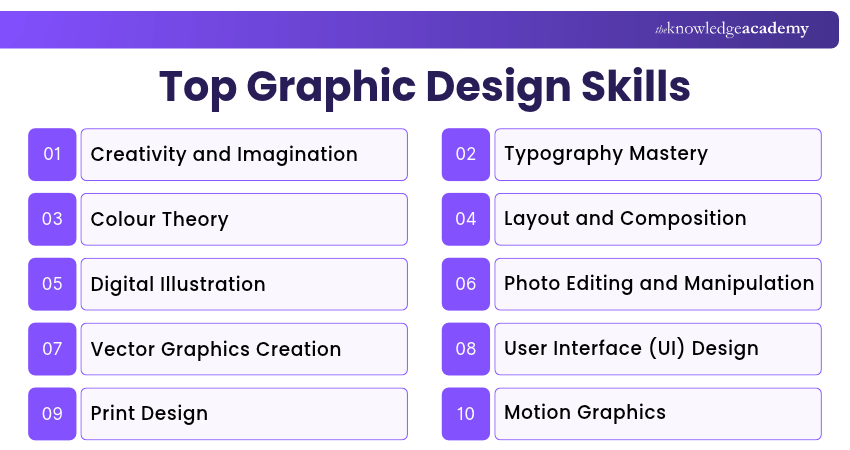
1) Creativity and Imagination
Creativity helps Graphic Designers develop original concepts and explore different ways of communicating information. Imagination supports fresh ideas, while creative problem-solving turns them into practical designs. For example, a designer promoting an environmentally friendly product might use natural shapes and visual symbols to communicate sustainability.

2) Typography Mastery
Typography involves selecting and arranging type to make written information readable, clear and visually effective. It helps establish visual hierarchy and maintain consistency across different designs. Important typography skills include:
a) Font Selection: Choosing typefaces that suit the message, audience and brand.
b) Visual Hierarchy: Using size, weight and spacing to distinguish important text.
c) Kerning and Leading: Adjusting character and line spacing for readability.
d) Consistency: Applying typography styles across a design.
For example, a promotional poster may use a large headline, a smaller supporting message and clearly arranged event details to guide readers through the information.
3) Colour Theory
Colour theory shows how colours interact and how they can be combined to create balanced, engaging designs. Graphic Designers use it to develop palettes, establish contrast and maintain brand consistency. For accessible digital text, WCAG 2.2 Level AA generally requires contrast ratios of 4.5:1 for normal text and 3:1 for large text, subject to exceptions.
Pro Tip: Test Your Design in Greyscale
Convert a copy of your design to greyscale and check whether important elements remain easy to distinguish. If headings or key information lose emphasis, review their contrast, size and placement. This is a useful visual check, but it does not replace formal accessibility testing.
4) Layout and Composition
Layout and composition involve arranging text, images and other visual elements to create balanced, understandable designs. Designers use the following techniques to guide attention towards important information:
a) Grid Systems: Organising elements using consistent columns and spacing.
b) Visual Balance: Distributing elements through symmetrical or asymmetrical arrangements.
c) White Space: Providing sufficient space to improve clarity.
d) Focal Points: Using size, placement and contrast to highlight important content.
For example, a magazine cover may use a prominent headline, a strong central image and smaller supporting text to create a clear visual structure.
5) Digital Illustration
Digital illustration involves creating artwork using digital drawing tools and software. It requires skills such as sketching, line work, shading and perspective to develop icons, characters and custom visuals. Applications like Adobe Illustrator, Photoshop and Procreate support different illustration workflows.
Turn simple shapes into extraordinary visual creations with the Adobe Illustrator Training – Join now!
6) Photo Editing and Manipulation
Photo editing involves modifying photographs to improve their appearance, correct imperfections, or prepare them for specific design purposes. Designers use colour correction, retouching, cropping, masking and compositing to create polished visual content. For example, Adobe Photoshop can help adjust product photographs, remove distracting elements and combine images with supporting graphics.
7) Vector Graphics Creation
Vector graphics use mathematically defined paths and shapes, allowing artwork to scale without losing sharpness. Designers utilise tools such as Adobe Illustrator and CorelDRAW to create logos, icons and illustrations for different sizes. However, raster exports still depend on their pixel dimensions.
8) User Interface (UI) Design
UI design concentrates on the visual and interactive elements of websites and applications, including layouts, buttons, menus and navigation. Designers use visual hierarchy, usability and accessibility principles to create clear interfaces. While UI design focuses on interface elements, User Experience (UX) design considers the broader experience of using a product.
Trainer's Insight
A visually attractive interface is not necessarily easy to use. When reviewing a design, check whether users can identify the main actions, understand the navigation and complete important tasks without confusion. Testing with representative users can reveal problems that visual inspection alone may miss.
9) Print Design
Print design involves preparing artwork for physical materials such as brochures, posters, business cards and packaging. Designers must understand production specifications and prepare files suitable for printing. Important skills include:
a) Bleed and Trim: Preparing artwork for accurate cutting and finishing.
b) Image Resolution: Ensuring sufficient image detail at the intended print size.
c) Colour Management: Using suitable colour profiles and printer specifications.
d) Print-ready Files: Preparing correct dimensions, margins and export settings.
For example, a designer creating a brochure must check the page dimensions, bleed, image quality and final PDF specifications before sending it for printing.
10) Motion Graphics
Motion graphics combine graphic design and animation to communicate information through movement. Designers use timing, transitions and animated typography to create engaging digital content. Applications such as Adobe After Effects support animated titles, promotional visuals and motion-based presentations.
Learn to bring static designs to life through motion by joining the Motion Graphics Course today!
11) Responsive Design
Responsive design involves creating digital layouts that adapt to different screen sizes and viewing conditions. Designers use flexible layouts, adaptable images and readable typography to maintain usability across devices. For example, a three-column desktop layout may become a single-column arrangement on mobile screens.
12) Collaboration and Communication
Graphic Designers work with clients, marketers, developers and other team members. Strong communication skills help them understand requirements, explain design decisions and respond to feedback. For example, collaborating with a copywriter ensures that the visual layout supports a campaign's intended message.
13) Time Management
Time management helps Graphic Designers organise workloads, prioritise tasks and meet deadlines. Design projects involve research, drafting, revisions and final delivery, so effective planning ensures sufficient time for each stage. Designers can prioritise assignments based on deadlines, complexity and required approvals.
14) Attention to Detail
Attention to detail ensures that designs are accurate, consistent and suitable for their intended purpose. Designers should review typography, alignment, spacing, image quality and brand requirements before delivery. For example, an event poster must include the correct date, venue and contact information.
Bring every creative vision to life with the Photoshop Course – Sign up now!
15) Continuous Learning
Graphic design evolves as new technologies, techniques and creative approaches emerge. Designers can stay adaptable by exploring new tools, practising different techniques and responding to changing design requirements. For example, a print designer may expand their expertise into UI design or motion graphics.
Graphic Design Quality Checklist
Use this checklist before submitting a completed design:□ Typography is readable and consistently styled.□ Images have sufficient resolution for the intended output.□ Spacing, alignment and visual hierarchy are consistent.□ Text contrast and other accessibility requirements have been checked.□ Spelling, dates and essential information are accurate.□ File dimensions, format and export settings match the brief.
How to Improve Your Graphic Design Skills?
Improving your graphic design skills requires consistent practice, constructive feedback and a clear understanding of design principles. Whether you are a beginner or an experienced designer, the following methods can help you develop your abilities:
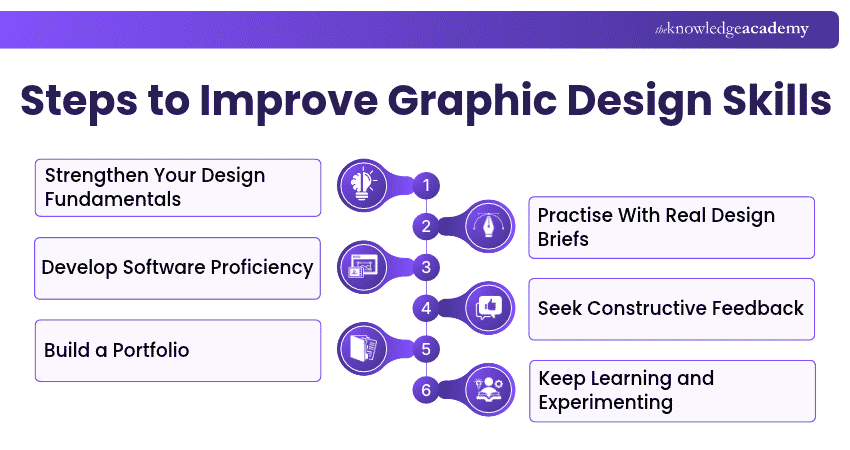
a) Strengthen Your Design Fundamentals: Practise typography, colour theory, layout and composition through simple projects such as posters or social media graphics before attempting complex designs.
b) Practise With Real Design Briefs: Create designs using realistic requirements, such as a target audience, brand colours and deadline. Review whether the final design meets the brief.
c) Develop Software Proficiency: Learn applications suited to your work, such as Photoshop for photo editing, Illustrator for vector graphics and InDesign for page layout.
d) Seek Constructive Feedback: Share your work with designers, colleagues or potential users. Ask whether the message is clear, the layout works, and the visuals support the purpose.
e) Build a Portfolio: Include relevant projects that demonstrate your creativity, technical skills and design process. Explain the brief, challenges and decisions behind selected work.
f) Keep Learning and Experimenting: Explore new techniques, study effective designs and review previous work to identify improvements in your creative and technical abilities.
Portfolio Challenge: Redesign a Promotional Poster
Choose an existing poster and redesign it for the same audience while preserving its essential information. Focus on improving typography, layout, colour contrast and visual hierarchy. Compare your version with the original and explain the reasons behind your design decisions. Document the process to demonstrate your practical skills and design judgement.

The Knowledge Academy develops accessible learning content across Project Management, IT, Cybersecurity, Data Science, Business Analysis, HR, Accounting and Finance, Leadership and Health and Safety. Its resources combine subject research with clear explanations to help professionals build practical knowledge across a wide range of disciplines.
View Detail

 If you wish to make any changes to your course, please


