


 Top Rated Course


We may not have the course you’re looking for. If you enquire or give us a call on + 1-866 272 8822 and speak to our training experts, we may still be able to help with your training requirements.
What is voicemail, and How Does it Work?
Lily Turner 02 February 2026What is Voicemail and how does it help? It’s a system that records voice messages when you're unavailable, ensuring you never miss key updates. Voicemail offers features like personalised greetings, message storage, and remote access, making communication seamless. Explore its benefits and learn how to optimise it!

Training Outcomes Within Your Budget!
We ensure quality, budget-alignment, and timely delivery by our expert instructors.
Table of Contents

Picture this: you are expecting an important call, but just as your phone rings, you’re caught up in a meeting or driving. You miss the call, but does that mean you have lost the message forever? Not at all! That’s where Voicemail steps in. But What is Voicemail, really, and how does it work? This is more than just a place where missed calls go; it’s a Digital Assistant or Virtual Assistant that ensures no message slips through the cracks.
But have you ever thought about what happens behind the scenes? How does your phone store, manage, and retrieve these messages so seamlessly? Even in the era of instant messaging, Voicemail remains a trusted tool for clear, recorded communication. So, let’s break it down, What is Voicemail, and why is it still so important?
Table of Contents
1) What is Voicemail?
2) How Does a Voicemail Work?
3) Key Features of Voicemail
4) Types of Voicemails
5) How to Setup Voicemail?
6) Advantages of Voicemail
7) Disadvantages of Voicemail
8) Conclusion
What Is Voicemail?
Voicemail is an electronically stored voice message a caller leaves when the recipient is unavailable to answer the phone. Consequently, the recipient can later retrieve these messages through various devices, such as phones, desktops, or emails.
For instance, a business professional may receive a client’s Voicemail on their office phone and then access and listen to the message on their smartphone while commuting to the office.
How Does a Voicemail Work?
Voicemail works by retrieving and listening to the sender’s messages later. Here's a step-by-step overview of the working of Voicemail:
1) Call Initiation: A caller dials your phone number.
2) Unanswered Call: If you don't answer due to being on another call, not present near the phone, or outside the phone after business hours, the call is directed to your Voicemail system.
3) Voicemail Greeting: The caller hears your pre-recorded greeting. This typically includes your name and message-leaving instructions.
4) Message Recording: Post greeting, the system prompts the caller to leave their message, which is then recorded and digitally stored.
5) Notification: You are alerted to the new Voicemail, often through text transcription, phone notification, or messages attached to emails.
6) Message Retrieval: You can access and listen to the Voicemail at your convenience using your phone, computer, or another connected device.
7) Response: After doing message reviewing, you can return the call or take appropriate action based on its content.
Master voice commands, automation and AI-powered interactions – join our Google Assistant Training Today!
Key Features of Voicemail
Voicemail systems have evolved numerous features that enhance Effective Communication and user experience. Here are some key functionalities:

1) Transcribe Voicemails
Modern Voicemail services can help transcription of voice messages into text automatically. This allows users to go through messages without listening to the audio. Such a feature is specifically useful in inaccessible situations.
2) Forward Voicemail Messages
Users can forward received Voicemail messages to colleagues or other contacts. This facilitates information sharing and seamless collaboration within teams.
3) Receive Notifications
Immediate notifications alert users to new Voicemail messages, ensuring timely responses. These alerts can be sent via various mobile notifications or emails, among other channels.
4) Send Voicemails to Email
Voicemail-to-email functionality sends transcripts and recordings of Voicemail messages directly to your email inbox, making it easier to manage and prioritise messages.
5) Use Voicemail Drop Feature
The Voicemail drop feature allows agents to send pre-recorded messages when reaching a recipient's Voicemail. This further saves time and ensures consistent communication.
6) Organise and Save Voicemails
Voicemail systems often provide messages moving, saving, and storing options, either on storage devices like hard drives or in the Cloud. This ensures that important messages are preserved and accessible.
7) Set Custom Caller’s Greetings
Users can personalise their Voicemail greetings based on who’s calling, creating a more tailored experience. Custom greetings can be set for different days, times, or specific situations, ensuring 24/7 appropriate responses to callers.
Types of Voicemails
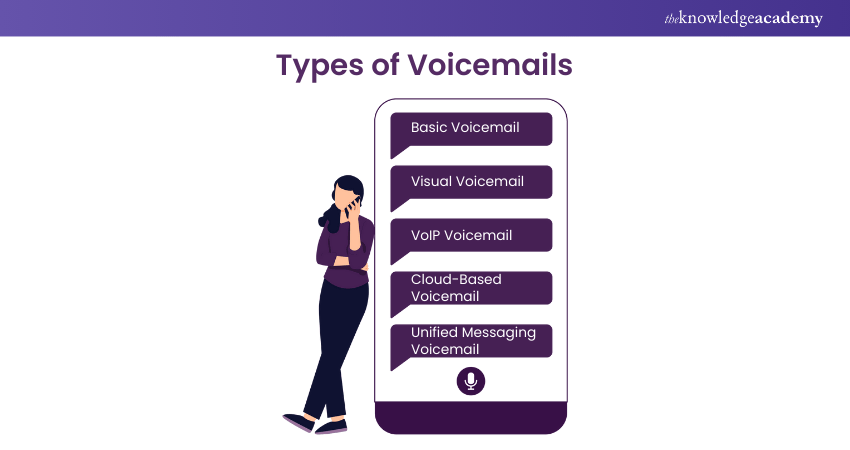
Voicemail systems have evolved over time and offered various features and functionalities to cater to different user needs. Here are some of the primary Voicemail System types:
1) Basic Voicemail
This standard service allows callers to leave audio messages during the unavailability of the call. Later, users can retrieve these messages by dialling into their Voicemail service. The key features of this type typically include recording a personal greeting and listening to, saving, or deleting messages.
2) Visual Voicemail
Visual Voicemail is an enhanced traditional Voicemail version that provides a visual interface, often a Voicemail-displayed list. Users can select and listen to messages in any order without navigating sequentially.
This system may also offer transcriptions of Voicemails, allowing users to read messages rather than listening to them.
3) VoIP Voicemail
VoIP is integrated with Voice over Internet Protocol (VoIP) services. It operates over the Internet rather than traditional phone lines and often includes advanced features like Voicemail-to-email.
Here, messages are through Email Communication as audio files or transcriptions and visual Voicemail. This offers a more flexible and accessible messaging experience.
4) Cloud-based Voicemail
This modern approach stores Voicemail messages in the Cloud, allowing users to access them from different internet devices, such as tablets or computers.
Benefits include scalability, reduced reliance on physical hardware, and seamless integration with other cloud-based communication tools.
5) Unified Messaging Voicemail
Unified Messaging Voicemail integrates Voicemail with other communication forms—such as email, fax, and text messaging—into a single interface.
This consolidation streamlines communications and enhances workflow efficiency by combining messages from various channels.
Develop voice-enabled apps seamlessly with our Integrate Siri Using SiriKit Training- Join today!
How to Setup Voicemail?
Voicemail setting up ensures that callers can leave messages during your unavailability. Follow these steps to ensure the configuration of your Voicemail system:
1) Voicemail Settings
Access your phone's Voicemail settings:
a) iPhone: Open the default Phone app and then click on the ‘Voicemail’ tab.
b) Android: Open the default Phone app, tap on the three-dot menu or More option, and select ‘Settings’ or ‘Voicemail.’
2) Configure Voicemail
Initiate the Voicemail setup process:
a) iPhone: Tap ‘Set Up Now’ and follow the on-screen prompts.
b) Android: Tap Voicemail Setup and enter your Voicemail number if prompted.
3) Record a Greeting
Personalise your Voicemail greeting:
a) Choose Default for a standard greeting or Custom to record your own message.
b) For a custom greeting, tap Record, speak your message clearly, then tap ‘Stop and Save.’
4) Modify Settings
Adjust additional Voicemail settings as needed:
a) Set a security password or PIN.
b) Enable features like Visual Voicemail if your carrier supports it.
5) Save and Exit
After performing settings configurations and greeting recording, save your changes and exit the Voicemail setup.
6) Test Your Voicemail
Verify that your Voicemail is functioning correctly:
a) From another phone, call your number and leave a test message.
b) Retrieve the message to ensure you can access and listen to Voicemails properly.
Advantages of Voicemail
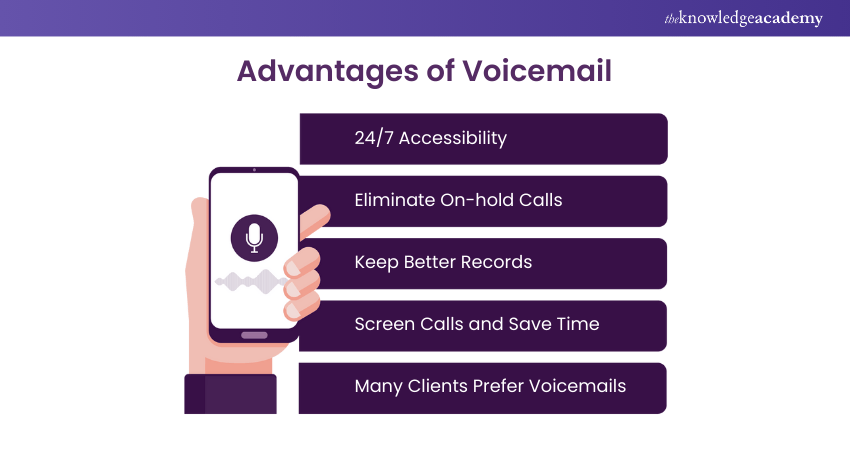
Voicemail offers several advantages that enhance communication efficiency and improve customer satisfaction. Key benefits include:
1) 24/7 Accessibility
Voicemail provides 24/7 client accessibility, ensuring their continuous availability. This allows callers to leave messages at any time, regardless of their business hours.
2) Eliminate On-hold Calls
By allowing callers to directly leave messages, Voicemail reduces the frustration of placing them on hold. This ensures a client's concerns are answered promptly without having to wait for a long time.
3) Screen Calls and Save Time
Voicemail enables staff to hassle-free screen incoming calls. This allows them to prioritise high-importance calls and address non-urgent matters more conveniently. Consequently, there is a steep improvement in the organisational productivity.
4) Many Clients Prefer Voicemails
Voicemails enable clients and customers to express their concerns efficiently without interruption. This allows them to focus on their main concerns without diverging into irrelevant information.
Take control of seamless and hands-free communication – join our AI Voice Assistant Training now!
Disadvantages of Voicemail
While Voicemail offers several benefits, it also presents certain communication efficiency and user satisfaction impacting challenges. Key disadvantages include:
1) High Costs
Implementing and maintaining Voicemail systems can be costly, in particular for smaller businesses. The key expenses may include fees for setups, purchasing equipment, and ongoing service charges. This makes it less economical compared to other communication methods.
2) Discretion Needed
Accessing Voicemail messages often requires a phone call, which can be inconvenient in phone conversations and prohibited public settings. This lack of privacy can hinder timely message retrieval.
3) Personal Frustration
Some users find Voicemail checking cumbersome compared to text-based communications. The dialling into a Voicemail system process and listening to messages sequentially can be time-consuming. This leads to procrastination or message retrieval neglect.
4) Security Concerns
Voicemail systems can have unauthorised access and be vulnerable if not secured properly. Weak or default PINs may be exploited by malicious actors, potentially compromising sensitive information.
Conclusion
Voicemail is more than just a backup for missed calls; it is a smart way to stay connected, even when you are unavailable. From storing messages to easy retrieval, it keeps communication flowing effortlessly. So, the next time you wonder, “What is Voicemail?”, remember, it’s your personal assistant, making sure no important message goes unheard!
Leverage Generative AI for business success- Sign up for our Generative AI In Business Training today!
Frequently Asked Questions
Who Created Voicemail?

Voicemail was invented during the 1970s by Gordon Mathews (an American businessperson). He was the founder of VMX, a company credited for pioneering Voicemail commercialisation.
How Long Can Voicemails Be?
The length of a Voicemail depends entirely on the Voicemail system and device. In British Telecom (BT), the maximum limit is two minutes; on the Android phone, it goes up to three minutes. However, for iPhones, there is no limit.
What are the Other Resources and Offers Provided by The Knowledge Academy?
The Knowledge Academy takes global learning to new heights, offering over 3,000+ online courses across 490+ locations in 190+ countries. This expansive reach ensures accessibility and convenience for learners worldwide.
Alongside our diverse Online Course Catalogue, encompassing 19 major categories, we go the extra mile by providing a plethora of free educational Online Resources like Blogs, eBooks, Interview Questions and Videos. Tailoring learning experiences further, professionals can unlock greater value through a wide range of special discounts, seasonal deals, and Exclusive Offers.
What is The Knowledge Pass, and How Does it Work?
The Knowledge Academy’s Knowledge Pass, a prepaid voucher, adds another layer of flexibility, allowing course bookings over a 12-month period. Join us on a journey where education knows no bounds.
What are the Related Courses and Blogs Provided by The Knowledge Academy?
The Knowledge Academy offers various AI Voice Assistant Training, including the Alexa Course, Google Assistant Training, and the Integrate Siri using SiriKit Course. These courses cater to different skill levels, providing comprehensive insights into Speech Recognition Engineer Salary in 2025.
Our Data, Analytics & AI Blogs cover a range of topics related to Artificial Intelligence, Machine Learning, Big Data, and Business Intelligence, offering valuable resources, best practices, and industry insights. Whether you are a beginner or looking to advance your Data Analytics And AI skills, The Knowledge Academy's diverse courses and informative blogs have got you covered.

Lily Turner


Senior AI/ML Engineer and Data Science Author
Lily Turner is a data science professional with over 10 years of experience in artificial intelligence, machine learning, and big data analytics. Her work bridges academic research and industry innovation, with a focus on solving real-world problems using data-driven approaches. Lily’s content empowers aspiring data scientists to build practical, scalable models using the latest tools and techniques.
View Detail

 If you wish to make any changes to your course, please


