


 Top Rated Course

We may not have the course you’re looking for. If you enquire or give us a call on +47 80010068 and speak to our training experts, we may still be able to help with your training requirements.
What is Debugging? Process, Types, and Benefits Explained
Richard Harris 22 April 2026Debugging is the process of identifying, analysing, and fixing errors or bugs in software code to ensure it runs smoothly and performs as expected. Common debugger features include setting breakpoints to halt execution at specific points, inspecting memory and CPU registers, and stepping through the code one instruction at a time.

Training Outcomes Within Your Budget!
We ensure quality, budget-alignment, and timely delivery by our expert instructors.
Table of Contents

From chasing elusive bugs to fine-tuning performance, Software Development is no walk in the park. Sometimes it can feel like a code has a mind of its own that turns your vision into a messy maze of software malfunctions. This is where Debugging comes in as the arbiter of order in the world of coding. This process helps track down hidden errors and understand strange software behaviour.
This blog outlines everything you need to know to understand What is Debugging, whether you're a beginner writing your first script or an expert managing complex systems. So read on, explore the types and key benefits of Debugging and master this essential Software Developer skill!
Table of Contents
1) What is Debugging?
2) The Importance of Debugging
3) How Debugging Works in Software?
4) Process of Debugging
5) Different Types of Debugging
6) Key Benefits of Debugging
7) Common Challenges of Debugging
8) Examples of Debugging
9) Popular Debugging Tools
10) Conclusion
What is Debugging?
Debugging is the process of identifying, isolating and fixing problems in computer programs or engineering systems. Once a fix or workaround is applied, the solution must be tested to confirm that the issue has been completely resolved. In Software Development, debugging begins when an error is detected and reproduced in the code.
It plays a key role in software testing and is essential throughout the development lifecycle. In hardware development, Debugging focuses on detecting incorrectly configured or installed components. For example, engineers might perform a JTAG connection test to troubleshoot integrated circuit connections.

The Importance of Debugging
Debugging plays a crucial role in identifying why an operating system, application, or program is not working as expected. Even with strong coding standards in place, new software almost always contains some bugs. In many cases, fixing these issues can take more time than writing the original code.
Typically, developers prioritise resolving bugs found in the most frequently used components first, ensuring that the core parts of the system run smoothly and deliver a better user experience overall.
How Debugging Works in Software?
Debugging begins as soon as the code is written and continues as it integrates into larger systems. In large projects, tools like unit tests, code reviews and pair programming help simplify the process. Developers use logs, debugger tools or IDE debug modes to trace the issues.
Familiarity with error messages speeds up the resolution. Breakpoints allow execution to pause, letting Developers inspect variables, step through code and adjust values to pinpoint and fix the exact source of the problem.
Process of Debugging
Debugging is an essential programming skill. Here’s a simplified step-by-step breakdown to help you approach it effectively:

Step 1: Reproduce the Bug
1) Replicate the exact conditions that cause the issue
2) Note any inputs, environment settings, or user actions involved
3) Observe the bug's behaviour closely for clues
Step 2: Locate the Bug
1) Review error messages, logs, or console output
2) Trace the code path to find where things go wrong
3) Use Debugging tools or breakpoints to narrow down the area
Step 3: Determining the Root Cause
1) Analyse the logic behind the failing section
2) Check variable values, data flow, and function interactions
3) Compare expected behaviour with actual behaviour
Step 4: Fix the Bug
1) Apply a targeted correction to the faulty code
2) Test small changes incrementally instead of large edits
3) Use version control to safely manage and track modifications
Step 5: Testing the Fix
1) Run Unit Tests to check the specific fix
2) Perform Integration Tests to validate module interactions
3) Conduct System and Regression Tests to ensure overall stability
Step 6: Document the Process
1) Record the cause of the bug and the steps taken to fix it
2) Note any edge cases or lessons learned
3) Update internal documentation or comments for future reference
Turn your software ideas into powerful scalable solutions with our Software Development Lifecycle Training – Register now!
Different Types of Debugging
Debugging can often be complex and time-consuming, but applying the right approach can make it far more efficient. Each technique is suited to different situations, and understanding them helps developers tackle bugs with greater precision. Below are the main types of debugging commonly used in software development:
1) Backtracking
This method involves tracing the steps of the program backwards from where the bug appeared. Developers review the execution path to pinpoint the exact point where things began to fail. It becomes even more effective when it's used alongside a Debugging tool.
2) Cause Elimination
In this hypothesis-based method, Developers list possible causes of the bug and test each one to rule them out systematically. It works best when the team understands the codebase and the conditions under which the issue occurred.
3) Divide and Conquer
For large codebases, the system is split into manageable sections such as functions, modules or methods. Each segment is tested individually until the faulty area is located. That section is then further broken down to isolate the exact source of the issue.
4) Print and Log
This approach involves inserting print or log statements to track variable values, execution flow and stack information. It’s instrumental in distributed or concurrent systems where the execution order can affect outcomes.
5) Rubber Duck
Here, Developers verbally explain the code line by line, often to an inanimate object. The act of articulation helps reveal logical gaps or overlooked bugs that weren’t obvious during silent review.
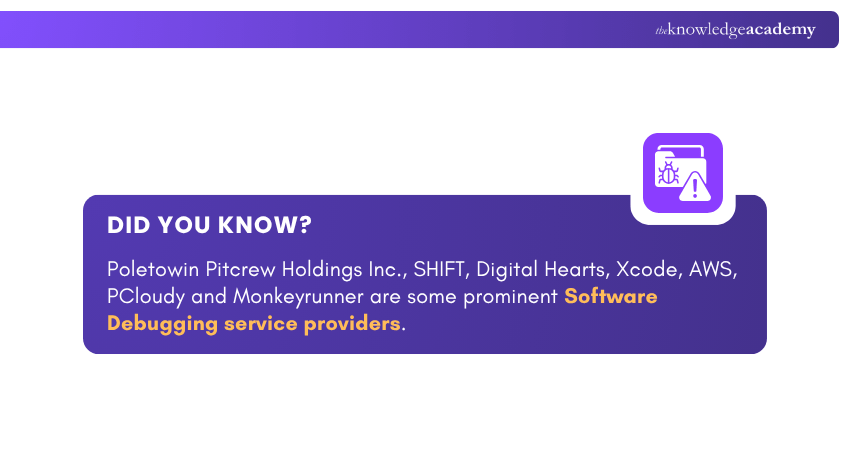
6) Automated
Using AI, analytics and Machine Learning, automated tools can scan vast codebases and highlight potential issues more quickly. They can also replicate the code and run automated tests, making them highly valuable for CI/CD environments where quick feedback is essential.
7) Brute Force
This method is used as a last resort or for very small programs. It involves manually scanning the entire codebase line by line. Though time-consuming, it can help when no other method has worked or when the debugger is unfamiliar with the system.
Turn every test into insight-driven excellence with our ISTQB Advanced Level Test Analyst Course - Register now!
Key Benefits of Debugging
Here are the key benefits of Debugging:
1) Improves System Quality: Debugging removes errors that affect performance. This results in a more reliable and efficient software system.
2) Minimises Downtime: By fixing bugs early, the system becomes more stable and less prone to unexpected crashes, thus improving availability for users.
3) Boosts User Satisfaction: A bug-free system offers a smoother experience and aligns better with user expectations. This leads to higher satisfaction levels.
4) Lowers Development Costs: Detecting issues during development prevents costly fixes later in the lifecycle or after deployment.
5) Improves Security: Debugging helps identify those vulnerabilities that attackers might exploit. This strengthens the software’s defence against breaches.
6) Supports Future Changes: With clear issue tracking, Developers can modify the system more confidently, knowing that potential bugs can be easily traced and fixed.
7) Deepens System Understanding: The Debugging process helps Developers better grasp system behaviour and how components work together.
8) Makes Testing More Effective: Once bugs are resolved, testing becomes more accurate and efficient. This ensures the system meets its intended requirements.
Common Challenges of Debugging
Debugging can be as demanding, or even more time-intensive, than writing the original code. The process becomes particularly challenging in situations such as:
1) The issue’s impact is visible, but the root cause remains unclear.
2) The error is hard to reproduce consistently, such as bugs triggered by specific user interactions like drop-down menus on a website.
3) Dependencies within the code are not well-defined. This leads to new errors appearing in other sections when one issue is fixed.
Examples of Debugging
Recognising the type of error can help Developers choose the most efficient approach to fix the code. Some common types of bugs that require Debugging include:
1) Semantic Errors
These errors occur when code violates the language’s rules, resulting in output that isn’t meaningful. Unlike logical errors that produce wrong results, semantic errors produce results that don’t make sense at all.
2) Syntax Errors
These errors happen when a Developer forgets or mistypes elements such as commas, brackets or parentheses. In programming, even a small typo can break execution entirely, unlike human language, where minor errors are still understandable.
3) Logical Errors
In this case, the syntax is correct, but the instructions lead to an unintended outcome. Since the program doesn’t crash, this type of bug is more difficult to detect and can take time to locate within the code.
4) Runtime Errors
These errors crop up while an application is running or during startup. Sometimes, simply restarting or reinstalling can resolve the issue, but in other cases, it indicates deeper problems, such as memory limitations or underlying logical errors.
Step into the role of a test leader with confidence. Sign up for our ISTQB Certified Tester Advanced Level Test Management Course now!
Popular Debugging Tools
Debugging tools play a vital role in Software Development, helping Developers detect and fix errors quickly and accurately. These tools differ in features but typically provide interfaces, such as command-line or visual panels, to help identify and resolve issues. Below are some widely used types of Debugging tools:

1) Static Code Analysers
These tools scan code without running it to detect errors, enforce standards and highlight potential risks. They help maintain code quality and consistency early in the development process.
2) Standalone Debuggers
Debuggers such as GNU Debugger (GDB) offer powerful capabilities, including:
1) Conditional breakpoints and watchpoints
2) Reverse Debugging to trace execution backwards
3) These tools are highly effective but can be more complex to learn compared to IDE debuggers.
3) Performance Profilers
Profilers help identify performance bottlenecks by tracking:
1) CPU consumption
2) Memory allocation
3) I/O activity
4) Dynamic Analysis Tools
Used during runtime, these tools detect issues such as resource leaks and concurrency errors. They uncover problems that static analysis may overlook, including memory leaks and buffer overflows.
5) Logging and Monitoring Utilities
Logging tools record the program’s behaviour at various execution points. This is especially useful for diagnosing issues that appear only in live or production environments.
6) Integrated Development Environments (IDEs)
Tools like Visual Studio, Eclipse and PyCharm include built-in debuggers that enable Developers to:
1) Step through the code line by line
2) Set breakpoints to pause execution at key points
3) Inspect variables and memory states
4) They support multiple programming languages, often extended through plugins.
Conclusion
More than about fixing codes, Debugging is about understanding the story your software tells. By learning What is Debugging, its types and following a structured approach as outlined in this blog, Developers can efficiently identify and fix issues, thus saving time and resources. Essentially, it’s the art of turning mistakes into mastery and code into enhancements.
Sign up for our range of Software Testing Courses and become a certified quality champion
Frequently Asked Questions
What Does Debugging Your Phone Do?

Debugging your phone enables a communication link between your device and a computer. It allows Developers to transfer data, test applications and access advanced system functions. This includes using tools like Android Debug Bridge (ADB) for troubleshooting and development.
Should Debugging be on or off?
For everyday use, Debugging should remain off to keep your phone secure. Turn it on only when performing app development, troubleshooting or transferring advanced data through a trusted computer connection. Remember to switch it off immediately after completing the task.
What are the Other Resources and Offers Provided by The Knowledge Academy?
The Knowledge Academy takes global learning to new heights, offering over 3,000+ online courses across 490+ locations in 190+ countries. This expansive reach ensures accessibility and convenience for learners worldwide.
Alongside our diverse Online Course Catalogue, encompassing 17 major categories, we go the extra mile by providing a plethora of free educational Online Resources like Blogs, eBooks, Interview Questions and Videos. Tailoring learning experiences further, professionals can unlock greater value through a wide range of special discounts, seasonal deals, and Exclusive Offers.
What is The Knowledge Pass, and How Does it Work?
The Knowledge Academy’s Knowledge Pass, a prepaid voucher, adds another layer of flexibility, allowing course bookings over a 12-month period. Join us on a journey where education knows no bounds.
What are the Related Courses and Blogs Provided by The Knowledge Academy?
The Knowledge Academy offers various Software Testing Courses, including the ISTQB Software Testing Foundation Course, ISTQB Certified Tester Advanced Level Test Management Course and the Certified Software Testing Manager (CSTM) Course. These courses cater to different skill levels, providing comprehensive insights into Agile Testing Tools.
Our Business Analysis Blogs cover a range of topics related to Software Debugging and testing, offering valuable resources, best practices, and industry insights. Whether you are a beginner or looking to advance your Debugging skills, The Knowledge Academy's diverse courses and informative blogs have got you covered.

Richard Harris


Senior Full Stack Developer and Technology Educator
Richard Harris is a highly experienced full-stack developer with deep expertise in both frontend and backend technologies. Over his 12-year career, he has built scalable web applications for startups, enterprises and government organisations. Richard’s writing combines technical depth with clear explanations, ideal for developers looking to grow in modern frameworks and tools.

Upcoming Programming & DevOps Resources Batches & Dates
Date
 ISTQB Software Testing Foundation
ISTQB Software Testing Foundation
Mon 6th Jul 2026
ISTQB Software Testing Foundation
Mon 3rd Aug 2026
ISTQB Software Testing Foundation
Tue 1st Sep 2026
ISTQB Software Testing Foundation
Mon 14th Sep 2026
ISTQB Software Testing Foundation
Mon 28th Sep 2026
ISTQB Software Testing Foundation
Mon 12th Oct 2026
ISTQB Software Testing Foundation
Mon 26th Oct 2026
ISTQB Software Testing Foundation
Mon 9th Nov 2026
ISTQB Software Testing Foundation
Mon 23rd Nov 2026
ISTQB Software Testing Foundation
Mon 7th Dec 2026
ISTQB Software Testing Foundation
Mon 21st Dec 2026

 If you wish to make any changes to your course, please


