


 Top Rated Course

We may not have the course you’re looking for. If you enquire or give us a call on + 1-866 272 8822 and speak to our training experts, we may still be able to help with your training requirements.
Microsoft 365 Security Benefits in 2026: A Comprehensive Guide
Sienna Roberts 14 July 2026Microsoft 365 Security Benefits offer protection from phishing and Malware, prevent data loss with encryption, and secure user identities and devices. Together, these capabilities help businesses strengthen their defences, ensure compliance and maintain data privacy. With Microsoft 365, your organisation stays safe and resilient.

Training Outcomes Within Your Budget!
We ensure quality, budget-alignment, and timely delivery by our expert instructors.
Table of Contents
Related Courses
Every click, email, and shared file carries a potential risk. One wrong link could expose your business to cyberattacks, data theft or system damage. In a world full of growing online threats, relying on basic protection is not enough. That is where Microsoft 365 Security helps businesses stay safe, secure and confident every day.
Building on this, in this blog, we explore the Microsoft 365 Security Benefits that strengthen your organisation through its infrastructure, key features and best practices. These insights will help you make a safer and more reliable digital workspace.
Table of Contents
1) Benefits of Microsoft 365 Security
2) Microsoft 365 Security Infrastructure
3) Features of Microsoft 365 Security
4) Microsoft 365 Security Best Practices
5) Conclusion
Benefits of Microsoft 365 Security
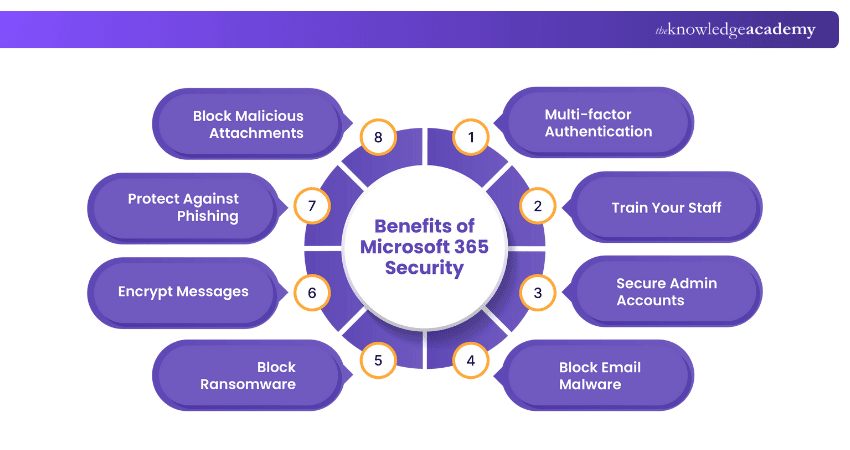
Microsoft 365 Security includes several built-in security measures that protect your business from online attacks. Here are the benefits of Microsoft 365 Security.
1) Multi-factor Authentication
Multi-factor Authentication adds an extra layer of protection to keep your account safe. Instead of relying on a password alone, it requires additional verification, such as a code sent to your phone. Even if someone knows your password, they cannot sign in without this code. This simple step makes it much harder for anyone to access your data.
2) Train Your Staff
Human mistakes often cause security problems. Many attacks happen when employees click on fake links or open unsafe emails. Microsoft 365 Security helps train staff to spot scams and avoid risks more effectively. Well-trained employees become the best defence against online threats and data loss.
3) Secure Admin Accounts
Administrator accounts have the most control in Microsoft 365. If these accounts are hacked, attackers can access the whole system. Microsoft 365 Security keeps admin accounts safe by using strong passwords, extra login checks, and limited access. It also lets admins use different accounts for daily work and admin tasks, which helps lower security risks.
4) Block Email Malware
Emails are often used by Hackers to spread harmful software. Microsoft 365 Security helps stop this by checking every email for unsafe files or links. If something dangerous is found, it blocks the email or removes the file. This protects users from opening infected attachments that could harm their computer or company network.
5) Block Ransomware
Ransomware locks your data and demands payment to unlock it. Microsoft 365 Security helps prevent such attacks using Microsoft Defender, which detects and blocks threats quickly. Files stored in OneDrive and SharePoint are backed up regularly, allowing you to restore them easily and keep your business running smoothly.
6) Encrypt Messages
Encryption helps keep your information private. When you send an email or share a file in Microsoft 365, it locks the content so only the right person can open it. This is very useful for companies that share important data like customer details or financial reports. It keeps sensitive information safe, even when sent over the Internet.
7) Protect Against Phishing
Phishing happens when someone pretends to be a trusted person or company to steal passwords or personal information. Microsoft 365 Security helps protect you by detecting and blocking fake emails before they reach your inbox. It checks the sender’s details and scans for unusual links or suspicious text. If anything looks unsafe, you receive a warning so you can avoid the threat.
8) Block Malicious Attachments
Some Hackers hide harmful software in email attachments like PDFs or Word files. Microsoft 365 checks every attachment before you open it. If a file looks unsafe, it blocks it and alerts you. This helps stop dangerous files from reaching employees and keeps the company’s data and computers safe.
9) Prevent Phishing with Safe Links
Safe Links is a useful feature in Microsoft 365 Security that protects you from harmful websites. It checks every link in emails and documents before you open it. If a link is unsafe, it is blocked immediately. Even if someone clicks a risky link by accident, Safe Links stops access to dangerous sites and helps prevent data theft or scams.
10) Mobile Device Security in Microsoft 365
Many people use their phones and tablets to work and access company data. Microsoft 365 Security helps keep this data safe on all devices. It allows companies to set simple rules like adding screen locks, using passwords or erasing data if a device is lost. This helps protect important information, even when people are not in the office.
Understand Azure AD, identity protection, and access implementation strategies. Join our Microsoft Identity and Access Administrator SC300 Training now!
Microsoft 365 Security Infrastructure
Microsoft 365 Security has a trusted cloud security system built on three main pillars: identity protection, data security and threat defence. Let’s look at each of these in detail.
1) Global Data Centres: Microsoft runs secure data centres across the world. Each centre uses advanced surveillance, physical security and strict access controls.
2) Zero Trust Model: Microsoft 365 follows the “Zero Trust” approach, meaning no one, inside or outside the network, is automatically trusted. Every login and access request is verified before approval.
3) Data Encryption: Data is always encrypted, both when stored (at rest) and when being transferred (in transit).
4) Continuous Monitoring: Microsoft uses Artificial Intelligence and Machine Learning to monitor billions of daily signals for possible threats.
5) Compliance and Certification: Microsoft 365 Security meets international standards, like ISO 27001 and GDPR, ensuring that all user data is managed responsibly and legally.
Features of Microsoft 365 Security
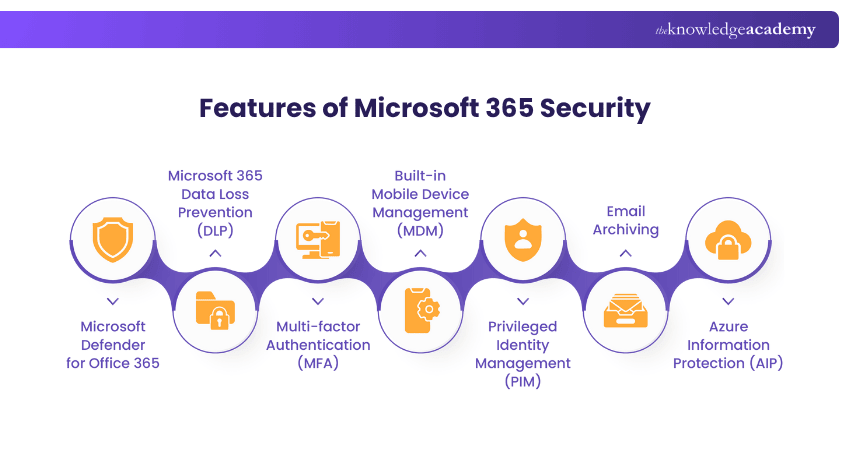
Microsoft 365 Security includes several advanced features designed to protect data, users and systems. These are the key features of Microsoft 365 Security:
1) Microsoft Defender for Office 365
Microsoft Defender for Office 365 Security protects emails, files, and tools from online threats. It provides real-time security against phishing, Malware and unsafe links. It also helps teams identify issues quickly and prevent similar risks in the future.
2) Microsoft 365 Data Loss Prevention (DLP)
Data Loss Prevention stops important information from being shared by mistake. For example, if someone sends a file with customer card details, it can block or warn the user. This helps keep sensitive data safe and follow rules without slowing down work.
3) Multi-factor Authentication (MFA)
MFA in Microsoft 365 Security checks each login using more than one step, like a password and a phone code. It is simple and effective, helping stop unauthorised access and ensuring only trusted users can open important files, apps or emails.
4) Built-in Mobile Device Management (MDM)
Mobile Device Management helps businesses secure work phones and tablets. It allows teams to set security rules, install updates and monitor devices. If a device is lost or stolen, its data can be wiped remotely. This keeps company information safe without affecting personal use.
5) Privileged Identity Management (PIM)
PIM helps manage and control access to important admin roles. It gives users temporary access only when needed and keeps a record of all activities. This reduces the risk of attackers getting long-term access and helps maintain better visibility and security.
6) Email Archiving
Microsoft 365 has built-in email archiving that safely stores emails in the cloud. It prevents them from being deleted or changed. This helps with legal needs, record-keeping, and finding old messages easily. It also saves mailbox space without losing any data.
7) Azure Information Protection (AIP)
AIP protects important information by applying labels to documents and emails, such as “Confidential” or “Internal Use Only.” This ensures only authorised users can open, edit or share the content. It works smoothly across Microsoft apps to maintain privacy and safeguard sensitive data.
Gain insights into advanced Cyber Security threat protection techniques with our Microsoft Cyber Security Architect SC100 Training – Join now!
Microsoft 365 Security Best Practices
To get the most from Microsoft 365 Security, businesses should follow a few best practices:
1) Enable Multi-factor Authentication (MFA): Always activate MFA for all users, especially administrators.
2) Keep Software Updated: Regularly install updates to close any security gaps.
3) Train Employees: Offer continuous training so employees recognise phishing and other threats.
4) Use Strong Password Policies: Encourage users to create long, unique passwords and change them regularly.
5) Set Role-based Access: Give users only the permissions they need for their job.
6) Back up Data: Use OneDrive or SharePoint to back up data regularly.
7) Review Security Reports: Use Microsoft Secure Score to track and improve your organisation’s security health.
8) Enable Device Encryption: Protect data on all devices used to access Microsoft 365 Security.
9) Use Conditional Access Policies: These policies allow or block logins based on device type, location or risk level.
10) Monitor Suspicious Activity: Use Microsoft Defender and audit logs to track unusual behaviour.
Conclusion
In a world where cyber threats are always active, Microsoft 365 empowers businesses with intelligent protection, data security, and user awareness. Its tools work together to block attacks, safeguard information, and keep teams productive. By fully using Microsoft 365 Security Benefits, organisations can build digital trust, stay resilient and confidently move toward a more secure and connected future.
Acquire the skills to set up and manage security monitoring systems with our Microsoft Security Engineer Training – Register today!
Frequently Asked Questions
How Can I Boost the Security of Microsoft 365?

Enhance Microsoft 365 Security by enabling MFA, training users, using Microsoft Defender, applying DLP, encrypting data, setting conditional access, and keeping systems updated. Regularly check your Microsoft Secure Score to stay protected.
Is Microsoft 365 Secure?
Yes, Microsoft 365 is secure with strong security-by-design principles, encryption, MFA, and Microsoft Defender. However, its protection depends on correct setup and user practices. When properly configured and maintained, it offers a reliable defence against modern cyber threats.

 If you wish to make any changes to your course, please


