


 Top Rated Course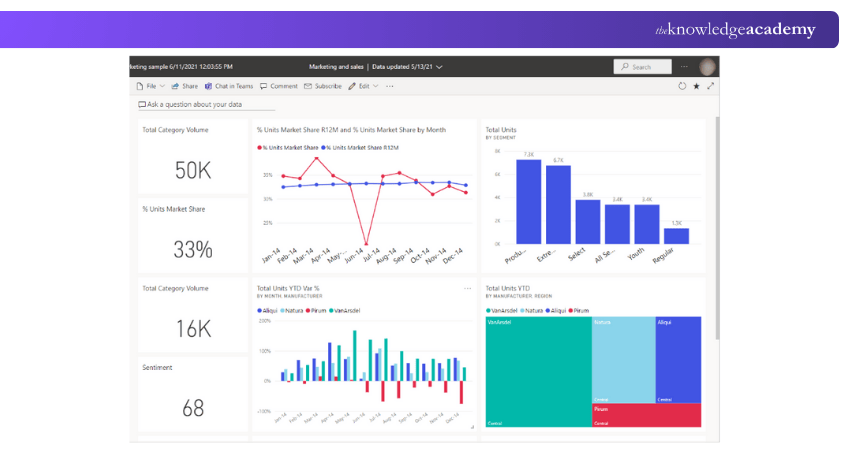


We may not have the course you’re looking for. If you enquire or give us a call on + 800 908601 and speak to our training experts, we may still be able to help with your training requirements.
What is a Business Intelligence Platform: A Complete Overview
Richard Harris 15 July 2026Business Intelligence (BI) Platforms such as, Power BI, Tableau, and Qlik help businesses analyse data, create dashboards, and make informed decisions. These platforms turn complex data into clear visuals, so teams can understand trends quickly. They also support real-time insights, helping organisations take smarter actions faster.

Training Outcomes Within Your Budget!
We ensure quality, budget-alignment, and timely delivery by our expert instructors.
Table of Contents
Have you ever thought how businesses make smart decisions faster? Companies deal with large amounts of data every day, and understanding it without the right tools can be confusing. That’s where a Business Intelligence Platform comes in. It turns raw data into clear charts, dashboards, and insights, helping teams spot trends, solve problems, and make confident decisions.
In this blog, you will learn why using a Business Intelligence Platform is important, explore 15+ top platforms, and get tips to choose the right one. You will also see which AI tool leads in BI and how AI is changing data analysis. This blog keeps everything simple and beginner-friendly.
Table of Contents
1) Why Use Business Intelligence Tools?
2) 15+ Business Intelligence Platforms
3) Tips to Select the Right BI Platform
4) What is the Best AI Tool for Business Intelligence?
5) Conclusion
Why Use Business Intelligence Tools?
Business Intelligence Platforms help companies use their data in a smart way. Today, BI tools make this job much easier by turning large amounts of information into simple reports and charts. Most businesses collect a huge amount of data, but without the right tools, they cannot use it properly. BI platforms help organise this data and make it easy to understand.
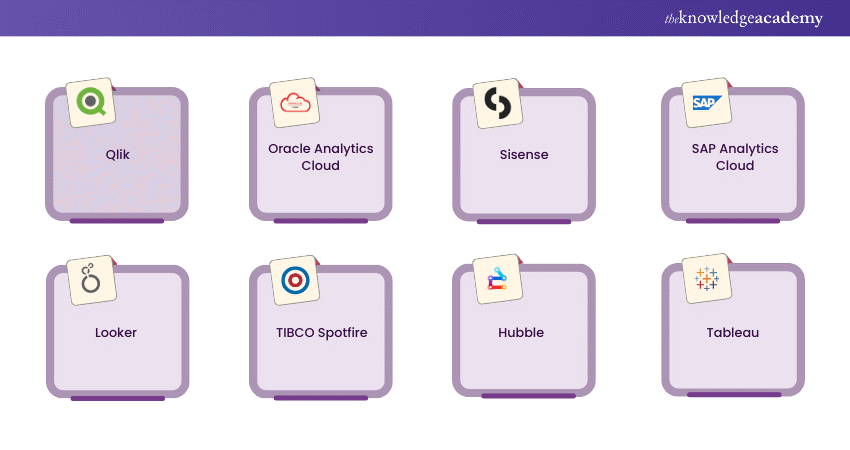
Common BI tools include Power BI, Tableau, Qlik Sense, Looker, and SAP BusinessObjects. These tools help teams see their data clearly, create easy-to-read dashboards, and check business performance at any time.
With the Business Intelligence Platform, companies can:
a) Improve products by learning how customers behave
b) Understand what customers want and serve them better
c) Find problems early and fix them quickly
d) See which areas are doing well and which need improvement

15+ Business Intelligence Platforms
Business Intelligence Platforms help the organisation in various ways. In this section, we have curated a list of the top 10 best Business Intelligence Platforms companies that make the most out of it.

1) Google Marketing Platform
Google Marketing Platform is a group of tools made by Google to help businesses run ads and manage websites. It includes helpful tools like Google Analytics and Looker Studio (Data Studio). These free tools let you track website visitors, measure ad results, and create easy reports.
Some features of Google Marketing Platform are:
a) Free tools to check website and ad performance
b) Easy reporting and data tracking
c) Paid version offers more advanced features
d) Includes expert support and extra help for big businesses
2) Microsoft Power BI
Microsoft Power BI is a Business Intelligence Platform that helps businesses turn data into clear reports and dashboards. It works smoothly with other Microsoft apps like Teams, Dynamics, and Power Automate. Power BI can link to many data sources, including Google Analytics, making it useful for all types of organisations. It is easy to use, supports teamwork, and saves time for fast-moving teams.
1) Google Marketing Platform
Google Marketing Platform is a group of tools made by Google to help businesses run ads and manage websites. It includes helpful tools like Google Analytics and Looker Studio (Data Studio). These free tools let you track website visitors, measure ad results, and create easy reports.
Some features of Google Marketing Platform are:
a) Free tools to check website and ad performance
b) Easy reporting and data tracking
c) Paid version offers more advanced features
d) Includes expert support and extra help for big businesses
2) Microsoft Power BI
Microsoft Power BI is a Business Intelligence Platform that helps businesses turn data into clear reports and dashboards. It works smoothly with other Microsoft apps like Teams, Dynamics, and Power Automate. Power BI can link to many data sources, including Google Analytics, making it useful for all types of organisations. It is easy to use, supports teamwork, and saves time for fast-moving teams.
Some of the key features of Power BI are:
a) Connects easily with Microsoft apps and many data sources
b) Accessible from anywhere using a smartphone or browser
c) Allows teams to work together on reports in real time
d) Easy to use and helps save time for quick decision-making
Learn to modify raw data into interactive dashboards and insightful reports. Join our Microsoft Power BI Course now!
3) Qlik
Qlik is a company that makes Data Analysis tools. Its two main products are Qlik Sense and QlikView. Qlik Sense is a Business Intelligence Platform that gives modern, interactive Data Analysis, while QlikView provides strong analytics and guided dashboards. The platform also includes tools like Qlik Insight Bot and Qlik GeoAnalytics for advanced data exploration.
Qlik Sense is known for its high-quality visual charts that respond instantly when users select data. This helps people understand information quickly and make better decisions. With strong mapping features and smooth performance, Qlik is great for businesses that need fast and clear insights. It also lets teams share reports easily across a central network.
Some key features of Qlik are:
a) Easy data storytelling
b) Works smoothly on mobile devices
c) Can handle large data volumes
d) Smart QIX engine for fast processing
e) Simple to share reports and dashboards
Gain hands-on skills to turn raw data into meaningful business insights with our QlikView Training – Join now!
4) Oracle Analytics Cloud
It is an AI-driven analytics tool which gives precise analytics. It offers “augmented analytics” which helps you ask questions in any language and receive responses quickly. Alongside augmented analytics, it also provides data discovery and natural language processing.
Oracle Analytics Cloud offers analytics through a cloud-based service. It is a tool deployed in the cloud. Discussed below are some of the reasons why one should use this tool.
a) Use strong, verified data to tell your stories
b) The help of AI to make things easier and better
c) Easy to buy and use with its simple contract.
d) Doing everything on the best cloud
e) Allows you to pitch perfect reports with Oracle’s cloud enterprise edition.
5) Sisense
Sisense (earlier known as Periscope Data) is a Business Intelligence Platform that lets you build your own analytics applications. You can create custom analytics solutions for your company, clients or use it as a ready-to-go BI platform. Sisense helps gather data from different sources and bring it together in one place, making analysis easier.
It allows users to create smart reports, interactive dashboards, and clear visual charts. Its simple interface makes it easy to learn, and it runs very fast because it uses 64-bit systems and multi-core processors.
Some key features of Sisense are:
a) Embed dashboards into other applications
b) Combine data from different sources (mashup)
c) Analyse data with interactive visuals
6) SAP Analytics Cloud
SAP Analytics Cloud is one of the first Business Intelligence Platform tools to bring together all three key business needs, planning, data visualisation, and Predictive Analytics, in one platform. It is a cloud-based tool that helps companies analyse data, plan their goals, and make better decisions. It is useful for research and development, boosting sales, and managing market performance.
SAP Analytics Cloud also includes advanced prediction features to help businesses plan future activities and understand trends. This makes it a strong choice for companies wanting an all-in-one analytics and planning solution.
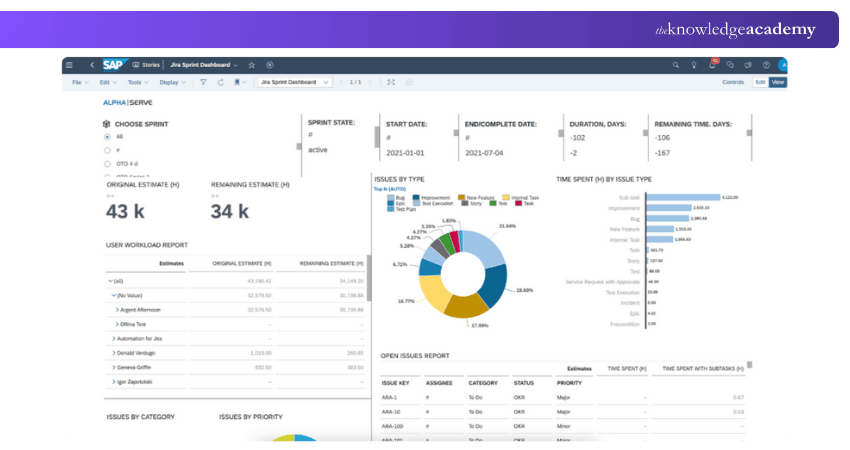
Some key features of SAP Analytics Cloud are:
a) Smart insights using augmented analytics
b) Business planning tools
c) Real-time cloud data updates
d) Custom dashboards
e) Easy team collaboration
f) Live data syncing
Understand how to add new reports to a document and resize columns and rows. Join our Business Objects Reporting Training now!
7) Looker
As the name suggests, it is a data discovery platform which is purely browser-based. It interacts with almost all the SQL databases or data warehouses. Compared to the other BI platforms, Looker can be easily installed and used as it is not dependent on local servers like other BI platforms.
It also offers a data modelling language known as LookML that helps users work with ease as it doesn’t require expertise working with SQL. Its main features include
a) Integrated insights
b) Data-driven workflows
c) Custom application
8) TIBCO Spotfire
TIBCO is a software company that offers tools for data integration, management, and monitoring. Its main Business Intelligence Platform is TIBCO Spotfire, an AI-powered analytics platform. Spotfire helps businesses understand data, predict future performance, and get smart recommendations.
It is known for being powerful yet easy to use, thanks to its drag-and-drop interface. Spotfire also supports real-time analytics, interactive visuals, and forecasting features, making it helpful for fast and accurate decision-making.
Some key uses of TIBCO Spotfire are:
a) Forecasting business performance
b) Giving smart recommendations
c) Predictive analysis with AI
9) Hubble
Hubble is a Business Intelligence Platform designed to manage and improve financial performance. It is mainly cloud-based, but you can also install it if needed. Hubble helps with planning, budgeting, reporting, and Data Analysis in one place. With its planning features, users can create budgets, track reports, and plan expenses. After planning, all data can be moved directly into the ERP system.
Hubble also lets users monitor Power BI KPIs and other performance indicators from the ERP, helping teams make better decisions. It offers ready-made templates and custom dashboards, making it easy to get started and work faster.
Some key operations of Hubble are:
a) Budgeting and financial planning
b) Easy reporting and analysis
c) Direct ERP data integration
d) Custom dashboards and templates
10) Tableau
Tableau is one of the first and most popular Business Intelligence Platforms. It helps users create charts, graphs, dashboards, and visual stories with data, making it easy to understand information quickly. Tableau is known for being user-friendly and powerful, even for people without programming skills.
Tableau also offers strong visual tools like VizQL, advanced analytics, and teamwork features. There is even a free version called Tableau Public, which lets users explore and share data online.
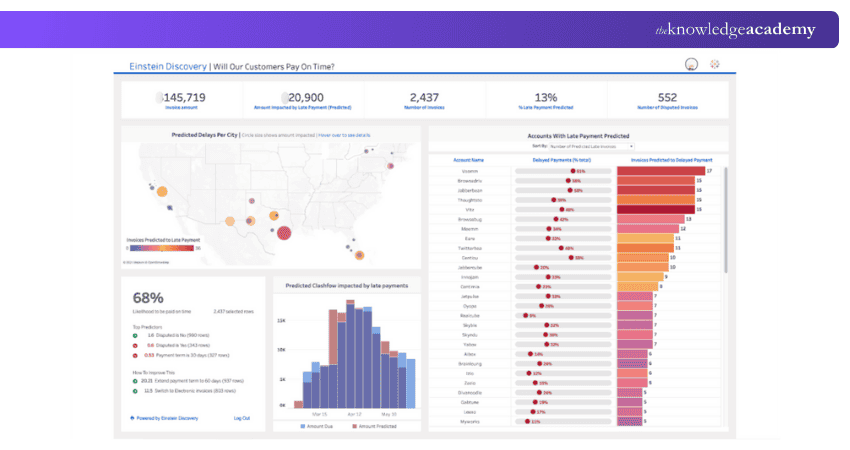
Some of the main operations of Tableau are:
a) Helps users explore data and answer questions quickly
b) Does not require coding knowledge
c) Connects to many data sources that other tools may not support
d) Uses a central server to manage all data in one place
Understand how to connect, blend, and clean diverse data sources with our Tableau Desktop Training – Join now!
11) Oracle BI
Oracle BI is a powerful Business Intelligence Platform designed for medium to large organisations. It helps users analyse large amounts of data and create dashboards, reports, and visualisation. With strong data handling abilities and support for both Oracle and non-Oracle data sources, it is a reliable tool for companies that need deep, accurate Data Analysis.
Some of the key features of Oracle BI are:
a) It supports large-scale Data Analysis across multiple systems
b) No advanced programming skills are required for reports and dashboards
c) It connects to both Oracle and non-Oracle data sources
d) It provides a secure central system to manage data, reports, and dashboards
e) It includes features like data archiving, version control, and smart alerts for better data management
12) Domo
Domo is a cloud-based Business Intelligence Platform that lets businesses bring all their data into one place. It can connect to spreadsheets, databases, and even social media platforms. Companies of all sizes use Domo to see real-time dashboards, track performance, and make better decisions. It also includes an AI tool called Mr. Roboto that helps predict future trends.
Some of the key features of Domo are:
a) Connects easily to many data sources
b) Shows real-time dashboards and reports
c) Uses AI to help predict results
d) Let users view both detailed and overall business data
13) IBM Cognos Analytics
IBM Cognos Analytics is a Business Intelligence Platform that uses AI to help businesses understand their data more effectively. It allows users to explore data, create reports, build dashboards, and share insights with their teams. With AI support, Cognos can identify hidden patterns and present them through clear visual reports, improving decision-making and productivity.
Some of the key strengths of IBM Cognos Analytics are:
a) Uses AI to find insights and patterns in data
b) Allows users to create reports and dashboards easily
c) Helps share data and insights with team members
d) Shows clear charts and visuals to understand information better
14) Zoho Analytics
Zoho Analytics is a self-serve Business Intelligence Platform that helps users create detailed reports and dashboards without needing technical skills. It can automatically pull data from different sources and update it on a schedule. Users can combine data from multiple platforms and turn it into useful charts and reports.
It also comes with an easy-to-use editor, making it simple to build customised dashboards. Zoho Analytics also offers a commenting feature, allowing teams to discuss reports directly within the platform.
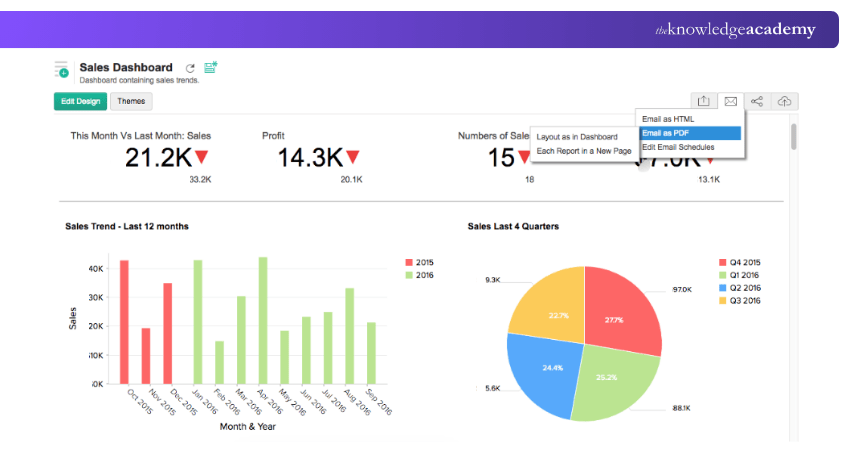
Some of the main features of Zoho Analytics are:
a) Automatic data syncing from many sources
b) Easy-to-use editor for custom dashboards and reports
c) Ability to combine data from different platforms
d) Built-in commenting option for team collaboration
15) Yellowfin BI
Yellowfin BI is a Business Intelligence Platform that helps people understand their data through clear charts and dashboards. It also uses smart technology to find helpful insights automatically. You can easily search through huge amounts of data using simple filters like checkboxes.
Yellowfin works on phones, tablets, and computers, so you can view your dashboards anywhere. It also lets you create or improve dashboards without coding, making it easy for anyone to use and helps to better productivity.
Some of the key features of Yellowfin BI are:
a) Shows data in easy charts and dashboards
b) Simple filters to quickly find information
c) Works on mobile, web, and other devices
d) Let users build dashboards without coding
Improve the skills needed to build robust Business Intelligence solutions with our Qlik Sense Training – Join now!
16) SAS Augmented Analytics & Business Intelligence
SAS Augmented Analytics & Business Intelligence is a well-known Business Intelligence Platform that has been used by businesses for many years. It helps teams study their data, create reports, and make better decisions and better productivity.
SAS is also popular for its strong prediction tools, which help companies understand future trends. Users can customise their reports and dashboards, and the platform also includes Text Analysis to understand written information better.
Some of the key strengths of SAS BI are:
a) Trusted and used for many years
b) Let users customise reports and dashboards
c) Supports detailed reporting and data study
d) Includes Text Analysis to find meaning in written data
Tips to Select the Right BI Platform
It is a difficult task to choose the right BI platform when there are a lot of options available in the market. It is important to understand the requirements of the business before selecting any tools. Discussed below are some tips to select a suitable BI platform for your company.
a) Choosing a renowned Business Intelligence Platform is the basic principle to follow. It is also important to note that the chosen company’s primary goal is to provide data-driven insights to make informed decisions.
b) The second and most important step is to choose a platform that meets the organisational requirements. The platform should be capable enough to evolve with technological advancements and user creativity.
c) Scalability is another factor to consider while selecting a BI Platform. When your business expands, the app or software should be able to expand with it.
What is the Best AI Tool for Business Intelligence?
The best Business Intelligence Platforms depend on what your business needs. Different companies work with different amounts of data and have different budgets, so one tool cannot fit everyone. AI tools help turn data into clear charts and reports, find useful patterns, and support smart business decisions.
Popular options include Power BI, Tableau, Zoho Analytics, Domo, and IBM Cognos. Smaller businesses often choose Power BI or Zoho Analytics because they are simple and affordable, while larger companies prefer Tableau or IBM Cognos for more advanced features. The best tool is the one that fits your budget, is easy to use, and helps you understand your data clearly.
Conclusion
Choosing the right Business Intelligence Platform helps businesses turn raw data into useful insights, improve decisions, and stay ahead in a fast-changing world. Whether a company is small or large, the key is finding a tool that is easy to use, fits the budget, and supports smart planning. With the right BI solution, data becomes a powerful guide for growth and success.
Learn Data Analysis techniques for informed business decisions with our Business Intelligence Analyst Course – Join today!
Frequently Asked Questions
What are the Three Major Types of Business Intelligence?

The three main types of Business Intelligence are:
a) Descriptive BI: Shows what has happened in the past using reports and dashboards
b) Predictive BI: Uses data patterns to predict future outcomes
c) Prescriptive BI: Gives suggestions on what actions to take for better results
What is the Difference Between AI and Business Intelligence?
Business Intelligence (BI) uses past and current data to create reports and dashboards, helping businesses understand what has happened and make informed decisions. Artificial Intelligence (AI) learns from data to find patterns, predict outcomes, and make decisions automatically, without constant human help.

Richard Harris


Senior Full Stack Developer and Technology Educator
Richard Harris is a highly experienced full-stack developer with deep expertise in both frontend and backend technologies. Over his 12-year career, he has built scalable web applications for startups, enterprises and government organisations. Richard’s writing combines technical depth with clear explanations, ideal for developers looking to grow in modern frameworks and tools.


 If you wish to make any changes to your course, please


