


 Top Rated Course

We may not have the course you’re looking for. If you enquire or give us a call on +352 20 33 17 60 and speak to our training experts, we may still be able to help with your training requirements.
What is Cloud Storage, and Why is it important?
Scarlett Adams 15 December 2025Cloud Storage is a service where files are kept on remote servers at off-site locations, accessible through a public internet connection. It eliminates the need for physical storage devices while offering flexibility, scalability, and security. Users can easily share and back up data with access from any device.

Training Outcomes Within Your Budget!
We ensure quality, budget-alignment, and timely delivery by our expert instructors.
Table of Contents
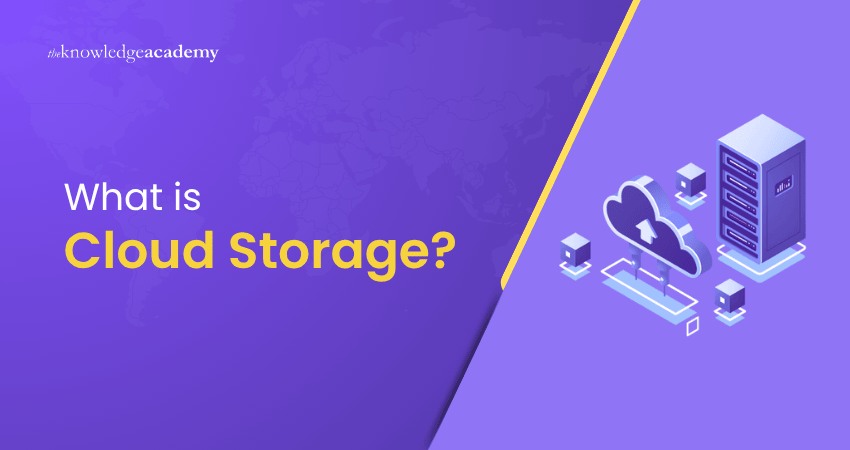
Have you ever wondered where all your photos, documents, and videos actually go when you save them to Google Drive, iCloud, or Dropbox? That’s the power of Cloud Storage; a modern solution that replaces bulky hard drives with secure, online spaces accessible from anywhere. To give you a clearer picture, in this blog we’ll explore What is Cloud Storage, how it works, its types, benefits, challenges, and examples, helping you understand why it has become such an essential part of modern digital life.
Table of Contents
1) What is Cloud Storage?
2) How Does Cloud Storage Work?
3) Types of Cloud Storage
4) Use Cases for Cloud Storage
5) Open-source Solutions for Cloud Storage
6) Benefits of Cloud Storage
7) Challenges of Cloud Storage
8) Examples of Cloud Storage
9) Conclusion
What is Cloud Storage?
Cloud Storage is a technology that enables users to save data, files, and applications on remote servers managed by service providers, instead of relying on local devices. These servers are accessed over the internet, making it possible to upload, download, and share files from anywhere.
Cloud Storage eradicates the limitations of physical storage devices, offering scalability, security, and flexibility to meet personal and business needs. It also enables automatic backups and disaster recovery, ensuring data protection. Popular examples include Google Drive, Dropbox, iCloud, and OneDrive.
How Does Cloud Storage Work?
Here’s a step-by-step breakdown of how Cloud Storage works, making it easy to understand the process from uploading files to accessing them securely.
1) Uploading Data
When you save files to the Cloud, they are transmitted from your device to secure, remote servers over the internet. This process happens through a web browser, desktop app, mobile app, or an API.
2) Data Storage in Servers
The files are stored in massive data centres managed by Cloud providers. These centres use Object Storage systems, where each file is saved with metadata and a unique identifier, making it easy to organise and retrieve.
3) Redundancy and Replication
To prevent data loss, Cloud providers automatically replicate your files across multiple servers and locations. This duplication make sures that if one server fails, your data remains safe and accessible elsewhere.
4) Scalability on Demand
Cloud Storage uses virtualised infrastructure, allowing providers to scale storage up or down instantly. Users can expand capacity without buying new hardware and only pay for the space they use.
5) Accessing Files
You can access, share, or manage files from anywhere using any internet-connected device. All connections are secured with encryption and authentication measures to protect your data.
Kickstart your Cloud journey with Google Cloud Platform Fundamentals Course - Join the future of tech today!
Types of Cloud Storage
Here are the different types of Cloud Storage:

1) File Storage
File storage organises data in a hierarchical structure, similar to traditional file systems on a computer. It’s ideal for collaboration and file sharing across multiple users and devices. Common services like Google Drive and Dropbox use this model.
2) Block Storage
Block storage divides data into fixed-size blocks, each with a unique identifier. It’s commonly used in high-performance environments such as databases, virtual machines, and enterprise applications. It offers fast read/write speeds and low latency.
3) Object Storage
Object Storage manages data as individual objects, each containing the data itself, metadata, and a unique ID. It’s highly scalable, cost-effective, and perfect for storing huge volumes of unstructured data like images, videos, and backups. Services like Amazon S3 use this model.
Use Cases for Cloud Storage
Cloud Storage offers versatile applications across industries, helping businesses and individuals manage, share, and secure data effectively. Here are some of the most common use cases where Cloud Storage proves invaluable.
1) Team Collaboration
Cloud Storage enables seamless teamwork by allowing multiple users to access, edit, and share files in real time. Platforms like Google Drive and OneDrive improve productivity by eliminating version conflicts and keeping projects synchronised.
2) Content Delivery
Businesses use Cloud Storage to distribute digital content such as videos, images, and software updates. With global data centres and caching, files load faster for end-users, ensuring smooth experiences regardless of location.
3) AI and Data Analytics
Cloud Storage supports advanced analytics by securely housing large datasets. It provides scalable capacity for AI workloads, enabling data scientists and organisations to run predictive models, Machine Learning, and Big Data Analysis without hardware limitations.
4) File Management and Syncing
Cloud services automatically sync files across devices, ensuring users always have the latest version available. This makes switching between laptops, mobiles, or tablets effortless while reducing the risk of losing important updates.
5) Data Archiving
Organisations rely on Cloud Storage for long-term archiving of documents, logs, and historical data. It offers a secure, low-cost solution for retaining records required for compliance, audits, or future reference, without taking up local space.
Build confidence and secure your digital future with the Introduction to Google Cloud Security Course - Register today!
Open-source Solutions for Cloud Storage
Open-source Cloud Storage platforms provide flexible, cost-effective alternatives to commercial services. They allow organisations to build, customise, and manage their own storage environments with full control over data security and scalability.
Examples of Open-source Cloud Storage:
1) Nextcloud: A self-hosted platform for file sharing, syncing, and collaboration
2) ownCloud: Popular for enterprise-level File Management and secure sharing
3) Ceph: A highly scalable solution for object, block, and file storage
4) Seafile: Focused on high performance, syncing, and reliable data handling
5) MinIO: Lightweight Object Storage designed for AI and analytics workloads
Unlock the power of the Cloud with Google Cloud Training - Start building smarter solutions today!
Benefits of Cloud Storage
Cloud Storage has transformed how organisations store data beyond convenience. It supports modern business goals like Agility, cost-saving, and resilience. Below are some of the key benefits that make Cloud Storage an essential tool in today’s digital landscape:
1) Offsite Management
a) Data is stored on remote servers
b) Reduces reliance on on-premises infrastructure
c) Keeps files safe even if local systems fail
2) Fast Implementation
a) Quick setup via web or app
b) No complex installation or hardware needed
c) Users can start storing files instantly
3) Cost-effectiveness
a) Pay only for storage used
b) Save on hardware and maintenance costs
c) More affordable than traditional storage solutions
4) Scalability
a) Easily increase or decrease storage space
b) Flexible for business growth or personal needs
c) No long-term investment in equipment required
5) Business Continuity
a) Automatic backups protect critical data
b) Disaster recovery ensures availability during disruptions
c) Helps organisations reduce downtime and maintain operations
Challenges of Cloud Storage
Although Cloud Storage offers many benefits, it’s critical to recognise the potential challenges that come with it. Businesses must understand these restrictions to make informed decisions, plan ahead, and build effective Cloud strategies.
1) Security
a) Risk of hacking and data breaches
b) Requires strong encryption and access controls
c) Sensitive information can be vulnerable online
2) Data Access
a) Depends on stable internet connection
b) Poor connectivity can affect file access
c) Collaboration may suffer in remote areas
3) Cost
a) Expenses grow with higher storage needs
b) Frequent data transfers add extra costs
c) Budgeting can be challenging long-term
4) Performance Degradation
a) Large data volumes may cause latency
b) Slower access speeds than local storage
c) Peak usage periods can impact performance
Learn BigQuery for advanced analytics, empowering you to transform raw data into insights with our Google BigQuery Training – Sign up today!
Examples of Cloud Storage
Let's explore how various Cloud Storage providers help users manage and secure their data efficiently.
1) Google Drive
Google Drive is one of the most used Cloud Storage platforms, offering seamless integration with Google’s productivity tools. It is ideal for individuals, students, and businesses.
a) 15 GB free storage shared across Google services
b) Paid plans are available under Google One for larger storage
c) Real-time collaboration using Docs, Sheets, and Slides
d) Easy file sharing and access across devices
2) Dropbox
Dropbox is a pioneer in Cloud Storage, known for its simplicity and reliability. It suits both personal use and professional collaboration.
a) 2 GB free storage with upgrade options
b) Strong cross-platform syncing and accessibility
c) File recovery and version history features
d) Collaboration tools like Dropbox Paper for teamwork
3) iCloud
iCloud is Apple’s Cloud Storage solution designed to work seamlessly across its ecosystem. It is best for users with iPhones, iPads, or Macs.
a) 5 GB free storage for every Apple ID
b) Automatic backups of photos, videos, and documents
c) Syncs data across all Apple devices instantly
d) Family sharing options for easy Plan Management
4) Microsoft OneDrive
OneDrive integrates deeply with Microsoft products, making it a strong choice for Windows and Office users. It is widely used by individuals and organisations.
a) 5 GB free storage with upgrade options
b) Built-in integration with Office apps like Word, Excel, and PowerPoint
c) Automatic file syncing across devices
d) Enterprise-level tools through Microsoft 365 for collaboration
Conclusion
Understanding What is Cloud Storage goes beyond just storing files online; it is about ensuring data is secure, scalable, and always accessible. From collaboration and syncing to backups and analytics, Cloud Storage empowers both individuals and businesses with unmatched flexibility, reliability, and convenience, keeping the digital world within easy reach.
Boost your Cloud career with networking on the Google Cloud Platform Course - Join today and get connected!
Frequently Asked Questions
How Do I Access My Cloud Storage?

You can access your Cloud Storage through a web browser, or a standalone app provided by the service (e.g. Google Drive, iCloud). Log in using your account credentials to view, upload, download, or manage files securely from any internet-connected device.
Where is Cloud Storage Located?
Cloud Storage is hosted in remote data centres managed by service providers. These facilities are distributed across multiple geographic regions, ensuring data redundancy, security, and availability for users worldwide.
What are the Other Resources and Offers Provided by The Knowledge Academy?
The Knowledge Academy takes global learning to new heights, offering over 3,000 online courses across 490+ locations in 190+ countries. This expansive reach ensures accessibility and convenience for learners worldwide.
Alongside our diverse Online Course Catalogue, encompassing 19 major categories, we go the extra mile by providing a plethora of free educational Online Resources like Blogs, eBooks, Interview Questions and Videos. Tailoring learning experiences further, professionals can unlock greater value through a wide range of special discounts, seasonal deals, and Exclusive Offers.
What is The Knowledge Pass, and How Does it Work?
The Knowledge Academy’s Knowledge Pass, a prepaid voucher, adds another layer of flexibility, allowing course bookings over a 12-month period. Join us on a journey where education knows no bounds.
What are the Related Courses and Blogs Provided by The Knowledge Academy?
The Knowledge Academy offers various Google Cloud Certification, including Google Cloud Storage Training, Google Cloud Platform Fundamentals and Architecting Infrastructure with Google Cloud Platform Training. These courses cater to different skill levels, providing comprehensive insights into Hybrid Cloud Strategy.
Our Cloud Computing Blogs cover a range of topics related to Cloud Storage, offering valuable resources, best practices, and industry insights. Whether you are a beginner or looking to advance your Cloud Computing skills, The Knowledge Academy's diverse courses and informative blogs have got you covered.
Upcoming Cloud Computing Resources Batches & Dates
Date
 Architecting Infrastructure with Google Cloud Platform Training
Architecting Infrastructure with Google Cloud Platform Training
Mon 3rd Aug 2026
Architecting Infrastructure with Google Cloud Platform Training
Mon 2nd Nov 2026

 If you wish to make any changes to your course, please


