


 Top Rated Course

We may not have the course you’re looking for. If you enquire or give us a call on +352 20 33 17 60 and speak to our training experts, we may still be able to help with your training requirements.
What is Website Architecture? A Comprehensive Guide
Scarlett Adams 15 December 2025Website Architecture, also known as website structure or information architecture, refers to the planning and design of a site's arrangement of URLs. Having a well-structured website with easy navigation helps you in grabbing people’s attention. It acts as a building block for SEO rankings which will help your website getting noticed.

Training Outcomes Within Your Budget!
We ensure quality, budget-alignment, and timely delivery by our expert instructors.
Table of Contents

Have you ever felt incomplete when you see a building without proper exterior works? Or, when you are looking at an interior design and feel that the walls are missing the thematic colours of the building, have you thought of that it should be fixed to feel complete and perfect? Absolutely, the answer will be ‘Yes’ because we all would love things that feel complete and wholesome. The same applies for a website too.
To make your website look better, easy to navigate and provide user-friendly experience, learning What is Website Architecture and how to do it effectively will help you. Let’s gets started to design your website in a full structure!
Table of Contents
1) What is Website Architecture?
2) Why is Website Architecture so Important?
3) Website Architecture Best Practices: 8 Simple Ways to Enhance Your Site Structure
4) The Ideal Website Architecture
5) Conclusion
What is Website Architecture?
A Website Architecture refers to how you organise and link your website pages together. It helps you to align the pages in a structure through internal linking. This will help you to work on how the contents are grouped, linked, and displayed to the users.
Designing a good website is crucial for improving both user experience and SEO rankings. You are essentially the architect of your site, responsible for designing every detail that needs to be included.

Why is Website Architecture so Important?
Knowing why Website Architecture and Website Taxonomy are so important will help you make sound decisions on improving the way your website is structured. The primary goal of this is to attain a user-friendly experience where the users feel comfortable while navigating your website. It will make them stay a bit longer and explore the other available options. It creates a win-win situation for you and your users.
The users will get what they’re looking for and might spend a little extra time exploring other things. That will create a positive impact on achieving your goal to reach wider audience too. Let's take a deep look into its importance.
1) Boosts SEO
1) A well-structured and well-designed website will enhance your SEO
2) Rank higher in the searches with a good user experience
3) Helps in SEO to easily crawl your website
4) Leads to more organic traffic of your content
2) Improves Usability
1) Makes it easy for users to search or find what they need
2) Helps in attracting user’s attention and engagement
3) Users are likely to spend extra time in exploring the website
4) Encourages deep navigation of your website
3) Missed Opportunities
1) Improper and unstructured website can frustrate users, and they might leave
2) Might miss the chance of having the users stay with you
3) Directly impacts with users’ trust in your website
4) Leads to loss of content delivery
Gain hands-on experience with real-world projects with our App & Web Development Training – Join now!
Website Architecture Best Practices: 8 Simple Ways to Enhance Your Site Structure
A well-structured website makes navigation effortless and provides a positive experience for both users and search engines. Let's look into the eight simple ways to keep in mind when designing your site’s structure.
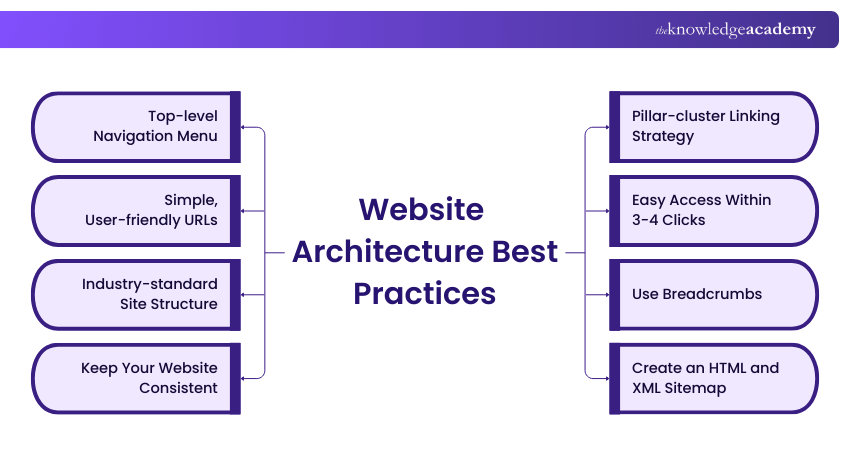
1) Top-level Navigation Menu
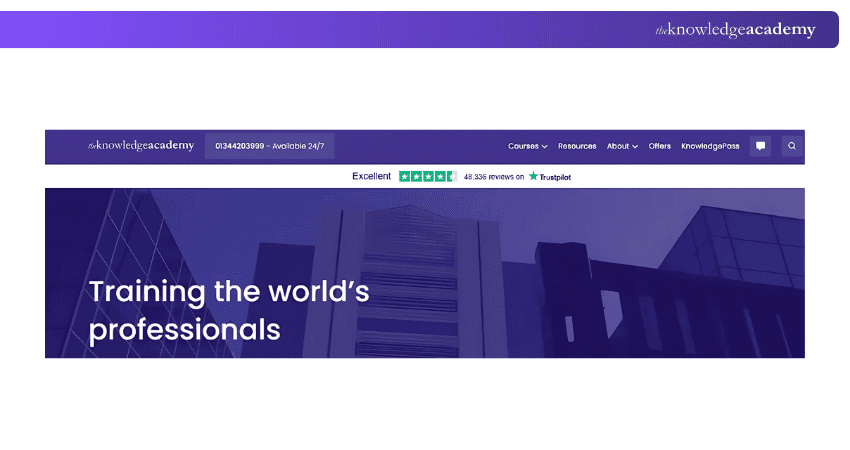
The first point of attraction from your website would be the top-level navigation menu. Hence, it is important to keep it simple and ensure there aren’t too many menus listed. If your website has subcategories, applying good Information Architecture by creating distinct categories can keep it well-organised. This approach prevents content clutter and makes it easier for users to navigate to the topic or subtopic they want to explore. It avoids stuffing and makes it easier for the users to navigate to the topic or subtopic they want to explore.
Organise the content in logical format which is from broader categories to subcategories. This will make the users to check what are the options available and additionally to check what else are there in your website apart from what they need.
2) Simple, User-friendly URLs
Having a URL that is short, user-friendly, and descriptive is highly recommended. It should clearly convey the central idea of the blog or content helping users understand what the page is about before clicking on it.
Let’s say you’re writing a blog about Website Architecture. You could either create a URL with random letters and characters in it or else you can create a URL with proper keyword included in it. Let’s look at the below examples and find which suits better.
1) .com/blog/post345/default=a93/
2) .com/blog/what-is-website-architecture/
While comparing both the URLs, it is undoubtedly evident that the second one incorporated with the keyword looks appealing.
Gain insights and practical knowledge directly applicable to real-world design challenges, sign up for UX Design Course now!
3) Industry-standard Site Structure
One of the effective ways to attract the users with your structure is to emulate or be similar with the top brands from your industry. This is because the top brands are familiar among the people and if your website is similar to those websites, it will be easy for the users to navigate your website and find what they want with ease.
It is necessary to stand out from the crowd. You can be unique with the designs, and you can make the structures alike to those top brands for user-friendly experience.
4) Keep Your Website Consistent
Maintaining a consistent style and design for your website is highly preferred and suggested. Whenever a user is visiting your website, their first point of attraction is how your website looks. If you’re frequently changing the way your website is designed, it will confuse your users if they’re visiting the same website which they visited earlier.
To prevent such confusions, it’s advisable to maintain a standard style for your website without deviating from it.
5) Pillar-cluster Linking Strategy
Using a pillar-cluster linking strategy will help you in promoting your relevant content from the parent content page. Let’s explore how it works. Here you will be linking the relevant content pages from your website (the clusters) to a content page which will act as a parent page (the pillar).
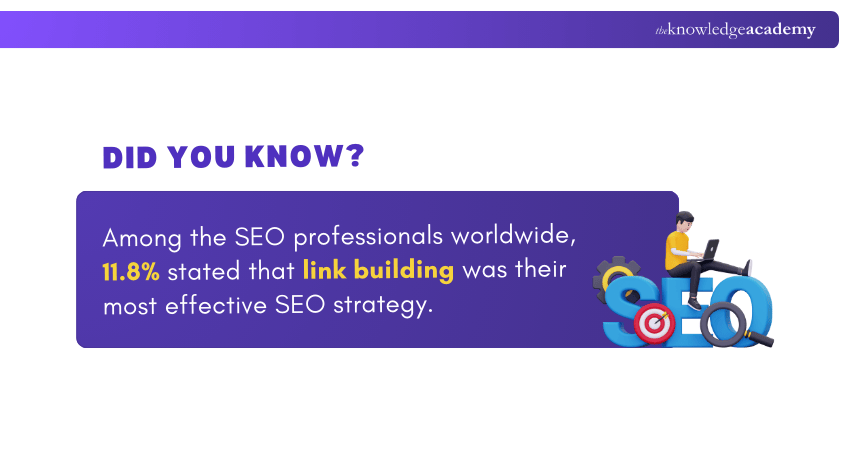
This technique is referred as internal linking where you will be inter-linking your pages. It is required to link only the relevant content and that should be briefing what content the users will be taken into if they click that.
6) Easy Access Within 3-4 Clicks
When you’re creating the menus, it needs to be created in such a way that it only requires only three to four clicks to land on to the page the users want. For example, let’s consider that the user would like to read about What is Website Architecture, then the possible menus would be from 'Blogs' to ‘Programming and Development’, then it will navigate you to ‘App and Web Develpment’ and then to the needed blog.
It would be like this if you’re using three to four clicks formula. Your website>Blogs> Programming and Development>App and Web Develpment>What is Website Architecture.
7) Use Breadcrumbs
Breadcrumbs are a great way to help users understand their current location within the menus and makes it easy to navigate back to previous sections or to the home page or wherever they want.
For example, providing options like previous, next or to the menu page will define the actual work done by breadcrumbs.
8) Create an HTML and XML Sitemap
A sitemap is the list of all the pages that are available on your website. It shows your website’s structure and pages in a readable as well as in crawlable format. It not only increases the navigation even better but also improves the SEO rankings for your website.
An HTML sitemap is employed for user-friendly overview of the structure of your website; the XML sitemap is designed focussing the search engine crawlers and it encompasses the URLs of the website in a text format.
The Ideal Website Architecture
It is time for you to know the ideal Website Architecture to build your own website or to improvise your existing website. Here are the levels or the hierarchy of the menus:
1) Homepage: Homepage is where the users are directed when they click your link or website.
2) Categories or Sections: This is the space where you need to list out all the categories or sections that come under your website, focussing the domains.
3) Subcategories: They are added to specifically differentiate the contents from each category. For example, the beauty category will have too many subcategories like internal beauty, external beauty, etc.
4) Individual Pages or Posts: Once you have finalised or chose the subcategory, it will lead you to the content titles and from there you can select which content you want to read. It will take you to that particular content page.
Conclusion
To achieve exceptional user-friendly experience as well as SEO rankings at the same time, Website Architecture will be the key to design your website. By incorporating all the techniques and tricks discussed in this blog, hope you will be creating your website which will be unique, attractive, easy to navigate and SEO friendly. A structured website is all you need when your contents have been brewed perfectly. Start building your website now to befriend the users and SEO!
Learn how to create effective Information Architecture by registering in our UI UX Design Course now!
Frequently Asked Questions
What Are the Four Types of Website Design Structures?

The four types of website design structure would include the following: hierarchical, sequential or linear, matrix, and database.
What is a UX Design?
UX design or User Experience design refers to the creation or production of user-friendly products and services focussing on meaningful and relevant experiences to users.
What are the Other Resources and Offers Provided by The Knowledge Academy?
The Knowledge Academy takes global learning to new heights, offering over 3,000 online courses across 490+ locations in 190+ countries. This expansive reach ensures accessibility and convenience for learners worldwide.
Alongside our diverse Online Course Catalogue, encompassing 19 major categories, we go the extra mile by providing a plethora of free educational Online Resources like Blogs, eBooks, Interview Questions and Videos. Tailoring learning experiences further, professionals can unlock greater value through a wide range of special discounts, seasonal deals, and Exclusive Offers.
What is The Knowledge Pass, and How Does it Work?
The Knowledge Academy’s Knowledge Pass, a prepaid voucher, adds another layer of flexibility, allowing course bookings over a 12-month period. Join us on a journey where education knows no bounds.
What are the Related Courses and Blogs Provided by The Knowledge Academy?
The Knowledge Academy offers various App & Web Development Training, including Website Design Course, UX Design Course and Web Development Training. These courses cater to different skill levels, providing comprehensive insights into Web Application.
Our Programming & DevOps Blogs cover a range of topics related to Web Architecture, offering valuable resources, best practices, and industry insights. Whether you are a beginner or looking to advance your Programming skills, The Knowledge Academy's diverse courses and informative blogs have got you covered.
Upcoming Programming & DevOps Resources Batches & Dates
Date
 Website Design Course
Website Design Course
Thu 6th Aug 2026
Website Design Course
Thu 5th Nov 2026

 If you wish to make any changes to your course, please


