Who Should Attend Slack Training
This course is designed for professionals looking to enhance their team communication and collaboration using Slack. The ideal audience includes:
- Project Managers
- Team Leaders
- Operations Managers
- IT Managers
- Product Managers
- Business Analysts
- Administrative Professionals
Prerequisites of Slack Training
Learners should have basic computer skills and familiarity with workplace communication tools. No prior experience with Slack is required.
Slack Training Course Overview
The Slack Training course is designed to provide professionals with the knowledge and skills to utilise Slack effectively for team communication and collaboration. As a leading communication platform, Slack offers a wide range of features that can enhance productivity and streamline workflows. This course aims to equip participants with the ability to set up and manage their Slack workspace, facilitate efficient communication, integrate with other tools, and ensure secure and compliant usage. By mastering these Slack capabilities, participants can significantly advance their careers, opening up new opportunities in team and project management.
The Knowledge Academy’s 1-day Slack Training course content is structured into detailed modules covering an introduction to Slack, communication features, collaboration and file sharing, integrations and bots, security and compliance, and advanced features. Delegates will gain practical knowledge on setting up Slack, managing channels and direct messages, sharing files, using integrations and bots for automation, and customising their Slack experience.
Course Objectives
- Understand the key features and terminologies of Slack.
- Learn to create and manage channels, direct messages, and group conversations.
- Develop skills to share files and integrate Slack with other tools.
- Explore the use of Slack bots for automation and advanced integration techniques.
- Gain insights into managing permissions, ensuring data security, and maintaining compliance.
- Customise Slack to enhance the user experience and optimise workflows.
By the end of this course, delegates will be proficient in using Slack to enhance team communication and collaboration. They will understand how to set up and manage their Slack workspace, utilise various communication and collaboration features, integrate with other productivity tools, and ensure secure and compliant usage.
Benefits of Slack Training
Slack Training provides structured, hands-on learning for professionals to use Slack effectively for workplace communication and collaboration. The course covers channel-based messaging, file sharing, and advanced features through practical, module-driven instruction.
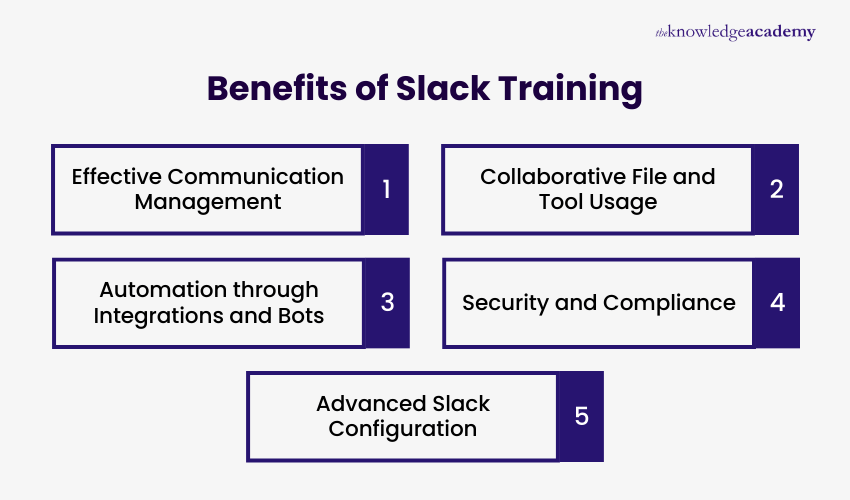
Here are the core benefits that learners will gain from this training:
- Effective Communication Management: Learners will gain the ability to create and manage channels, use direct and group messaging, and apply mentions and emojis to support clear and timely conversations.
- Collaborative File and Tool Usage: Learn how to share files and documents, integrate tools such as Google Drive and Trello, and use Slack to coordinate team activities efficiently.
- Automation through Integrations and Bots: Professionals will develop the capability to add and manage apps, use Slack bots for automation, and apply advanced integration techniques to streamline routine tasks.
- Security and Compliance: Gain skills in managing permissions, controlling access, and applying best practices to ensure data security and compliance within Slack.
- Advanced Slack Configuration: Learn how to customise the Slack experience, use advanced features, and practical applications through successful Slack implementation case studies.





 If you miss out, enquire to get
yourself
on the waiting list for the next day!
If you miss out, enquire to get
yourself
on the waiting list for the next day!













 If you wish to make any changes to your course, please


