




We may not have the course you’re looking for. If you enquire or give us a call on +36 18508731 and speak to our training experts, we may still be able to help with your training requirements.
What is Session Management, and How Does it Work?
John Davies 29 April 2026Session Management is the process of securely handling a user's interaction with a web application through cookies, URL rewriting or hidden form fields. Session Management involves tracking user activities, authenticating users, and storing user-specific data, such as shopping cart contents or login portals status.

Certified Application Security Engineer (CASE .NET) Certification
 Top Rated Course
Top Rated Course
Exclusive 40% OFF
Training Outcomes Within Your Budget!
We ensure quality, budget-alignment, and timely delivery by our expert instructors.
Table of Contents
The internet has a powerful memory. Ever thought of how websites remember who you are, even after you hop between pages? That’s the power of Session Management. From keeping you logged in to securing your data, it quietly masterminds a seamless digital experience. Essentially, it helps the system recognise you without asking for your credentials repeatedly.
In this blog, we’ll unravel What is Session Management, its components, benefits, vulnerabilities and more. So read on and how Session Management functions as the behind-the-scenes guardian of every smooth and secure login experience!
What is Session Management?
A session is a specific period during which an authenticated user interacts with a system or application. It begins when the user accesses a website or app and continues until they log out or the session expires after a set period of inactivity.
Session Management refers to the process of securely handling multiple requests from the same user during that session. It involves initiating, maintaining, and terminating sessions while ensuring data protection, integrity, and user authenticity throughout the interaction.
How Does Session Management Work?
Session Management works by assigning a unique identifier to each user session and using cookies to track and validate this identity across multiple requests. This ensures that the server recognises the returning users during their active interaction with the application. Here are the two aspects that drive Session Management:
1) Session ID
A Session ID is a unique identifier generated by the server when a user initiates a session. It helps the system track the user’s activity and link their requests to the correct session securely throughout their interaction.
2) Session Cookies
Session cookies are small pieces of data stored in the user’s browser that contain the Session ID or related information. They allow the server to recognise the user’s session on each request. This ensures seamless and continuous access without repeated logins.
Defend the Cloud from potential vulnerabilities. Sign up for our Certified Cloud Security Engineer Certification and master Cloud Security in no time!
Types of Session Management
Session Management is generally divided into two main categories: Client-side and Server-side Session Management. Let’s take a closer look at how each works:
1) Client-side Session Management
In Client-side Session Management, session data is stored on the user’s device using cookies or browser storage such as localStorage or sessionStorage. The stored data may be encoded or encrypted to protect sensitive information. With each request, the client sends this session data back to the server, which validates it before processing the user’s actions.
2) Server-side Session Management
In Server-side Session Management, the session data is stored securely on the server instead of the client. A unique session ID is generated for every user and stored on the client device, usually within a cookie. Each time a request is made, the server retrieves the corresponding session data using that ID, enabling continuous authentication and accurate user state tracking throughout the session.
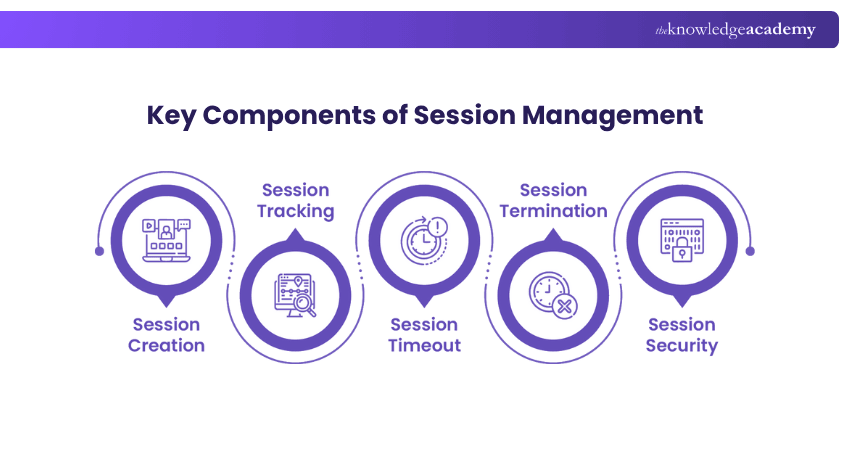
Key Components of Session Management
Let’s take a closer look at the essential components that make Session Management secure and effective:
1) Session Creation
A unique session ID is generated when a user first accesses an application, marking the start of their session. This identifier links all user actions to the session, ensuring the system recognises each user individually, even when multiple sessions are active simultaneously.
2) Session Tracking
The server monitors the active sessions by linking session IDs with corresponding user data stored in memory or a database. This enables the application to maintain continuity in user interactions across multiple requests.
3) Session Timeout
To enhance security, each session is assigned a timeout period. If a session remains inactive beyond this duration, it automatically ends. This prevents unauthorised access when users forget to log out or leave their device unattended.
4) Session Termination
Users can deliberately end their session by logging out, which clears session data and invalidates the associated ID. This helps ensure that no lingering session remains accessible after use.
5) Session Security
Security mechanisms like encryption, secure cookies and token validation are used to protect sessions from hijacking or fixation attacks. These safeguards ensure that only legitimate users can access active sessions.
Session Management Threats and Cyber Security Attacks
Session Management plays a critical role in maintaining web application security. However, flaws or weak configurations in this process can expose systems to serious threats such as session hijacking and session fixation.
1) Session Hijacking
Session Hijacking is a type of Man-in-the-Middle (MITM) attack in which cybercriminals intercept or steal a valid session ID to impersonate a legitimate user. Once attackers gain access, they can perform unauthorised actions such as modifying user data, stealing sensitive information, or taking over accounts entirely.
2) Session Fixation
It's a related technique where attackers force or trick users into using a session ID they already control. This allows them to maintain access even after legitimate authentication occurs. These vulnerabilities often result in account takeover and broken authentication.
Additional risks, such as Social Engineering, credential theft or weak passwords make it convenient for attackers to exploit active sessions.
Outsmart Cyber threats and become a certified guardian of the digital grid in our Certified Network Defender Certification – Register now!
Session Management Techniques
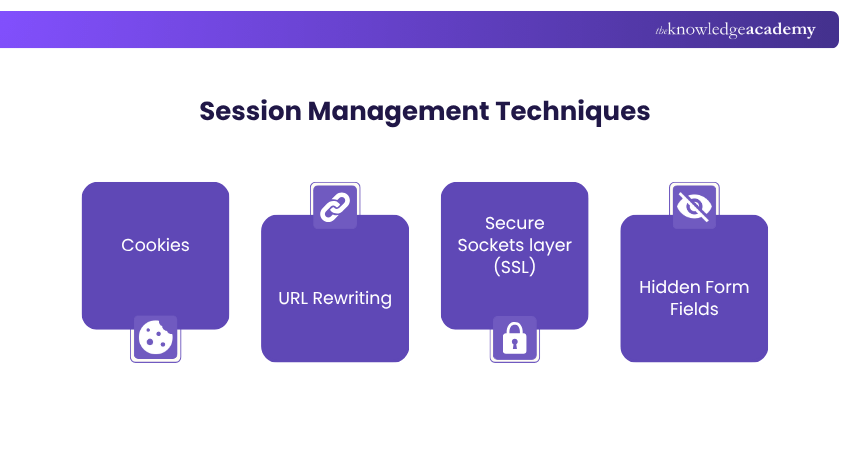
A proper Session Management can be done through multiple techniques. The choice of approach often depends on the needs of the web application and the required level of protection. Let’s look at some widely used practices:
1) Cookie-based Technique
1) Cookie-based sessions are a common approach and are widely used in web applications to manage user activity.
2) Cookies are small data files generated by the server and stored on the user’s browser to track session state.
3) If unusual activity is detected, they can trigger security actions like session termination or forced re-authentication.
4) Cookies are easy to implement and highly scalable, as they are a built-in feature of web browsers across the internet.
5) However, these sessions are limited to web environments. Without custom handling, they do not extend well to other platforms like mobile or desktop apps.
6) Cookie-based systems can be vulnerable to XSS and session hijacking. They require additional security layers to protect user data.
2) Token-based Technique
1) Token-based Session Management uses small text-based tokens like access tokens, ID tokens and refresh tokens to control user access.
2) These tokens are often in JWT format. They are sent in the HTTP authorisation header to authenticate and maintain active sessions.
3) This method is highly popular in RESTful APIs and Single Page Applications (SPAs) due to its support for stateless authentication.
4) Tokens can include built-in security features like expiration times and access scopes.
5) Their lightweight nature makes them scalable. This allows seamless use across diverse architectures.
6) Token-based systems work smoothly across different platforms and environments.
7) Overall, token-based authentication is considered one of the most secure methods for Session Management.
3) Other Techniques
1) While some legacy Session Management techniques offer basic functionality, they bring less flexibility and weaker security compared to modern methods.
2) URL Rewriting appends the session data directly to the URL. This makes it simple to implement but vulnerable to attacks if someone copies or intercepts the link.
3) While this method mimics the cookies in functionality, it increases exposure since URLs are easily shared or cached.
4) Hidden Form Fields refer to another traditional technique where session data is stored in invisible HTML fields and sent with user actions.
5) These fields can trigger re-authentication or termination if unusual activity is detected.
6) However, like cookies and URL rewriting, hidden fields can be compromised without additional protection and validation.
Blend your mastery of Java with your ambition of security excellence. Sign up for our Certified Application Security Engineer (CASE Java) Certification now!
Best Practices for Session Management
Good Session Management helps keep user data safe and prevents unauthorised access in web applications. Let's explore the main best practices for Session Management:
1) Properties of Session ID
The following elements can ensure the robustness of a well-designed session ID:
1) Length: Use sufficiently long session IDs (128 bits is a common minimum) to resist brute-force attempts. Longer IDs may increase security, but they may also slightly affect performance.
2) Randomness: Always generate IDs using a Cryptographically Secure Random Number Generator (CSPRNG).
3) Entropy: High entropy ensures enough randomness, making it extremely difficult for attackers to replicate a session ID.
4) Obscurity: Session IDs must not reveal any useful information. Avoid embedding identifiable or sensitive data and consider encoding for added security.
5) Uniqueness: Each session must have its own unique ID to prevent session fixation and ensure isolation between users.
2) Attributes of Cookies
Applying the right cookie attributes can help protect session IDs from web threats. Consider the following:
1) Secure: This ensures cookies are only sent over HTTPS, protecting data in transit.
2) HttpOnly: This blocks JavaScript access to cookies, thus reducing XSS risks.
3) SameSite: This Controls cookie behaviour based on request origin:
a) Strict: Highest security only same-site requests include the cookie.
b) Lax: Allows limited cross-site usage with safer defaults.
c) None: Sends cookies with all requests, but must be paired with Secure and HttpOnly.
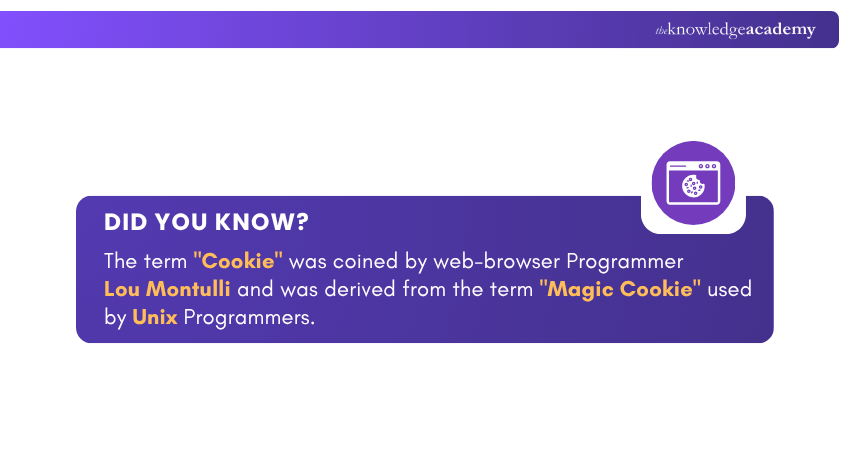
4) Expires or Max-age: This defines how long a cookie remains valid. Session cookies expire on browser close, while persistent cookies include a defined expiration.
3) Generation of New Session IDs
Generating new session IDs at key interaction points boosts security. Consider the following:
1) Login: Issue a fresh session ID after successful authentication to block any fixation attempts.
2) Privilege Escalation: When the user roles change, for example from guest to admin, regenerate the session ID to isolate permissions.
3) Password Update: Require re-authentication and issue a new ID to protect against compromised sessions.
4) Idle Timeout: Consider regenerating the session ID after inactivity to reduce long-term hijacking risks.
Conclusion
Session Management may operate quietly in the background, but its impact on the online user experience is undeniably powerful. By understanding What is Session Management, how it works and why it matters, businesses and users alike can ensure safer and smoother online interactions. With the right practices, every session can become both seamless and secure.
Equip yourself with the passport to the digital battlefield with our EC–Council Certification – Sign up now and become a seasoned Cyber defender!
Frequently Asked Questions
What is a Session Manager Used for?

A Session Manager is used to create, track, validate, and terminate user sessions. It assigns session IDs, monitors activity, enforces timeouts, and applies security controls. It's useful for protecting active sessions from unauthorised access or misuse.
What is the Difference Between SSH and SSM?
Secure Shell (SSH) is a protocol for connecting to remote systems using encryption and manual login credentials. AWS Systems Manager (SSM) provides a managed way to access and control servers without exposing them over SSH. This allows automation, audit logging, and good security controls without direct port access.
What are the Other Resources and Offers Provided by The Knowledge Academy?
The Knowledge Academy takes global learning to new heights, offering over 3,000+ online courses across 490+ locations in 190+ countries. This expansive reach ensures accessibility and convenience for learners worldwide.
Alongside our diverse Online Course Catalogue, encompassing 17 major categories, we go the extra mile by providing a plethora of free educational Online Resources like Blogs, eBooks, Interview Questions and Videos. Tailoring learning experiences further, professionals can unlock greater value through a wide range of special discounts, seasonal deals, and Exclusive Offers.
What is The Knowledge Pass, and How Does it Work?
The Knowledge Academy’s Knowledge Pass, a prepaid voucher, adds another layer of flexibility, allowing course bookings over a 12-month period. Join us on a journey where education knows no bounds.
What are the Related Courses and Blogs Provided by The Knowledge Academy?
The Knowledge Academy offers various EC – Council Certifications, including the Certified Application Security Engineer (CASE .NET) Certification, Certified Application Security Engineer (CASE Java) Certification and the Certified Network Defender Certification. These courses cater to different skill levels, providing comprehensive insights into Session Fixation.
Our IT Security & Data Protection Blogs cover a range of topics related to Session Management, offering valuable resources, best practices, and industry insights. Whether you are a beginner or looking to advance your Session Management skills, The Knowledge Academy's diverse courses and informative blogs have got you covered.

John Davies


Cyber Security Governance & Assurance Specialist
John Davies is a cybersecurity expert specialising in governance, risk management, and compliance. With over 15 years in the field, he has led enterprise-wide security programmes across finance, healthcare and public sector organisations. His content provides practical guidance on building secure environments, managing risk and aligning with regulatory frameworks.

Upcoming IT Security & Data Protection Resources Batches & Dates
Date
 Certified Application Security Engineer (CASE .NET) Certification
Certified Application Security Engineer (CASE .NET) Certification
Mon 21st Dec 2026

 If you wish to make any changes to your course, please


