


 Top Rated Course


We may not have the course you’re looking for. If you enquire or give us a call on +08000201623 and speak to our training experts, we may still be able to help with your training requirements.
Voice Search Optimisation: Strategies to Improve SEO Performance
James Smith 12 May 2026Voice Search Optimisation is reshaping the way users interact with search engines. With more people using voice assistants like Siri and Alexa, optimising for natural, conversational queries is key to better rankings. Learn how to refine content, target long-tail keywords, and boost visibility in voice searches for traffic and engagement!

Training Outcomes Within Your Budget!
We ensure quality, budget-alignment, and timely delivery by our expert instructors.
Table of Contents

“Hey Google, how do I make my website voice-search friendly?” — does that sound familiar? Well, you’re not alone! You will come across people chatting with Siri, Alexa, and Google Assistant. Voice Search Optimisation is no longer the future—it’s the very present. Unlike text searches, voice queries are longer, more conversational, and straight to the point. So, if your content isn’t optimised for the way people talk, you might be missing out on a huge audience.
The good news? Tweaking your SEO Strategy for Voice Search Optimisation isn’t rocket science. Let’s break it down and get your content ready for the talking revolution!
Table of Contents
1) What is Voice Search Optimisation?
2) The Importance of Voice Search Optimisation
3) How Does Voice Search Function?
4) Essential Factors in Voice Search Optimisation
5) Strategies to Optimise for Voice Search
6) Advantages of Voice Search Optimisation
7) Best Tools for Voice Search Optimisation
8) Conclusion
What is Voice Search Optimisation?
Voice Search Optimisation (VSO) is the process of refining your Website and content to rank higher in voice-based searches. With voice assistants like Siri, Alexa, and Google Assistant becoming a go-to for quick answers, businesses need to adapt their digital strategies to stay relevant.

How Voice Search Differs from Traditional Search:
1) Conversational and Natural
a) Users speak in full sentences rather than typing fragmented keywords
b) Queries mimic real-life conversations
2) Question-Driven
a) Searches often begin with “Who,” “What,” “Where,” “When,” or “How”
b) Users expect direct and concise answers
3) Longer and More Specific
a) Voice queries tend to be more detailed than text-based searches
b) Local and intent-based searches are more common
Optimising for voice search ensures your content is easily discoverable in this evolving digital landscape.
The Importance of Voice Search Optimisation
The rise of smart devices has transformed the way users interact with search engines. As more people turn to voice search for quick answers, businesses that fail to optimise risk losing visibility in search results.
Why Voice Search Optimisation Matters
1) Increases Visibility
a) Voice search results are often pulled from top-ranking pages
b) Optimising ensures your content is featured in responses
2) Crucial for Local Businesses
a) Many voice searches include “near me” queries
b) Users frequently ask for store hours, directions, and local services
3) Enhances User Experience
a) Faster, hands-free search improves accessibility
b) Direct and relevant answers increase engagement
By optimising voice search, businesses can boost traffic, improve customer interaction, and stay ahead in the evolving digital landscape.
How Does Voice Search Function?
Voice search uses speech recognition technology to process spoken queries and deliver relevant search results. When a user asks a question, the voice assistant interprets the query, retrieves data from indexed websites, and provides a concise spoken response. Unlike traditional searches where users browse multiple results, voice search typically delivers a single, direct answer, making optimisation crucial. Additionally, users can easily Change Language in Google Assistant, further enhancing the experience and ensuring it meets their language preferences for a more tailored response. As the demand for these technologies grows, professionals like Speech Recognition Engineers are essential, and their expertise is reflected in a competitive Speech Recognition Engineer Salary.
Steps in Voice Search Processing:
1) Voice Input
a) The user speaks a query to a voice assistant (e.g., Siri, Alexa, Google Assistant).
2) Speech Recognition
b) The assistant converts spoken words into text using Natural Language Processing (NLP).
3) Query Interpretation
c) The system analyses the intent behind the query to understand what the user is asking.
4) Search & Data Retrieval
d) The assistant fetches the most relevant answer from indexed websites, databases, or featured snippets.
5) Response Delivery
e) The assistant provides a spoken response, often selecting a single best answer.
By understanding how voice search works, businesses can tailor their content to improve discoverability and ensure their answers are selected as top results.
Essential Factors in Voice Search Optimisation
Voice search is all about how people naturally speak. To rank well, your content should match the way users ask questions. Here’s how it is done:
1) Use a Conversational Tone
People interact with voice assistants in a natural way, like talking to a friend.
How to Optimise:
a) Use complete sentences instead of short, keyword-heavy phrases.
Example: Instead of "best pizza NYC," use "Where can I find the best pizza in New York?"
b) Write in a friendly, casual style to match natural speech patterns.
c) Structure content like FAQs to answer common questions clearly and directly.
d) Keep sentences simple and direct so voice assistants can easily process and read the answers aloud.
e) Use contractions and natural phrasing to match how people actually talk.
Example: Instead of "What is the best way to lose weight?" use "What's the best way to lose weight?"
f) Avoid jargon or complex words that might confuse users or voice assistants.
g) Break long answers into shorter sentences to improve readability and speech clarity.
2) Focus on Long-Tail Keywords
Voice search queries are typically longer and more detailed than text-based searches.
How to Optimise:
a) Target full-phrase keywords rather than single words or short phrases.
Example: Instead of "cheap hotels Miami," use "What are the best budget-friendly hotels in Miami?"
b) Prioritise question-based queries that begin with "How," "What," "Where," or "Why."
Example: "How can I fix my Wi-Fi connection?"
c) Use conversational keyword variations to cover different ways users phrase questions.
Example: "Best Italian restaurant near me" and "Where can I get great Italian food nearby?"
d) Include action-based keywords since users often want immediate solutions.
Example: "How do I fix a leaking faucet?" instead of "Leaking faucet repair."
e) Optimise for filler words since people speak naturally in full sentences.
Example: "What's the best way to start a business?" instead of "best way to start a business."
f) Use related phrases and synonyms to capture variations in how people search.
Example: "How do I bake a cake?" and "What's the easiest way to bake a cake?"
3) Optimise for Local Searches
Many voice searches are location-based, especially when users look for nearby businesses.
How to Optimise:
1) Use local keywords naturally by mentioning city names, neighbourhoods, or landmarks.
a) Example: "Top-rated coffee shop in Brooklyn near Prospect Park."
b) Optimise your Google My Business (GMB) listing by ensuring:
a) Business name, address, and phone number (NAP) are accurate
b) Opening hours and services are updated
c) Business categories and descriptions are detailed
3) Ensure NAP consistency across all online platforms, including:
a) Website
b) Social media pages
c) Local directories (Yelp, TripAdvisor, etc.)
4) Include local landmarks and phrases people might use in searches.
a) Example: "Best tacos near Times Square" instead of just "Best tacos NYC"
5) Encourage customer reviews and testimonials since voice search often highlights businesses with high ratings.
6) Add location-based FAQs to answer common user queries.
a) Example: "Do you offer curbside pickup in downtown Chicago?"
4) Make Your Content Voice-Assistant Friendly
Voice assistants often pull answers from featured snippets in search results.
How to Optimise:
1) Use a Q&A format to make answers easy for search engines to extract.
a) Q: What’s the best way to clean sneakers?
b) A: The best way to clean sneakers is by using mild soap, warm water, and a soft brush.
2) Keep answers short and direct (around 30–40 words).
3) Use bullet points and lists to improve readability and searchability.
4) Implement schema markup to help search engines understand your content better.
5) Structure content with headers and subheaders so search engines can easily extract relevant sections.
6) Avoid overly promotional language and focus on providing clear, factual answers.
7) Use simple sentence structures to make content easier to read aloud.
5) Optimise for Mobile & Page Speed
Since most voice searches happen on mobile, site speed and usability are critical.
How to Optimise:
1) Ensure a responsive design so your site adapts well to all screen sizes
2) Improve page speed to enhance user experience and rankings:
a) Compress images to reduce load time
b) Minimise JavaScript and CSS that slow down the page
c) Enable browser caching for faster repeat visits
3) Meet Google’s Core Web Vitals standards by optimising:
a) Largest Contentful Paint (LCP): Measures how fast the main content loads
b) First Input Delay (FID): Ensures quick responsiveness when users interact
c) Cumulative Layout Shift (CLS): Prevents sudden layout shifts
4) Use AMP (Accelerated Mobile Pages) to make pages load faster on mobile
5) Ensure buttons and links are easy to tap so users can navigate effortlessly
6) Optimise images and videos for mobile viewing and quick loading
Optimise your website like a professional with our Google Analytics Certification - Sign up now!
6) Focus on Natural Language Processing (NLP) & Intent
Voice search relies on understanding user intent and natural language patterns.
How to Optimise:
a) Analyse user intent (informational, transactional, navigational) to tailor content accordingly.
b) Use structured data markup to help search engines interpret context.
c) Include synonyms and contextual variations to match different ways users phrase queries.
d) Optimise for conversational AI and chatbots to provide instant, relevant answers.
e) Use topic clustering and related content to cover multiple aspects of a subject.
7) Enhance User Experience for Voice Search
Making your site user-friendly increases engagement and improves rankings.
How to Optimise:
a) Ensure pages load within 2-3 seconds for better retention
b) Use clear, easy-to-read fonts and layouts to improve mobile readability
c) Incorporate voice search functionality on your website (e.g., voice search bar)
d) Make contact information easily accessible for users looking for quick answers
e) Improve site navigation so users can find answers quickly
Strategies to Optimise for Voice Search
Voice search is transforming the way people interact with search engines, making it crucial for businesses to optimise their content for spoken queries. Below are key strategies to improve your visibility in voice search results.

1) Focus on Conversational Queries
Voice searches are more natural and resemble everyday speech patterns. Optimising how people talk improves discoverability.
1) Use Natural Language
a) Avoid keyword stuffing and robotic phrasing.
b) Write in a way that mimics casual conversation.
2) Optimise for Question-Based Searches
a) Many queries start with Who, What, Where, When, why, or How.
b) Example: Instead of "best laptop deals," optimise for "Where can I find the best laptop deals near me?"
3) Target Full-Sentence Queries
a) Voice users phrase searches differently than text users.
b) Prioritise longer, more specific phrases rather than short keywords.
2) Audit and Optimise Website Content
To improve voice search rankings, content should be structured in a way that makes it easy for search engines to extract answers.
1) Ensure Clear and Concise Responses
a) Keep sentences short, direct, and to the point.
b) Aim for 30-word answers, as voice assistants prefer concise responses.
2) Use Structured Formatting
a) Break down content with headers, bullet points, and numbered lists.
b) Highlight key information in bold or italics for easy scanning.
3) Write in an Active Voice
a) Active sentences improve readability and clarity.
b) Example: “Order pizza online in minutes” instead of “Pizza can be ordered online in minutes.”
3) Conduct Keyword Research for Voice Search
Voice search queries are different from traditional text searches, requiring a unique keyword approach.
1) Optimise for Long-Tail Keywords
a) These are longer, more detailed keyword phrases.
b) Example: Instead of "running shoes," optimise for "best running shoes for marathon training."
2) Include Question-Based Keywords
a) Incorporate full-question phrases in your content.
b) Example: Instead of "weather update," use "What’s the weather like today in New York?"
3) Analyse Search Intent
a) Determine whether users are searching for information, directions, or services.
b) Optimise content accordingly to match user expectations.
4) Follow SEO Best Practices
A strong SEO foundation enhances voice search performance.
1) Optimise Metadata
a) Use relevant Keywords in title tags, meta descriptions, and headers.
b) Keep meta descriptions concise and action oriented.
b) Ensure Mobile-Friendliness
a) Over 60% of voice searches happen on mobile devices.
b) Use responsive design to ensure smooth navigation.
3) Improve Site Navigation
a) A well-structured site helps search engines crawl and index content efficiently.
b) Use internal linking to connect relevant pages.
5) Improve Your FAQ Page
FAQs are a powerful tool for ranking in voice search.
1) Structure FAQs in a Q&A Format
a) Write clear, direct questions followed by short answers.
Example:
b) Q: What are the best credit cards for travel?
c) A: The best credit cards for travel include XYZ, ABC, and DEF, offering rewards and no foreign transaction fees.
2) Optimise for Featured Snippets
a) Google often pulls voice search answers from featured snippets.
b) Use lists, tables, and direct answers to increase visibility.
3) Include Conversational Phrases
a) FAQs should mirror real-life speech patterns.
b) Example: "How do I start a keto diet?" instead of "Keto diet instructions."
6) Provide Clear Answers to User Inquiries
Users expect quick and accurate answers from voice searches.
1) Keep Responses Concise
a) Aim for one to two sentences per answer.
b) Provide the most relevant details at the beginning.
2) Use Bullet Points and Lists
a) Helps search engines quickly extract information.
b) Improves readability for users.
3) Answer Queries Within the First Few Sentences
a) Avoid long introductions before addressing the main question.
b) Example: Instead of "The history of running shoes dates back decades," say, "The best running shoes for beginners are XYZ and ABC because they provide cushioning and support."
7) Improve Technical SEO Performance
A well-optimised site enhances voice search rankings.
1) Enhance Page Speed
a) Compress images and minimise unnecessary scripts.
b) Use Google’s PageSpeed Insights to identify and fix issues.
2) Ensure Mobile Responsiveness
a) Over 50% of users abandon sites that don’t load properly on mobile.
b) Implement a responsive web design for a better user experience.
3) Use Schema Markup
a) Helps search engines understand content structure.
b) Apply FAQ, Local Business, and How-To schema to boost voice search rankings.
8) Analyse Search Results for Targeted Keywords
Monitoring performance helps refine your voice search strategy.
1) Track Rankings for Voice Search Queries
a) Identify which keywords drive the most traffic.
b) Adjust content based on search patterns and trends.
2) Check Featured Snippets Performance
a) If your content isn’t ranking in snippets, restructure it for better formatting.
b) Use summary paragraphs followed by supporting details.
3) Adjust Based on User Intent
a) Update content to match the evolving needs of voice search users.
b) Adapt tone and phrasing based on query analysis.
9) Continuously Track and Improve Performance
Voice search trends are always changing, so staying updated is essential.
1) Update Content Regularly
a) Ensure your information is accurate and up to date.
b) Refresh older posts to keep them relevant for modern queries.
2) Monitor Analytics
a) Use Google Search Console and Google Analytics to track traffic and search behaviour.
b) Identify areas for improvement based on performance metrics.
3) Adapt to Emerging Trends
a) Stay ahead by researching advancements in voice search technology.
b) Experiment with new formats like voice-friendly blog structures.
10) Strengthen Your Local SEO Presence
Since many voice searches are location-based, local SEO is crucial.
1) Optimise Google My Business (GMB) Listings
a) Keep the business name, address, and phone number (NAP) accurate.
b) Add high-quality photos and business descriptions.
2) Encourage Customer Reviews
a) Voice assistants prioritise businesses with positive customer reviews.
b) Respond to reviews to increase engagement and credibility.
3) Use Location-Specific Keywords
a) Example: Instead of “best bakery,” use “best bakery in Brooklyn.”
b) Include terms like "near me" in meta descriptions and page content.
11) Provide Direct, Concise Answers
Since voice assistants often pick a single best answer, your content must be structured for quick retrieval.
1) Deliver Immediate Value
a) Avoid fluff and get straight to the point.
b) The first sentence should answer the query directly.
2) Use Structured Data Markup
a) Helps search engines identify the most relevant content quickly.
b) Mark up FAQs, how-to guides, and product details.
3) Write in a Conversational Yet Informative Style
a) Balance clarity with a natural tone for spoken searches.
b) Keep the language simple and easy to understand.
Advantages of Voice Search Optimisation
Voice search is reshaping the way users interact with search engines, making it essential for businesses to adapt. Here are the key benefits of optimising for voice search:
1) Boost Visibility in Voice Search Results
Ranking higher in voice search enhances brand awareness and increases organic traffic.
1) Appear in Featured Snippets
a) Voice assistants pull responses from featured snippets, making them prime real estate for visibility.
b) Structuring content in a Q&A format improves the chances of selection.
2) Dominate “Position Zero”
a) Unlike text search, where multiple results appear, voice search often delivers a single answer.
b) Optimised content is more likely to secure the top spot.
3) Gain Competitive Edge
a) Businesses that invest in voice search stand out from competitors who rely solely on traditional SEO.
b) Early adopters benefit from increased exposure before the market becomes saturated.
2) Build Trust with Your Audience
Providing direct and accurate answers fosters credibility and strengthens relationships with users.
1) Establish Authority in Your Niche
a) High-ranking voice search results position your brand as a reliable source of information.
b) Answering user queries concisely improves brand perception and trustworthiness.
2) Increase User Engagement
a) Users who receive immediate and relevant responses are more likely to stay engaged.
b) Accurate voice search answers can drive higher retention rates.
3) Improve Customer Loyalty
a) When users consistently find useful and well-structured answers from your brand, they are more likely to return.
b) Stronger relationships lead to repeat visitors and higher conversion rates.
Unlock the powers of customer acquisition with our Customer Acquisition Training - Sign up now!
4) Enhance User Experience
Optimising voice search improves website usability, making it easier for users to find relevant information.
1) Faster and More Convenient Access to Information
a) Voice search allows users to find answers without typing, enhancing accessibility.
b) This is particularly beneficial for on-the-go users and hands-free searches.
2) Mobile Optimisation Benefits
a) Since most voice searches happen on mobile devices, optimising for voice also enhances mobile usability.
b) A fast-loading, mobile-responsive site keeps users engaged.
3) Better Navigation and Accessibility
a) Well-structured content makes it easier for voice assistants to extract information.
b) Users can find answers quickly and effortlessly, improving overall satisfaction.
Best Tools for Voice Search Optimization
Optimising for voice search requires the right tools to track performance, refine keywords, and improve discoverability. Here are some of the best tools to help businesses stay ahead in the voice search game:
1) Google Search Console
Tracks website performance and identifies issues affecting voice search rankings.
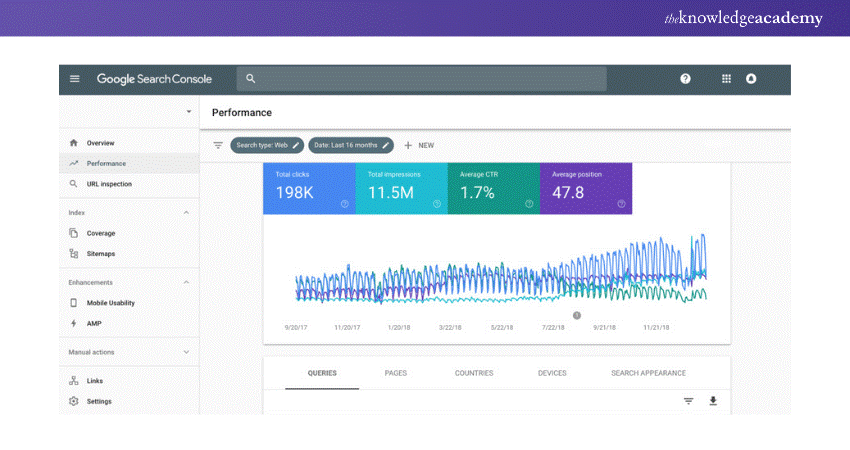
1) Monitor Search Performance
a) Helps track how your website performs in voice and text searches.
b) Shows queries that trigger your site in search results.
2) Identify & Fix Errors
a) Detects issues like slow loading times, mobile usability problems, and indexing errors that impact voice search ranking.
b) Example: If your website isn't ranking for "best coffee shop near me," Google Search Console can help diagnose why.
2) Moz Local
Helps businesses manage local listings and improve visibility in local voice searches.
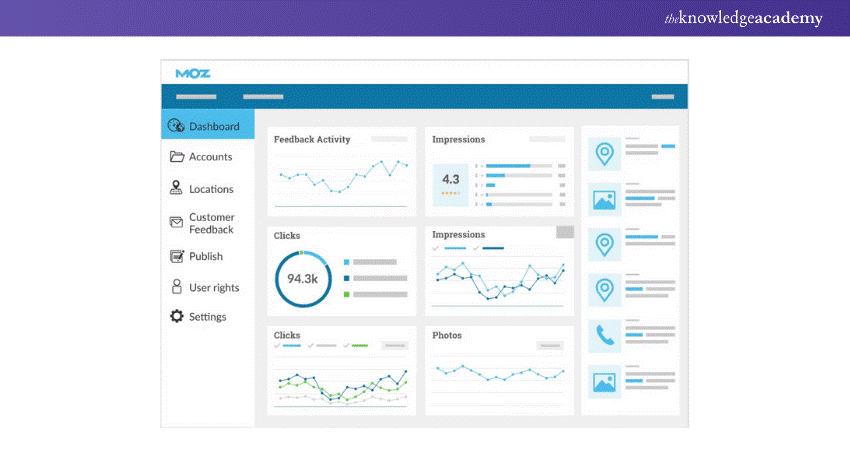
1) Optimise Business Listings
a) Ensures name, address, and phone number (NAP) are consistent across platforms.
b) Example: If a user asks, “Where’s the nearest pharmacy?” Moz Local ensures your business details appear accurately.
2) Improve “Near Me” Searches
a) Helps rank higher in location-based voice queries.
b) For example, “Best Italian restaurant in Chicago” or “Grocery store open now.”
Monetise your website like a professional with our Google AdSense Course - Register now!
3) Alexa Skills Kit (ASK)
Enables brands to create voice-activated applications for Amazon Alexa.
1) Build Custom Voice Experiences
a) Allows businesses to create interactive voice apps (Alexa Skills) for their audience.
b) Example: A fitness brand can develop an Alexa Skill that provides “Daily 5-minute home workouts.”
2) Engage Voice Assistant Users
a) Helps brands interact directly with customers using voice commands.
b) Example: Domino’s Pizza uses Alexa Skills to let customers order pizza hands-free
4) Yext
Manages business listings across multiple platforms to enhance voice search discoverability.
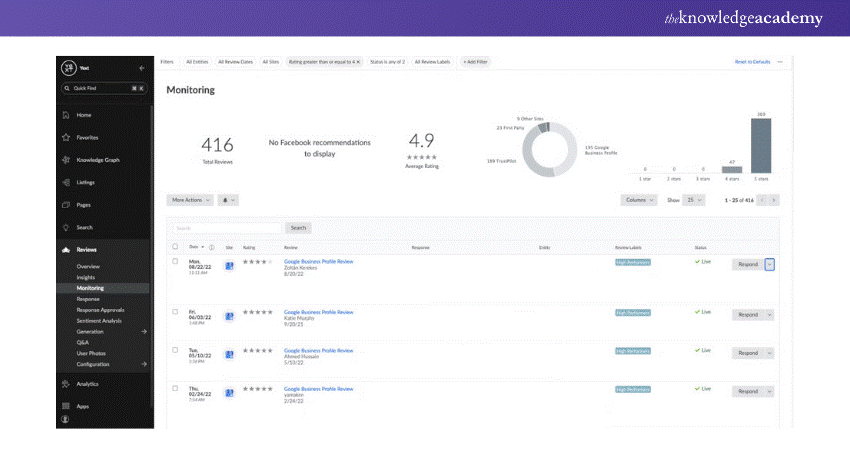
1) Maintain Consistent Business Information
a) Ensures business details are updated across Google, Bing, Siri, and Alexa.
b) Example: If a user asks, “What time does XYZ Salon close?” Yext makes sure the correct closing hours appear.
2) Improve Local SEO for Voice Search
a) Helps businesses rank for location-based queries.
b) For example, “Find a dentist near me” or “24-hour pharmacy in Los Angeles.”
5) SEMrush
Provides keyword research tools to identify voice search trends and optimise content accordingly.
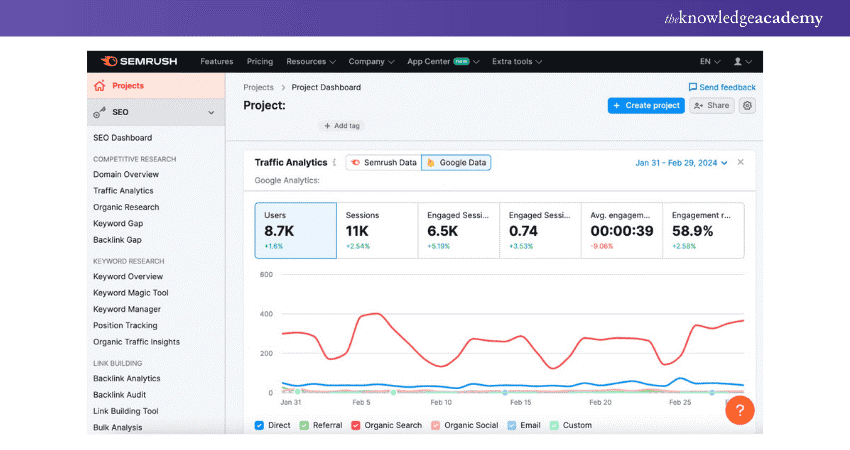
1) Find Voice-friendly Keywords
a) Identifies long-tail, conversational keywords used in voice queries.
b) Example: Instead of "cheap flights," SEMrush suggests optimising for “Where can I find the cheapest flights to Europe?”
2) Analyse Competitor Voice Search Strategy
a) Tracks what keywords competitors rank for in voice search.
b) Example: If a competitor ranks for “best smartphone under $500,” SEMrush helps you create better-optimised content.
Conclusion
Voice Search Optimisation is no longer a futuristic trend; it’s a reality shaping the way users find information. Businesses that adapt to this shift by incorporating conversational language, local SEO, and structured data will gain a competitive edge. Start optimising today and stay ahead in the voice-driven digital landscape!
Turn your content into revenue with our Copywriting Course - Sign up now!
Frequently Asked Questions
What is Voice Recognition in SEO?

Voice search SEO is the process of optimising content for voice search queries entered through virtual assistants such as Siri, Google Assistant, or Alexa. Voice search SEO is done using conversational keywords, long-tail terms, and natural language to match spoken search queries, enhancing search visibility.
How Do I Turn Off Voice Search?
To turn off voice search, visit your device settings. On Android, go to Google Assistant settings, then "Hey Google & Voice Match," and switch it off. On iPhone, turn off Siri in settings. Tap off microphone access under privacy settings or toggle off voice search under Google preferences in browsers.
What are the Other Resources and Offers Provided by The Knowledge Academy?
The Knowledge Academy takes global learning to new heights, offering over 3,000 online courses across 490+ locations in 190+ countries. This expansive reach ensures accessibility and convenience for learners worldwide.
Alongside our diverse online course catalogue, encompassing 19 major categories, we go the extra mile by providing a plethora of free educational Online Resources like News updates, Blogs, videos, webinars, and interview questions. Tailoring learning experiences further, professionals can maximise value with customisable Course Bundles of TKA.
What is The Knowledge Pass, and How Does it Work?
The Knowledge Academy’s Knowledge Pass, a prepaid voucher, adds another layer of flexibility, allowing course bookings over a 12-month period. Join us on a journey where education knows no bounds.
What are the Related Courses and Blogs Provided by The Knowledge Academy?
The Knowledge Academy offers various Digital Marketing Courses, including the SEO Course, Digital Marketing Course and the YouTube Marketing Course. These courses cater to different skill levels, providing comprehensive insights into 25 Best Search Engines.
Our Digital Marketing Blogs cover a range of topics related to Digital Marketing, offering valuable resources, best practices, and industry insights. Whether you are a beginner or looking to advance your Marketing Skills, The Knowledge Academy's diverse courses and informative blogs have got you covered.

James Smith


Digital Marketing Manager and Trainer
James Smith is a digital marketing professional with over a decade of experience in SEO, content strategy, paid media and analytics. He has supported both SMEs and global brands in transforming their digital presence. James’s writing and training are rooted in results-driven tactics and the latest marketing trends.
View Detail

 If you wish to make any changes to your course, please


