


 Top Rated Course

We may not have the course you’re looking for. If you enquire or give us a call on +45 89870423 and speak to our training experts, we may still be able to help with your training requirements.
Differences Between Flowchart and Pseudocode: A Detailed Comparison
The Knowledge Academy 07 February 2026Clarity and simplicity are key when designing algorithms or processes. Two common tools for this purpose are Flowcharts and Pseudocode that offer unique benefits. A Flowchart visually represents a process using diagrams, while Pseudocode is a text-based way to write algorithms. Learn more about Flowchart vs Pseudocode!
Home
 Resources
Office Applications
Differences Between Flowchart and Pseudocode: A Detailed Comparison
Resources
Office Applications
Differences Between Flowchart and Pseudocode: A Detailed Comparison
Resources
Office Applications
Differences Between Flowchart and Pseudocode: A Detailed Comparison

Training Outcomes Within Your Budget!
We ensure quality, budget-alignment, and timely delivery by our expert instructors.
Table of Contents
Struggling to decide between visual and text-based tools for designing algorithms? Understanding the difference in Flowchart vs Pseudocode can help you choose the right approach. Flowcharts offer a visual representation of processes, making complex algorithms easier to follow. On the other hand, Pseudocode provides a text-based outline that is flexible and easy to modify.
Both tools have their strengths depending on your project needs. By comparing Flowchart vs Pseudocode, you can identify which method will simplify and enhance your design process. Dive into this comparison of Flowchart vs Pseudocode to discover which tool works best for your algorithmic design!
Table of Contents
1) What is Flowchart?
2) What is Pseudocode?
3) Differences Between Flowchart and Pseudocode
a) Modification
b) Structure
c) Beneficial
d) Representation
e) Detailing
f) Best Practices
4) Conclusion
What is Flowchart?
A Flowchart is a graphical tool used to represent a program, system, algorithm, or process. It outlines the sequential steps required to achieve a desired outcome. A Flowchart is commonly used in computer programming. It is also valuable for those without a programming background to understand process control flow.
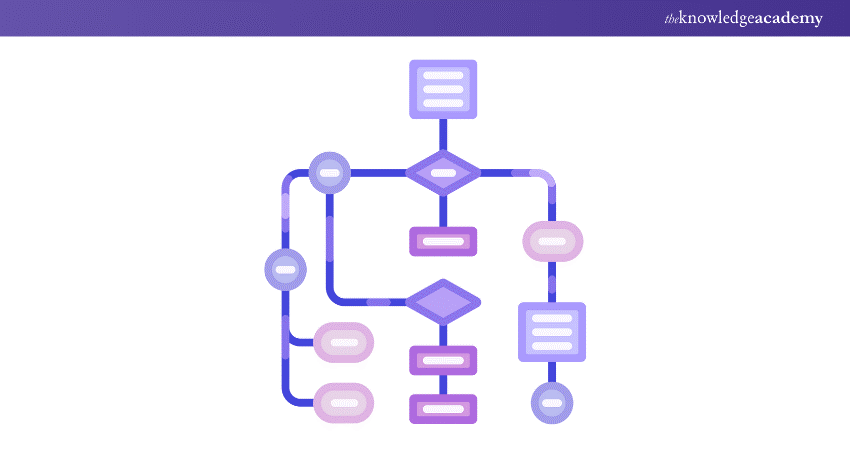
Visuals often communicate more effectively than words, contributing to the widespread use of flowcharts. They enhance the clarity of case studies or algorithm designs and simplify documentation. Consequently, professionals across various fields use flowcharts to facilitate easier comprehension. Understanding the different Types of Flowchart can further enhance their effectiveness, as each type serves a unique purpose in illustrating processes, decisions, and data flow, making complex information more accessible.

What is Pseudocode?
Pseudocode is a method to describe how an algorithm, process, or program works using plain English. It helps outline the steps to solve a problem before writing the actual code. Pseudocode is common in computer programming and helps programmers explain their ideas to clients who do not know programming.
When writing Pseudocode, there is no need to worry about syntax errors as it is written in simple English. You might wonder why we use Pseudocode instead of starting with coding. Pseudocode makes the process easier. It gives a clear plan for the programmer, who can then turn the English statements into actual code using the programming language syntax.
Learn to create powerful reports and dashboards with our Microsoft Power BI- Start your training now!
Differences Between Flowchart and Pseudocode
Flowcharts and Pseudocode are tools used to plan and describe algorithms. They help in understanding and communicating how a process works.

1) Modification
a) Flowchart: Changing a Flowchart can be difficult, especially if it is complex. You might need to redraw parts of it.
b) Pseudocode: Pseudocode is easier to change. You can quickly add or remove steps because it is written in plain language.
2) Structure
a) Flowchart: Flowcharts use specific symbols to represent different actions. This makes them consistent and easy to understand.
b) Pseudocode: Pseudocode does not have strict rules. It is flexible and written in natural language, but this can lead to inconsistencies.
3) Beneficial
a) Flowchart: Flowcharts are great for visual learners. They are useful for showing simple processes and are good for presentations.
b) Pseudocode: Pseudocode is better for complex algorithms. It is detailed and closer to actual code, making it easier to convert into a programming language.
4) Representation
a) Flowchart: Flowcharts use symbols and arrows to show the flow of control in a process.
b) Pseudocode: Pseudocode uses plain language to describe the steps and logic of an algorithm.
5) Detailing
a) Flowchart: Too much detail can make a Flowchart hard to read. It is best for high-level overviews.
b) Pseudocode: Pseudocode can include more detail without becoming confusing. It allows for a thorough description of each step.
6) Best Practices
1) Flowchart:
a) Use standard symbols
b) Keep it simple
c) Make sure the flow is clear
d) Use connectors to avoid crossing lines
2) Pseudocode:
a) Write clearly and concisely
b) Use consistent names for variables and functions
c) Break down complex steps
d) Make it easy to translate into code
Both tools are useful in their own ways and can be used together to complement each other in software development.
Enhance your decision-making skills with our expert Business Intelligence Reporting Training– Register today!
Conclusion
This blog on Flowchart vs Pseudocode shows that both are useful tools in Programming. Flowcharts use diagrams to show the steps of a program, making complex processes easier to understand. Pseudocode uses plain language to describe the logic before coding. Both help with planning and solving problems in software development.
Simplify complex processes with our expert Flowchart and Process Mapping Training- Sign up today and enhance your skills!
Frequently Asked Questions
What are the Rules for Pseudocode?

Use plain language. Capitalise keywords like IF, ELSE, WHILE. Indent to show hierarchy. Write one statement per line. End multi-line sections with ENDIF, ENDWHILE. Avoid programming language syntax. Keep it simple and clear.
What are the Requirements for a Flowchart?
Start with “Start” and end with “End”. Use rectangles for processes, diamonds for decisions, and arrows for flow direction. Ensure consistent spacing. Flow from top to bottom or left to right. Use correct symbols for each step.
What are the Other Resources and Offers Provided by The Knowledge Academy?
The Knowledge Academy takes global learning to new heights, offering over 3,000+ online courses across 490+ locations in 190+ countries. This expansive reach ensures accessibility and convenience for learners worldwide.
Alongside our diverse Online Course Catalogue, encompassing 19 major categories, we go the extra mile by providing a plethora of free educational Online Resources like Blogs, eBooks, Interview Questions and Videos. Tailoring learning experiences further, professionals can unlock greater value through a wide range of special discounts, seasonal deals, and Exclusive Offers.
What is The Knowledge Pass, and How Does it Work?
The Knowledge Academy’s Knowledge Pass, a prepaid voucher, adds another layer of flexibility, allowing course bookings over a 12-month period. Join us on a journey where education knows no bounds.
What are the Related Courses and Blogs Provided by The Knowledge Academy?
The Knowledge Academy offers various Business Intelligence Reporting Training, including Flowchart and Process Mapping Training, Business Intelligence Analyst Course and Microsoft Power BI Course. These courses cater to different skill levels, providing comprehensive insights into what is Business Intelligence.
Our Office Applications Blogs cover a range of topics related to Business Intelligence, offering valuable resources, best practices, and industry insights. Whether you are a beginner or looking to advance your skills in Office Applications, The Knowledge Academy's diverse courses and informative blogs have you covered.

The Knowledge Academy


Global Training Provider
The Knowledge Academy is a world-leading provider of professional training courses, offering globally recognised qualifications across a wide range of subjects. With expert trainers, up-to-date course material, and flexible learning options, we aim to empower professionals and organisations to achieve their goals through continuous learning.

Upcoming Office Applications Resources Batches & Dates
Date
 FlowChart and Process Mapping Training
FlowChart and Process Mapping Training
Fri 28th Aug 2026
FlowChart and Process Mapping Training
Fri 27th Nov 2026

 If you wish to make any changes to your course, please


