


 Top Rated Course

We may not have the course you’re looking for. If you enquire or give us a call on +45 89870423 and speak to our training experts, we may still be able to help with your training requirements.
Agile Tools: Best Software to Streamline Project Management
The Knowledge Academy 20 April 2026Agile Tools support Agile Project Management by helping teams plan, manage tasks, track progress and collaborate using Kanban boards, burndown charts, and more. They break work into smaller tasks that can be updated in real time, keeping everyone aligned. These tools also improve visibility so teams can adapt quickly and stay productive.

Training Outcomes Within Your Budget!
We ensure quality, budget-alignment, and timely delivery by our expert instructors.
Table of Contents

Agile Project Management has become a lifesaver for teams facing fast deadlines and constant changes. Think of those days when your inbox is full, tasks keep shifting, and the team chat is flooded with “What’s the status?” messages. Without the right Agile Tools, projects can quickly become chaotic. With the right tool, work feels clearer, updates flow smoothly, and the whole team moves in sync.
In this blog, we will discuss the best Agile Tools. You will learn what Agile Project Management Tools are, the top options to consider, and the key features to look for. We will also help you choose the right tool for your business and compare popular choices like Jira and Trello.
Table of Contents
1) What are Agile Project Management Tools?
2) Top Agile Project Management Tools
3) Features of Agile Project Management Software
4) Selecting the Best Agile Tool for Your Business
5) What is the Most Popular Agile Tool?
6) What is the Difference Between Jira and Trello?
7) Conclusion
What are Agile Project Management Tools?
Agile Project Management Tools are software platforms that help teams apply Agile Methodology, such as Scrum or Kanban. They simplify planning, enable accurate progress tracking, and strengthen collaboration across the team. These tools also ensure that everyone stays aligned on priorities and upcoming work.
By breaking complex projects into smaller, manageable tasks and organising them on a shared, real-time board, these tools improve flexibility, boost efficiency and provide clear visibility throughout the entire project lifecycle. They further support continuous improvement by helping teams identify gaps, blockers and opportunities for optimisation.
 .
.
What are Agile Project Management Tools?
Which Agile Project Management Tool is right for your team? Explore this carefully curated list of Top Agile Tools, each designed to streamline workflows and support stronger project outcomes.
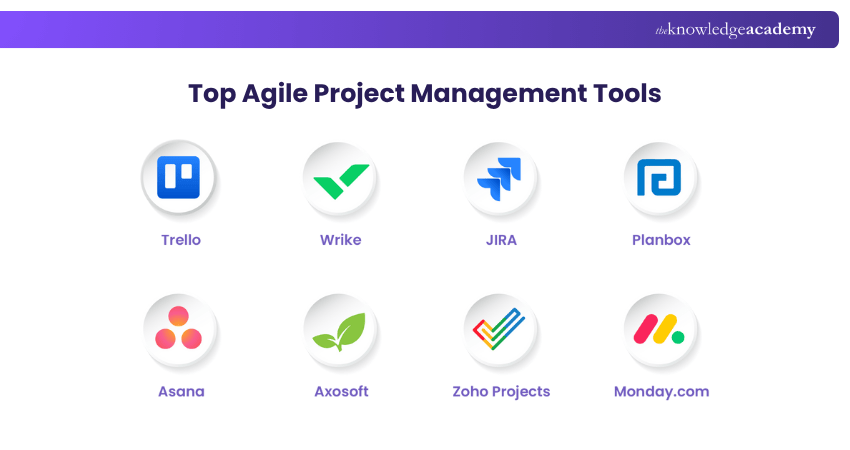
1) Trello
Trello is an extremely popular option in the Project Management industry. It is recognised for being visually beautiful and entertaining, using cards, lists, and boards. It is a well-known organisation application that millions of people use worldwide because it is easy, free, flexible, and visual. Its key features include the following:
1) You begin by organising and making lists for all your tasks. These lists consist of different stages of your workflow.
2) Then, you can add your tasks to the appropriate lists. These are added on cards which can be moved as the work progresses.
3) Next, use the notifications feature to keep track of any task-related activity, such as comments, deadlines, and checklists.
4) Additionally, Trello offers powerful features including a calendar view of tasks, task voting, and the automatic obliteration of irrelevant tasks from view.
Its Benefits Include:
1) When you op Top en your board, all the project's information is visible to you, including the deadline and the team's comments
2) New to project tools? Trello offers free templates and guides to help you get started quickly.
3) Additionally, they often publish helpful blog pieces on subjects like management, working from home, and productivity advice.
4) You may keep using the effective tools you currently have, thanks to app integrations known as Power-ups.
2) Wrike
Wrike is an easy-going Project Management and Cloud-based collaboration medium. With this powerful application, any business may enhance team collaboration and communication. It was developed by Wrike, Inc., a California-based Project Management company. It is a good choice if you're seeking software that will work well with other storage or calendar programmes like Dropbox or iCal. Its key features include the following:
1) Project Management and team collaboration are the two main features that represent Wrike.
2) The Project Management tool enables teams to manage tasks and resources, keep track of deadlines and dependencies, and monitor time. In addition to the workload view and Gantt chart, it also features a sortable view with customisable data storage.
3) Collaboration tools let teams create assets, communicate, and make decisions. You can track and alter their modifications.
4) You can communicate and navigate swiftly on Wrike.
5) Projects, due dates, and timetables can all be tracked.
6) Set priorities for your work and collaborate with the other multifunctional teams.
Its Benefits are as Follows:
1) Free for a group of five members.
2) The following languages are supported: English, French, German, Spanish, Italian, Russian, Japanese, and Portuguese.
Learn Agile principles, values, and frameworks like Scrum and Kanban from scratch. Join our Agile Overview Training now!
3) JIRA
The demand for Jira Project Management software has increased alongside the development teams because it is the best Task Management tool for Agile Project Development. Its key features include the following:
1) This Agile project technique tool facilitates the creation of Scrum or Kanban Boards.
2) Jira's template maintains an efficient workflow by using the best configuration.
3) Allows tracking of tasks from beginning to end.
4) There are more than 20 built-in templates available.
5) It's the perfect option for companies that already use Jira Software.
Its Benefits are as Follows:
1) Jira Software supports easily developed cumulative flow diagrams, burndown charts for Agile boards, and time estimation features.
2) Provides integration, reports, and roadmap creation that make it easier to track and manage all Agile software projects with just one tool.
4) Planbox
While everybody might not be a fan of the chase, everyone prefers knowing how fast they will reach the finish line. Planbox helps Agile teams track progress along with burndown charts, user feedback, and detailed retrospectives.
1) ETAs for prioritising backlog items
2) Collaborate on a project with outsiders
3) Extensive analytics
4) Cross-platform compatibility is provided by the Planbox Work Management API
Its Benefits are as Follows:
1) Due to its high degree of configurability, Agile teams can make adjustments to make it fit their particular set of requirements.
2) Reviewing the status and areas where improvement is required is simple because of advanced reporting options.
Want to become an Agile Project Manager? Register for our Agile Project Management Foundation (AgilePM®) Course today!
5) Asana
Asana is one of the best Agile Project Management Tools to look into if effectively managing a team is your primary goal. Asana helps teams organise and manage their work, from simple tasks to crucial projects. It is an excellent choice if you like to make to-do lists. In 195 countries, the business has more than 60,000 paying customers. Its key features include the following:
1) Your projects are combined by Asana into portfolios, which are collections of tasks, teams, and projects.
2) As a schedule, list, calendar, or even a board, projects can be presented.
3) A project can be created from scratch or using a template.
4) In Asana, tasks can be grouped using columns or sections.
5) The Project Management programme offers a sorting and filtering approach based on configurable fields.
6) To collaborate with others, you can mention them and add them as followers.
Its Benefits are as Follows:
1) The tool offers a multitude of resources, such as guides, in-depth videos, and message boards
2) Tracking is heavily emphasised with this
3) Task lists made by Asana can manage entire projects
Lead Agile projects with confidence and proven delivery techniques with our Agile Project Management Practitioner (AgilePM® V3) Training – Join now!
6) Axosoft
Axosoft is an Agile Project Management tool built around the Scrum framework that helps teams plan, track and handle issues collectively. With features like converting emails into support tickets and a customer portal for direct feedback, Axosoft keeps communication transparent and clients interested.
1) Customer interaction is supported by a client portal
2) Monitors time, costs, expenses, and milestones
3) Provides tools for collaboration
4) Progress tracking with Gantt diagrams
5) User-friendly board interface
6) Features for managing resources, portfolios, and budgets
Its Benefits are as Follows:
1) Workflows that are very configurable and well-structured
2) Clear schedule views and precise time monitoring for Sprint Management
3) You can clearly see the development of your team using burndown charts
4) Strong features for data visualisation
7) Zoho Projects
Zoho Projects is a cloud-based Project Management tool designed to streamline teamwork and improve productivity. With an intuitive interface, it helps teams plan, track, and collaborate on projects efficiently. Key features are:
1) This Agile Tool offers team communication, project timekeeping, timesheet styles, and custom fields in addition to being simple to use
2) In addition to issue monitoring and project time tracking, it supports comprehensive configuration
Its Benefits are as Follows:
1) With the use of Zoho Projects, it is possible to keep track of employees' locations as well as their abilities and current availability.
2) It is the preferred choice for start-ups with modest budgets who want to expand quickly.
8) Monday.com
With the use of Monday.com's drag-and-drop technology, leaders have the freedom to create the ideal tools for their staff to use. Its digital calendar makes it easier to manage personal and professional activities with reminders and alarms. Its key features include the following:
1) Monday.com offers outstanding workflow optimisation tuning options and lets you add notes for future reference and event reminders.
2) It gives you the advantage of connecting with other companies in the sector for project collaboration.
3) It offers timeline tracking and Kanban boards. These help teams visualise project progress, manage workloads, and ensure deadlines are met efficiently.
Its Benefits are as Follows:
It aids in organising ideas and portfolios, keeping track of time and expenses, and tracking the status of specific activities. Furthermore, it has built-in templates.
Join our AgilePM® Foundation & Practitioner (AgilePM® V3) Course to learn more about the Agile Methodology!
9) Zoom
Today’s teams are often spread across different locations, which makes daily collaboration challenging, especially for Agile teams that rely on Scrum standups to review progress and resolve blockers. Zoom helps bring everyone together through smooth, high-quality video communication. Its key features include:
1) Zoom provides reliable video meetings, screen sharing, and recording, enabling teams to review sprint boards, discuss tasks, and keep absent members updated.
2) Its real-time chat helps team members quickly share links, notes, and essential updates during meetings.
3) Breakout rooms and whiteboards support focused discussions, brainstorming, and problem-solving during sprint ceremonies.
Its Benefits are as Follows:
1) It enhances communication for dispersed teams, supports consistent Agile ceremonies, and increases transparency through screen sharing and recordings. It also helps remote teams collaborate smoothly and stay aligned.
2) It boosts productivity by reducing meeting friction and allowing teams to connect instantly without location or time zone constraints.
Features of Agile Project Management Software
Agile Project Management software provides essential functions that help teams plan, organise, and deliver work in iterative cycles. Key features include:
1) Task Management: Break projects into smaller tasks, assign work, and prioritise activities.
2) Real-time Collaboration: Communicate, share files, and coordinate work instantly.
3) Sprint Planning: Plan sprints, define goals, and track progress throughout the cycle.
4) Visual Boards: Use Kanban or task boards to view work stages from start to finish.
5) Reports and Charts: Burndown, velocity, and performance reports help monitor team progress.
6) Backlog Management: Create, maintain, and prioritise the product or project backlog.
7) Custom Workflows: Adapt workflows to match the team’s preferred way of working.
8) Integrations: Connect with communication, code or document tools to streamline work.
9) Automation: Automate updates, notifications, and routine actions to improve efficiency.
Gain practical tools to manage time and cost effectively in Agile projects with our Agile Project Management Foundation (AgilePM® V3) Training – Join now!
Selecting the Best Agile Tool for Your Business
Choosing the right Agile Tools is important for successful Project Management. Since there are many tools available, you should compare them based on what your business needs. Think about factors like your team size, how complex your projects are, and how much you can spend. Look at features such as Backlog Management, sprint planning, collaboration options, and reporting.
It’s also important to choose the Agile Tools that support your preferred Agile method, whether it’s Scrum, Kanban or a mix of both. The right Agile Project Management Tool will make your work easier, help your team communicate better, and improve overall productivity and project results.
What is the Most Popular Agile Tool?
When it comes to popularity, Jira by Atlassian stands out as the most widely used Agile tool. It's trusted by teams across industries for its flexibility, powerful customisation options, and seamless support for Scrum and Kanban methodologies. From sprint planning and Backlog Management to performance reports, Jira offers a comprehensive toolkit that scales with your project’s needs.
What is the Difference Between Jira and Trello?
Jira is designed for complex project tracking, especially in Software Development using Agile or Scrum frameworks. Trello is simpler and more visual, using boards and cards for Task Management. Jira suits technical teams, while Trello is ideal for general collaboration.
Conclusion
Agile Tools help teams stay organised, work smarter, and achieve stronger results. Choosing a tool that fits your team’s needs creates a smoother and more efficient project experience. With the right support, teams can collaborate easily, adapt to changes, and keep improving. When your tools support your workflow, every project becomes a chance for better teamwork, faster progress, and meaningful success.
Boost your team to work faster, smarter, and with greater clarity with our Agile for Teams Training – Register today!
Frequently Asked Questions
Which is Better, Asana or Jira?

Asana is good for Task Management and team collaboration, while Jira excels in Agile project tracking and development workflows. The better choice depends on your team's needs; Asana for simplicity, Jira for technical depth.
Are There any Free Agile Tools?
Yes, there are several free Agile Tools available. Popular options include Trello, Jira (free tier), ClickUp, and Taiga. These offer core Agile features like task boards, sprints, and collaboration, making them ideal for small teams or beginners.
What are the Other Resources and Offers Provided by The Knowledge Academy?
The Knowledge Academy takes global learning to new heights, offering over 3,000+ online courses across 490+ locations in 190+ countries. This expansive reach ensures accessibility and convenience for learners worldwide.
Alongside our diverse Online Course Catalogue, encompassing 17 major categories, we go the extra mile by providing a plethora of free educational Online Resources like Blogs, eBooks, Interview Questions and Videos. Tailoring learning experiences further, professionals can unlock greater value through a wide range of special discounts, seasonal deals, and Exclusive Offers.
What is The Knowledge Pass, and How Does it Work?
The Knowledge Academy’s Knowledge Pass, a prepaid voucher, adds another layer of flexibility, allowing course bookings over a 12-month period. Join us on a journey where education knows no bounds.
What are the Related Courses and Blogs Provided by The Knowledge Academy?
The Knowledge Academy offers various Agile Training, including the Agile for Teams Training, Agile Overview Training, and the Agile Project Management Foundation (AgilePM® v3) Training. These courses cater to different skill levels, providing comprehensive insights into Agile Epic.
Our Project Management Blogs cover a range of topics related to Agile Tools, offering valuable resources, best practices, and industry insights. Whether you are a beginner or looking to advance your Project Management skills, The Knowledge Academy's diverse courses and informative blogs have got you covered.

The Knowledge Academy


Global Training Provider
The Knowledge Academy is a world-leading provider of professional training courses, offering globally recognised qualifications across a wide range of subjects. With expert trainers, up-to-date course material, and flexible learning options, we aim to empower professionals and organisations to achieve their goals through continuous learning.

Upcoming Project Management Resources Batches & Dates
Date
 AgilePM® Foundation & Practitioner (AgilePM® v2)

 If you wish to make any changes to your course, please


