


 Top Rated Course

We may not have the course you’re looking for. If you enquire or give us a call on +357 26030221 and speak to our training experts, we may still be able to help with your training requirements.
Top 35 Tools to Boost Your Productivity in 2026
The Knowledge Academy 27 April 2026Productivity Tools are apps or software that help you work more efficiently. These tools make everyday work easier, faster, and more organised. Explore the Best Productivity Tools to manage time, boost focus, and simplify tasks. These are perfect for students, freelancers, and teams to achieve more and stay on track.

Training Outcomes Within Your Budget!
We ensure quality, budget-alignment, and timely delivery by our expert instructors.
Table of Contents

In a world driven by speed, automation, and remote work, one thing is clear, productivity isn’t just about working harder; it’s about working smarter. The right tools can help you do both. This list of the top 35 Best Productivity Tools for 2025. They bring together the latest trends in digital workspaces, time tracking, collaboration, and AI-assisted Task Management.
Whether you’re streamlining a startup, leading a remote team, or managing your personal goals, there’s something here to elevate your efficiency. We’re talking sleek interfaces, powerful integrations, and features that fit the modern way of working. So, if you're ready to ditch the chaos and embrace clarity, you’re in the right place.
Table of Contents
1) What are Productivity Tools?
2) The Best Productivity Tools of 2026
a) Asana
b) Jira
c) Notion
d) Monday.com
e) ProofHub
f) Slack
g) Miro
h) Figma
i) Forest
j) Akiflow
3) Conclusion
What are Productivity Tools?
Productivity tools are digital resources or software programmes made to help teams and individuals manage their time and work more productively. A variety of functions are supported by these technologies, including goal-setting, file sharing, project tracking, scheduling, and communication.
Students, independent contractors, professionals, and teams utilise them extensively to increase productivity. These are also used to cut down wasted time and stay focused on the essential things. Whether you're managing a complicated project or organising your day, productivity tools help you complete tasks quickly and effectively.

The Best Productivity Tools of 2026
Discover the Best Productivity Tools of 2026 that are transforming the way we work, plan, and focus. It will be helpful whether you're managing projects, teams, or just your daily to-do list. Below are some of them:
1) Asana
Asana is an effective tool for Team Collaboration and work management. It enables centralised task planning and tracking for both individuals and organisations. Due to its robust tracking capabilities and user-friendly interface, it is particularly popular among remote and hybrid teams.
Key Features:
a) Task assignment with deadlines and priorities
b) Visual project views (List, Timeline, Calendar, Kanban)
c) Automation for routine workflows
d) Team collaboration through comments and file sharing
e) Integration with over 200+ tools.
Pricing:
a) Basic: Free for individuals and small teams
b) Premium: Approx. £9.49/user/month
c) Business: Approx. £20.99/user/month
d) Enterprise: Custom pricing for large organizations
2) Jira
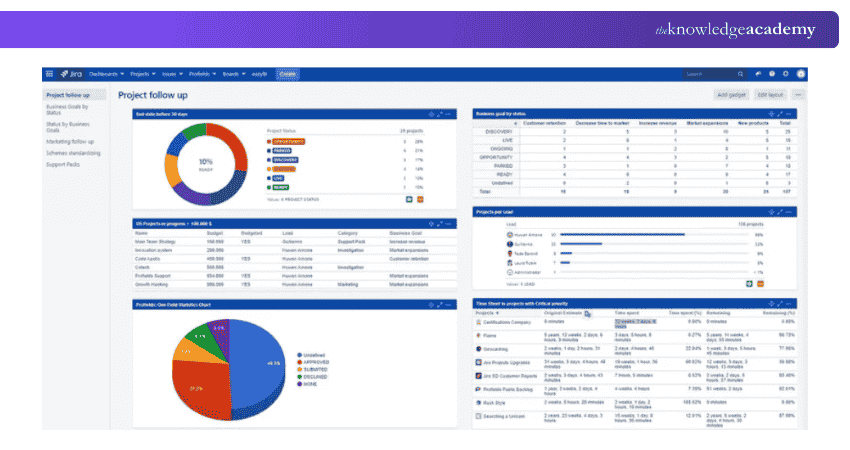
Jira is a leading Project Management and issue-tracking tool developed by Atlassian. It is widely used by Software Development teams. It helps teams plan sprints, track bugs, and manage agile workflows through customisable boards and real-time reporting.
Key Features:
a) Scrum and Kanban boards for agile teams
b) Custom workflows and automation rules
c) Backlog and sprint planning tools
d) Real-time reporting and dashboards
e) Integration with Bitbucket, Confluence, Slack, GitHub, and more
Pricing:
a) Free: For up to 10 users
b) Standard: Approx. £6.32/user/month
c) Premium: Approx. £12.46/user/month
d) Enterprise: Custom pricing for large-scale needs
3) Notion
Notion is a comprehensive productivity platform that integrates databases, Task Management, note-taking, and teamwork capabilities. Because of its high degree of customisation and clear interface, it is well-liked by both individuals and teams.
Key Features:
a) Customisable pages and templates
b) Integrated databases and calendars
c) Team collaboration with comments and mentions
d) Kanban boards, wikis, and to-do lists
e) Integrates with Slack, Google Drive, and more
Pricing:
a) Free: For personal use
b) Plus: Approx. £6.50/user/month
c) Business: Approx. £11.50/user/month
d) Enterprise: Custom pricing
Shape successful teams with our Management Training for New Managers – Unlock your management potential today!
4) Monday.com
Monday.com is a flexible work operating system that helps teams manage daily tasks, workflows, and projects. It supports teams across marketing, human resources, software, and operations, and is well known for its vibrant user interface.
Key Features:
a) Customisable workflows and boards
b) Gantt charts and timeline views
c) Automation for repetitive tasks
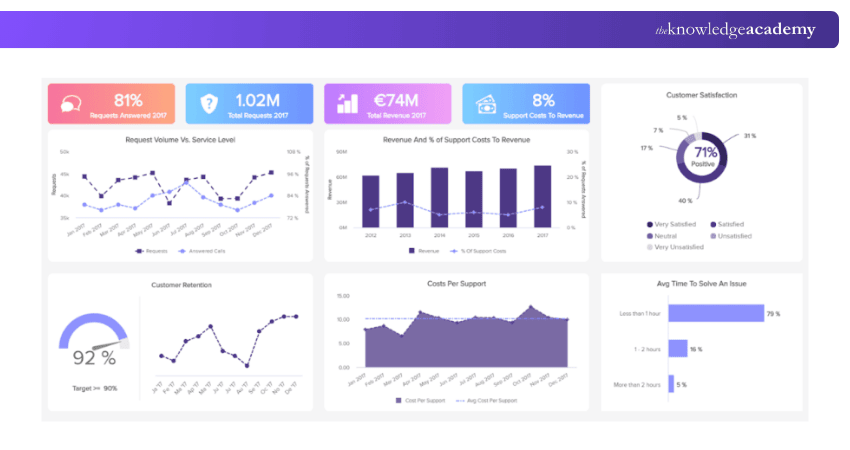
d) Visual dashboards for tracking progress
e) 200+ integrations including Slack, Excel, and Google Workspace
Pricing:
a) Free: Up to 2 users
b) Basic: Approx. £7/user/month
c) Standard: Approx. £9/user/month
d) Pro: Approx. £14/user/month
e) Enterprise: Custom pricing
5) ProofHub
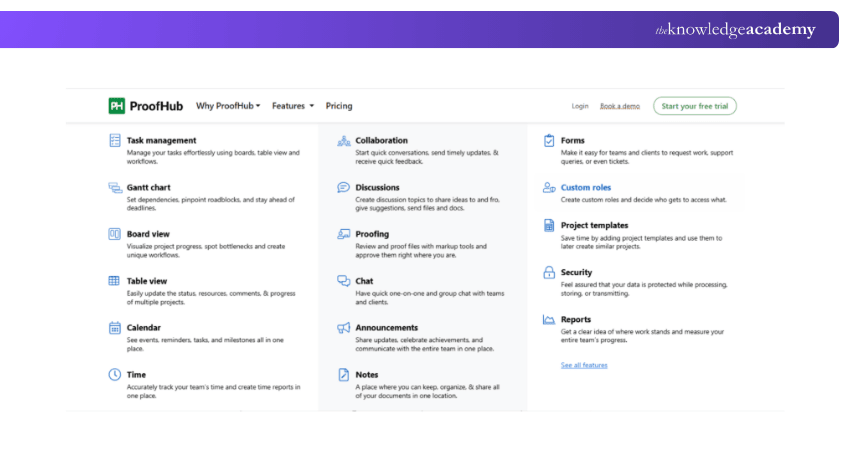
ProofHub is a centralised project management and team collaboration tool ideal for businesses seeking simplicity. It brings together tasks, discussions, files, time tracking, and approvals in one place.
Key Features:
a) Task management with custom workflows
b) Built-in time tracking and Gantt charts
c) Proofing and approval tools
d) Notes, calendar, and reporting features
e) No per-user pricing; fixed-rate plans
Pricing:
a) Essential: Approx. £38/month (billed annually)
b) Ultimate Control: Approx. £76/month (billed annually)
6) Slack
Slack is a tool for team collaboration that uses real-time chat in place of conventional email. It keeps teams organised, productive, and connected, especially in remote or hybrid environments.
Key Features:
a) Channels, threads, and direct messaging
b) File sharing and searchable message history
c) Huddles and video calls
d) Workflow automation and reminders
e) Integrates with 2,000+ apps including Google Drive and Zoom
Pricing:
a) Free: Limited features
b) Pro: Approx. £6.50/user/month
c) Business+: Approx. £11.75/user/month
d) Enterprise Grid: Custom pricing
7) Miro
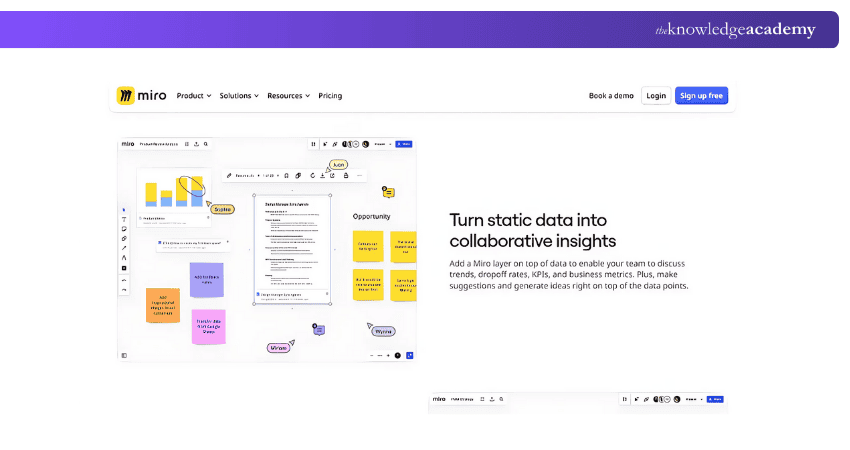
Miro is a visual collaboration and online whiteboarding tool ideal for brainstorming, mind mapping, agile planning, and creative workshops. It’s widely used by remote teams for interactive sessions.
Key Features:
a) Infinite whiteboard canvas with drag-and-drop features
b) Pre-made templates for workshops and brainstorming
c) Sticky notes, drawing tools, and voting
d) Real-time team collaboration
e) Integrations with Zoom, Slack, Google Drive, and more
Pricing:
a) Free: Up to 3 editable boards
b) Starter: Approx. £8/user/month
c) Business: Approx. £16/user/month
d) Enterprise: Custom pricing
8) Figma
Figma is a cloud-based interface design and prototyping tool used by product designers, developers, and marketing teams. It allows real-time collaboration, making it ideal for remote teams working on UI/UX projects.
Key Features:
a) Real-time multiplayer collaboration
b) Intuitive drag-and-drop interface for design
c) Prototyping with transitions and animations
d) Version control and design history
e) Plugins and integrations with tools like Slack, Zeplin, and Jira
Pricing:
a) Free: For individuals and small projects
b) Professional: Approx. £10/user/month
c) Organization: Approx. £35/user/month
d) Enterprise: Custom pricing
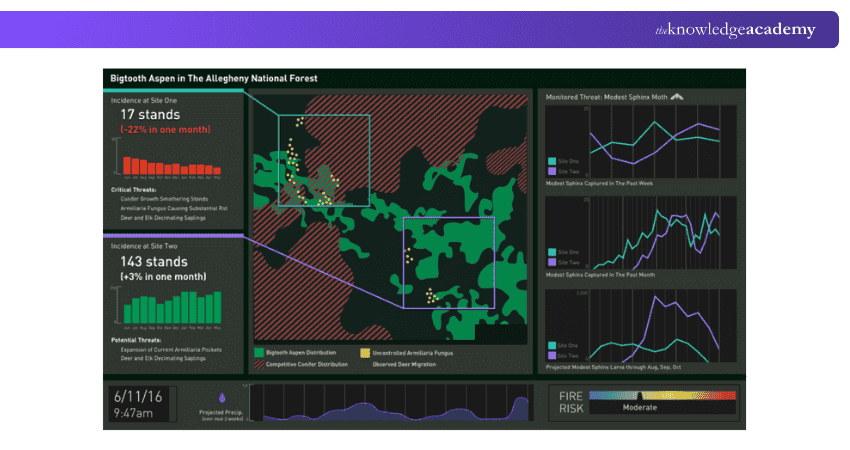
9) Forest
Forest is a productivity app that helps users stay focused by growing virtual trees as they avoid distractions. It encourages better screen time habits and is perfect for students and individuals managing deep work sessions.
Key Features:
a) Timer-based focus sessions
b) Tree-planting visual for motivation
c) Real-life tree planting through app usage
d) Analytics and history tracking
e) Syncs across mobile and browser
Pricing:
a) Mobile app: One-time cost (approx. £1.99)
b) Browser extension: Free
Empower your future with our Introduction to Management Course – Take the next step in management training!
10) Akiflow
Akiflow is a time-blocking and task management tool that merges your calendar and to-do list into one focused daily workflow. It’s ideal for professionals who want to take control of their time.
Key Features:
a) Unified calendar and task inbox
b) Drag-and-drop time blocking
c) Keyboard shortcuts and command bar
d) Integration with Google Calendar, Todoist, and Notion
e) Smart notifications and daily planning
Pricing:
a) Pro Plan: Approx. £11/month (14-day free trial available)
11) DeskTime
DeskTime is a time-tracking and productivity monitoring tool designed for individuals, teams, and remote businesses. It tracks work hours, app usage, and project time to help boost productivity.
Key Features:
a) Automatic time tracking
b) App and URL monitoring
c) Idle time and break tracking
d) Productivity reports and daily summaries
e) Project tracking and cost calculation
Pricing:
a) Lite: Free
b) Pro: Approx. £5.60/user/month
c) Premium: Approx. £7.90/user/month
d) Enterprise: Approx. £15.90/user/month
12) Zapier
Zapier is an automation tool that connects your favourite apps and services. It allows you to automate repetitive tasks without coding by creating workflows known as “Zaps”.
Key Features:
a) Automates tasks between 5,000+ apps
b) Multi-step workflows
c) Conditional logic with filters and paths
d) Easy-to-use workflow builder
e) Great for marketing, sales, HR, and more
Pricing:
a) Free: Limited features and single-step Zaps
b) Starter: Approx. £16/month
c) Professional: Approx. £40/month
d) Team: Approx. £60/month
e) Company: Custom pricing
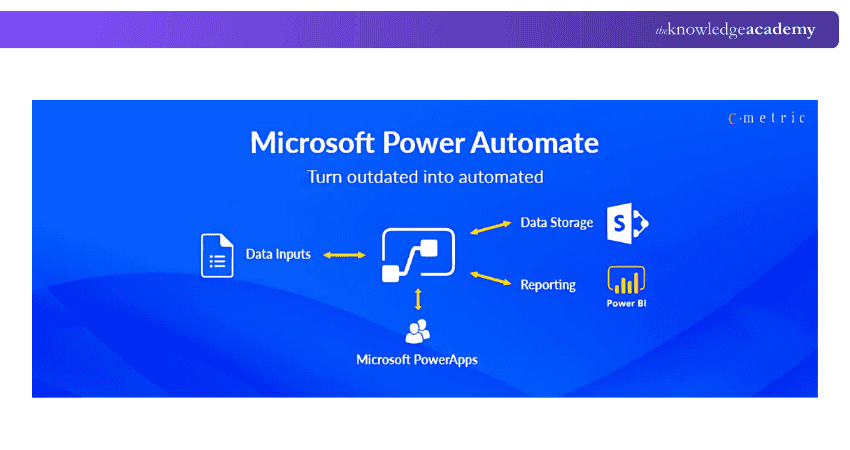
13) Microsoft Power Automate
Microsoft Power Automate is a workflow automation tool that allows users to automate repetitive tasks and processes across Microsoft and third-party applications without writing code.
Key Features:
a) Drag-and-drop workflow builder
b) Automates tasks across Outlook, SharePoint, Excel, Teams, and more
c) AI-powered process mining and RPA (Robotic Process Automation)
d) Integration with over 500 apps and services
e) Pre-built templates for common workflows
Pricing:
a) Free: With limited Microsoft 365 plans
b) Per User Plan: Approx. £11.30/user/month
c) Per Flow Plan: Approx. £85.10/flow/month
d) Custom pricing: For enterprise use
14) Google Workspace
Google Workspace (formerly G Suite) is a cloud-based suite of productivity and collaboration tools including Gmail, Docs, Drive, Calendar, Meet, and more, all integrated for seamless team use.
Key Features:
a) Real-time document collaboration
b) 30GB+ cloud storage per user
c) Shared calendars and smart scheduling
d) Secure video conferencing via Google Meet
e) Admin controls and data protection
Pricing:
a) Business Starter: Approx. £4.60/user/month
b) Business Standard: Approx. £9.20/user/month
c) Business Plus: Approx. £13.80/user/month
d) Enterprise: Custom pricing
15) Dropbox
Dropbox is a cloud storage and file sharing service that helps users securely store, sync, and collaborate on files across devices. It’s widely used by individuals and businesses alike.
Key Features:
a) File backup and sync across devices
b) Easy file and folder sharing
c) Document version history and recovery
d) Team collaboration tools
e) Integrations with Slack, Zoom, Trello, and more
Pricing:
a) Basic: Free with 2GB storage
b) Plus: Approx. £9.99/month for 2TB
c) Family: Approx. £16.99/month (up to 6 users)
d) Professional & Business Plans: From £16.58/month/user
From manager to leader – Learn skills that truly make impact with our Senior Management Training today!
16) OneDrive
OneDrive is Microsoft’s cloud storage platform, seamlessly integrated with Windows and Microsoft 365. It allows users to store files, photos, and documents securely and access them from any device.
Key Features:
a) Real-time collaboration with Microsoft 365 apps
b) Automatic photo and file backup
c) Personal Vault for sensitive documents
d) Offline access and file versioning
e) Seamless integration with Windows OS
Pricing:
a) Basic: Free with 5GB storage
b) Stand-alone: Approx. £1.99/month for 100GB
c) Microsoft 365 Personal: Approx. £5.99/month (1TB + Office apps)
d) Microsoft 365 Family: Approx. £7.99/month (6TB shared)
17) Evernote
Evernote is a popular note-taking and organisation app designed to help users capture ideas, tasks, and documents across devices. It’s ideal for personal planning and team collaboration.
Key Features:
a) Rich text notes with attachments
b) Web clipper for saving online content
c) To-do lists, reminders, and tags
d) Multi-device sync and offline access
e) Integration with Google Calendar, Slack, and more
Pricing:
a) Free: Basic note-taking and sync
b) Personal: Approx. £6.67/month
c) Professional: Approx. £8.33/month
d) Teams: Approx. £11.00/user/month
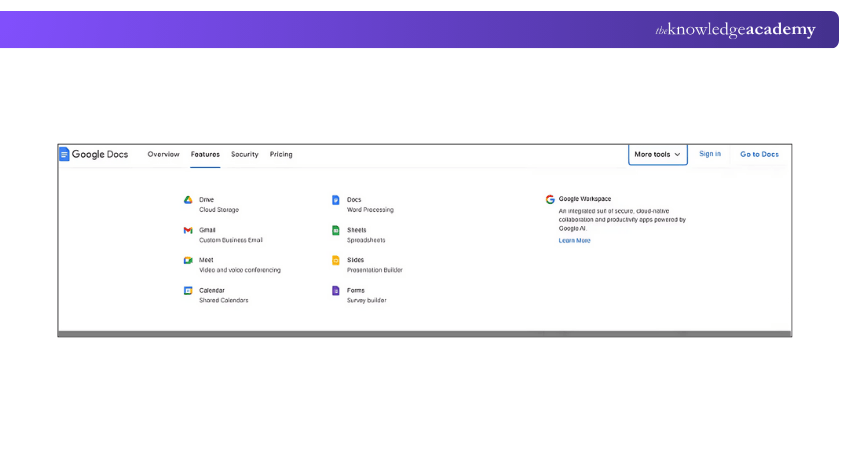
18) Google Docs
Google Docs is a cloud-based word processing tool that allows users to create, edit, and collaborate on documents in real time. It's part of Google Workspace and ideal for teams and individuals alike.
Key Features:
a) Real-time collaboration and commenting
b) Cloud autosave and version history
c) Offline editing mode
d) Add-ons and template gallery
e) Integration with Google Drive, Sheets, and more
Pricing:
a) Free: For personal use with a Google account
b) Included in all Google Workspace plans (from approx. £4.60/user/month)
19) Trello
Trello is a visual project and task management tool based on the Kanban system. It helps users organise work using boards, lists, and cards, making it easy to manage both personal and team projects.
Key Features:
a) Drag-and-drop task management
b) Customisable workflows
c) Due dates, checklists, and file attachments
d) Automation with Butler
e) Integrates with Slack, Google Drive, and more
Pricing:
a) Free: Basic boards and cards
b) Standard: Approx. £4.20/user/month
c) Premium: Approx. £8.40/user/month
d) Enterprise: Custom pricing
20) Bitrix24
Bitrix24 is an all-in-one business management suite offering tools for CRM, project management, communication, and file sharing. It's designed for small to medium businesses and remote teams.
Key Features:
a) Task and project management
b) Built-in CRM and contact centre
c) Team chat, video calls, and calendars
d) File sharing and document management
e) HR and time management tools
Pricing:
a) Free: For small teams (limited features)
b) Basic: Approx. £39/month (up to 5 users)
c) Standard: Approx. £79/month (up to 50 users)
d) Professional: Approx. £159/month (unlimited users)
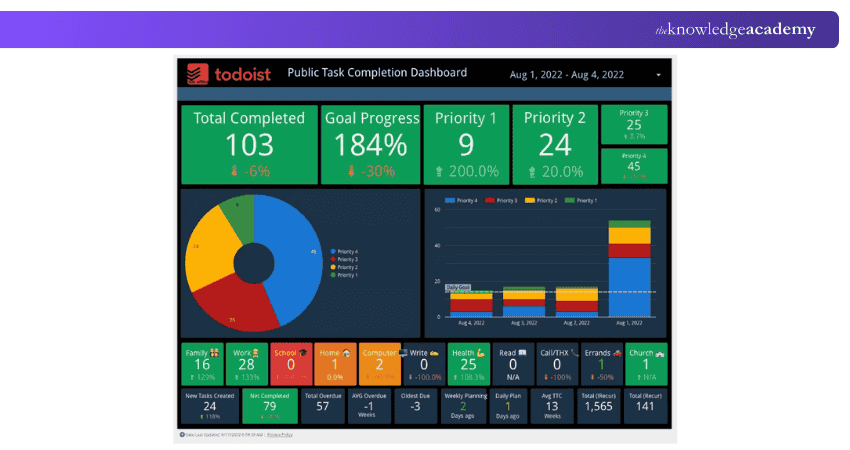
21) Todoist
Todoist is a simple yet powerful task manager that helps users organise their personal and professional to-do lists. It’s known for its clean design and intuitive interface.
Key Features:
a) Task and subtask creation with priorities
b) Due dates, recurring tasks, and reminders
c) Project labels, filters, and themes
d) Productivity tracking with Karma score
e) Integration with Gmail, Slack, and calendar apps
Pricing:
a) Free: Basic task features
b) Pro: Approx. £4/month
c) Business: Approx. £6/user/month
22) Clockify
Clockify is a time-tracking tool used by freelancers and teams to monitor billable hours, productivity, and project progress. It's one of the most popular free time trackers on the market.
Key Features:
a) Timer and manual time entries
b) Billable vs non-billable tracking
c) Timesheets and reporting dashboards
d) Project budgeting and expense tracking
e) Integrations with Trello, Asana, and more
Pricing:
a) Free: Unlimited tracking for teams
b) Basic: Approx. £3.20/user/month
c) Standard: Approx. £5.50/user/month
d) Pro: Approx. £7.50/user/month
e) Enterprise: Approx. £11/user/month
Bridge the gap between managing tasks and leading people – Register for Costing and Pricing Training today!
23) nTask
nTask is an all-in-one project and Task Management platform designed for teams and professionals. It helps users manage tasks, projects, meetings, timesheets, and risks all in one workspace.
Key Features:
a) Task and project tracking
b) Kanban boards and Gantt charts
c) Meeting management and timesheets
d) Risk and issue tracking
e) Integrates with Slack, Zoom, and Google Calendar
Pricing:
a) Basic: Free for up to 5 users
b) Premium: Approx. £2.90/user/month
c) Business: Approx. £7.40/user/month
d) Enterprise: Custom pricing
24) GanttPro
GanttPRO is a modern Gantt chart-based Project Management tool ideal for planning and scheduling projects with timelines, dependencies, and resource allocation.
Key Features:
a) Interactive Gantt charts with drag-and-drop
b) Task dependencies and milestones
c) Resource and workload management
d) Time tracking and budget planning
e) Collaboration tools and export options
Pricing:
a) Basic: Approx. £6.30/user/month
b) Pro: Approx. £9.50/user/month
c) Business: Approx. £14.30/user/month
d) Enterprise: Custom pricing
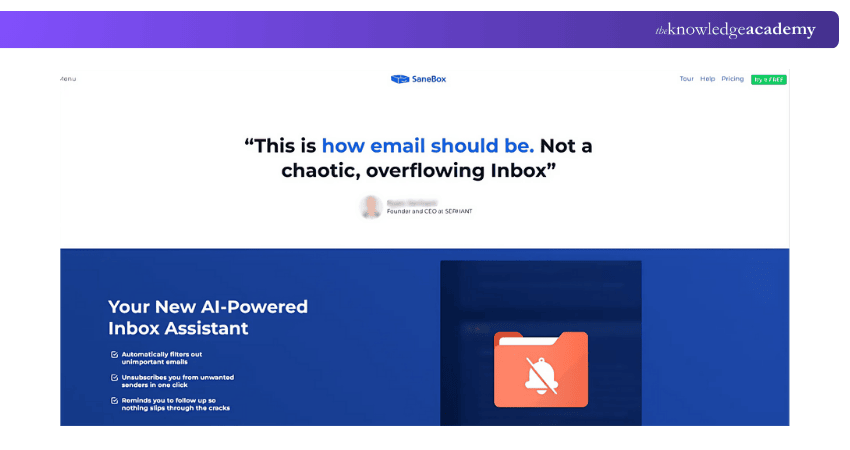
25) Sanebox
Sanebox is an AI-based email management tool that helps users clean up their inbox by sorting unimportant emails into folders, so only the most relevant messages stay in view.
Key Features:
a) Automatic email filtering
b) Customisable folders (Later, News, Bulk, etc.)
c) Snooze and follow-up reminders
d) Attachment and contact summaries
e) Works with any email provider
Pricing:
a) Snack Plan: Approx. £5/month
b) Lunch Plan: Approx. £8/month
c) Dinner Plan: Approx. £21/month (with more features)
26) Boomerang
Boomerang is an email productivity plugin for Gmail and Outlook that helps users schedule messages, set reminders, and pause their inbox to stay focused.
Key Features:
a) Email scheduling and “send-later” options
b) Read receipts and response tracking
c) Inbox pause and follow-up reminders
d) AI-powered writing assistant (Respondable)
e) Cross-device syncing
Pricing:
a) Basic: Free
b) Personal: Approx. £4.80/month
c) Pro: Approx. £11.90/month
d) Premium: Approx. £39/month
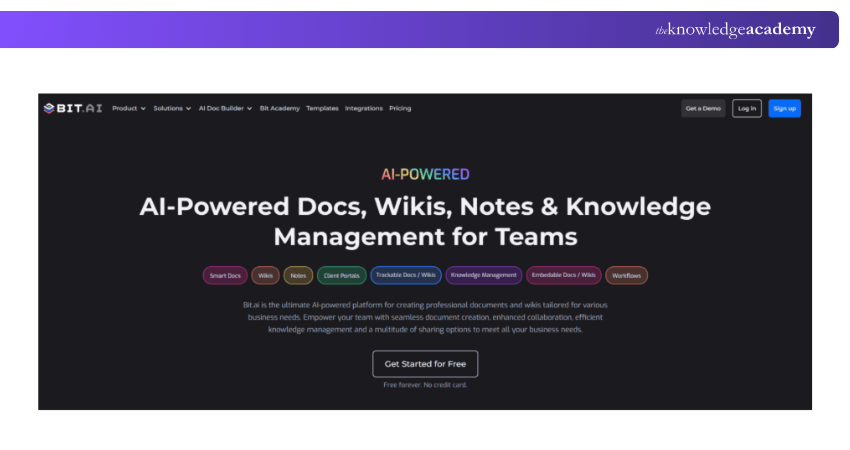
27) Bit.ai
Bit.ai is a modern document collaboration platform where teams can create smart, interactive documents, knowledge bases, and wikis in real time.
Key Features:
a) Real-time document collaboration
b) Smart embeds (videos, charts, files, etc.)
c) Document tracking and version history
d) Organised workspaces and folders
e) Integration with 100+ apps
Pricing:
a) Free: Up to 5 users and 50 documents
b) Pro: Approx. £6.30/user/month
c) Business: Approx. £11.90/user/month
d) Enterprise: Custom pricing
28) Email Finder
Email Finder tools help users locate professional email addresses for outreach, sales, or recruitment purposes. These tools are widely used by marketers, recruiters, and business development teams to support lead generation and communication strategies.
Key Features:
a) Search by name, company, or domain
b) Bulk email search and verification
c) Chrome extension compatibility
d) Accuracy scoring and deliverability check
e) Integration with CRM and outreach platforms
Pricing:
a) Varies by provider (e.g., Hunter, Voila Norbert, FindThatLead)
b) Free limited searches
c) Paid plans start from approx. £30/month depending on volume
29) Airmail
Airmail is a sleek, fast email client for Apple devices that helps users manage multiple accounts with ease. It supports custom workflows and integrates with several productivity tools.
Key Features:
a) Unified inbox for multiple accounts
b) Snooze, send later, and follow-up features
c) Smart filters and folders
d) Touch bar and iCloud sync support
e) Integration with Trello, Evernote, and Dropbox
Pricing:
a) Standard Plan: Approx. £2.49/month
b) Airmail for Business: Custom pricing
Equip yourself to lead, solve, and succeed with confidence – Learn with our Team Development Training now!
30) Fleep
Fleep is a team communication and file-sharing tool that combines messaging with Task Management, making it easy for teams to discuss and get things done in one place.
Key Features:
a) 1-to-1 and group messaging
b) Task assignment and tracking within chats
c) Pin important messages and files
d) Unlimited message history
e) Integration with Google Drive, Dropbox, and Trello
Pricing:
a) Basic: Free for individuals
b) Business: Approx. £4.50/user/month
c) Enterprise: Custom pricing
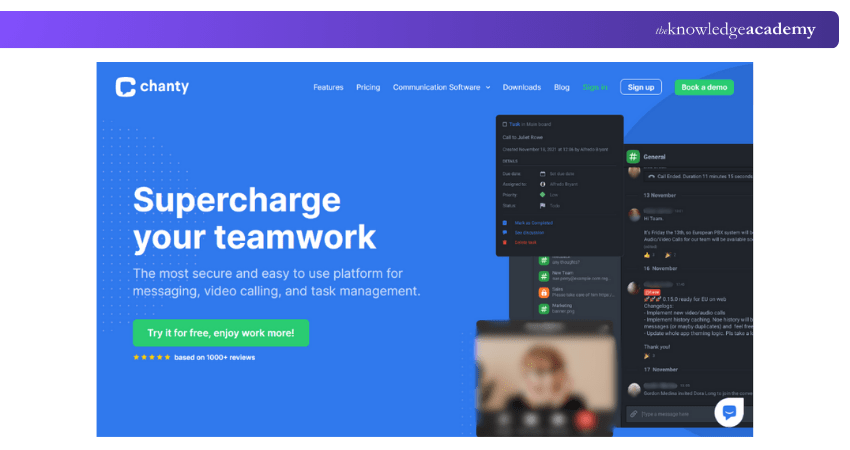
31) Chanty
Chanty is a simple team chat app with built-in Task Management, offering a clutter-free alternative to traditional collaboration tools. It’s ideal for small to mid-sized teams.
Key Features:
a) Team chat with unlimited message history
b) Built-in Task Manager with Kanban view
c) Audio and video calls
d) File sharing and voice messaging
e) Integration with GitHub, Zapier, Trello, and more
Pricing:
a) Free: Up to 10 users
b) Business: Approx. £2.90/user/month
32) Skype
Skype is a long-standing video and voice communication tool used for meetings, calls, and messaging across devices. It’s widely used for both personal and business communication.
Key Features:
a) HD video and audio calls
b) Screen sharing and file transfer
c) Group chats and video conferences
d) Call recording and live subtitles
e) Cross-platform support (desktop and mobile)
Pricing:
a) Free: Basic video/audio calling
b) Skype Credit: Pay-as-you-go for international calls
c) Subscriptions: Starting from approx. £2.40/month
33) Zoom
Zoom is a leading video conferencing platform used globally for meetings, webinars, and virtual collaboration. It offers high-quality video, ease of use, and scalability.

Key Features:
a) HD video and audio meetings
b) Breakout rooms and webinar hosting
c) Virtual backgrounds and screen sharing
d) Meeting recording and cloud storage
e) Integration with Google Calendar, Slack, and more
Pricing:
a) Basic: Free (40-minute limit on group meetings)
b) Pro: Approx. £11.99/user/month
c) Business: Approx. £15.99/user/month
d) Enterprise: Custom pricing
34) GoToMeeting
GoToMeeting is a professional video conferencing and online meeting tool designed for businesses that need secure, reliable, and feature-rich virtual collaboration.
Key Features:
a) One-click meeting setup
b) Screen sharing and presenter switching
c) Drawing tools and note-taking
d) Cloud recording and transcription
e) Integration with Office 365, Slack, and Salesforce
Pricing:
a) Professional: Approx. £10.99/month (up to 150 participants)
b) Business: Approx. £14.99/month (up to 250 participants)
c) Enterprise: Custom plans available
35) Toggl
Toggl is a simple and flexible time-tracking tool designed for freelancers, agencies, and teams. It helps monitor productivity, manage hours, and streamline billing.
Key Features:
a) One-click timer and manual entries
b) Project and team time reporting
c) Billable rates and client tracking
d) Pomodoro timer and idle detection
e) Integrates with Trello, Asana, and Google Calendar
Pricing:
a) Free: For up to 5 users
b) Starter: Approx. £8.40/user/month
c) Premium: Approx. £16.80/user/month
d) Enterprise: Custom pricing
Conclusion
Choosing the Best Productivity Tools can make your work faster, easier, and more organised. Whether you're managing projects, tracking time, or improving team communication, there's a tool to fit every need. Explore the options above, try what works best for you, and take your productivity to the next level in 2025 and beyond.
Master modern management – Learn with Senior Management Training and become the leader your team deserves!
Frequently Asked Questions
What are the Four Types of Productivity Tools?

The four main types of productivity tools are Task Management tools, communication tools, time tracking tools, and collaboration tools. Each type supports different aspects of work, helping users stay organised, connected, efficient, and focused on priorities to achieve better results with less effort.
What are the 4 Ps of Productivity?
The 4 Ps of productivity are Planning, Prioritising, Performing, and Progress. Together, they help individuals and teams set clear goals, focus on what matters most, act effectively, and track improvements over time. It ensures steady growth in both output and efficiency.
What are the Other Resources and Offers Provided by The Knowledge Academy?
The Knowledge Academy takes global learning to new heights, offering over 3,000+ online courses across 490+ locations in 190+ countries. This expansive reach ensures accessibility and convenience for learners worldwide.
Alongside our diverse Online Course Catalogue, encompassing 17 major categories, we go the extra mile by providing a plethora of free educational Online Resources like Blogs, eBooks, Interview Questions and Videos. Tailoring learning experiences further, professionals can unlock greater value through a wide range of special discounts, seasonal deals, and Exclusive Offers.
What is The Knowledge Pass, and How Does it Work?
The Knowledge Academy’s Knowledge Pass, a prepaid voucher, adds another layer of flexibility, allowing course bookings over a 12-month period. Join us on a journey where education knows no bounds.
What are the Related Courses and Blogs Provided by The Knowledge Academy?
The Knowledge Academy offers various Management Courses, including the Team Development Training, Senior Management Training and the Management Training for New Managers. These courses cater to different skill levels, providing comprehensive insights into Guide to Interpersonal Skills.
Our Business Skills Blogs cover a range of topics related to Productivity Tools, offering valuable resources, best practices, and industry insights. Whether you are a beginner or looking to advance your Management skills, The Knowledge Academy's diverse courses and informative blogs have got you covered.

The Knowledge Academy


Global Training Provider
The Knowledge Academy is a world-leading provider of professional training courses, offering globally recognised qualifications across a wide range of subjects. With expert trainers, up-to-date course material, and flexible learning options, we aim to empower professionals and organisations to achieve their goals through continuous learning.

Upcoming Business Skills Resources Batches & Dates
Date
 Productivity and Time Management
Productivity and Time Management
Fri 10th Jul 2026
Productivity and Time Management
Fri 2nd Oct 2026

 If you wish to make any changes to your course, please


