


 Top Rated Course


We may not have the course you’re looking for. If you enquire or give us a call on +41 315281584 and speak to our training experts, we may still be able to help with your training requirements.
What is File Management: Definition, Importance, and Benefits
The Knowledge Academy 03 February 2026File management is the practice of organising, storing, naming, securing, and retrieving files to ensure easy and efficient access. It helps users locate information quickly, reduce errors, and save valuable time. Proper file management also improves data security, ensures better compliance, and supports smooth workflows across systems.

Training Outcomes Within Your Budget!
We ensure quality, budget-alignment, and timely delivery by our expert instructors.
Table of Contents
In a world that is increasingly filled with digital clutter, it can be quite hard to locate the exact file at the exact moment. Knowing What is File Management defines an orderly method to classify, protect, and retrieve information easily. An effective system saves time, reduces errors, and keeps your digital workspace organised and stress-free. Let’s first look at its main aspects.
Table of Contents
1) What is File Management?
2) What Can You Store in a File Management System?
3) Features of a File Management System
4) Why is a File Management System Important?
5) Benefits of a File Management System
6) Popular Free File Storage and File Management Tools
7) File Management Tips and Techniques
8) How to Choose a File Management System?
9) What is the First Step of File Management?
10) How Often Should Files be Backed up to Prevent Data Loss?
11) Conclusion
What is File Management?
File management means keeping your digital files organised and easy to find. It includes saving them in the right folders, giving them clear names, and deleting ones you don’t need. You can also back up important files to avoid losing them and set permissions to keep private information safe. It saves time, helps you work faster, and keeps your computer neat and secure.
It becomes especially important in collaborative environments, where multiple people need access to the same files in an organised way. It saves time, boosts productivity, ensures data security, and helps maintain a clean digital workspace.
This Process Also Includes:
1) Keeping folders based on categories or projects
2) Naming files consistently to avoid confusion
3) Backing up them to prevent data loss
4) Controlling access and permissions to protect sensitive data
5) Removing duplicates and outdated files for storage management

Proper File Management means arranging files in a way that makes sense, such as sorting them by date, category, or project. For example, a business might store all invoices in one folder and customer records in another. This way, when they need an invoice, they do not have to search through unrelated documents.
What Can You Store in a File Management System?
A file management system has the capability to maintain a variety of digital files like text documents, reports, spreadsheets, images, presentations, and PDF files. Moreover, the system has the potential to accept various media files, such as graphics and videos, in different formats.
Through the centralisation of files in a single system, users are allowed to organise, access, and manage content with great ease. This, in turn, leads to better control over digital assets and faster retrieval when necessary.
Features of a File Management System
Here are some of the key features of File Management System:
1) File Organisation: Files are stored in folders or directories to sort and find easily. You can group similar of them together for better structure.
2) Easy File Access: Users can quickly open, edit, save, or move files. Some systems also allow searching by file name, type, or date.
3) File Naming and Metadata: Supports consistent naming and adds metadata like author, date, or size to help manage files better.
4) File Permissions and Security: Controls who can view, edit, or delete folders. This protects sensitive data and prevents unauthorised changes.
5) Backup and Recovery: Automatically saves copies of information and restores them if they are lost or damaged helping avoid data loss.
6) Version Control: Keeps track of file changes over time and allows users to restore earlier versions if needed.
7) File Sharing and Collaboration: Allows users to share files with others easily, making teamwork and communication smoother.
8) Storage Management: Monitors file sizes, available space, and duplicate folders to keep the system organised and efficient.
Bridge the digital gap with iMovie Training- Empower yourself with essential computer skills Today!
Why is a File Management System Important?
A File Management System (FMS) manages large numbers of documents, images, or data to avoid mess, confusion, and save time. Here's why it's important:
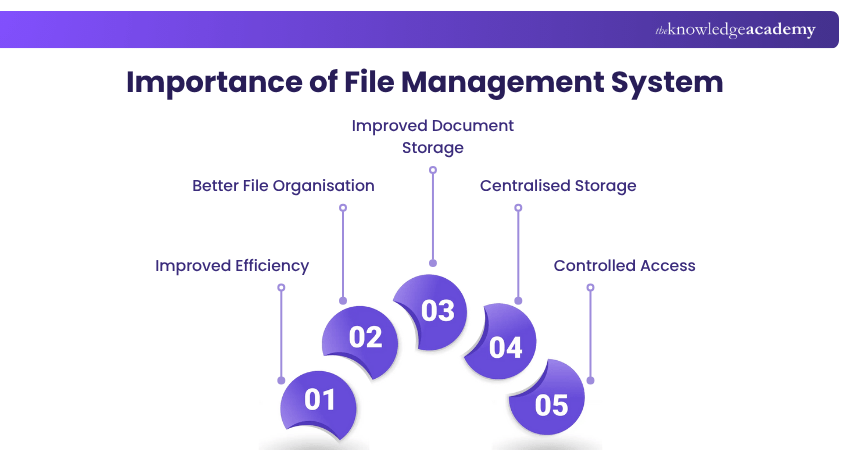
Improved Efficiency
A file management system helps employees spend less time looking for documents.
1) Saves time and reduces frustration from lost files
2) Prevents the need to recreate documents that can't be found
3) Small time savings throughout the day add up
4) Boosts productivity by helping employees stay focused
2) Centralised Storage
Storing all documents in one place means you don’t have to search across emails, chats, or personal folders.
1) Organises files using folders and subfolders
2) Makes it easier and faster to find what you need
3) Keeps everything in one central place
4) Saves time and avoids confusion
5) Helps maintain a clean and structured system
3) Controlled Access
When files are stored in a single system, it’s easier to manage who can see or change them.
1) Protects files that contain private or sensitive information
2) Allows you to lock folders or set access permissions
3) Only selected people can view or edit certain files
4) Others can request access if needed
5) Helps keep information secure and well-controlled
Learn time-saving skills with our Google Sheets Course – Join today
Benefits of a File Management System
A good File Management system helps businesses keep their documents safe and organised. It also improves teamwork and makes work more efficient. Here are the key benefits of a File Management system:
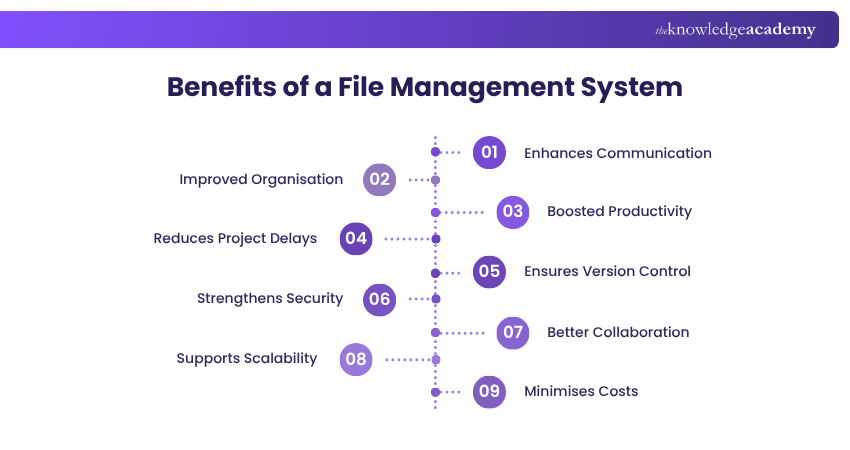
1) Enhances Communication
A file management system helps teams share documents easily. If you're in the same office or working remotely, everyone can access the same files without sending emails back and forth. This keeps communication clear and consistent.
2) Improved Organisation
Folders are stored in a clean, structured way using folders and subfolders. This makes it easier to sort documents by type, project, or date, helping everyone quickly find what they need without confusion.
Boost your everyday tech confidence with expert-led Google Docs Training – Join now!
3) Ensures Version Control
With version control, every change made to a file is tracked. You can go back to previous versions if needed and avoid confusion caused by people working on the wrong document.
4) Strengthens Security
Sensitive files, like financial data or employee information, can be locked and only shared with those who need them. Permissions help protect information from unauthorised access, keeping your data safe.
5) Better Collaboration
Team members can access, comment on, and edit files together in real time. This makes group work faster and more effective, especially for teams in different locations.
6) Supports Scalability
As your company grows, so does your data. A good FMS can handle more users, more files, and larger storage needs without slowing down or becoming disorganised.
7) Minimises Costs
By going digital, companies save money on printing, paper, storage space, and admin time. It also reduces errors and the cost of recreating lost folders.
Popular Free File Storage and File Management Tools
There are many free File Management options that allow individuals to manage their documents without extra cost. Here are the best free systems:
1) Dropbox
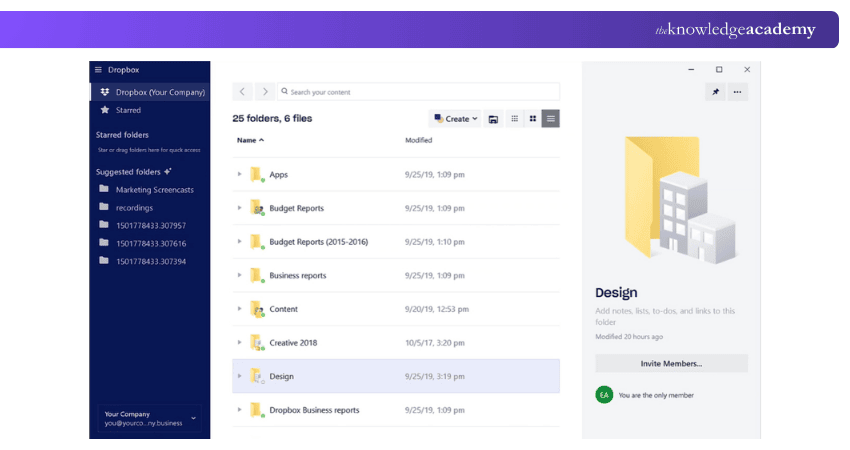
Dropbox is a cloud-based file management system that lets you securely store, organise, and access files from anywhere. It integrates with tools like Rock, enabling easy file sharing, collaboration, and version control within projects. It provides device-wide access, flexible folder organisation, and real-time sync with version control.
2) OneDrive
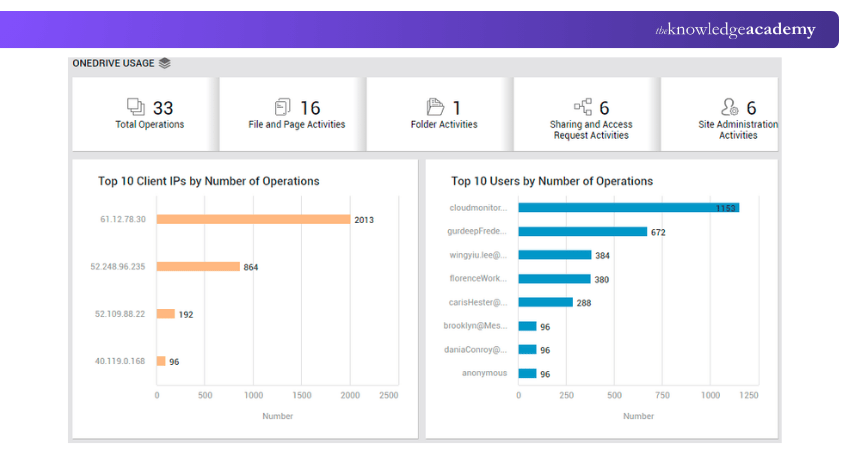
OneDrive is a file management system based on cloud storage that permits you to keep, classify, and gain access to files from any location. It integrates very easily with Microsoft 365 applications, which allow for immediate collaboration, and sharing of files is also very easy across devices.
3) Google Drive
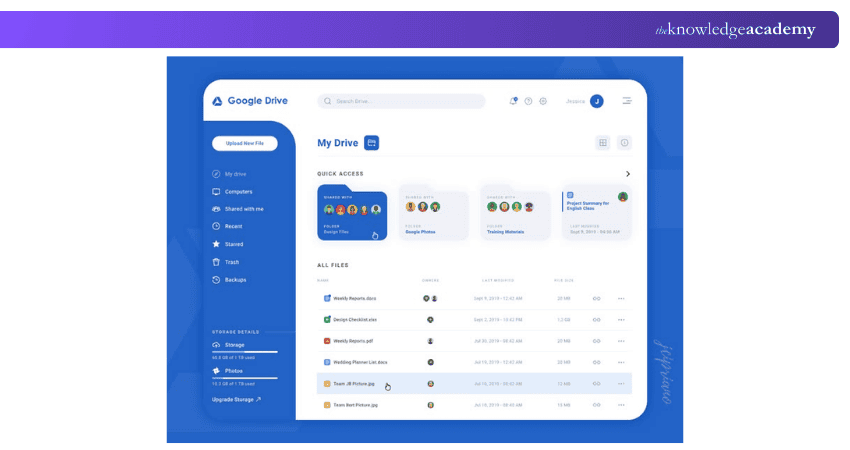
Google Drive is a cloud-based file management system that offers storage, organisation, and access to files from any location, as well as sharing and collaboration features that are easy to use. It connects with Google Workspace applications such as Docs and Sheets, which allow for real-time editing, continuous syncing, and device-wise version history.
4) Smartsheet
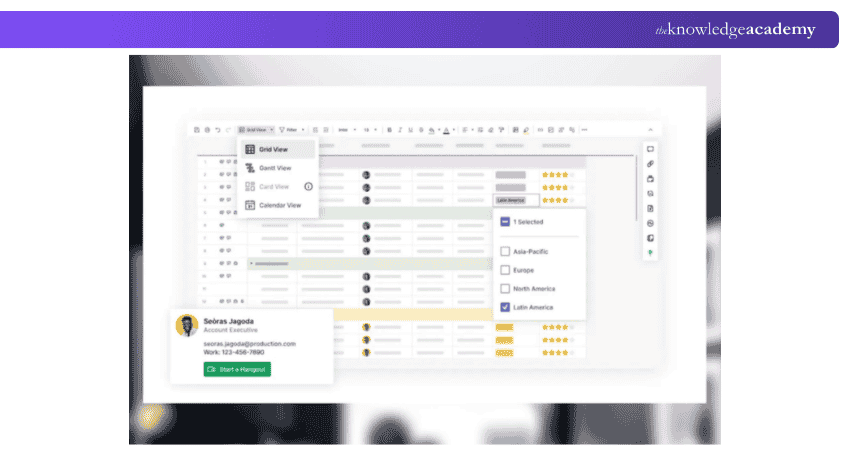
Smartsheet is a work management platform based on the cloud that integrates project planning, teamwork, and file management and enables teams to keep their work files accessible and even stored in the project workflows.
5) FileCenter
FileCenter is a document management software designed mainly for small to mid-sized businesses. It helps users scan, organise, search, and store digital files in a simple folder-based layout.
1) Supports PDF editing for easy file changes
2) Offers file routing to automate document flow
3) Ideal for offices managing both paper and digital files
4) Helps organise and digitise physical documents efficiently
Navigate modern tools like a pro – Learn with WooCommerce Training now!
6) Notion
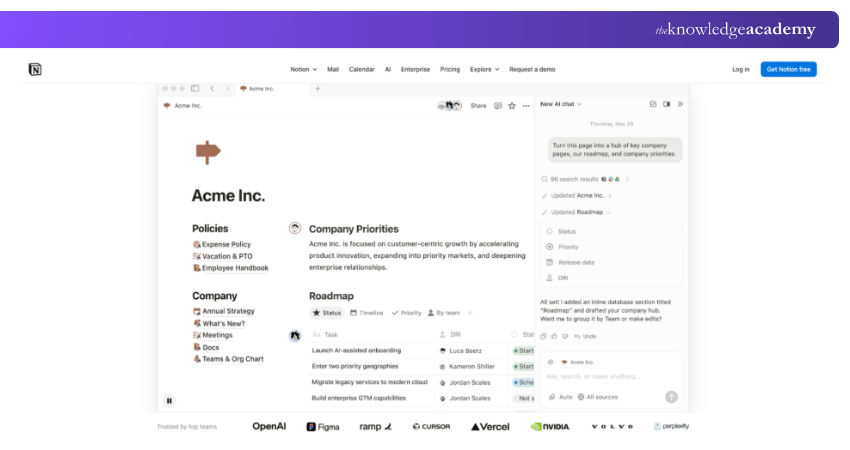
Notion is a comprehensive workspace that integrates notes, tasks, and databases along with file management which gives you the power to organise, upload, and access files next to your content and projects. It also simplifies sharing and collaboration, allowing teams to have documents connected to their work in one central place.
Learn advanced File Management with our Google G Suite Training – Join today!
File Management Tips and Techniques
Here’s a discussion on File management tip and technique:
Utilise Metadata Effectively
Metadata is the hidden but powerful information attached to a file, like the author, creation date, file type, and tags. When used properly, metadata makes searching and sorting folders much easier. Instead of opening each folder, you can filter by date or tag to find what you need.
For Example: In a marketing folder, tagging all social media assets with “2025_campaign” allows instant access to relevant content.
Organise Files as You Go
One of the simplest but most effective habits is organising files as you work. Saving documents directly into their correct folders instead of letting them pile up in the downloads folder saves time and prevents future confusion.
For Example: After creating a sales report, immediately save it to Reports > Sales > June 2025.
Perform Periodic Checks
Even the most organised systems can get messy over time. Performing regular checks weekly or monthly helps you identify duplicate files, outdated documents, and misplaced items. This cleanup prevents your folders from becoming overwhelming.
For example: Reviewing your “Projects” folder every month allows you to archive completed work and delete irrelevant drafts.
Regularly Backup Files
Backing up your files is crucial to prevent data loss from accidental deletion, system crashes, or cyberattacks. A good practice is to back up your files to both a cloud service like Google Drive or Dropbox and an external hard drive.
For Example: Back up client files and reports weekly to Google Drive or a USB drive.
Maintain Naming Consistency
Consistent file names make locating files much easier, especially in shared systems. Avoid vague names like final.docx or new1.pdf which can be confusing later. This consistency helps both you and your team quickly understand the file’s purpose and version.
For Example: Name files like ClientABC_Invoice_June2025.pdf instead of invoice1.pdf.
Avoid Overloading Folders
Stuffing hundreds of files into one folder makes it harder to find what you need. Instead, break large folders into logical subfolder. This improves visibility and speeds up file access. Keeping folders light and specific reduces confusion and increases efficiency.
For Example: Instead of dumping all marketing materials into one folder, create subfolders like social posts and reports.
How to Choose a File Management System
If you are considering implementing a new filing system or modernising the old one, it is necessary to assess your needs very carefully before concluding. The most important questions to ask are:
a) What is the exact document and file management you need?
b) Do you get the required integrations through the system?
c) Are the features for administration and access control adequate?
d) How dependable and quick is the vendor’s customer support?
A systematic evaluation technique will assist you in providing the answers to these queries, besides being able to assess solutions in an effective manner. The ultimate file management system allows businesses to access content at the right time, control the increasing amounts of digital files, and maintain consistency.
What is the First Step of File Management?
The first step of file management is organising files systematically by creating a clear folder structure. This ensures easy access, prevents data loss, and improves efficiency. Proper naming conventions and categorisation further enhance file organisation and retrieval.
How Often Should Files be Backed up to Prevent Data Loss?
Files should be backed up regularly, ideally daily or weekly, depending on their importance and frequency of updates. Critical data may require real-time or automated backups to prevent loss. Multiple backup copies should be stored securely, both online and offline.
Conclusion
Understanding What is File Management goes beyond organising files; it is about creating clarity, security, and efficiency in daily operations. Having the proper system set up, it is easier, faster, and less controlling for the company to collaborate over and have decent possession of their digital assets. The application of these practices today paves the way to smarter, more scalable workflows.
Learn file sharing techniques with our Building Interactive Dashboards Training– Join today!
Frequently Asked Questions
What are the Three Basic Types of File Management?

The three basic types of file management are hierarchical (files are stored in folders and subfolders), flat (all files in one level), and database file systems (files are managed like records in a database). Each type helps in organising files based on different needs and system complexity.
What Are the Four Main Functions Involved in File Management?
The four main functions are file creation, storage, retrieval, and deletion. These actions help users save new files, store them properly find them easily when needed. They remove old or unwanted files to keep the system clean and organised.
What are the Other Resources and Offers Provided by The Knowledge Academy?
The Knowledge Academy takes global learning to new heights, offering over 3,000+ online courses across 490+ locations in 190+ countries. This expansive reach ensures accessibility and convenience for learners worldwide.
Alongside our diverse Online Course Catalogue, encompassing 19 major categories, we go the extra mile by providing a plethora of free educational Online Resources like Blogs, eBooks, Interview Questions and Videos. Tailoring learning experiences further, professionals can unlock greater value through a wide range of special discounts, seasonal deals, and Exclusive Offers.
What is The Knowledge Pass, and How Does it Work?
The Knowledge Academy’s Knowledge Pass, a prepaid voucher, adds another layer of flexibility, allowing course bookings over a 12-month period. Join us on a journey where education knows no bounds.
What are the Related Courses and Blogs Provided by The Knowledge Academy?
The Knowledge Academy offers various End User Courses, including Google Data Studio Training, Google Slides Training, and OneDrive Training. These courses cater to different skill levels, providing comprehensive insights into Computer Architecture.
Our Office Applications Blogs cover a range of topics related to File Management, offering valuable resources, best practices, and industry insights. Whether you are a beginner or looking to advance your Office Applications skills, The Knowledge Academy's diverse courses and informative blogs have got you covered.

The Knowledge Academy


Global Training Provider
The Knowledge Academy is a world-leading provider of professional training courses, offering globally recognised qualifications across a wide range of subjects. With expert trainers, up-to-date course material, and flexible learning options, we aim to empower professionals and organisations to achieve their goals through continuous learning.


 If you wish to make any changes to your course, please


