




We may not have the course you’re looking for. If you enquire or give us a call on +44 1344 203 999 and speak to our training experts, we may still be able to help with your training requirements.
What is Visual Basic? History, Features and Applications
ByNilotpal SarmahLast updated on: 18 September 2026
Curious about What is Visual Basic? It's a user-friendly Programming Language that is designed for building applications with a Graphical User Interface (GUI). This blog explores Visual Basic's origins, its key features, and why it remains relevant for rapid Software Development in today’s tech landscape. Read ahead to know more!

What You'll Discover
1. Visual Basic was released by Microsoft in 1991 and remains in use today, primarily through VB.NET and VBA.2. VB's event-driven, drag-and-drop design makes it well-suited to rapid application development.3. Common uses include database software, VBA automation in Office applications, and legacy Windows desktop applications.4. Visual Basic is largely limited to the Windows platform and is no longer a major choice for new web development.5. VB.NET and VBA remain the two most widely used Visual Basic platforms today.
Are you a developer who’s tasked with creating a user-friendly application in record time? If so, then you might wonder what tools to turn to. This is where Visual Basic comes in, a language that has stayed in active use since its release in 1991 by focusing on intuitive syntax and visual development tools rather than raw performance or flexibility.
Moreover, the 2025 Stack Overflow Developer Survey found that 4.43% of respondents reported using Visual Basic (.NET). Given this circumstance, understanding what Visual Basic is can be your gateway to rapid application development, enabling quick iterations and seamless updates. Let’s dive into this blog to discover how it continues to shape the world of software development.
How Does Visual Basic Work?
Visual Basic (VB) is a powerful tool for designing Windows applications using a Graphical User Interface (GUI). The design console in VB is divided into three main components:
1) Toolbox on the left
2) Design workspace in the middle
3) Properties menu on the right
In the design workspace, you'll find the form window where you can add various controls from the toolbox, such as buttons, textboxes, labels, and picture boxes. Each control can trigger different events like Click, DoubleClick, KeyDown, KeyUp, and MouseMove.
Developers write subroutines for these events, known as "Event Procedures." These procedures handle user actions like starting a program, pressing a key, moving the mouse, or closing the program. When an event occurs, the project executes the associated instructions.
Once all UI elements, subroutines, and other code are in place, the VB application is ready to run. You can start the application by pressing the F5 key or selecting RUN > START from the menu. The code for the application can be viewed in the 'Code Window,' where all commands are listed.
Creating a Simple VB Application:
1) Open Visual Basic, then select File > New Project from the menu bar.
2) Click the VB application wizard icon in the 'New Project' dialogue box.
3) Click Next to move through the dialogue boxes. The wizard keeps default values but allows you to edit them.
4) The wizard includes an 'Internet connectivity' option, enabling the application to access the web and share with online users.
5) Before the final step, the wizard offers options to interface with database programs like Microsoft Access.
6) Click FINISH. The wizard builds the menu and adds it to forms.
7) After closing the final dialogue box, the application development environment appears, where you can view forms and code modules by double-clicking the project window.
8) Run the program to test and see how it displays on the screen.
Different Versions of VB:
1) Visual Basic .Net: This version, implemented in Visual Studio, is similar to the Basic language but includes elements from Object Pascal and C. The VB code is compiled into object code and linked to create an executable (.exe) file that can run independently of Visual Studio.
2) VBA (Visual Basic for Applications): Typically used within Microsoft Office programs like Access, Excel, and Word. VBA code is tokenised, compiled, and executed within the Office application, and cannot generate standalone .exe files.
Since its inception in 1991, Visual Basic has evolved significantly. Each version has unique features and workflows, making it a versatile tool for developers.
Core Features of Visual Basic
VB is renowned for its ease of use and visual capabilities, but its depth extends well beyond that surface appeal. Its robust architecture and versatility stem from an array of fundamental features that have stood the test of time:
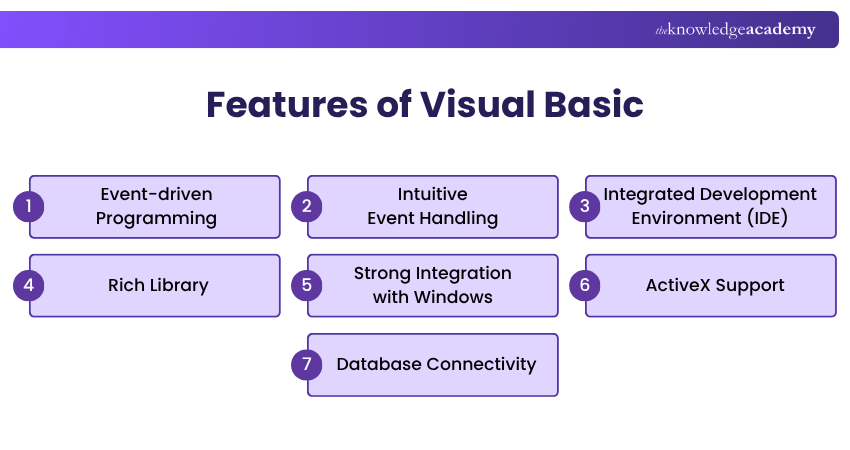
1) Among its many features, VB's most pronounced is its deep-rooted support for event-driven programming. This programming paradigm is centred on the principle that actions (code executions) are driven by events, such as user actions or system prompts.
2) VB Developers can effortlessly link a specific action, such as displaying a message, to an event. This results in coding that is intuitive and directly aligned with user interactions, streamlining both development and the end-user experience.
3) A programmer's toolkit is crucial to their efficiency and VB offers one of the most comprehensive out there. The Visual Basic IDE is not just a code editor; it's a full-fledged environment where developers can write code, design interfaces, test functionality, and debug issues. Complete with visual aids, drag-and-drop features, and real-time feedback, VB's IDE epitomises a one-stop-shop for Windows application development.
4) An essential part of a programmer's workflow involves reusing code segments to streamline the development process. Recognising this, Microsoft equipped VB with an exhaustive library of predefined functions and routines. From mathematical calculations to string manipulations, this library accelerates the development process, offering developers a treasure trove of ready-to-implement solutions.
5) Given its inception as a tool tailored for Windows, VB boasts seamless integration with the OS. This ensures that applications developed with VB are inherently optimised for the Windows ecosystem, be it interfacing with Windows APIs or utilising system resources efficiently.
6) Another feather in VB's cap is its support for ActiveX components. This allows developers to not only create but also use ActiveX controls, DLLs, and even integrate with other applications that support the Component Object Model (COM) standards.
7) In the modern era, software applications often require data storage and retrieval capabilities. VB facilitates easy connectivity with databases, leveraging technologies like ActiveX Data Objects (ADO) or Data Access Objects (DAO), making it straightforward to create data-driven applications.
Create powerful and efficient scripts by investing in our Lua Programming Language Training – Join us now!
Uses of Visual Basic
Visual Basic (VB) is a versatile tool that front-end and full-stack developers use to create customised applications with cross-platform support. It's particularly popular for applications that rely on forms, selections, and user inputs. Additionally, VB is used to develop console applications that run through the command line instead of a Graphical User Interface (GUI).
Many medium and large companies, including Microsoft, Broadcom, CrowdStrike, and doubleSlash, incorporate Visual Basic into their tech stacks. They rely on VB for tasks like inventory management, database access, data collection, and communication.
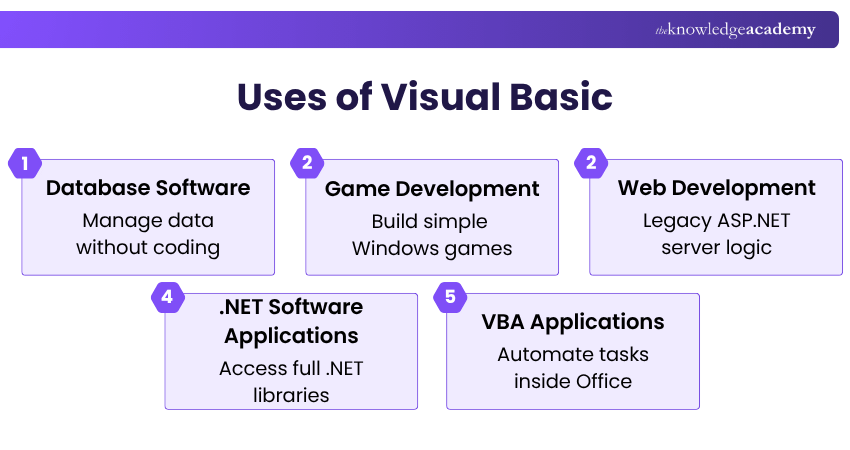
Here are some common uses of Visual Basic:
1) Database Software
Developers often use VB to design systems that manage large databases. With VB's GUI tools, users can easily add various database functionalities without writing complex code. VB supports databases created with programs like MS Access, Oracle, MySQL, and more.
2) Game Development
Visual Basic can be used to create simple games, prototypes, and educational projects, particularly for Windows desktop environments. Its event-driven programming model and visual development tools can make it easier to build interfaces and basic game logic.

3) Web Development
Visual Basic has historically been used in Web Development, particularly with ASP.NET and earlier Microsoft web technologies. Visual Basic .NET could be used to write server-side application logic within supported ASP.NET projects.
However, Visual Basic is no longer a major focus for new web workloads. Classic ASP commonly used VBScript for server-side scripting, while VBScript was also historically supported for client-side scripting in Internet Explorer. VBScript is now deprecated by Microsoft, and JavaScript is the standard choice for modern browser-based scripting.
4) .Net Software Applications
VB.Net, an evolution of Visual Basic, gives programmers access to numerous .NET libraries essential for developing software applications. These applications can range from messaging and social media platforms to e-commerce order processing and logistics management.
5) VBA Applications
Visual Basic for Applications (VBA) is integrated into supported Microsoft Office applications such as Excel, Word, PowerPoint, and Access. It allows users and developers to automate repetitive tasks, manipulate Office objects, and create customised workflows using macros and VBA code.
For example, VBA can automate spreadsheet calculations, format reports, create charts, transfer information between Office applications, and perform repetitive operations automatically. VBA can also use COM Automation to interact with applications that expose compatible automation objects, enabling applications such as Excel and Word to exchange data or control one another programmatically.
Gain hands-on experience with the latest technologies – Join our Programming Training today.
What are the Pros and Cons of Visual Basic?
Visual Basic is known for its ease of use, making it accessible to beginners with its straightforward syntax and Graphical User Interface builder. It supports rapid application development through drag-and-drop features, and robust IDE tools and integrates seamlessly with Microsoft technologies.
However, it is primarily limited to the Windows platform, which restricts cross-platform development. Additionally, it may have performance issues compared to lower-level languages like C++ and offers less flexibility and control over code compared to languages like C# or Java.
Build scalable and maintainable applications with ease – sign up for our Object-Oriented Programming (OOPs) Course now.

Nilotpal Sarmah is a Senior Content Writer with 11+ years of overall experience spanning engineering, operations and content development. His technical knowledge and extensive writing experience enable him to simplify specialised topics across IT and Tech, Business Skills, Project Management, Health and Safety, and ISO and Compliance.
View Detail

 If you wish to make any changes to your course, please


