


 Top Rated Course


We may not have the course you’re looking for. If you enquire or give us a call on +44 1344 203 999 and speak to our training experts, we may still be able to help with your training requirements.
What is a Hybrid App? A Comprehensive Guide
Richard Harris 22 April 2026A Hybrid App combines elements of both native and web applications, running inside a native shell while using web technologies like HTML, CSS, and JavaScript. This allows it to run on multiple platforms (iOS, Android) while leveraging Web Development skills. Users download and install Hybrid Apps from app stores, similar to native apps.

Training Outcomes Within Your Budget!
We ensure quality, budget-alignment, and timely delivery by our expert instructors.
Table of Contents

We live in an app-driven world, and users demand seamless experiences across every device; and that’s where Hybrid Apps shine. These are like tech-savvy chameleons that blend the best of native and web technologies to deliver speed, flexibility and consistency like never before.
So, understanding a Hybrid App can facilitate faster development, broader reach and smarter solutions. This will help you with it by exploring the features, benefits, drawbacks, and common use cases of Hybrid Applications. So read on and learn why they’ve become the go-to solution for modern mobile innovation!
Table of Contents
1) What is a Hybrid App?
2) How Hybrid Applications Work?
3) Key Features of a Hybrid App
4) Popular Hybrid App Examples
5) Factors to Consider When Choosing between Different Types of Apps
6) What are the Benefits of Hybrid Apps?
7) Drawbacks of Hybrid Apps
8) Common Use Cases for Hybrid Apps
9) Conclusion
What is a Hybrid App?
A Hybrid Application blends the features of both native and web applications. It’s created using web technologies like HTML5, JavaScript and CSS. This allows the app to work across multiple platforms such as Android and iOS without needing separate codebases.
Developers build the app once and it can be deployed universally. When the users download and install the Hybrid App from an app store, its native shell interacts with the device’s operating system through an embedded browser. This enables access to native functions.

How Hybrid Applications Work?
As mentioned above, Hybrid Apps combine the strengths of both web and native applications into a unified experience. This is how they work:
1) They are built using common web technologies such as HTML, CSS, and JavaScript.
2) Then they are wrapped within a native container that allows them to function seamlessly on platforms like Android and iOS.
3) When launched, the Hybrid App opens a WebView which is an embedded browser within the app. This is where the web code executes.
4) This WebView handles the user interface, logic and interactivity, functioning much like a website within a mobile shell.
5) Through native plugins, Hybrid Apps bridge the gap between web code and the device’s operating system.
6) This enables access to native features such as the camera, GPS, or push notifications.
7) This approach gives Developers the ability to maintain one codebase while delivering an app that feels and performs like a native application.
Take your Web Development skills to meteoric scale with our Full-Stack App Development Training with Meteor – Register now!
Key Features of a Hybrid App
Hybrid Apps come with several practical features that make them so efficient to develop and deploy across platforms. Their key features include:
1) Cross-platform Compatibility
Hybrid Apps reduce time and resource requirements during development and updates. This is because they are built once and deployed across platforms like iOS and Android. They offer a consistent user experience across devices, thus ensuring uniform functionality regardless of the platform.
2) Access to Device Features
Using native plugins, Hybrid Apps can tap into device functionalities such as the GPS, camera and contacts. This integration helps Developers create apps that deliver a seamless, native-like experience while still being web-based.
3) Faster Development
With a single shared codebase, Developers can deliver apps to multiple platforms quickly. This is ideal for businesses wanting a faster time-to-market. It allows teams to roll out updates and new features rapidly, keeping pace with evolving user needs.
4) Easier Maintenance
Since updates and fixes apply to a single codebase, maintenance is simpler and more efficient. Any changes made are automatically reflected across all supported platforms, ensuring consistent performance and reducing long-term development effort.
5) Offline support
Many Hybrid Apps allow users to access stored data offline. This improves usability in areas with limited or no internet connectivity. It improves reliability by allowing uninterrupted access to key features even without a stable connection.
From web to mobile, Ionic makes it all seamless. Sign up for our Cross-Platform Mobile Development Training with Ionic Framework now!
Popular Hybrid App Examples
The versatility and cost-efficiency of Hybrid Apps have encouraged many leading companies to adopt this development model. Below are five standout examples of Hybrid Apps in today’s market:
1) Gmail
Gmail is one of the most well-known Hybrid Apps worldwide. It uses a sophisticated, proprietary tech stack that combines webviews and HTML capabilities to deliver a smooth cross-platform experience. This integration allows Gmail to offer advanced features and an intuitive interface that enhances user productivity across devices.
2) Instagram
Instagram was initially developed as a native mobile app. Later, it was rebuilt using React Native after being acquired by Meta. This transition helped the app to scale better and offer offline data access and high-quality media sharing. Instagram’s shift to a hybrid model ensured consistent performance across devices while maintaining its visual quality.
3) Amazon App Store
The Amazon Shopping App is a shining example of a high-performing Hybrid Application. Built using HTML5 and web technologies, it combines native code to access features like push notifications and the camera. This approach allows Amazon to deliver a responsive shopping experience across devices while maintaining platform consistency.
4) X
X, formerly known as Twitter, is another major Hybrid App. The platform transitioned from a fully native build to a hybrid model to overcome performance bottlenecks caused by high user traffic. The switch significantly improved its speed, reliability, and stability, setting a benchmark for hybrid app scalability and smooth cross-platform operation.
5) Uber
Uber’s Hybrid App provides a sleek, user-friendly interface powered by a React-based web UI framework called Base. Its unified codebase operates through m.uber.com, ensuring consistent functionality and design across different operating systems. This approach guarantees a seamless user experience and access to dynamic features, regardless of the device type.
Factors to Consider When Choosing between Different Types of Apps
Choosing the right type of app for your business depends on several key factors. Here’s what you should keep in mind:
1) Identifying Your Target Audience
Determine who will use your app. If it’s aimed at consumers, native or Hybrid Apps offer better engagement and functionality. However, if the app is meant for internal organisational use, a web app might be more practical and cost-effective.
2) Choosing the Right Platform
Consider which platforms will your app support. Native apps are designed for operating systems like Android or iOS. Web apps are accessible via browsers and work across devices but lack offline access. For greater flexibility, Hybrid Apps are the ideal middle ground.
3) Functionality
Consider what level of performance and features are required. Native apps can directly access device-specific components like cameras and sensors. Web apps have limited access, while hybrid and cross-platform options strike the balance between functionality and efficiency.
4) Development Resources
Evaluate the expertise and tools available within your team. Native apps require specialised developers and larger teams, making them more resource intensive. Hybrid and cross-platform apps demand moderate technical expertise, whereas web apps can be built with standard web development skills.
5) Maintenance
Consider how much effort the ongoing updates will need. Native apps must be individually updated for each platform, which increases the maintenance effort. Web apps are simpler to update universally, while hybrid and cross-platform apps can do with moderate upkeep and version control.
6) Budget and Cost Constraints
Keep your budget in mind. Native apps tend to be the most expensive to build due to the need for separate development processes and specialised skills. Web apps are the most budget-friendly, while hybrid and cross-platform options offer a balanced, cost-effective solution with wider reach.
Build responsive and elegant web apps with our hands-on Flask Web Development Training with Python - Sign up now and achieve unprecedented web mastery!
What are the Benefits of Hybrid Apps?
Embracing Hybrid Apps can bring numerous benefits to the table. Let’s explore the key advantages:
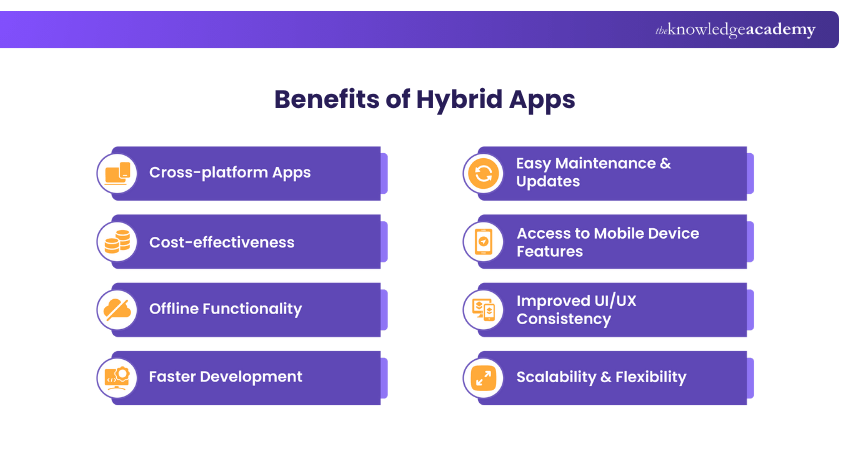
1) Cross-platform Apps
1) A single codebase works across Android, iOS, and web platforms.
2) This reduces the time spent rewriting code for multiple Operating Systems (OS).
3) It ensures consistent functionality and design across all user devices.
2) Cost-effectiveness
1) Hybrid Apps reduce development costs by using a single team instead of multiple platform-specific teams.
2) It reduces testing and maintenance costs thanks to shared resources.
3) This shortens time-to-market, thus maximising ROI for businesses.
3) Offline Functionality
1) Hybrid Apps enable users to access app content without the need for constant internet connectivity.
2) It caches essential data locally for seamless performance in low-network areas.
3) This improves user satisfaction and engagement through uninterrupted access.
4) Faster Development
1) Hybrid Apps use pre-built components and frameworks like React Native or Flutter.
2) It allows Developers to reuse code across platforms for rapid deployment.
3) This accelerates time from concept to launch with fewer development cycles.
5) Easy Maintenance & Updates
1) The centralised codebase allows simultaneous updates for all platforms.
2) It simplifies bug fixing since changes reflect across Android and iOS instantly.
3) It reduces downtime by streamlining app version control and patching.
6) Access to Mobile Device Features
1) A Hybrid App integrates with device APIs for camera, GPS and notifications.
2) It delivers a native-like experience while maintaining hybrid flexibility.
3) This improves app functionality without sacrificing performance or responsiveness.
7) Improved UI/UX Consistency
1) Hybrid Apps provide a uniform interface regardless of the operating system.
2) It maintains smooth navigation and familiar design patterns for users.
3) This aligns app design with modern UI frameworks, ensuring high user retention.
8) Scalability & Flexibility
1) Hybrid Apps easily adapt to new devices, screen sizes and operating systems.
2) It scales features quickly without rebuilding the entire application.
3) It supports integration with new technologies and business requirements.
Learn to craft scalable and lightning-fast web applications with our Play Framework Training with Scala and Java - Register now!
Drawbacks of Hybrid Apps
Despite the plenty of benefits, there are some drawbacks related to Hybrid Apps that needs to be considered:
1) Slow Performance
1) Hybrid Apps are generally slower than native apps built using Apple’s or Google’s native coding languages.
2) They rely on a browser-like component called a WebView to load and render content.
3) The app’s speed and responsiveness depend on the WebView’s efficiency in displaying the UI and executing JavaScript code.
2) Test Complexity
1) Hybrid Apps share a large portion of their code across platforms, simplifying development but complicating testing.
2) Some parts of the app may still use native code, requiring separate testing for each platform.
3) This mix of shared and native components increases the overall complexity of the test suite.
3) Inconsistent UI/UX Issues
1) The consistency of a Hybrid App’s user experience depends heavily on the Developer’s skills and design approach.
2) The flexible nature of hybrid development can lead to design inconsistencies if not managed properly.
3) Poor internet connectivity can negatively affect UX if Developers lack expertise in progressive web design.
4) Developers may need to write additional native code to meet Android and iOS interaction guidelines or access platform-specific APIs.
Common Use Cases for Hybrid Apps
Hybrid Apps are ideal for scenarios that require cross-platform compatibility and cost-effective solutions. Here are exciting use cases:
1) Content-based Apps: Hybrid Apps are used by news portals, blogs and magazines to deliver content across multiple platforms.
2) eCommerce Apps: Online shopping apps leverage hybrid frameworks for a consistent user experience and quicker feature updates.
3) Enterprise and Internal Tools: Businesses develop Hybrid Apps for communication, reporting and productivity tasks accessible on various devices.
4) Social Media Platforms: Social Networking apps adopt Hybrid App technology to reach wider audiences while reducing development time.
5) Customer Support Apps: Helpdesk and service-based apps use hybrid structures to enable FAQs, live chat and Customer Support across platforms.
6) Minimum Viable Products (MVPs): Startups build MVPs using Hybrid Apps to validate ideas, gather feedback, and accelerate time-to-market.
Conclusion
Hybrid Apps are in demand because they bridge the gap between innovation and accessibility and offer the perfect balance of performance and versatility. They help businesses reach a wider audience without doubling development efforts. As technology evolves, Hybrid App development continues to redefine efficiency. It proves that one powerful codebase can truly connect the world across every device and platform.
Accelerate your Coding journey with structured, efficient learning in our Framework Training - Sign up now!
Frequently Asked Questions
What is the Difference Between Native Apps and Hybrid Apps?

Native apps are specifically built for one platform using its native language. They offer optimal performance and deep device integration. On the other hand, Hybrid Apps use a shared codebase that runs on multiple platforms. This reduces cost and development time while maintaining near-native user experiences.
What Does Hybrid Mean in Program?
In Programming, “hybrid” refers to the combination of two or more Programming approaches to create cross-functional systems. It boosts adaptability and enables Developers to integrate web and native capabilities and optimise software performance across diverse environments.
What are the Other Resources and Offers Provided by The Knowledge Academy?
The Knowledge Academy takes global learning to new heights, offering over 3,000+ online courses across 490+ locations in 190+ countries. This expansive reach ensures accessibility and convenience for learners worldwide.
Alongside our diverse Online Course Catalogue, encompassing 19 major categories, we go the extra mile by providing a plethora of free educational Online Resources like Blogs, eBooks, Interview Questions and Videos. Tailoring learning experiences further, professionals can unlock greater value through a wide range of special discounts, seasonal deals, and Exclusive Offers.
What is The Knowledge Pass, and How Does it Work?
The Knowledge Academy’s Knowledge Pass, a prepaid voucher, adds another layer of flexibility, allowing course bookings over a 12-month period. Join us on a journey where education knows no bounds.
What are the Related Courses and Blogs Provided by The Knowledge Academy?
The Knowledge Academy offers various Framework Courses, including the Flask Web Development Training with Python, Appium Training and the Cross-platform Mobile Development Training with Ionic Framework. These courses cater to different skill levels, providing comprehensive insights into PHP cURL.
Our Programming & DevOps Blogs cover a range of topics related to Hybrid Apps, offering valuable resources, best practices, and industry insights. Whether you are a beginner or looking to advance your App Development skills, The Knowledge Academy's diverse courses and informative blogs have got you covered.

Richard Harris


Senior Full Stack Developer and Technology Educator
Richard Harris is a highly experienced full-stack developer with deep expertise in both frontend and backend technologies. Over his 12-year career, he has built scalable web applications for startups, enterprises and government organisations. Richard’s writing combines technical depth with clear explanations, ideal for developers looking to grow in modern frameworks and tools.


 If you wish to make any changes to your course, please


