Project Management Tool

Online Instructor-led (1 days)

Online Self-paced (8 hours)

Notion Training Course Outline

Module 1: Introduction to Notion

  • Overview of Notion
  • Key Features and Terminologies

Module 2: Managing Projects with Notion

  • Creating and Customising Workspaces
  • Using Databases, Pages, and Blocks
  • Task Management and Assignment

Module 3: Collaboration and Communication

  • Adding Comments and Attachments
  • Team Collaboration Tools

Module 4: Automation and Integrations

  • Setting Up Automations with Notion API
  • Advanced Automation Techniques

Module 5: Reporting and Analytics

  • Generating template
  • Tracking Progress and Performance Metrics
  • Using Data for Decision Making

Module 6: Advanced Features and Best Practices

  • Using Notion Apps and Add-Ons
  • Best Practices for Optimising Workflows
  • Case Studies of Successful Notion Implementations

Show moredown

Who Should Attend this Notion Training?

This course is designed for professionals seeking to enhance their project management and collaboration skills using Notion. The ideal audience includes:

  • Project Managers
  • Team Leaders
  • Operations Managers
  • IT Managers
  • Product Managers
  • Business Analysts
  • Administrative Professionals

Prerequisites of Notion Training

There are no formal prerequisites for attending this Notion Training. However, having a prior understanding of computer skills and familiarity with project management principles.

Notion Training Course Overview

The Notion Training course is designed to provide professionals with the knowledge and skills to utilise Notion effectively for project management and team collaboration. This course aims to equip participants with the ability to set up and manage their Notion workspace, create and customise databases and pages, facilitate efficient communication, integrate with other tools, and ensure effective task management. By mastering these Notion capabilities, participants can significantly advance their careers, opening new opportunities in project management and team leadership.

The Knowledge Academy’s 1-day Notion Training course content is structured into detailed modules covering an introduction to Notion, project management, collaboration and communication, automation and integrations, reporting and analytics, and advanced features. Participants will gain practical knowledge on setting up Notion, managing projects, adding comments and attachments, using automation rules, generating reports and dashboards, and customising their Notion experience. Real-world examples and case studies will demonstrate the effective use of Notion in various professional settings.

Notion Training Course Objectives

  • Understand the key features and terminologies of Notion.
  • Learn to create and customise workspaces, databases, and pages.
  • Develop skills to add comments, attachments, and integrate with other tools.
  • Explore the use of automation and advanced integration techniques.
  • Gain insights into generating reports, tracking progress, and making data-driven decisions.
  • Customise Notion to enhance the user experience and optimise workflows.

After attending the Notion training, delegates will be proficient in using Notion to enhance project management and team collaboration. They will understand how to set up and manage their Notion workspace, utilise various project management and collaboration features, integrate with other productivity tools, and implement automation rules.

Benefits of Notion Training

The Notion Training enables learners to organise information, manage projects, and centralise knowledge within a single, flexible Notion workspace. It builds practical skills to structure workspaces, streamline tasks, and support collaboration across teams.

Advantages of Notion Training

Key benefits of this training include:

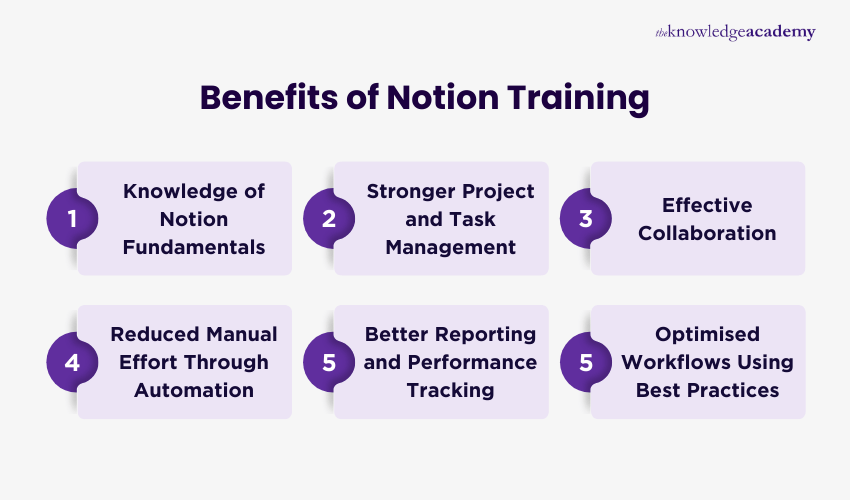
  • Knowledge of Notion Fundamentals: Build a strong understanding of Notion’s interface, key features, and terminology so you can create clear and reliable workspaces.
  • Stronger Project and Task Management: Use pages, blocks, databases, and task assignments to organise projects, manage workloads, and keep work structured and visible.
  • Effective Collaboration: Work with teams using shared pages, comments, attachments, and collaboration tools that keep communication in one central workspace.
  • Reduced Manual Effort Through Automation: Apply Notion API based automations and advanced automation techniques to streamline workflows and improve information flow.
  • Better Reporting and Performance Tracking: Track progress, generate templates, and use performance metrics to support planning and informed decision making.
  • Optimised Workflows Using Best Practices: Apply Notion apps, add-ons, and proven best practices to optimise workflows and build scalable knowledge systems.

Show moredown

What's included in this Notion Training? 

  • World-Class Training Sessions from Experienced Instructors 
  • The Notion Training Certificate 
  • Digital Delegate Pack   

Show moredown

Online Instructor-led (1 days)

Online Self-paced (8 hours)

Asana Training Course Outline

Module 1: Introduction to Asana

  • Overview of Asana
  • Key Features and Terminologies
  • Setting Up Your Asana Account

Module 2: Managing Projects with Asana

  • Creating and Customising Projects
  • Using Tasks, Subtasks, and Sections
  • Task Management and Assignment

Module 3: Collaboration and Communication

  • Adding Comments and Attachments
  • Integrating with Other Tools (e.g., Slack, Google Drive)
  • Team Collaboration Tools

Module 4: Automation and Integrations

  • Setting Up Automations with Rules
  • Integrating with Other Tools (e.g., Slack, Trello)
  • Advanced Automation Techniques

Module 5: Reporting and Analytics

  • Generating Reports and Dashboards
  • Tracking Progress and Performance Metrics
  • Using Data for Decision Making

Module 6: Advanced Features and Best Practices

  • Using Asana Apps and Add-Ons
  • Best Practices for Optimising Workflows
  • Case Studies of Successful Asana Implementations

Show moredown

Who Should Attend Asana Training?

This course is designed for professionals seeking to improve their project management and collaboration skills using Asana. The ideal audience includes:

  • Project Managers
  • Team Leaders
  • Operations Managers
  • IT Managers
  • Product Managers
  • Business Analysts
  • Administrative Professionals

Prerequisites of Asana Training

There are no formal prerequisites for attending this Asana Training course. However, having prior knowledge of computer skills and project management principles.

Asana Training Course Overview

The Asana Training course is designed to provide professionals with the knowledge and skills to utilise Asana effectively for project management and team collaboration. Asana is a leading project management tool that offers a wide range of features to help teams plan, track, and manage their work. This course aims to equip participants with the ability to set up and manage their Asana account, create and customise projects, facilitate efficient communication, integrate with other tools, and ensure effective task management. By mastering these Asana capabilities, participants can significantly advance their careers, opening up new opportunities in project management and team leadership.

This 1-day Asana Training course content is structured into detailed modules covering an introduction to Asana, project management, collaboration and communication, automation and integrations, reporting and analytics, and advanced features. Participants will gain practical knowledge on setting up Asana, managing projects, adding comments and attachments, using automation rules, generating reports and dashboards, and customising their Asana experience. Real-world examples and case studies will demonstrate the effective use of Asana in various professional settings.

Course Objectives

  • Understand the key features and terminologies of Asana.
  • Learn to create and customise projects, tasks, and sections.
  • Develop skills to add comments, attachments, and integrate with other tools.
  • Explore the use of automation rules and advanced integration techniques.
  • Gain insights into generating reports, tracking progress, and making data-driven decisions.
  • Customise Asana to enhance the user experience and optimise workflows.

By the end of this course, learners will be proficient in using Asana to enhance project management and team collaboration. They will understand how to set up and manage their Asana account, utilise various project management and collaboration features, integrate with other productivity tools, and implement automation rules. This course will empower professionals to leverage Asana effectively, ensuring they stay at the forefront of project management and collaboration technologies.

Benefits of Asana Course

Asana Training equips learners with practical skills to plan, track, and deliver work efficiently using Asana. It also improves task organisation, strengthens team collaboration, and enhances overall workflow effectiveness.

Advantages of Asana Course

Below are the core benefits of this training:

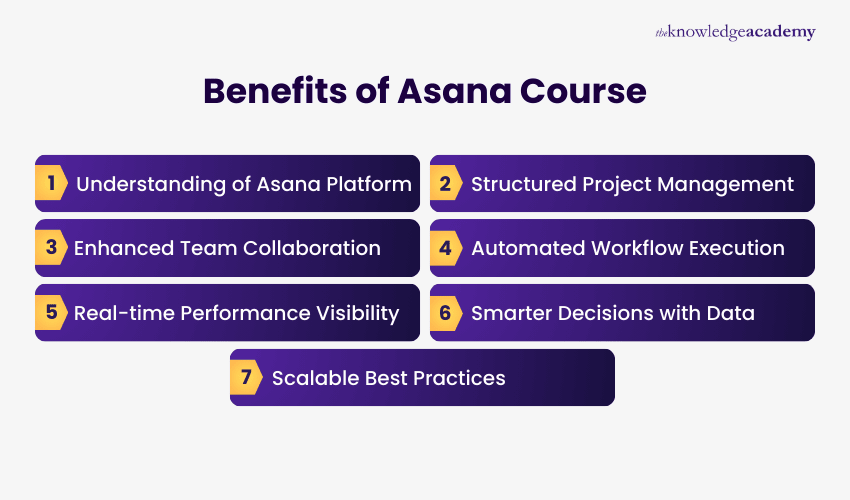
  • Understanding of Asana Platform: Professionals build strong foundations by understanding Asana’s interface, features, and terminology to configure workspaces confidently.
  • Structured Project Management: Create and customise projects using tasks, subtasks, and sections to maintain clarity, ownership, and consistent project structure.
  • Enhanced Team Collaboration: Enable seamless communication through comments, attachments, and integrations, reducing email dependency while keeping teams aligned and informed.
  • Automated Workflow Execution: Streamline repetitive actions with rules and integrations, accelerating workflows, reducing errors, and ensuring tasks progress seamlessly across projects.
  • Real-time Performance Visibility: Generate dashboards and reports to track progress, workloads, and performance metrics, providing continuous visibility across teams.
  • Smarter Decisions with Data: Use real-time data to identify risks, balance resources, and support informed decision-making throughout project lifecycles.
  • Scalable Best Practices: Apply advanced features and proven best practices to optimise workflows, improve consistency, and scale project management effectively.

Show moredown

What’s included in this Asana Training Course? 

  • World-Class Training Sessions from Experienced Instructors   
  • Asana Training Certificate 
  • Digital Delegate Pack 

Show moredown

Online Instructor-led (1 days)

Online Self-paced (8 hours)

Basecamp Training Course Outline

Module 1: Introduction to Basecamp

  • Overview of Basecamp
  • Key Features and Terminologies

Module 2: Managing Projects with Basecamp

  • Creating and Customising Projects
  • Using Messages, and Schedules
  • Task Management and Assignment

Module 3: Collaboration and Communication

  • Adding Comments and Attachments
  • Integrating with Other Tools (e.g., Google Drive)
  • Team Collaboration Tools

Module 4: Automation and Integrations

  • Setting Up Automations with Basecamp
  • Advanced Automation Techniques

Module 5: Reporting and Analytics

  • Tracking Progress and Performance Metrics
  • Using Data for Decision Making

Module 6: Advanced Features and Best Practices

  • Using Basecamp Apps and Add-Ons
  • Best Practices for Optimising Workflows
  • Case Studies of Successful Basecamp Implementations

Show moredown

Who Should Attend this Basecamp Training?

This course is designed for professionals seeking to enhance their project management and collaboration skills using Notion. The ideal audience includes:

  • Project Managers
  • Team Leaders
  • Operations Managers
  • IT Managers
  • Product Managers
  • Business Analysts
  • Administrative Professionals

Prerequisites of Basecamp Training

There are no formal prerequisites for attending this Basecamp Training course. However, having basic computer skills and familiarity with project management principles.

Basecamp Training Course Overview

The Basecamp Training course is designed to provide professionals with the knowledge and skills to utilise Basecamp effectively for project management and team collaboration. Basecamp is a versatile project management tool that helps teams stay organised, communicate efficiently, and keep track of tasks and deadlines. This course aims to equip participants with the ability to set up and manage their Basecamp account, create and customise projects, facilitate efficient communication, integrate with other tools, and ensure effective task management. By mastering these Basecamp capabilities, participants can significantly advance their careers, opening up new opportunities in project management and team leadership.

The Knowledge Academy’s 1-day Basecamp training course content is structured into detailed modules covering an introduction to Basecamp, project management, collaboration and communication, automation and integrations, reporting and analytics, and advanced features. Delegates will gain practical knowledge on setting up Basecamp, managing projects, adding comments and attachments, using automation techniques, generating reports and dashboards, and customising their Basecamp experience. Real-world examples and case studies will demonstrate the effective use of Basecamp in various professional settings.

Course Objectives

  • Understand the key features and terminologies of Notion.
  • Learn to create and customise workspaces, databases, and pages.
  • Develop skills to add comments, attachments, and integrate with other tools.
  • Explore the use of automation and advanced integration techniques.
  • Gain insights into generating reports, tracking progress, and making data-driven decisions.
  • Customise Notion to enhance the user experience and optimise workflows.

After completion of this Basecamp training course, delegates will be proficient in using Notion to enhance project management and team collaboration. They will understand how to set up and manage their Notion workspace, utilise various project management and collaboration features, integrate with other productivity tools, and implement automation rules.

Benefits of Basecamp Training

The Basecamp Training equips professionals with practical, application-focused skills to manage projects efficiently. It also helps enhance team collaboration and optimise workflows using Basecamp’s full range of features.

Benefits of Basecamp Training

Core benefits of completing this training include:

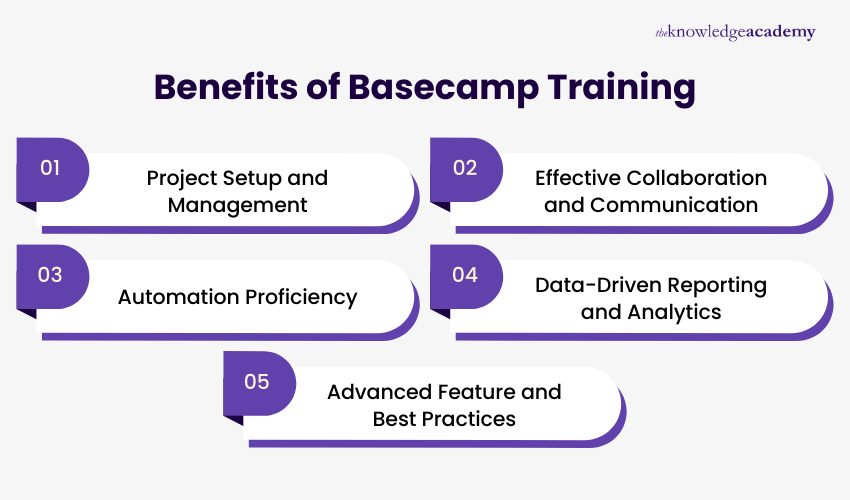
  • Project Setup and Management: Learn to create, customise, and manage projects effectively, including assigning and tracking tasks to ensure timely delivery.
  • Effective Collaboration and Communication: Develop the ability to support team collaboration using comments, attachments, and integration with tools such as Google Drive.
  • Automation Proficiency: Gain the skills to implement and optimise automations, reducing repetitive tasks and improving overall project efficiency.
  • Data-Driven Reporting and Analytics: Build competence in tracking project progress, analysing performance metrics, and making informed decisions based on data insights.
  • Advanced Feature and Best Practices: Acquire expertise in using Basecamp apps, add-ons, advanced features, and apply best practices to enhance project outcomes.

Show moredown

What’s included in this Basecamp Training Course? 

  • World-Class Training Sessions from Experienced Instructors   
  • Basecamp Training Certificate 
  • Digital Delegate Pack 

Show moredown

Online Instructor-led (1 days)

Online Self-paced (8 hours)

Trello Training Course Outline 

Module 1: Introduction

  • Overview of Trello
  • Benefits of Using Trello
  • Setting Up an Account

Module 2: Getting Started with Trello

  • Creating a Board
  • Understanding Lists and Cards
  • Adding and Managing Members
  • Setting Up Labels
  • Using Due Dates and Checklists

Module 3: Advanced Trello Techniques

  • Power-Ups
  • Creating Custom Fields
  • Archiving and Deleting Cards
  • Moving and Copying Cards and Lists

Module 4: Collaborating with Trello

  • Inviting and Managing Team Members
  • Assigning Tasks
  • Using Comments and Attachments

Module 5: Trello Best Observes

  • Tips for Maximising Productivity
  • Best Observes for Organisation
  • Security and Privacy Considerations

Module 6: Trello for Project Management

  • Using Automation to Streamline Processes

Show moredown

Who Should Attend Trello Training?

This course is designed for professionals seeking to improve their project management and collaboration skills using Trello. The ideal audience includes:

  • Project Managers
  • Team Leaders
  • Operations Managers
  • IT Managers
  • Product Managers
  • Business Analysts
  • Administrative Professionals

Prerequisites of Trello Training

There are no specific prerequisites for this training course, as it is designed for individuals of all skill levels who want to learn how to use Trello for project management and collaboration. 

Trello Training Course Overview

This Trello Training equips delegates with a comprehensive understanding of Trello, a versatile project management tool for organising tasks, tracking projects, and enhancing team collaboration. In an increasingly digital work environment, mastering tools like Trello is essential for professionals aiming to optimise productivity, streamline workflows, and ensure seamless team communication.

Proficiency in Trello is crucial for Project Managers, Team Leaders, and anyone involved in project-based work. The ability to efficiently manage tasks, monitor project progress, and collaborate effectively is indispensable in today’s fast-paced work environments. Delegates across various sectors, including marketing, IT, and administration, should consider mastering Trello to enhance their project management skills and contribute to their team's success.

This 1-day training course will equip delegates with practical knowledge and hands-on experience to utilise Trello’s features fully. Delegates will learn to create boards, lists, and cards, automate processes using Power-Ups, and integrate Trello with other productivity tools. By the end of the course, delegates will have the confidence to apply Trello in their daily tasks, enhancing their efficiency and collaboration with team members.

Course Objectives

  • To understand the core concepts of Trello
  • To create and manage boards, lists, and cards effectively
  • To explore advanced features such as labels, filters, and Power-Ups
  • To integrate Trello with other tools and apps
  • To utilise Trello for project management and team collaboration
  • To automate workflows using Trello's automation features

After completing this Trello Course, delegates will receive certification, validating their ability to leverage Trello for enhanced project management and team collaboration, making them more effective and productive in their professional roles.

Skills You'll Gain after Completing Trello Training

Trello Training provides professionals with hands-on experience in using Trello software to manage projects and collaborate effectively. Through practical learning, learners explore board setup, task management, and automation for seamless project delivery.

Skills You'll Gain after Completing Trello Training

Skills you will gain from this training include:

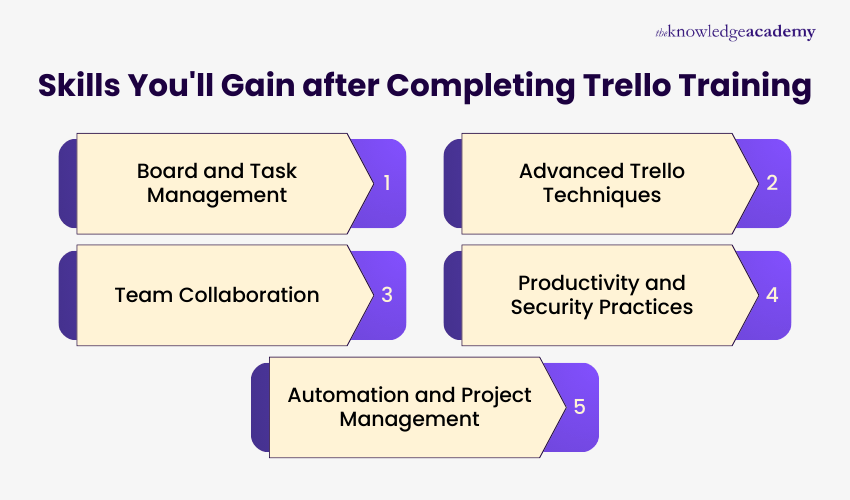
  • Board and Task Management: Learn to create and customise boards, lists, and cards, as well as set labels, due dates, and checklists to maintain organised workflows.
  • Advanced Trello Techniques: Develop skills in using Power-Ups, creating custom fields, archiving or moving cards for efficiency.
  • Team Collaboration: Gain the ability to assign tasks, manage team members, and facilitate smooth communication across projects by adding comments and attachments.
  • Productivity and Security Practices: Build capability in applying productivity tips, and security and privacy considerations to maintain structured boards and protect project information.
  • Automation and Project Management: Acquire skills in using Trello automation to streamline repetitive processes, improve task tracking, and enhance overall project delivery.

Show moredown

What’s included in this Trello Training Course? 

  • World-Class Training Sessions from Experienced Instructors   
  • Trello Training Certificate 
  • Digital Delegate Pack 

Show moredown

Online Instructor-led (1 days)

Online Self-paced (8 hours)

Slack Training Course Outline

Module 1: Introduction to Slack

  • Overview of Slack
  • Key Features and Terminologies
  • Setting Up Your Slack Workspace

Module 2: Communication in Slack

  • Creating and Managing Channels
  • Direct Messaging and Group Conversations
  • Using Mentions, Reactions, and Emojis

Module 3: Collaboration and File Sharing

  • Sharing Files and Documents
  • Integrating with Other Tools (e.g., Google Drive, Trello)
  • Using Slack for Team Collaboration

Module 4: Slack Integrations and Bots

  • Adding and Managing Apps and Integrations
  • Using Slack Bots for Automation
  • Advanced Integration Techniques

Module 5: Security and Compliance

  • Managing Permissions and Access
  • Ensuring Data Security and Compliance
  • Best Practices for Secure Communication

Module 6: Advanced Features and Best Practices

  • Customising Your Slack Experience
  • Using Advanced Features and Add-Ons
  • Case Studies of Successful Slack Implementations

Show moredown

Who Should Attend Slack Training

This course is designed for professionals looking to enhance their team communication and collaboration using Slack. The ideal audience includes:

  • Project Managers
  • Team Leaders
  • Operations Managers
  • IT Managers
  • Product Managers
  • Business Analysts
  • Administrative Professionals

Prerequisites of Slack Training

Learners should have basic computer skills and familiarity with workplace communication tools. No prior experience with Slack is required.

Slack Training Course Overview

The Slack Training course is designed to provide professionals with the knowledge and skills to utilise Slack effectively for team communication and collaboration. As a leading communication platform, Slack offers a wide range of features that can enhance productivity and streamline workflows. This course aims to equip participants with the ability to set up and manage their Slack workspace, facilitate efficient communication, integrate with other tools, and ensure secure and compliant usage. By mastering these Slack capabilities, participants can significantly advance their careers, opening up new opportunities in team and project management.

The Knowledge Academy’s 1-day Slack Training course content is structured into detailed modules covering an introduction to Slack, communication features, collaboration and file sharing, integrations and bots, security and compliance, and advanced features. Delegates will gain practical knowledge on setting up Slack, managing channels and direct messages, sharing files, using integrations and bots for automation, and customising their Slack experience.

Course Objectives

  • Understand the key features and terminologies of Slack.
  • Learn to create and manage channels, direct messages, and group conversations.
  • Develop skills to share files and integrate Slack with other tools.
  • Explore the use of Slack bots for automation and advanced integration techniques.
  • Gain insights into managing permissions, ensuring data security, and maintaining compliance.
  • Customise Slack to enhance the user experience and optimise workflows.

By the end of this course, delegates will be proficient in using Slack to enhance team communication and collaboration. They will understand how to set up and manage their Slack workspace, utilise various communication and collaboration features, integrate with other productivity tools, and ensure secure and compliant usage.

Benefits of Slack Training

Slack Training provides structured, hands-on learning for professionals to use Slack effectively for workplace communication and collaboration. The course covers channel-based messaging, file sharing, and advanced features through practical, module-driven instruction.

Benefits of Slack Training

Here are the core benefits that learners will gain from this training:

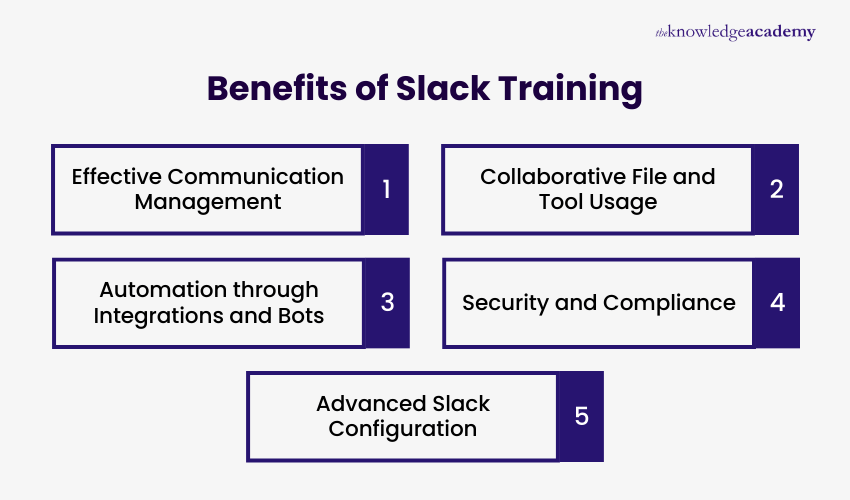
  • Effective Communication Management: Learners will gain the ability to create and manage channels, use direct and group messaging, and apply mentions and emojis to support clear and timely conversations.
  • Collaborative File and Tool Usage: Learn how to share files and documents, integrate tools such as Google Drive and Trello, and use Slack to coordinate team activities efficiently.
  • Automation through Integrations and Bots: Professionals will develop the capability to add and manage apps, use Slack bots for automation, and apply advanced integration techniques to streamline routine tasks.
  • Security and Compliance: Gain skills in managing permissions, controlling access, and applying best practices to ensure data security and compliance within Slack.
  • Advanced Slack Configuration: Learn how to customise the Slack experience, use advanced features, and practical applications through successful Slack implementation case studies.

Show moredown

What’s included in this Slack Training Course? 

  • World-Class Training Sessions from Experienced Instructors   
  • Slack Training Certificate 
  • Digital Delegate Pack 

Show moredown

Online Instructor-led (1 days)

Online Self-paced (8 hours)

Wrike Training Course Outline

Module 1: Introduction to Wrike

  • Overview of Wrike
  • Key Features and Terminologies
  • Setting Up Your Wrike Account

Module 2: Managing Projects with Wrike

  • Creating and Customising Projects
  • Using Tasks, Subtasks, and Folders
  • Task Management and Assignment

Module 3: Collaboration and Communication

  • Adding Comments and Attachments
  • Integrating with Other Tools (e.g., Slack, Google Drive)
  • Team Collaboration Tools

Module 4: Automation and Integrations

  • Setting Up Automations with Wrike
  • Integrating with Other Tools (e.g., Slack, Trello)
  • Advanced Automation Techniques

Module 5: Reporting and Analytics

  • Generating Reports and Dashboards
  • Tracking Progress and Performance Metrics
  • Using Data for Decision Making

Module 6: Advanced Features and Best Practices

  • Using Wrike Apps and Add-Ons
  • Best Practices for Optimising Workflows
  • Case Studies of Successful Wrike Implementations

Show moredown

Who Should Attend this Wrike Training Course

This course is designed for professionals seeking to enhance their project management and collaboration skills using Wrike. The ideal audience includes:

  • Project Managers
  • Team Leaders
  • Operations Managers
  • IT Managers
  • Product Managers
  • Business Analysts
  • Administrative Professionals

Prerequisites of the Wrike Training Course

There are no formal prerequisites for attending this Wrike Training Course.

Wrike Training Course Overview

The Wrike Training course is designed to provide professionals with the knowledge and skills to utilise Wrike effectively for project management and team collaboration. Wrike is a powerful project management tool that helps teams plan, track, and manage their work in a centralised platform. This course aims to equip participants with the ability to set up and manage their Wrike account, create and customise projects, facilitate efficient communication, integrate with other tools, and ensure effective task management. By mastering these Wrike capabilities, participants can significantly advance their careers, opening up new opportunities in project management and team leadership.

The Knowledge Academy’s 1-day Wrike Training course content is structured into detailed modules covering an introduction to Wrike, project management, collaboration and communication, automation and integrations, reporting and analytics, and advanced features. Delegates will gain practical knowledge on setting up Wrike, managing projects, adding comments and attachments, using automation techniques, generating reports and dashboards, and customising their Wrike experience.

Course Objectives

  • Understand the key features and terminologies of Wrike.
  • Learn to create and customise projects, tasks, and folders.
  • Develop skills to add comments, attachments, and integrate with other tools.
  • Explore the use of automation and advanced integration techniques.
  • Gain insights into generating reports, tracking progress, and making data-driven decisions.
  • Customise Wrike to enhance the user experience and optimise workflows.

After attending this course, delegates will be proficient in using Wrike to enhance project management and team collaboration. They will understand how to set up and manage their Wrike account, utilise various project management and collaboration features, integrate with other productivity tools, and implement automation techniques.

Show moredown

What’s included in this Wrike Training Course?

  • World-Class Training Sessions from Experienced Instructors
  • Wrike Training Certificate
  • Digital Delegate Pack

Show moredown

Online Instructor-led (1 days)

Online Self-paced (8 hours)

Airtable Training Course Outline

Module 1: Introduction to Airtable

  • Key Features and Terminologies
  • Setting Up Your Airtable Account

Module 2: Managing Projects with Airtable

  • Creating and Customising Bases
  • Using Tables, Views, and Fields
  • Task Management and Assignment

Module 3: Collaboration and Communication

  • Adding Comments and Attachments
  • Integrating with Other Tools
  • Team Collaboration Tools

Module 4: Automation and Integrations

  • Setting Up Automations with Airtable
  • Integrating with Other Tools
  • Advanced Automation Techniques

Module 5: Reporting and Analytics

  • Generating Reports and Dashboards
  • Tracking Progress and Performance Metrics
  • Using Data for Decision Making

Module 6: Advanced Features and Best Practices

  • Using Airtable Apps and Add-Ons
  • Best Practices for Optimising Workflows

Show moredown

Who Should Attend this Airtable Training

This course is designed for professionals seeking to enhance their project management and collaboration skills using Airtable. The ideal audience includes:

  • Project Managers
  • Team Leaders
  • Operations Managers
  • IT Managers
  • Product Managers
  • Business Analysts
  • Administrative Professionals

Prerequisites of Airtable Training

There are no formal prerequisites for attending this Airtable Training course.

AirTable Training Course Overview

The Airtable Training course is designed to provide professionals with the knowledge and skills to utilise Airtable effectively for project management and team collaboration. This course aims to equip participants with the ability to set up and manage their Airtable account, create and customise bases, facilitate efficient communication, integrate with other tools, and ensure effective task management. By mastering these Airtable capabilities, participants can significantly advance their careers, opening new opportunities in project management and team leadership.

The course content is structured into detailed modules covering an introduction to Airtable, project management, collaboration and communication, automation and integrations, reporting and analytics, and advanced features. Participants will gain practical knowledge on setting up Airtable, managing projects, adding comments and attachments, using automation techniques, generating reports and dashboards, and customising their Airtable experience.

Course Objectives

  • Understand the key features and terminologies of Airtable.
  • Learn to create and customise bases, tables, views, and fields.
  • Develop skills to add comments, attachments, and integrate with other tools.
  • Explore the use of automation and advanced integration techniques.
  • Gain insights into generating reports, tracking progress, and making data-driven decisions.
  • Customise Airtable to enhance the user experience and optimise workflows.

After completion of this course, delegates will be proficient in using Airtable to enhance project management and team collaboration. They will understand how to set up and manage their Airtable account, utilise various project management and collaboration features, integrate with other productivity tools, and implement automation techniques.

Show moredown

What’s included in this Airtable Training Course? 

  • World-Class Training Sessions from Experienced Instructors   
  • Airtable Training Certificate 
  • Digital Delegate Pack 

Show moredown

Online Instructor-led (1 days)

Online Self-paced (8 hours)

ClickUp Training Course Outline

Module 1: Introduction to ClickUp

  • Overview of ClickUp
  • Key Features and Terminologies
  • Setting Up Your ClickUp Account

Module 2: Managing Projects with ClickUp

  • Creating and Customizing Workspaces
  • Using Lists, Tasks, and Subtasks
  • Task Management and Assignment

Module 3: Collaboration and Communication

  • Adding Comments and Attachments
  • Integrating with Other Tools (e.g., Slack, Google Drive)
  • Team Collaboration Tools

Module 4: Automation and Integrations

  • Setting Up Automations with ClickUp
  • Integrating with Other Tools (e.g., Slack, Trello)
  • Advanced Automation Techniques

Module 5: Reporting and Analytics

  • Generating Reports and Dashboards
  • Tracking Progress and Performance Metrics
  • Using Data for Decision Making

Module 6: Advanced Features and Best Practices

  • Using ClickUp Apps and Add-Ons
  • Best Practices for Optimizing Workflows
  • Case Studies of Successful ClickUp Implementations

Show moredown

Who Should Attend this ClickUp Training

This course is designed for professionals seeking to enhance their project management and collaboration skills using ClickUp. The ideal audience includes:

  • Project Managers
  • Team Leaders
  • Operations Managers
  • IT Managers
  • Product Managers
  • Business Analysts
  • Administrative Professionals

Prerequisites of ClickUp Training

There are no formal prerequisites for attending this ClickUp Training course.

ClickUp Training Course Overview

The ClickUp Training course is designed to provide professionals with the knowledge and skills to utilize ClickUp effectively for project management and team collaboration. This course aims to equip participants with the ability to set up and manage their ClickUp account, create and customize workspaces, facilitate efficient communication, integrate with other tools, and ensure effective task management. By mastering these ClickUp capabilities, participants can significantly advance their careers, opening up new opportunities in project management and team leadership.

The course content is structured into detailed modules covering an introduction to ClickUp, project management, collaboration and communication, automation and integrations, reporting and analytics, and advanced features. Participants will gain practical knowledge on setting up ClickUp, managing projects, adding comments and attachments, using automation techniques, generating reports and dashboards, and customizing their ClickUp experience.

Course Objectives

  • Understand the key features and terminologies of ClickUp.
  • Learn to create and customize workspaces, lists, tasks, and subtasks.
  • Develop skills to add comments, attachments, and integrate with other tools.
  • Explore the use of automation and advanced integration techniques.
  • Gain insights into generating reports, tracking progress, and making data-driven decisions.
  • Customise ClickUp to enhance the user experience and optimize workflows.

After completion of this ClickUp Training course, delegates will be able to set up and manage their ClickUp account, utilize various project management and collaboration features, integrate with other productivity tools, and implement automation techniques. This course will empower professionals to leverage ClickUp effectively, ensuring they stay at the forefront of project management and collaboration technologies.

Show moredown

What’s included in this ClickUp Training Course? 

  • World-Class Training Sessions from Experienced Instructors   
  • ClickUp Training Certificate 
  • Digital Delegate Pack 

Show moredown

Online Instructor-led (1 days)

Online Self-paced (8 hours)

Workday Training Course Outline

Module 1: Introduction to Workday

  • Overview of Workday
  • Terminologies

Module 2: Managing HR Processes with Workday

  • Employee Onboarding and Offboarding
  • Using Workday for Payroll and Benefits
  • Performance Management and Reviews

Module 3: Managing Financial Processes with Workday

  • Financial Planning and Analysis
  • Budgeting and Forecasting
  • Expense Management and Reporting

Module 4: Reporting and Analytics

  • Reports and Dashboards
  • Tracking HR and Financial Metrics
  • Using Data for Decision Making

Module 5: Automation and Integrations

  • Automations
  • Integration Methods

Module 6: Advanced Features and Best Practices

  • Workday Apps and Add-Ons
  • Best Practices for Optimising Workflows
  • Case Studies of Successful Workday Implementations

Show moredown

Who Should Attend this Workday Training

This course is designed for professionals seeking to enhance their HR and financial management skills using Workday. The ideal audience includes:

  • HR Managers
  • Payroll Specialists
  • Financial Analysts
  • HR Coordinators
  • Benefits Administrators
  • Operations Managers
  • IT Managers

Prerequisites of Workday Training

There are no formal prerequisites for attending this Workday Training course.

Workday Training Course Overview

The Workday Training course is designed to provide professionals with the knowledge and skills to utilise Workday effectively for managing HR and financial processes. This course aims to equip participants with the ability to set up and manage their Workday account, handle HR processes such as onboarding and payroll, manage financial processes like budgeting and expense reporting, and leverage Workday’s powerful reporting and analytics capabilities. By mastering these Workday functions, participants can significantly advance their careers, opening up new opportunities in HR and financial management.

This 1-day Workday Training course content is structured into detailed modules covering an introduction to Workday, managing HR and financial processes, reporting and analytics, automation and integrations, and advanced features. Participants will gain practical knowledge on setting up Workday, managing employee and financial data, generating insightful reports, and automating workflows.

Course Objectives

  • Understand the key features and terminologies of Workday.
  • Learn to manage HR processes such as onboarding, payroll, and performance reviews.
  • Develop skills to handle financial processes including planning, budgeting, and expense management.
  • Explore the use of Workday for generating reports and tracking metrics.
  • Implement automation techniques and integrate Workday with other tools.
  • Customise Workday to enhance user experience and optimise workflows.

After completion of this course, delegates will be proficient in using Workday to manage HR and financial processes effectively. They will understand how to set up and manage their Workday account, utilise various HR and financial management features, generate reports and dashboards, and implement automation techniques.

Show moredown

What’s included in this Workday Training Course?

  • World-Class Training Sessions from Experienced Instructors 
  • Workday Training Certificate
  • Digital Delegate Pack

Show moredown

Online Instructor-led (1 days)

Online Self-paced (8 hours)

Monday Training Course Outline

Module 1: Introduction to Monday.com

  • Overview of Monday.com
  • Key Features and Terminologies
  • Setting Up Your Monday.com Account
  • Benefits of Using Monday.com

Module 2: Managing Projects with Monday.com

  • Creating and Customising Boards
  • Task Management and Assignment
  • Time Tracking and Workload Management
  • Using Project Templates

Module 3: Collaboration and Communication

  • Using Updates and Comments
  • File Sharing and Integrations
  • Team Collaboration Tools
  • Best Practices for Effective Communication

Module 4: Automation and Integrations

  • Setting Up Automations
  • Integrating with Other Tools (e.g., Slack, Google Drive)
  • Advanced Automation Techniques

Module 5: Reporting and Analytics

  • Generating Reports and Dashboards
  • Tracking Progress and Performance Metrics
  • Using Data for Decision Making
  • Case Studies on Effective Reporting

Module 6: Advanced Features and Best Practices

  • Using Monday Apps and Add-Ons
  • Best Practices for Optimising Workflows
  • Case Studies of Successful Monday.com Implementations

Show moredown

Who Should Attend this Monday Training?

This course is designed for professionals seeking to enhance their project management and collaboration skills using Monday.com. The ideal audience includes:

  • Project Managers
  • Team Leaders
  • Operations Managers
  • IT Managers
  • Product Managers
  • Business Analysts
  • Administrative Professionals

Prerequisites of Monday Training

There are no formal prerequisites for attending this Monday Training course.

Monday Training Course Overview

The Monday.com Training course is designed to provide professionals with the knowledge and skills to utilise Monday.com effectively for project management and team collaboration. This course aims to equip participants with the ability to set up and manage their Monday.com account, create and customise boards, facilitate efficient communication, integrate with other tools, and ensure effective task management. By mastering these Monday.com capabilities, participants can significantly advance their careers, opening up new opportunities in project management and team leadership.

The Knowledge Academy’s 1-day Monday Training course content is structured into detailed modules covering an introduction to Monday.com, project management, collaboration and communication, automation and integrations, reporting and analytics, and advanced features. Delegates will gain practical knowledge on setting up Monday.com, managing projects, using updates and comments, sharing files, integrating with other tools, setting up automations, generating reports and dashboards, and customising their Monday.com experience.

Course Objectives

  • Understand the key features and terminologies of Monday.com.
  • Learn to create and customise boards, tasks, and workflows.
  • Develop skills to use updates, comments, and file sharing for team collaboration.
  • Explore the use of automation and advanced integration techniques.
  • Gain insights into generating reports, tracking progress, and making data-driven decisions.
  • Customise Monday.com to enhance the user experience and optimise workflows.

After completing this Monday training course, delegates will be proficient in using Monday.com to enhance project management and team collaboration. They will understand how to set up and manage their Monday.com account, utilise various project management and collaboration features, integrate with other productivity tools, and implement automation techniques.

Show moredown

What’s included in this Monday Training Course? 

  • World-Class Training Sessions from Experienced Instructors   
  • Monday Training Certificate 
  • Digital Delegate Pack 

Show moredown

Not sure which course to choose?

Speak to a training expert for advice if you are unsure of what course is right for you. Give us a call on 01344 203999 or Enquire.

Who Will Benefit from Project Management Tools Training?

Project Management Tools Training benefits professionals who coordinate projects, track progress, streamline communication, and organise information across digital workspaces.

The key roles that will benefit from these courses are:

  • Project Managers: Coordinate tasks, timelines, dependencies, and team workloads using platforms like Asana, Wrike, Trello, and Monday for structured project delivery.
  • Team Leaders: Manage team activities, assign responsibilities, track daily progress, and organise collaboration using tools such as Basecamp, ClickUp, and Workday.
  • Business Analysts: Structure project data, create documentation spaces, manage requirements, and analyse workflows using Notion, Airtable, and other organising tools.
  • Operations Managers: Standardise dashboards, track organisational metrics, manage reporting cycles, and support multi-project visibility using Workday, Wrike, and Monday.
  • Project Coordinators: Maintain shared workspaces, organise documents, manage scheduling, and monitor workflow automation using Notion, Airtable, and Basecamp.
  • Product & Marketing Teams: Plan campaigns, manage content calendars, track deliverables, and coordinate cross-team work using Trello, Asana, Notion, and ClickUp.
     

Skills Gained from Management Tool Courses

Project Management Tool Courses equip learners with practical abilities to organise projects, structure workflows, and coordinate teamwork using platforms like Asana, Trello, ClickUp, Monday, Notion, and more.

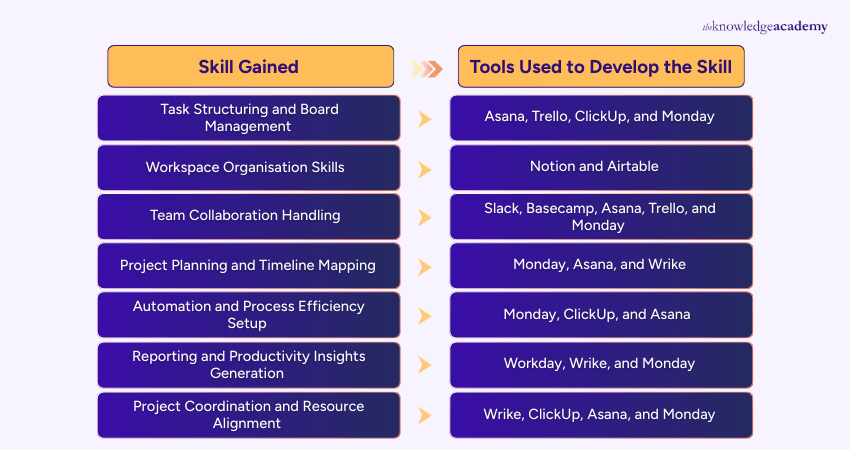
The key skills include:

Skills gained vs Tools Used to Develop the Skill

These skills help teams plan, track, automate, and deliver projects efficiently across digital, hybrid, and collaborative environments.

Show more blue-arrow

Project Management Tool FAQs

A Project Management Tool is a software application designed to help individuals and teams plan, organise, track, and manage project tasks, timelines, resources, and collaboration effectively.

A Project Management Tool is important because it streamlines project workflows, facilitates communication among team members, ensures that deadlines and budgets are met, and provides real-time tracking and reporting, ensuring successful project outcomes.

Main features typically include task management, scheduling, resource allocation, progress tracking, document sharing, team collaboration, time tracking, reporting, and risk management.

By using a Project Management Tool, organisations can improve project efficiency, enhance team collaboration, reduce errors, monitor performance, streamline communication, and ensure that resources are used optimally.

Yes, most Project Management Tools allow users to manage multiple projects simultaneously, providing features to prioritise tasks, allocate resources, and track progress across all projects.

Project Management Tools improve team collaboration by providing a centralised platform where team members can share files, communicate, assign tasks, track progress, and provide feedback in real time.

The Knowledge Academy is one of the Leading global training provider for Project Management Tool.

The training fees for Project Management Tool in Bangladesh starts from $1495

Show more down

Why we're the go to training provider for you

icon

Best price in the industry

You won't find better value in the marketplace. If you do find a lower price, we will beat it.

icon

Trusted & Approved

Recognised by leading certification bodies, we deliver training you can trust.

icon

Many delivery methods

Flexible delivery methods are available depending on your learning style.

icon

High quality resources

Resources are included for a comprehensive learning experience.

barclays Logo
deloitte Logo
Thames Water Logo

"Really good course and well organised. Trainer was great with a sense of humour - his experience allowed a free flowing course, structured to help you gain as much information & relevant experience whilst helping prepare you for the exam"

Joshua Davies, Thames Water

santander logo
bmw Logo
Google Logo
cross

Exclusive Deals Big Savings This March!

Grab up to 40% OFF and level up your skills this spring! march-madness

WHO WILL BE FUNDING THE COURSE?

close

close

Thank you for your enquiry!

One of our training experts will be in touch shortly to go over your training requirements.

close

close

Press esc to close

close close

Back to course information

Thank you for your enquiry!

One of our training experts will be in touch shortly to go overy your training requirements.

close close

Thank you for your enquiry!

One of our training experts will be in touch shortly to go over your training requirements.