


 Top Rated Course


We may not have the course you’re looking for. If you enquire or give us a call on 01344 203999 and speak to our training experts, we may still be able to help with your training requirements.
What Is Blender? Features, Benefits and Uses
Richard Harris 03 March 2026Blender is a free and open-source 3D creation software for modelling, animation, rendering, and video editing, perfect for artists, designers, and engineers. Trying to understand What is Blender? It helps you turn concept art into full projects with high-quality images. Blender empowers users to bring visions to life without limitations.

Training Outcomes Within Your Budget!
We ensure quality, budget-alignment, and timely delivery by our expert instructors.
Table of Contents
In this digital, ever-evolving world, Blender software has emerged as a game-changer that brings your imagination to life and produces designs that become an immersive reality. Artists, designers, and developers love this open-source platform alike, which is easily available and can be used for any type of modelling, animation, rendering, or video editing.
The Blender community continues to reshape the way digital creators redefine visual storytelling by understanding what is Blender used for. In this blog, we will explore what is Blender, its key features, and understand its uses and benefits.
Table of Contents
1) What is Blender?
2) Key Feature of Blender
3) Applications of Blender Software
4) Benefits of Blender Software
5) Limitations of Blender Software
6) What’s New in Blender
7) Conclusion
What is Blender?
If you don't want your 3D Modelling to be just pretty, then you need to explore the world of Blender. Blender is a free and open source 3d creation suite that offers everything from modelling and texturing to rigging, animation, lighting, rendering, and even video editing.
It was created by the Blender Foundation in 2002, and in 2017, its spin-off Blender Institute became the foundation host, providing high-quality and consistent programs for artists alike on all platforms.
Blender is all about empowering artists, and as an open development project, it gives special attention to enabling it in every way it can: by allowing you to do anything you set your mind on, using the software for whatever purpose and without any strings attached.

Key Features of Blender
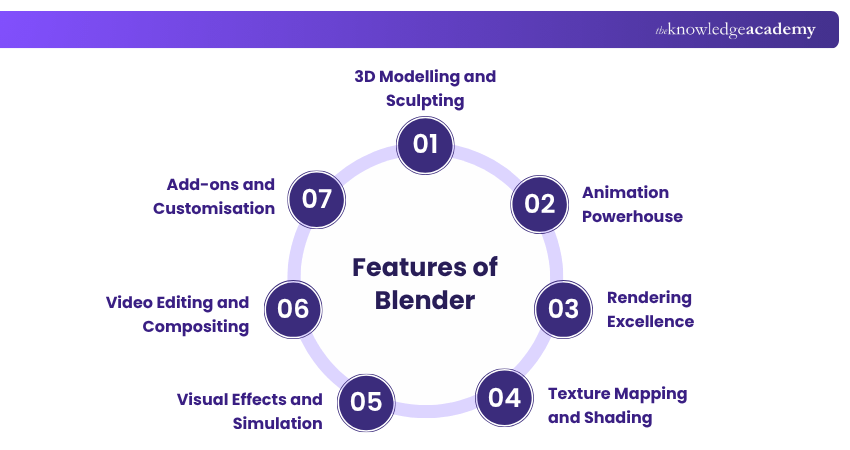
Blender, the open-source 3D content creation suite, is a digital playground brimming with an impressive array of capabilities that cater to the diverse needs of artists, designers, and creators. Its multifaceted toolkit empowers users to unleash their creativity and craft intricate 3D models, animations, textures, and much more. In workflows that combine Unreal Engine and Blender, Blender plays a crucial role in asset creation before those assets are imported into a game engine. Let's take a deep dive into the captivating world of Blender's capabilities, unveiling the tools that make it a staple in the realm of digital artistry.
1) 3D Modelling and Sculpting
At the heart of Blender's creative arsenal lies its robust 3D modelling and sculpting tools, start from a blank canvas or manipulate existing objects, users can sculpt, shape, and mould intricate designs. The sculpting features emulate the tactile experience of working with clay, allowing artists to add fine details to their creations.
2) Animation Powerhouse
The animation system offers tools for creating seamless motion. Keyframe animation provides control over individual movements, while rigging empowers users to create intricate skeletal structures for characters. Blender's timeline, graph editor, and dope sheet offer a robust platform to fine-tune animations.
3) Rendering Excellence
Blender offers two powerful rendering engines: Cycles and Eevee. Cycles excel in producing high-quality, photorealistic renders with accurate lighting and global illumination. On the other hand, Eevee provides real-time rendering for quick previews, enabling artists to iterate and experiment without delay.
4) Texture Mapping and Shading
The art of digital storytelling demands attention to detail, and Blender delivers on this front through its texturing and shading capabilities. Artists can apply intricate textures and materials to their models, lending them a realistic touch.
5) Visual Effects and Simulation
Blender embraces the domain of visual effects and simulation, allowing users to simulate realistic phenomena. Fluid simulations bring liquids to life, while smoke and fire simulations create dramatic scenes. Physics-based simulations lend authenticity to cloth, hair, and particles, making environments and characters feel alive and reactive.
6) Video Editing and Compositing
Artists can assemble video sequences, add effects, and fine-tune clips within Blender's intuitive video editor. Compositing nodes empower users to merge different elements seamlessly, transforming ordinary footage into extraordinary visual compositions.
7) Add-ons and Customisation
Blender's open-source nature encourages community contributions in the form of add-ons. These extensions enhance Blender's functionality, ranging from specific tools to entire workflows. Moreover, Blender allows users to customize its interface and shortcuts to their preferences with the help of Blender Shortcut Keys.
Blender is not just about designing and animating; it's about crafting immersive experiences that captivate audiences. From breathing life into characters with animations to creating lifelike textures and environments, Blender video editing allows you to add a professional touch to your projects.
Unleash your imagination: elevate your skills with Blender Creator Training Join today!
Applications of Blender Software
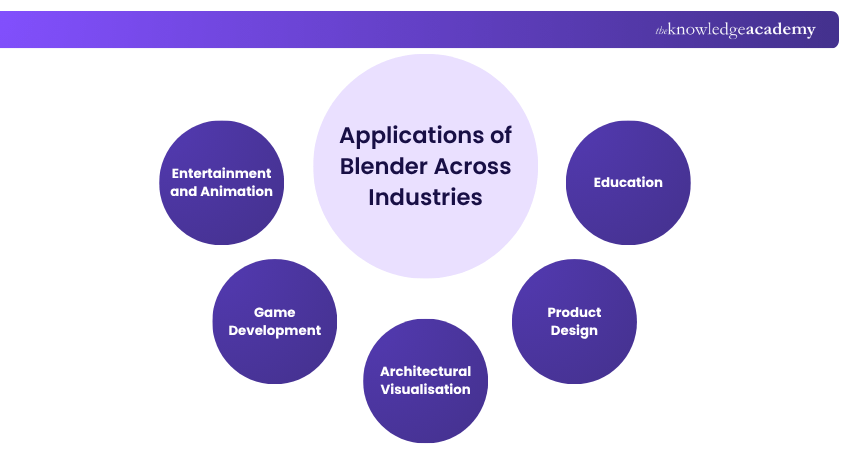
Blender's versatility and robust feature set have positioned it as a significant player across a wide spectrum of industries, catering to various creative and practical needs. Its impact extends far beyond its identity as mere software; it's a powerful tool that empowers professionals and enthusiasts alike. Here's a glimpse into how Blender's significance resonates across industries:
1) Entertainment and Animation
Blender has found its place in the world of entertainment and animation. From independent filmmakers to animation studios, Blender's animation tools offer the ability to craft compelling narratives and stunning visual effects.
2) Game Development
The game development industry benefits from Blender's capabilities in 3D printing and asset creation. Its compatibility with various game engines enables developers to seamlessly integrate Blender-generated content into their games.
3) Architectural Visualisation
Architects and designers rely on Blender for architectural visualisation. From interior spaces to intricate building exteriors, Blender helps architects bring their visions to life and make informed design decisions.
4) Product Design
Blender plays a crucial role in product design, allowing designers to create 3D models and prototypes before manufacturing. Its ability to visualise products in a digital environment assists in refining designs, reducing development time, and ensuring a better product.
5) Education
Blender's open-source nature and expansive feature set make it an excellent educational tool. Schools, colleges, and training institutions introduce students to the world of 3D modelling, animation, and digital art with valuable Blender skills that align with industry demands.
Ignite your passion for animation with our exclusive Animation Course.
Benefits of Blender Software
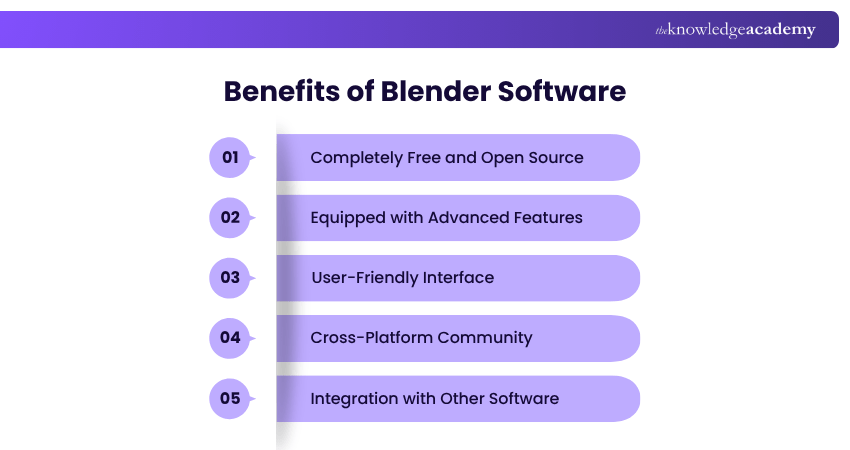
Blender has the tools to bring your vision to reality, whether you are working on a film, video game or architectural visualisation. If you're thinking of upgrading skills in visual storytelling and 3D techniques, here is how Blender is going to help you:
1) Completely Free and Open Source
1) Blender is entirely free to download and use with no licensing fees.
2) Being open source, developers can go on to change features
3) Frequent community updates mean ongoing improvements and fresh tools
2) Equipped with Advanced Features
1) Provides a powerful suite of tools for graphics, modelling, animation and rendering
2) Comes with built-in video editing, VFX, and compositing features
3) Facilitates the game development process by providing real-time previewing opportunities
3) User-Friendly Interface
1) Configured with an option for a customised workspace.
2) Shortcut-laden interface speeds up and assists workflow for creators
3) Rich tutorials and community support make it friendly to beginners
4) Cross-Platform Community
1) Works smoothly on Windows, Mac and Linux operating systems
2) Powered by a worldwide user community that provides software plugins, assets, and scripts
3) Promotes cooperation between all graphic designers, web developers and 3D artists
5) Integration with Other Software
1) Supports FBX, OBJ and STL files for seamless data transfer
2) Can be easily integrated with well-known games and design tools
3) Provides a flexible cross-software workflow for professional it projects
Unlock your creativity with our comprehensive 2D Animation Course- Sign up today!
Limitations of Blender Software
Now the benefits of the Blender software are clear, but with benefits come certain limitations that you should know before working on the software. Some of the limitations are:
1) Blender is great for learning and solo skill upgrades, but it is not up to industry standards.
2) It has a steep learning curve, which might be a little difficult for beginners.
3) Bugs can come from time to time, as it is an open-source software
4) Basic video editor compared to Adobe Premiere Pro
5) Compatibility and performance issues will be there in old devices
What’s New in Blender?
Even though you know about Blender and its uses, here are some of the newest features of Blender in 2025 that you need to know:
1) An efficient real-time ray tracing engine to preview with better accuracy
2) Introduction of Geometry Nodes 3.0, which creates dynamic and physics-based simulations within the node system
3) An AI-based texture generator that creates quality textures with simple prompts
4) Now Blender lets you sync assets from different projects and workstations with the help of Cloud-based storage
5) Viewport compositing has finally been introduced for compositing effects in the viewport in real-time
Conclusion
Blender is more than just software; it’s a revolution in digital creation. Understanding what is Blender goes beyond its tools and features; it’s about embracing a platform that fuels imagination, collaboration, and innovation. As its global community continues to grow, Blender stands as a testament to the limitless potential of open-source creativity and the future of digital design.
Unlock Your Creative Potential with our cutting-edge Animation and Design Training - Join today!
Frequently Asked Questions
What are Blender’s Geometry Nodes?

Geometry Nodes in Blender is a node system for procedural modelling. It allows the user to use the node system instead of modelling by hand. Artists can create a workflow that is flexible, non-destructive, and interconnected to create a complex workflow that is interactive and dynamic.
Does Blender Support GPU Rendering?
Yes, Blender supports GPU rendering to significantly speed up the rendering process. It allows the use of multiple GPUs, harnessing their parallel processing power for faster and more efficient output. This feature is especially beneficial for complex scenes and high-quality visual projects.
What are the Other Resources and Offers Provided by The Knowledge Academy?
The Knowledge Academy takes global learning to new heights, offering over 3,000+ online courses across 490+ locations in 190+ countries. This expansive reach ensures accessibility and convenience for learners worldwide.
Alongside our diverse Online Course Catalogue, encompassing 17 major categories, we go the extra mile by providing a plethora of free educational Online Resources like Blogs, eBooks, Interview Questions and Videos. Tailoring learning experiences further, professionals can unlock greater value through a wide range of special discounts, seasonal deals, and Exclusive Offers.
What is The Knowledge Pass, and How Does it Work?
The Knowledge Academy’s Knowledge Pass, a prepaid voucher, adds another layer of flexibility, allowing course bookings over a 12-month period. Join us on a journey where education knows no bounds.
What are Related Courses and Blogs Provided by The Knowledge Academy?
The Knowledge Academy offers various Animation and Design Training, including 3D Printing Course, 2D Animation Course and Video Production Training Course. These courses cater to different skill levels, providing comprehensive insights into Blender Benchmark.
Our Office Applications Blogs cover a range of topics related to Animation and Design Training, offering valuable resources, best practices, and industry insights. Whether you are a beginner or looking to advance your Animation and Designing skills, The Knowledge Academy's diverse courses and informative blogs have got you covered.

Richard Harris


Senior Full Stack Developer and Technology Educator
Richard Harris is a highly experienced full-stack developer with deep expertise in both frontend and backend technologies. Over his 12-year career, he has built scalable web applications for startups, enterprises and government organisations. Richard’s writing combines technical depth with clear explanations, ideal for developers looking to grow in modern frameworks and tools.


 If you wish to make any changes to your course, please


