


 Top Rated Course

We may not have the course you’re looking for. If you enquire or give us a call on +44 1344 203 999 and speak to our training experts, we may still be able to help with your training requirements.
The 15 Best CRM for Small Business in 2026
The Knowledge Academy 16 July 2026Customer Relationship Management, or CRM, helps small businesses organise customer details, track sales, manage communication, and automate daily tasks. Popular CRM software tools include Zoho, HubSpot, Pipedrive, Salesforce Starter, and more. They are widely used by small businesses to manage customers effectively.

Training Outcomes Within Your Budget!
We ensure quality, budget-alignment, and timely delivery by our expert instructors.
Table of Contents
A typical day in a small business can move fast, jumping from sales calls and customer chats to follow-ups, admin work, and everything in between. With so many moving parts, it is easy for important customer details to get lost or forgotten. This is where CRM software becomes a powerful support system.
It helps small businesses stay organised, manage customer relationships better, and keep sales activities on track. In this blog, we will explore the 15 Best CRM for Small Business and how they can help you work smarter and grow with confidence. Let's get started!
Table of Contents
1) What is a Customer Relationship Management (CRM)?
2)15 Best Small Business CRM Software
3) Key Features to Look for in a Small Business CRM
4) How to Choose the Best CRM for Small Businesses?
5) Conclusion
What is a Customer Relationship Management (CRM)?
A Customer Relationship Management (CRM) is a software platform designed to help businesses manage interactions with leads, customers, and existing clients in a structured, organised way. Instead of storing information across spreadsheets, notebooks, and disconnected apps, a CRM brings everything into one central system.
At its core, a CRM helps you track conversations, manage sales pipelines, store contact details, schedule follow-ups, automate routine tasks, and measure performance. It acts as a memory of your business. Every email, phone call, meeting note, deal stage, and customer interaction is logged in one place.
15 Best Small Business CRM Software
For small businesses, CRM is not just about sales. It also supports marketing, customer service, invoicing, internal collaboration, and long-term relationship building. A good CRM helps you move from chaotic growth to structured, predictable success. Thus, below are the top CRM tools that consistently deliver value for small businesses across different industries:
1) Vtiger
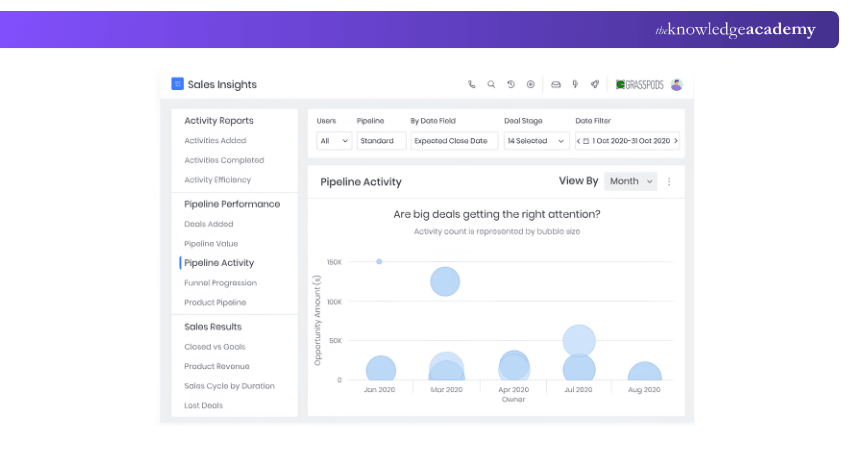
Vtiger is an all-in-one CRM built to manage sales, marketing, and customer support from one place. It helps small businesses track leads, manage deals, run campaigns, and provide customer support without using multiple tools.
Key Features:
1) Lead and contact management
2) Built-in helpdesk system
3) Email campaign tools
4) Workflow automation
5) Custom dashboards
Benefits:
1) All business tools in one platform
2) Strong automation features
3) Good reporting and tracking
Limitations:
1) Interface can feel complex for beginners
2) Some features require paid plans
2) Flowlu
Flowlu is more than just a CRM. It also includes project management, finance tracking, task management, and client portals. This makes it very useful for service-based small businesses. Using Flowlu, you can track leads, assign tasks, send invoices, and monitor business income.

Key Features:
1) Sales pipeline tracking
2) Project and task management
3) Invoice and payment tracking
4) Client portals
5) Team collaboration tools
Benefits:
1) Manages sales and projects together
2) Good for client-based services
3) Strong finance tracking
Limitations:
1) Not ideal for large sales teams
2) The interface may feel busy
3) Zoho
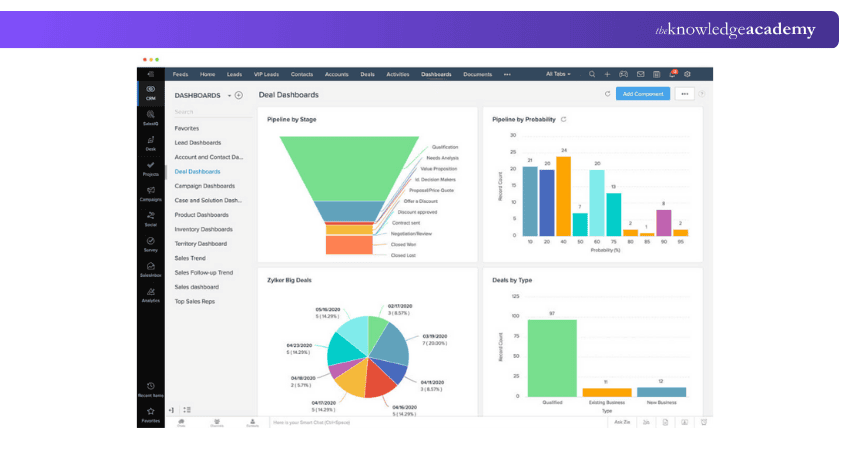
Zoho CRM is a flexible and powerful tool used by many small businesses worldwide. It offers tools for managing leads, sending emails, tracking calls, automating tasks, and analysing sales performance. It also integrates seamlessly with accounting, marketing, and HR tools.
Key Features:
1) Lead and deal management
2) Email and phone tracking
3) Workflow automation
4) Sales forecasting
5) Mobile app access
Benefits:
1) Scales well with business growth
2) Strong automation tools
3) Wide software integration
Limitations:
1) Initial setup takes time
2) Too many features for very small teams
4) HubSpot
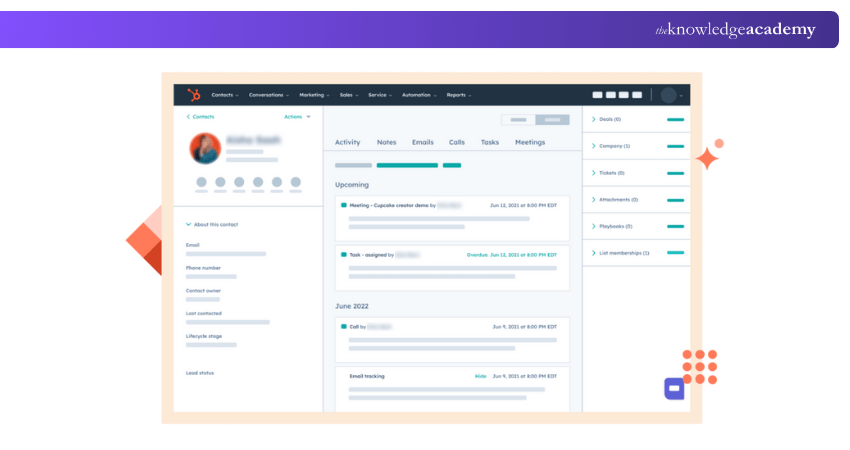
HubSpot CRM is a popular free CRM used by startups and small businesses. It helps you manage contacts, track deals, send marketing emails, and support customers from one dashboard. It is particularly strong in marketing tools such as lead nurturing, content management, and email automation.
Key Features:
1) Contact and deal tracking
2) Email marketing tools
3) Live chat and ticketing system
4) Reporting dashboard
5) Integration with marketing tools
Benefits:
1) Available with free plans
2) Very easy to use
3) Strong marketing features
Limitations:
1) Advanced tools are costly
2) Limited customisation in the free version
5) Capsule
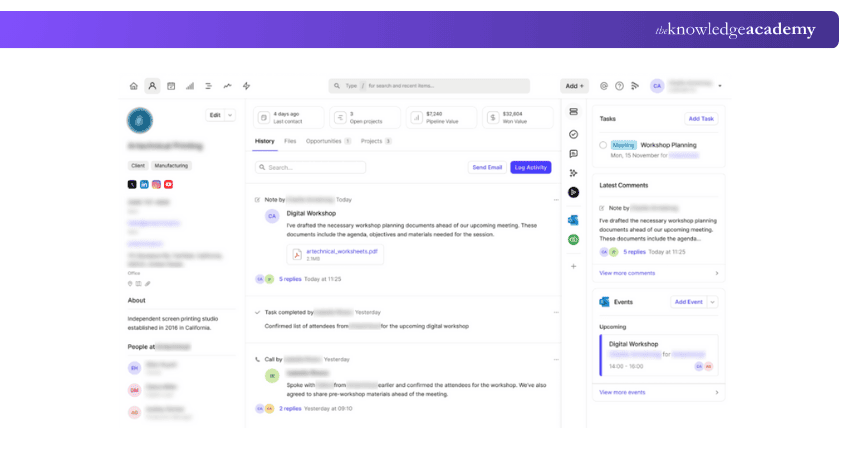
Capsule CRM is known for its simplicity and ease of use. It’s ideal for small teams that want a clean, straightforward system without complex features. Capsule lets you store contacts, track sales, set tasks, and log customer conversations. It also integrates well with Gmail, Outlook, and Xero.
Key Features:
1) Contact management
2) Sales opportunity tracking
3) Task and reminder system
4) Email integration
5) Basic reporting
Benefits:
1) Very easy to use
2) Clean interface
3) Affordable pricing
Limitations:
1) Limited automation
2) Fewer advanced features
Turn customer data into real business growth with our Digital CRM Training – Register today!
6) Freshsales
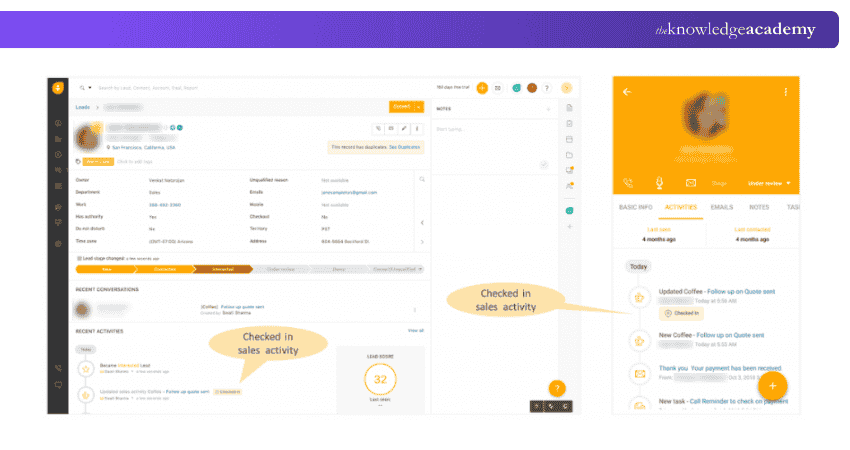
Freshsales is designed mainly for sales teams. It includes built-in calling, email tools, lead scoring, and automation features that help sales employees close deals faster. It allows users to see customer behaviour, set automatic follow-ups, and measure sales success.
Key Features:
1) Built-in calling and email
2) Lead scoring system
3) Visual sales pipeline
4) Sales automation
5) Activity tracking
Benefits:
1) Ideal for active sales teams
2) Strong communication tools
3) Good lead tracking
Limitations:
1) Marketing tools are limited
2) Best features require paid plans
7) Folk
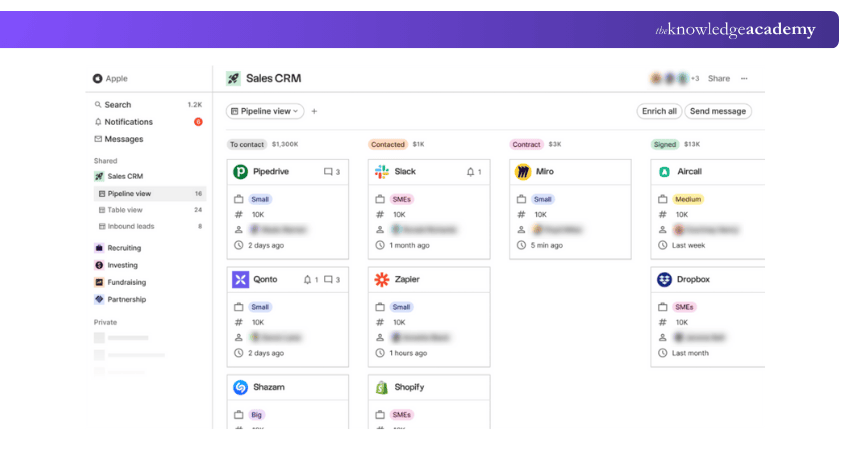
Folk is a relationship-focused CRM built around people and partnerships rather than traditional sales pipelines. It is especially useful for creative teams, agencies, founders, and small business owners. It helps track contacts, record conversations, manage collaborations, and share contact lists within teams.
Key Features:
1) Shared contact databases
2) Relationship tracking
3) Email syncing
4) Custom tags and groups
5) Team collaboration
Benefits:
1) Great for networking-based businesses
2) Simple and clean design
3) Good for relationship management
Limitations:
1) Limited sales automation
2) Not ideal for large sales teams
8) Kommo
Kommo is a chat-based CRM made for businesses that use messaging apps to talk to customers. It brings WhatsApp, Messenger, Telegram, and email messages into one place. It uses bots to reply to customers automatically, collect lead details, and move deals through sales stages.
Key Features:
1) Messaging app integration
2) Sales funnel tracking
3) Chatbots for automation
4) Lead scoring
5) Contact management
Benefits:
1) Strong for chat-based sales
2) Fast customer response
3) Good automation tools
Limitations:
1) Limited email marketing features
2) Not ideal for offline sales
9) Salesmate
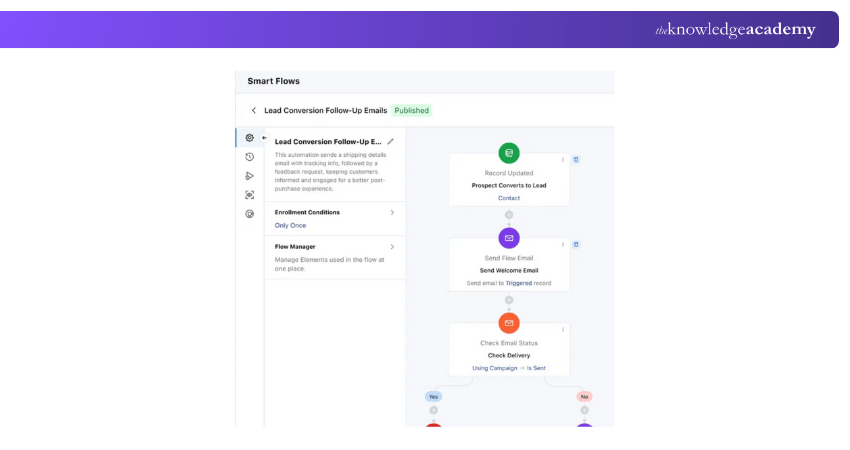
Salesmate is a simple yet powerful CRM that supports sales tracking, automation, and customer communication. It's clear sales pipelines and insightful analytics help teams understand performance better. A dedicated mobile app also enables sales teams to work efficiently from anywhere.
Key Features:
1) Task and activity management
2) Deal tracking
3) Email and SMS automation
4) Sales reporting
5) Workflow automation
Benefits:
1) Easy setup
2) Good automation tools
3) Affordable pricing
Limitations:
1) Limited customer support tools
2) Has only basic reporting
10) NetHunt
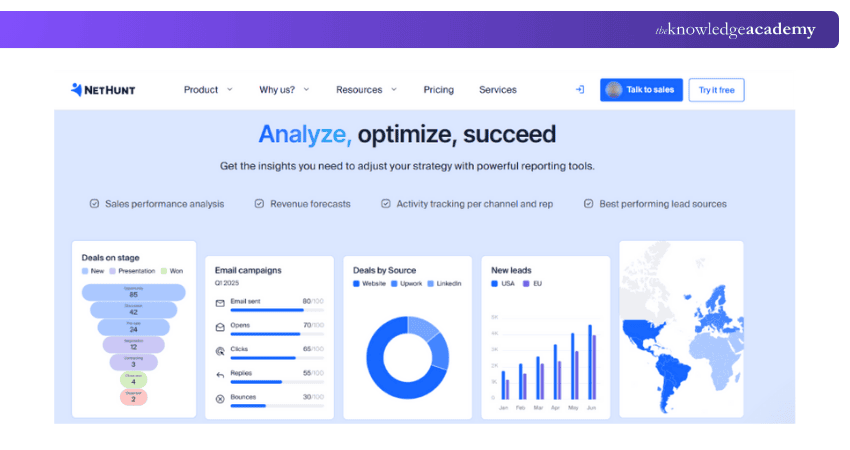
NetHunt is a Gmail-based CRM that works directly inside your email inbox. It’s ideal for businesses that rely heavily on email communication. Users can turn emails into deals, track replies, automate follow-ups, and manage contacts without leaving Gmail.
Key Features:
1) Gmail integration
2) Lead and contact tracking
3) Email automation
4) Task management
5) Custom pipelines
Benefits:
1) Works inside Gmail
2) Saves time on email sales
3) Simple interface
Limitations:
1) Limited outside Gmail
2) Fewer advanced features
11) Monday CRM
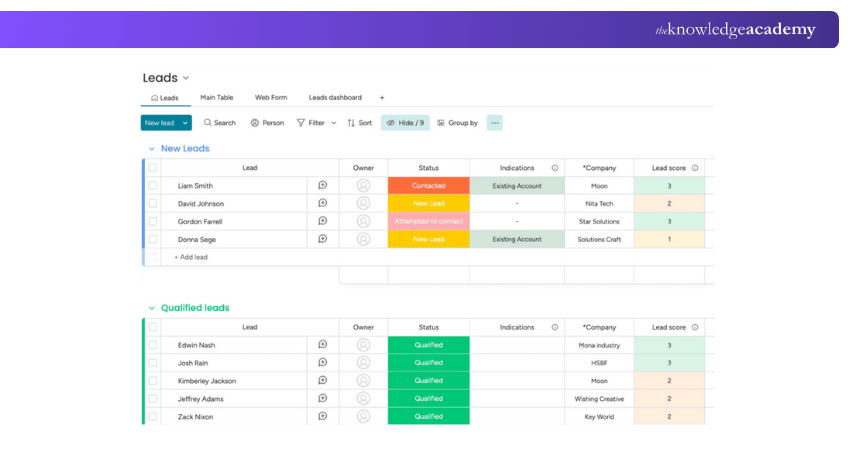
Monday CRM is built on the popular Monday work platform. It allows users to create custom sales boards, pipelines, workflows, and dashboards. It is very visual and easy to understand. Teams can track deals, assign tasks, and collaborate easily.
Key Features:
1) Custom pipelines
2) Visual dashboards
3) Task automation
4) Team collaboration
5) Sales forecasting
Benefits:
1) Highly customisable
2) Visual and user-friendly
3) Good team coordination
Limitations:
1) Can be costly
2) Setup takes time
12) Pipedrive CRM
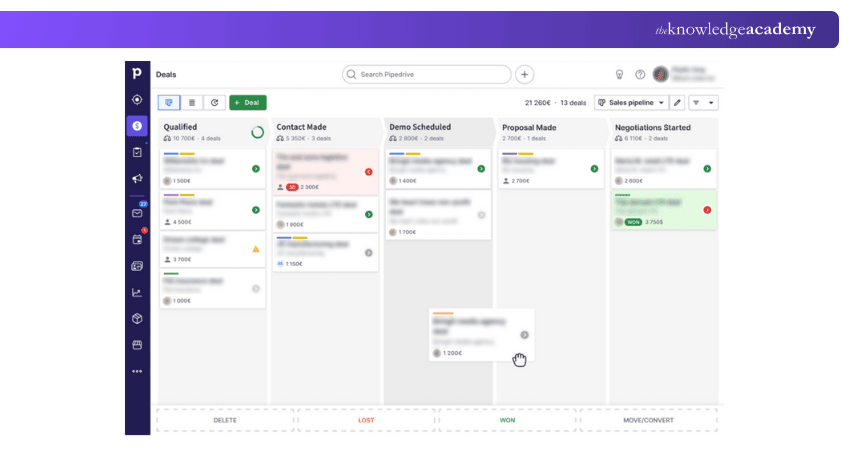
Pipedrive CRM is a sales-driven CRM designed to help teams focus on closing deals. Its drag-and-drop sales pipeline makes it easy to move deals step by step. It includes sales reports, email tracking, automation, and forecasting tools.
Key Features:
1) Visual sales pipelines
2) Deal tracking
3) Email integration
4) Sales forecasting
5) Activity reminders
Benefits:
1) Easy to use interface
2) Strong sales focus
3) Clear deal tracking
Limitations:
1) Limited marketing tools
2) Not ideal for support teams
13) SugarCRM
SugarCRM offers deep control over customer data and workflows. It offers deep customisation and advanced data control. With this, businesses can fully design their workflows, reports, and customer journeys.
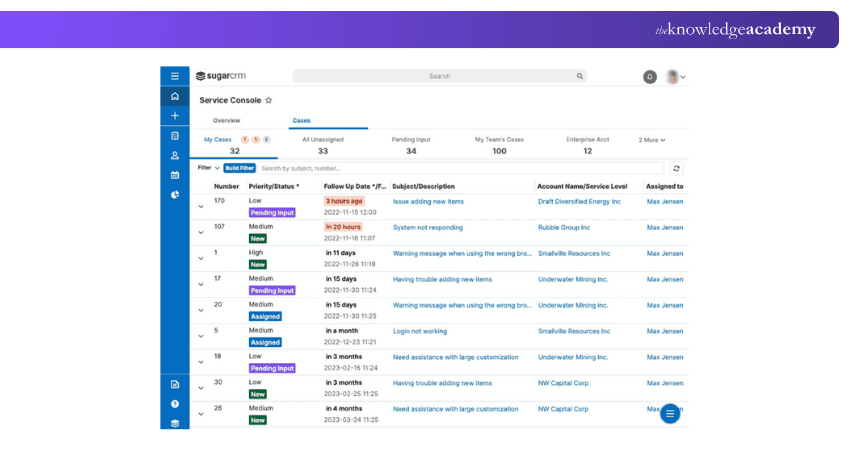
Key Features:
1) Custom workflows
2) Sales automation
3) Forecasting tools
4) Advanced reporting
5) Data controls
Benefits:
1) Cloud and on-premises deployment
2) Strong data security
3) Detailed customer insights and sales trends
Limitations:
1) Interface can feel complex for new users
2) Expensive for very small teams
14) Keap
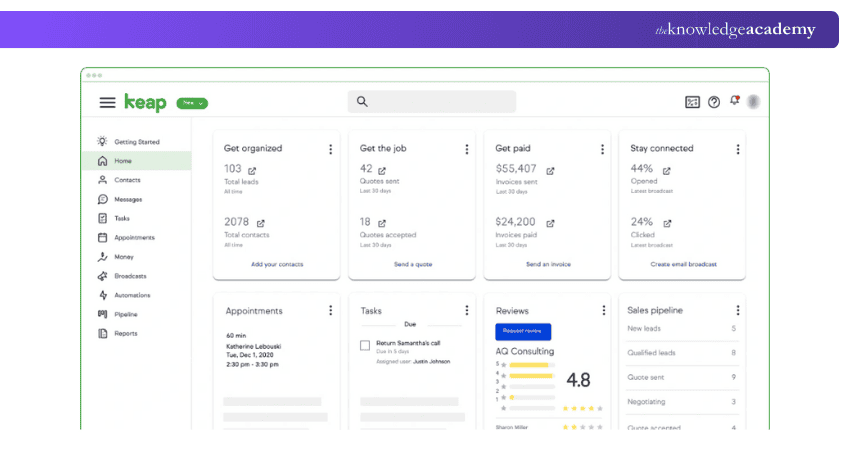
Keap is designed for small businesses that want CRM, email marketing, automation, booking, and payments in a single platform. It helps automate follow-ups, schedule appointments, collect payments, and manage customers with minimal manual effort.
Key Features:
1) Lead tracking
2) Email and SMS automation
3) Appointment booking
4) Payment processing
5) Sales pipelines
Benefits:
1) Strong automation
2) Built-in payment tools
3) Saves manual work
Limitations:
1) Higher starting cost
2) Limited design flexibility
15) Salesforce Starter
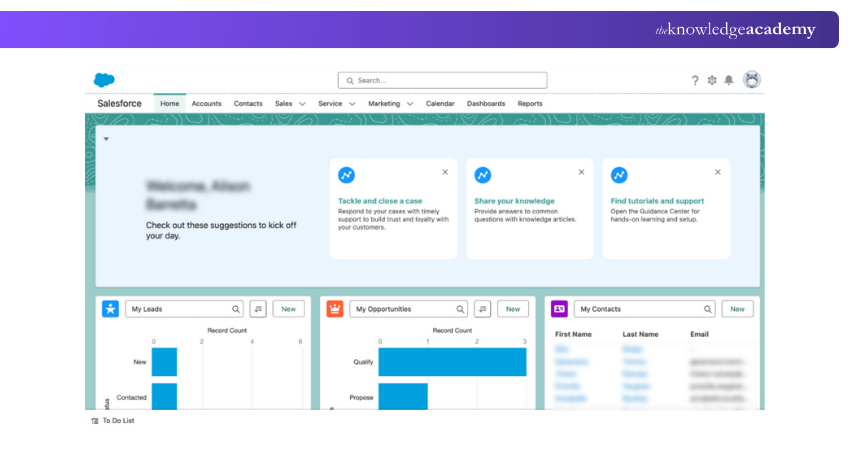
Salesforce Starter is a beginner-friendly version of Salesforce made for small businesses. It provides lead tracking, reporting, automation, and scalability. As the business grows, users can move easily to larger Salesforce systems without changing platforms.
Key Features:
1) Lead and contact tracking
2) Sales pipelines
3) Reporting tools
4) Automation rules
5) Mobile access
Benefits:
1) Strong brand reliability
2) Scales into full Salesforce
3) Powerful reporting
Limitations:
1) Higher price than most tools
2) Setup may feel complex
Step into the world of cloud-based customer management with our Salesforce CRM Course – Join soon!
Key Features to Look for in a Small Business CRM
There are many CRM tools available, and choosing the right one can feel confusing. To make the choice easier, small businesses can focus only on the features that truly help them manage customers and grow smoothly. The following are the important features to look for in a CRM:
1) Scalability
Your CRM needs to grow with your business. As you gain more customers and hire more employees, the CRM should still work properly. A good CRM allows you to add more users, contacts, and tools without slowing down or needing to change software later.
2) Contact Capacity
Many CRMs charge based on how many contacts you store. As your business grows, this can increase your costs. Always check how many contacts are allowed in your plan and whether you can upgrade easily. A flexible limit helps avoid future problems.
3) Process Automation
Automation helps do repeated tasks automatically, such as sending follow-up emails, moving deals to the next stage, and setting reminders. This saves time, reduces manual work, and helps small teams work more efficiently.
4) App Integration
Your CRM has to connect with other tools you already use, such as Email, Accounting Software, calendars, and marketing apps. When tools work together with your CRM tool, tasks become easier and faster.
5) Mobile-friendly Access
A mobile-friendly CRM allows your team to work from anywhere using a phone or tablet. This is helpful for sales staff, service teams, and business owners who work outside the office. It also ensures that no messages, leads, or tasks are missed.
6) Workflow Optimisation
Workflow tools help organise daily tasks and work processes. For example, instead of manually moving a lead from one sales stage to another, the CRM can do it automatically. Workflow management keeps work organised, saves time, and improves team coordination.
7) Information Recovery
Your CRM needs to save your data regularly so it can be recovered if something goes wrong. Most CRMs store data in the cloud, so your information stays safe even during technical problems.
8) Data Protection
Customer data must be kept safe. A secure CRM should use data encryption, login protection, access controls, and multi-step verification. These features protect your business and customer information from theft and misuse.
9) E-commerce Support
If you sell products online, your CRM should support e-commerce. This includes tracking customer orders, managing repeat buyers, using chat support, and following the customer's buying journey. E-commerce support helps improve customer experience and increase sales.
10) Built-in Marketing Tools
Built-in marketing tools such as email campaigns, landing pages, lead scoring, and tracking tools allow small businesses to manage marketing and CRM in one place. This helps attract new leads, follow up automatically, and better understand what marketing efforts are working.
11) Flexible Customisation
Every business works differently, so your CRM should be adjustable to your needs. A customisable CRM lets you create your own sales pipelines, add custom fields, design reports, and choose how information is displayed. This helps the system match your working style.
How to Choose the Best CRM for Small Businesses?
The best CRM is not always the most popular one. It is the one that suits your business needs, your team, and your budget. The steps below will help you choose the right CRM more easily:
1) Know Your Purpose: Decide whether you only need contact storage or full support for sales, marketing, and customer service.
2) Ask Your Team: Understand what your employees struggle with daily and choose a CRM that makes their work easier.
3) Check Important Features: Focus on sales tools, marketing support, customer service features, automation, mobile access, and data security.
4) Set Your Budget: Choose a CRM that fits your budget now and as your business grows.
5) Do Your Research: Read reviews, compare tools, and test free trials before deciding.
Conclusion
For small businesses, a CRM is no longer a luxury. It is a core business tool that directly supports revenue, relationships, retention, and growth. The Best CRM for Small Business has to bring structure to sales pipelines, clarity to customer data, automation to daily operations, and confidence to business decisions. When chosen carefully and implemented properly, it becomes the backbone of your success.
Take control of your customer data with ease with our CRM Training – Explore now!
Frequently Asked Questions
What is the Main Purpose of CRM?

The main purpose of CRM is to manage customer relationships in an organised way. It helps track customers, manage sales, automate follow-ups, and improve customer satisfaction.
What is CRM Data Capture?
CRM data capture means collecting customer information from various sources, like forms, emails, calls, chats, and transactions into the CRM system for future use.

The Knowledge Academy


Global Training Provider
The Knowledge Academy is a world-leading provider of professional training courses, offering globally recognised qualifications across a wide range of subjects. With expert trainers, up-to-date course material, and flexible learning options, we aim to empower professionals and organisations to achieve their goals through continuous learning.


 If you wish to make any changes to your course, please


